Canopy: inspect blocks and see chunk boundaries

9 views 0 downloads

Check block states, compare positions and reveal chunk boundaries with a few focused display options.

Canopy helps you inspect a Bedrock build while standing beside it. Look at a chest to read its facing, check the state of a hopper, or bring chunk boundaries into view before laying out the next part of a workshop. Start with a few useful hints and turn them off again when you want a clear view.
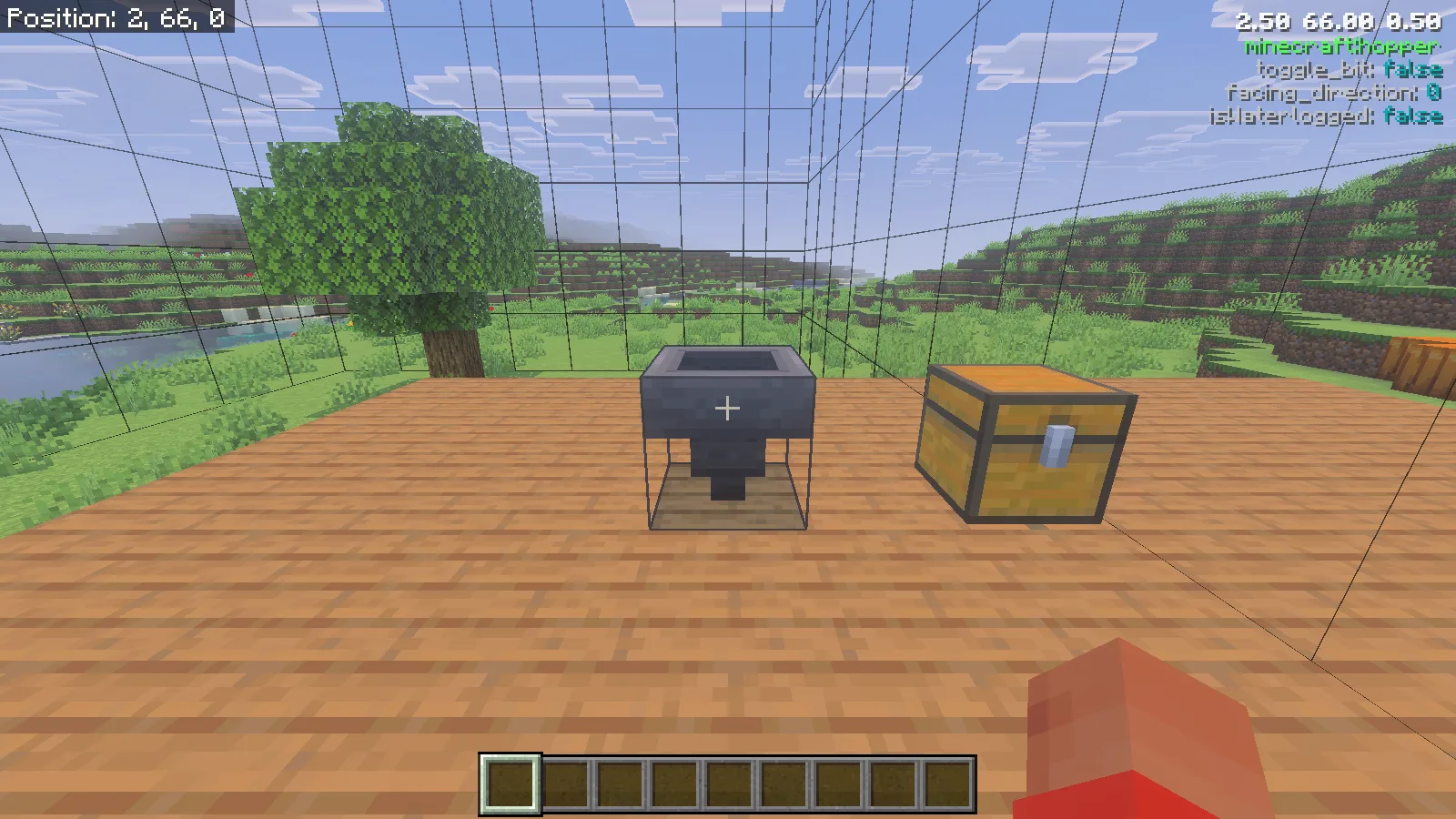
Canopy lines surround a wooden platform, with a hopper and chest ahead and the hopper states at the upper right.

Set up the matching packs

This walkthrough uses Canopy 1.6.2 on Minecraft for Windows, Bedrock 26.52. Make a copy of an existing world first. Open the downloaded Canopy-v1.6.2.mcaddon with Minecraft and wait for the import confirmation. Edit the intended world, activate Canopy under Behavior Packs → My Packs, and check that the matching Canopy pack is active under Resource Packs.

For this release, enable Beta APIs in that world's Experiments. Use a world with cheats enabled and the permission to run world commands for the rule changes below. Enter the world and run /canopy version; our installed pair reported 1.6.2.

Choose the hints you need

Open /info menu to see your personal InfoDisplay options. /canopy menu opens a separate list of world rules. Keeping those two menus distinct makes it easier to change what you see without casually switching on unrelated world features.
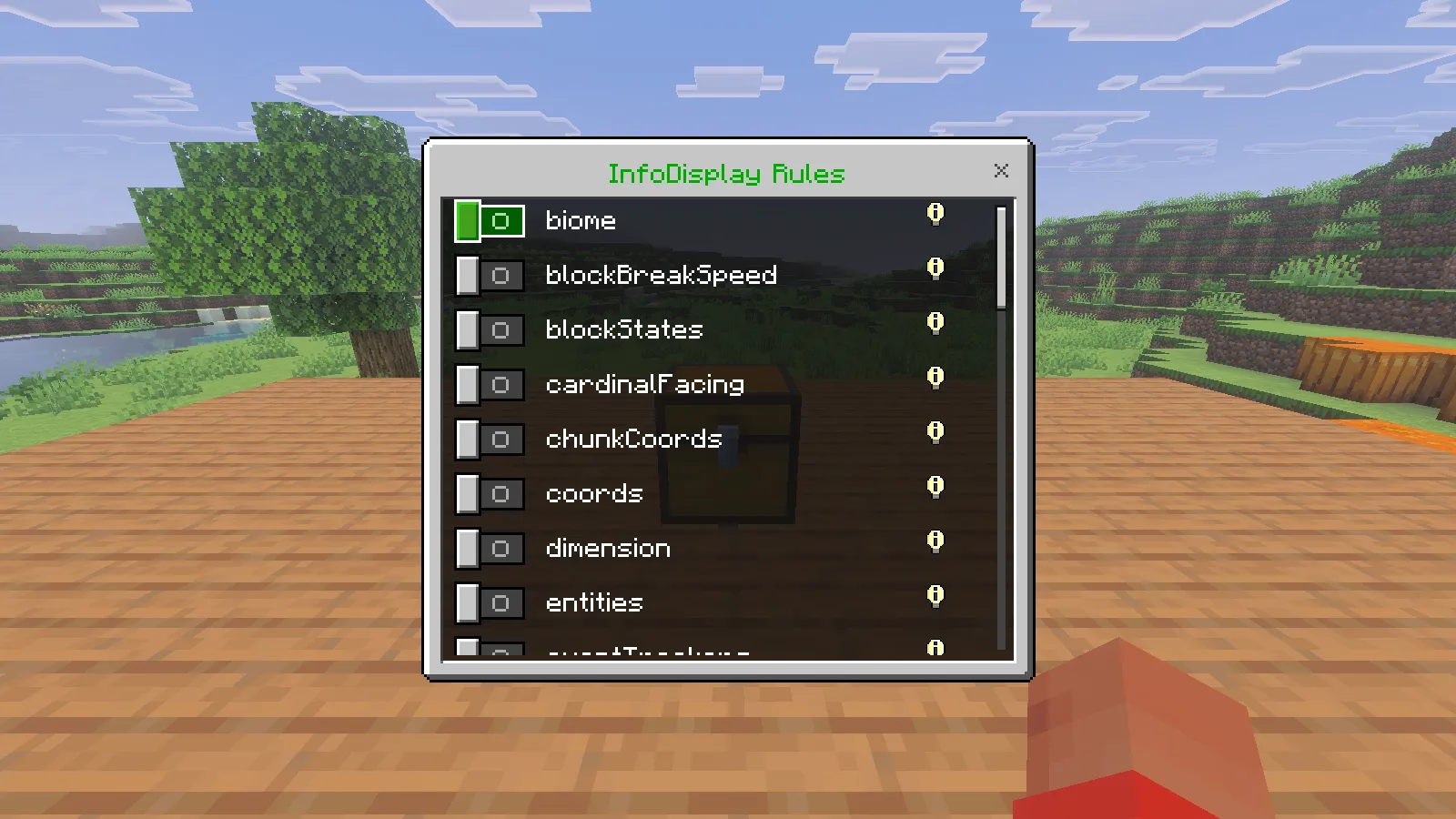
Canopy InfoDisplay Rules form with visible switches for blockStates, cardinalFacing, chunkCoords and coords.

For a first inspection, enter /info target true and /info blockStates true. Point the crosshair at a nearby solid block. The target line names it; the state lines describe properties of that block. Move close enough to inspect it—the target lookup used here reaches seven blocks. Aiming through water or at an entity can change which information appears.

Read the block before rebuilding it

Our chest showed minecraft:chest, facing_direction: 2, minecraft:cardinal_direction: north, and isWaterlogged: false. That is useful when you are checking a row of storage: compare the state of the odd-looking chest with one you placed correctly, then decide whether it needs replacing.
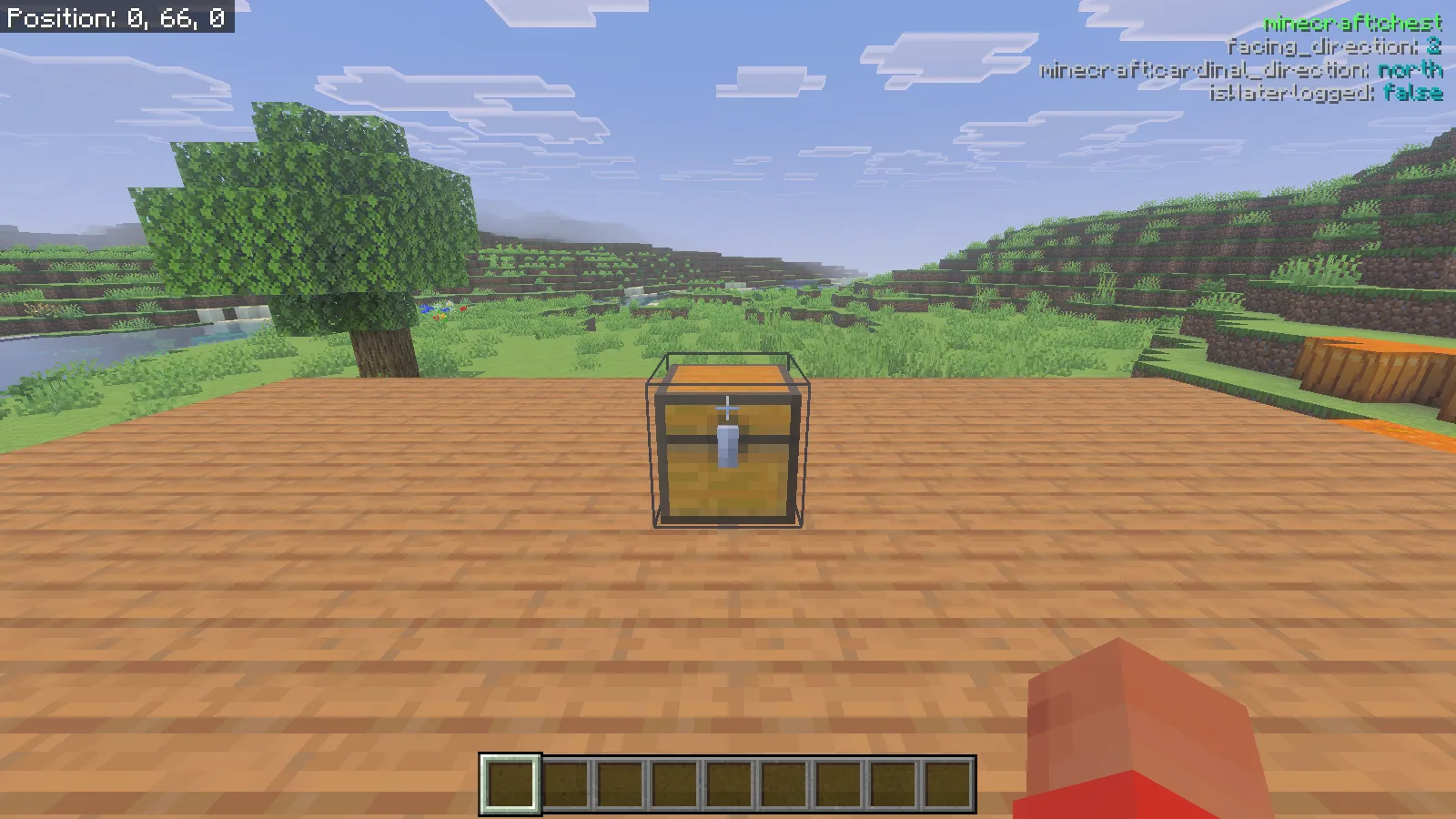
First-person view of a chest on the platform; the Canopy overlay names minecraft:chest and shows its facing and waterlogged states.

The nearby hopper showed minecraft:hopper, facing_direction: 0, toggle_bit: false, and isWaterlogged: false. Its outlet visibly pointed downward. When checking your own collection line, look at both the outlet and the state readout. Compare a known correct hopper with the one you are investigating instead of assuming that every state number means the same thing for every block.
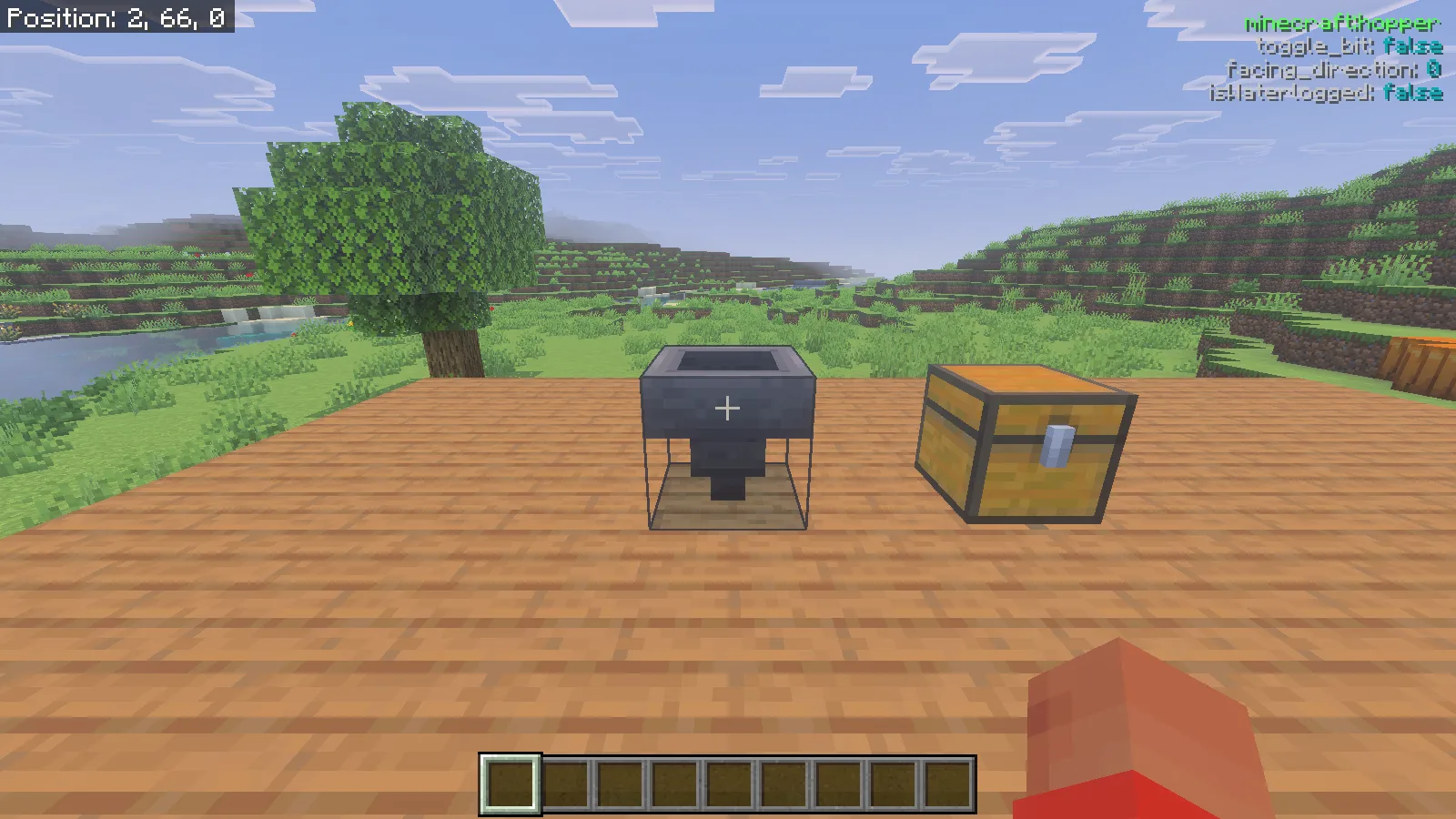
First-person view of a downward-facing hopper with its Canopy identifier and block-state readout.

Use the overlay to answer a specific question: is this the block I meant to inspect, is its orientation consistent with the neighboring section, or is it waterlogged?

Show boundaries with an arrow

Run /canopy chunkBorders true. Then put one arrow in the fifth slot of the upper row of your main inventory, directly below the offhand slot in the layout shown here. It belongs in the main inventory, not the hotbar or the offhand itself. Close the inventory to inspect the lines.
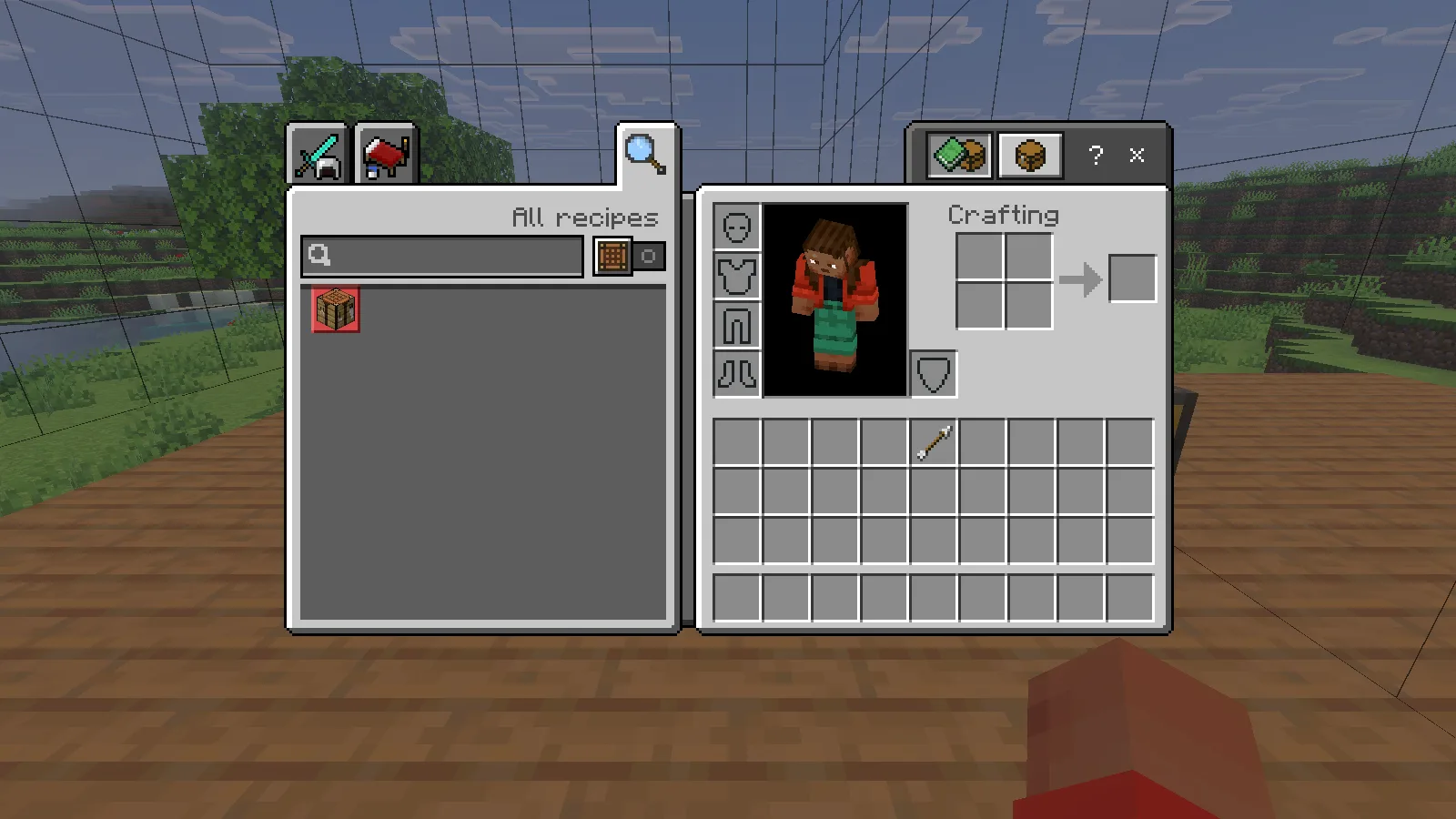
Survival inventory view showing one arrow in the upper main-inventory row beneath the offhand slot, with boundary lines behind the inventory.

The rule and the arrow work together: our boundaries appeared after the arrow reached that slot. Use the view to check where a planned wall, storage room or farm module sits relative to a chunk edge. The extra grid lines help show the shape in space; they do not turn every small grid square into a separate chunk.

Compare positions, then clear the view

Enable /info coords true for a position readout with two decimal places. Walk a short distance and watch it update. In our platform example, moving sideways changed X from 2.50 to 0.99 while the targeted block changed from the hopper to spruce planks.
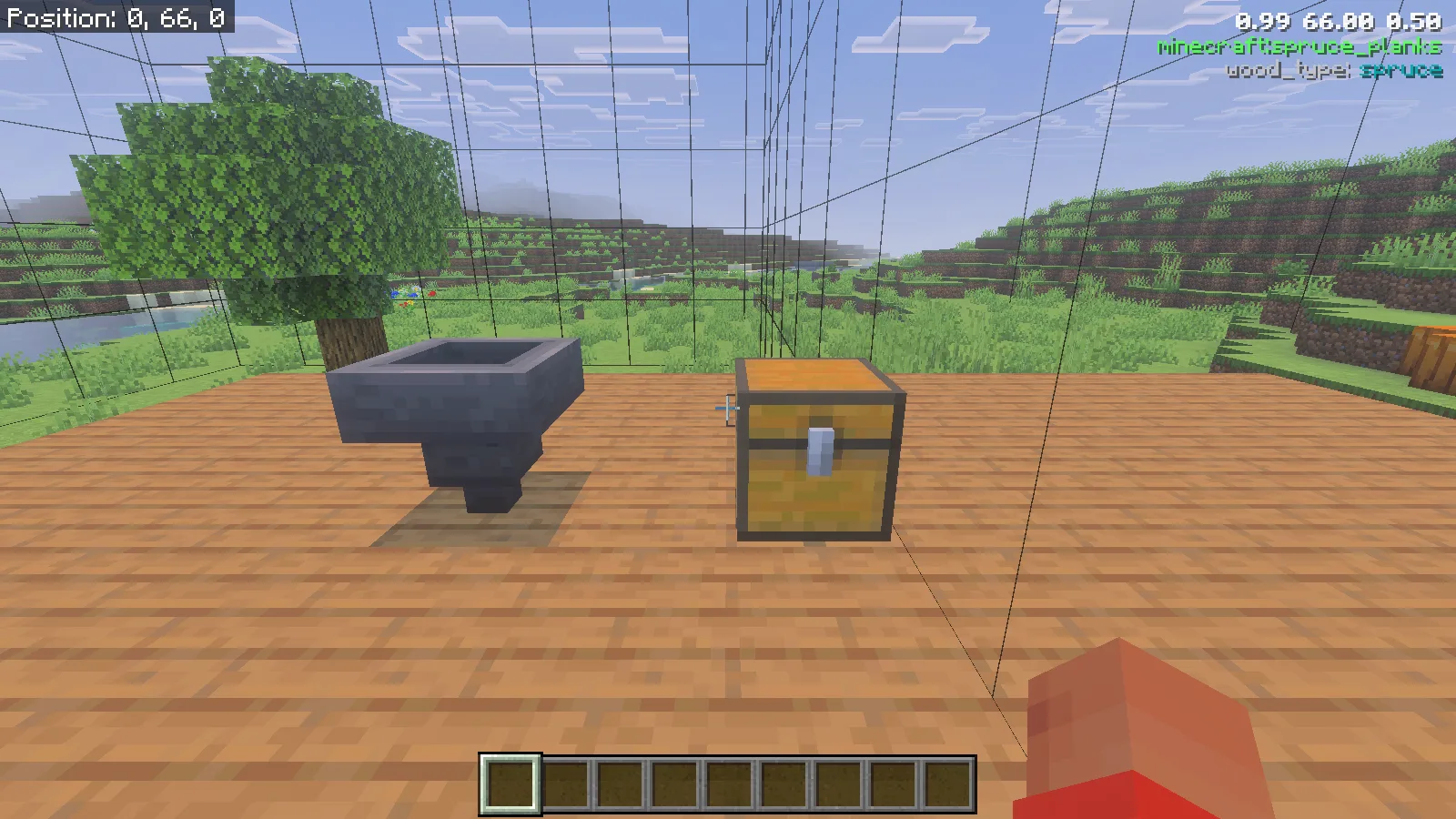
The platform after moving sideways, with a coordinate readout of 0.99 66.00 0.50 and minecraft:spruce_planks identified at the upper right.

Finish with /info target false, /info blockStates false, /info coords false, and /canopy chunkBorders false. Our Canopy text and boundary lines disappeared; Minecraft's separate Show Coordinates display remained at the upper left.
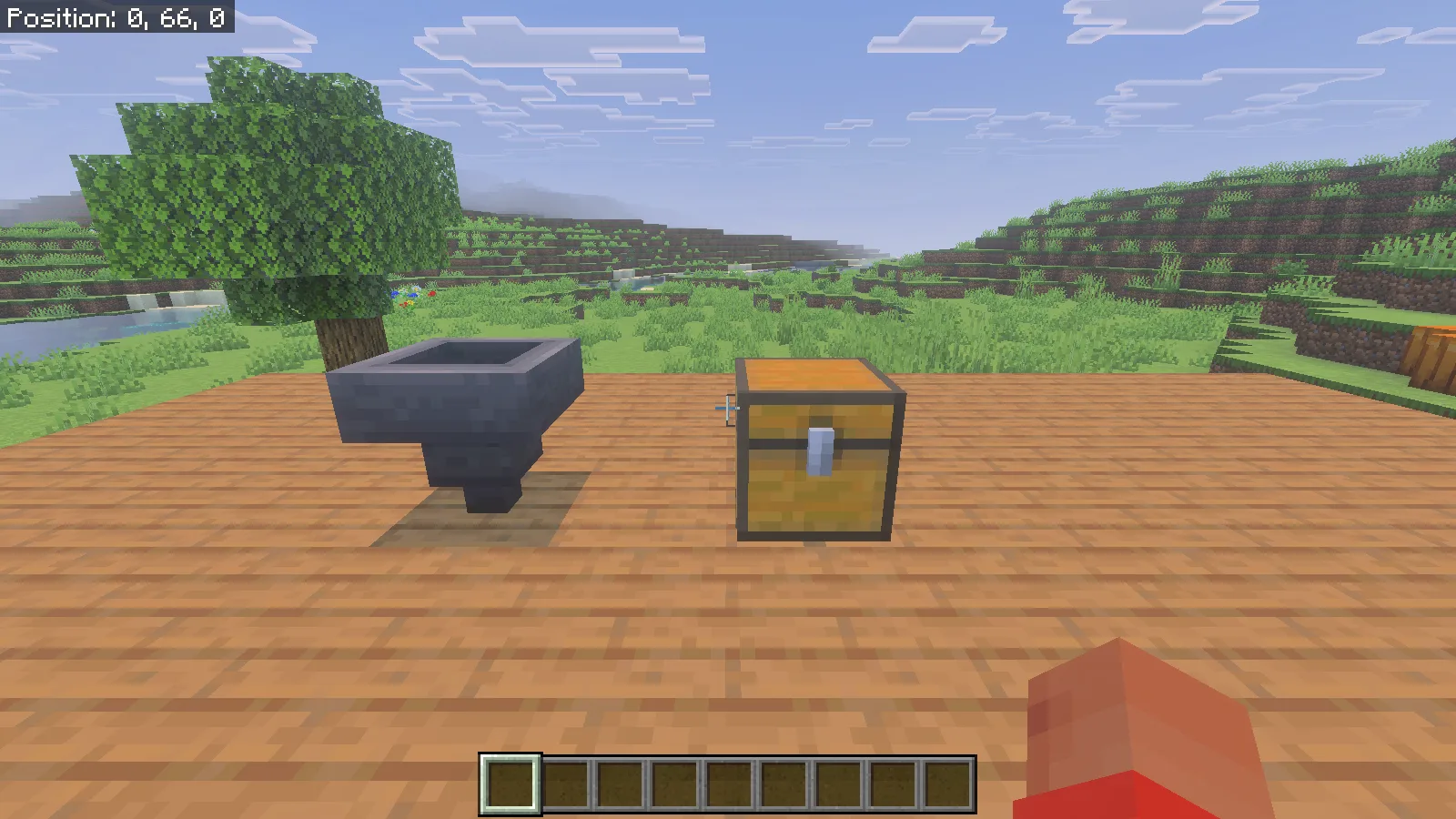
The same platform and containers with Canopy text and grid lines removed, while Minecraft Position remains at the upper left.

For an everyday building session, keep a small routine: identify the block, compare the relevant state, check the position if necessary, then return to a clear screen. This keeps the information tied to the repair or layout decision you are making.

No ratings yet

Files

Filter files 1 fileStable
Show all files

Version 1.6.2

Stable

Canopy-v1.6.2.mcaddon

Minecraft 26.52 Listed devices: Windows
Beta APIs required
0 downloads
Download · 555.8 KB
Requirements & details

Bedrock 26.52 · Windows

  • Game version: 26.52 · Listed devices: Windows · Experiments: Required · Script API: Beta API · Pack contents: Behavior + Resource · Game channel: Stable · Play in: Local world · File format: .mcaddon

Import the paired behavior and resource packs. Enable Beta APIs in a copied test world; cheats and command permission are needed for the demonstrated world-rule commands.

Requirements & notes
Known issues
On Bedrock 26.52, /data can return container information together with a Poi runtime warning. For the block inspection shown here, use /info target true and /info blockStates true.
Minimum engine version
1.26.50
Required experiments
Beta APIs. Verified enabled in saved world NBT.
Script API modules & versions
@minecraft/server 2.11.0-beta; @minecraft/server-ui 2.3.0-beta; @minecraft/debug-utilities 1.0.0-beta; @minecraft/server-gametest 1.0.0-beta.
Technical details
File details
Download type
Main
Realms & multiplayer support
Activate both matching packs and enable Beta APIs. Use /info menu for personal display options and /canopy menu for world rules.
Tested setup
Minecraft for Windows 26.52 app1.26.5203.0. Canopy1.6.2, Beta APIs enabled. Creative fixture inspection and native movement; Survival inventory shown for the arrow slot.
Compatibility notes
The walkthrough uses Canopy 1.6.2 with Bedrock 26.52 and Beta APIs enabled.
File information

Archive structure and entry integrity checked · 402 entries · 1.2 MB unpacked.

Canopy[BP]/manifest.json — Pack name
Canopy [BP] v1.6.2
Canopy[BP]/manifest.json — Pack version
1.6.2
Canopy[BP]/manifest.json — Minimum engine version
1.26.50
Canopy[BP]/manifest.json — Pack UUID
7f6b23df-a583-476b-b0e4-87457e65f7c0
Canopy[BP]/manifest.json — Requires @minecraft/server
2.11.0-beta
Canopy[BP]/manifest.json — Requires @minecraft/server-ui
2.3.0-beta
Canopy[BP]/manifest.json — Requires @minecraft/debug-utilities
1.0.0-beta
Canopy[BP]/manifest.json — Requires @minecraft/server-gametest
1.0.0-beta
Canopy[BP]/manifest.json — Requires bcf34368-ed0c-4cf7-938e-582cccf9950d
1.6.2
Canopy[RP]/manifest.json — Pack name
Canopy [RP] v1.6.2
Canopy[RP]/manifest.json — Pack version
1.6.2
Canopy[RP]/manifest.json — Minimum engine version
1.26.50
Canopy[RP]/manifest.json — Pack UUID
bcf34368-ed0c-4cf7-938e-582cccf9950d
Canopy[RP]/manifest.json — Requires 7f6b23df-a583-476b-b0e4-87457e65f7c0
1.6.2
Manifests read (2)
  • Canopy[BP]/manifest.json · JSON structure
  • Canopy[RP]/manifest.json · JSON structure
Review warnings (6)
  • This package declares a beta Script API dependency. Check the required experiment and exact game build.
  • This package declares a beta Script API dependency. Check the required experiment and exact game build.
  • This package declares a beta Script API dependency. Check the required experiment and exact game build.
  • This package declares a beta Script API dependency. Check the required experiment and exact game build.
  • A pack header or module UUID is reused in this archive. Test the original packs together before claiming coexistence; do not rewrite the author’s UUIDs.
  • A pack or module UUID also appears in another published project. Same-world compatibility has not been established by this structural check.

Cross-project UUID comparison covers files with indexed manifest inspections. Older files must be rechecked to join this comparison.

Manifest values describe the package. They do not prove that it works with every game version. This check is not an antivirus scan.

SHA-256: c4ee61c80ea174a2f94e4f026ef2636125f549a032c3419941ca80ce35f81d11

Release updates

Version 1.6.2

Stable

Canopy 1.6.2 shows information about the block you target and can display chunk boundaries with its arrow tool.

View files

Comments & questions

Share what worked, ask for help or reply to another player.

No comments yet. Share what worked for you.

Join the conversation

No account required. Confirm your email with a code before your first comment.

1Your name & email

Only a masked address appears with your name. Guest comments are reviewed before publication.

2Verify & post

Search Modonix

Search in