
An add-on asking for Beta APIs needs a particular world setting. That does not mean you should turn on the whole Experiments page. Check the instructions for the file you downloaded, then enable only the settings it names. If the creator says experiments are unnecessary, leave them off.
Find Beta APIs in your world settings
From Play > Worlds, choose the pencil beside the world. Scroll down the left-hand list to Experiments, below Behavior packs. Beta APIs is in the Add-On Creators group on that page; the group title is a heading, not another button.
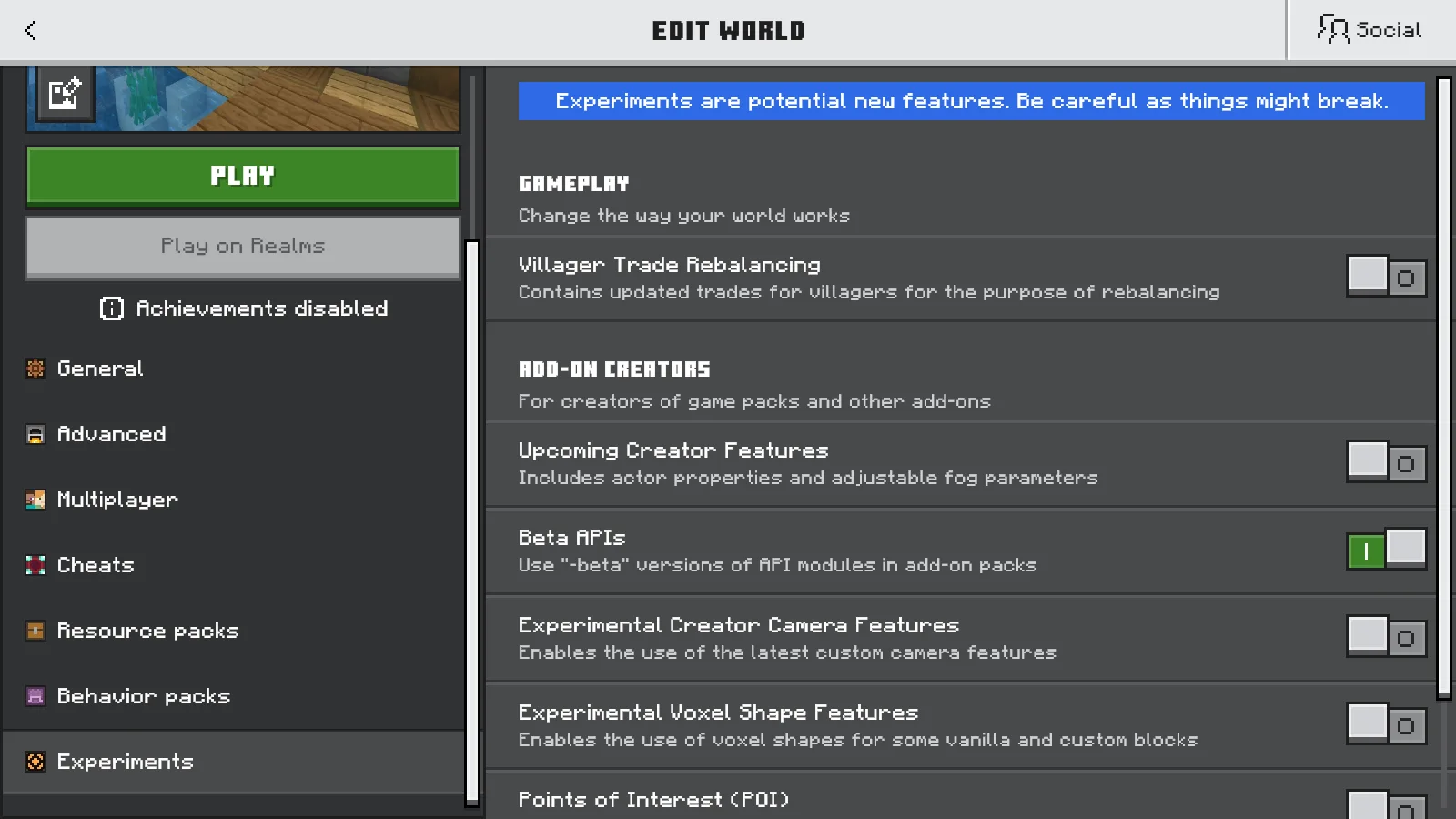
Beta APIs is the green switch here. The surrounding experiments are separate options.
Menu layouts can change, so match the setting's name rather than its position. If you are playing in someone else's world, ask the owner to check it. Changing your own world's settings will not change theirs.
Make the copy before touching the switch
Imagine trying an unfamiliar add-on in the survival world where you have already built your base. Make a separate copy first, so you can try the add-on without committing that original world to experiments.
- Open the original world's Edit > General page and choose Duplicate world.
- Return to the world list and open the duplicate's settings. Give it a clear name, such as My Survival — Add-on Test, and save the name change.
- Check that the original and your named copy are separate entries. Continue in the copy.
- Open Experiments and enable the setting the add-on actually asks for.
Enabling Beta APIs brings up the warning below. Choose Cancel and go back if you are still in the original or have not made your backup. Choose Turn on Experiments anyway only when you are ready to use the copy.
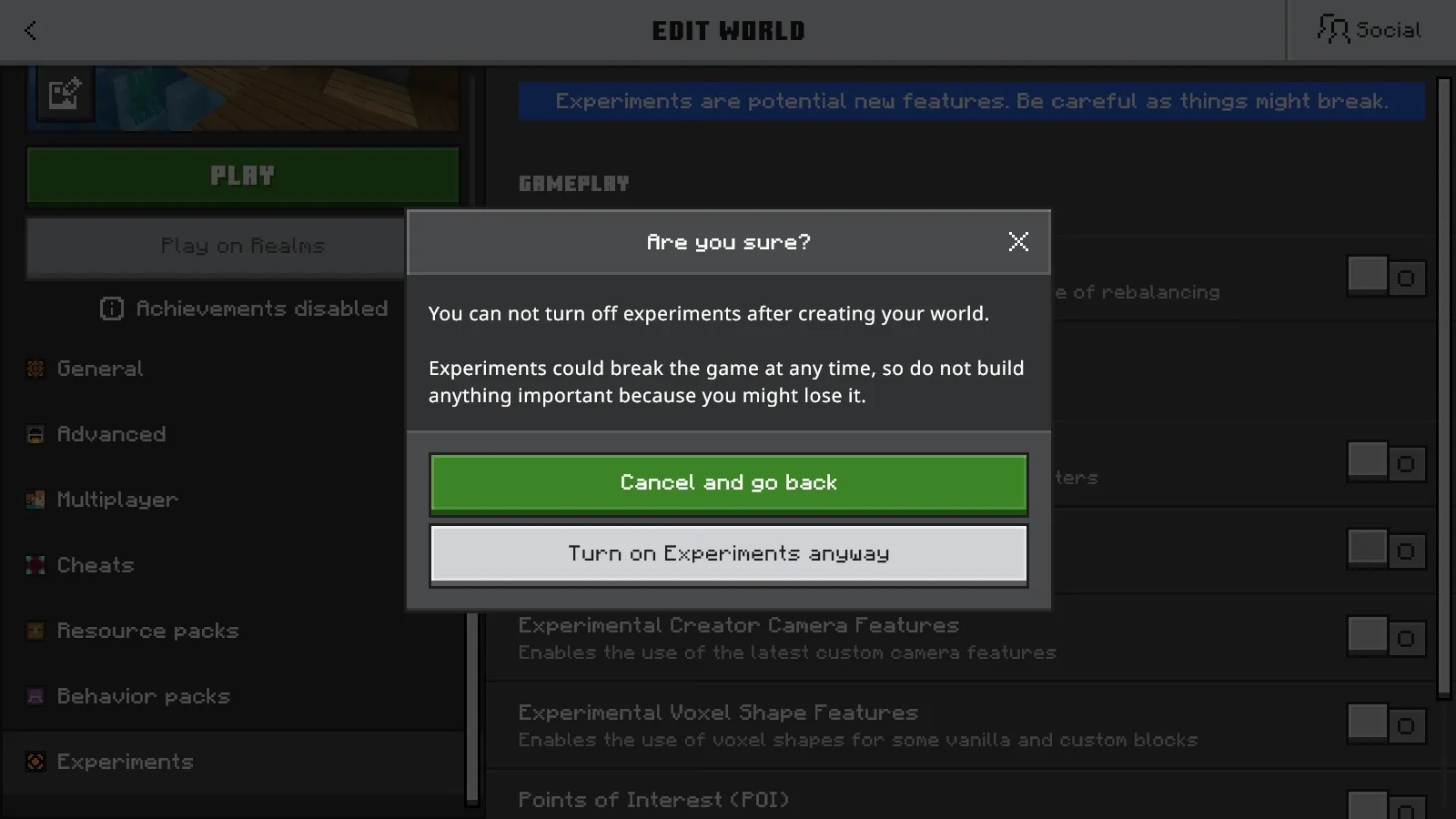
This is the point to stop if you selected the wrong world.
When you return to the world list, choose Save changes if prompted. Look for the Experimental label beside the copy. Do not rely on a second copy appearing automatically: make your own before changing the setting.
For a world you would hate to lose, keep an independent backup as well. The world backup guide explains the export-and-restore route where it is available.
A grey switch can already be on
After saving and reopening our copy's settings, Beta APIs stayed on, but its control was greyed out. The other visible experiments were still off and could be selected. Look at the switch's position, not just its color.
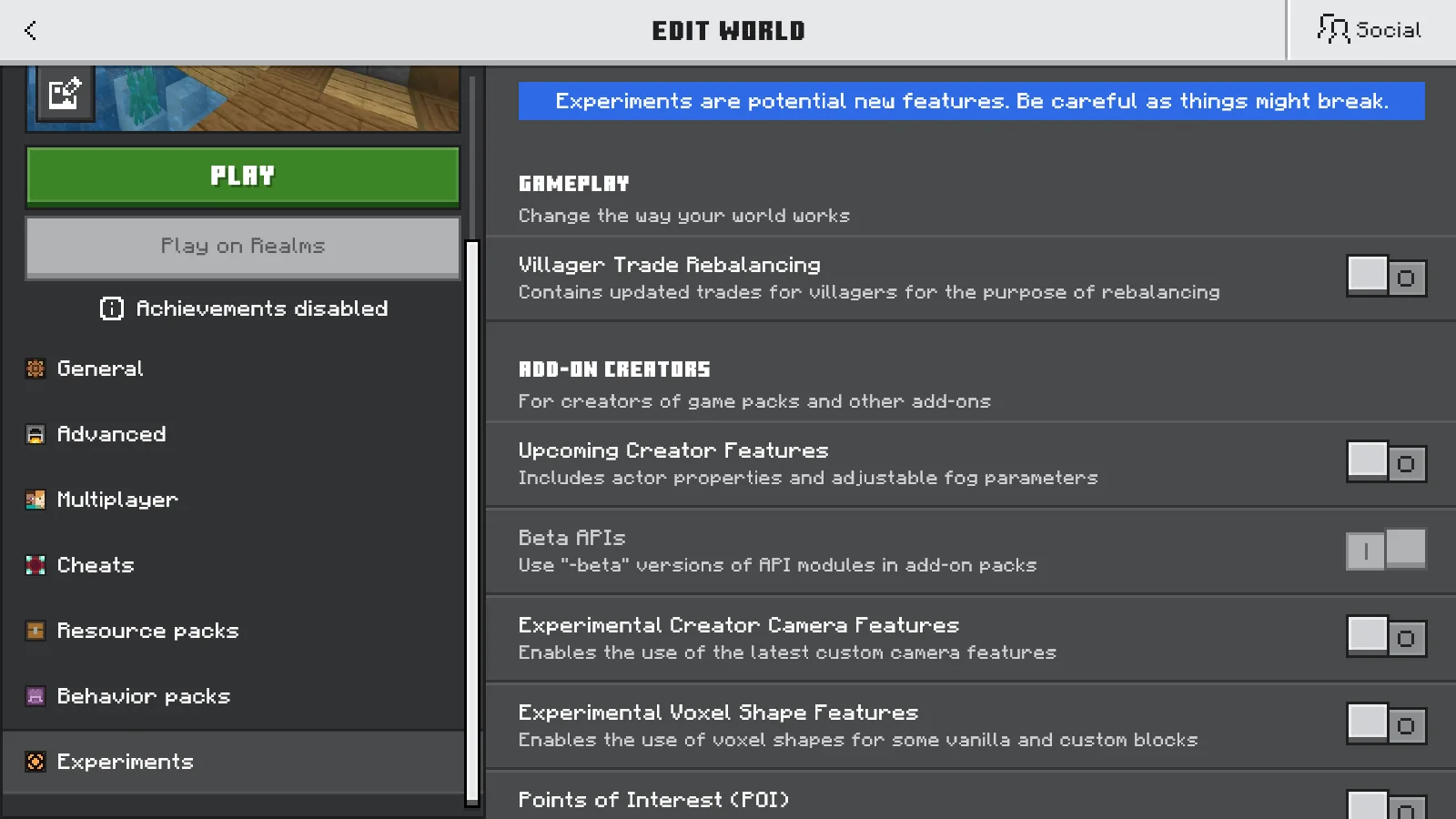
The Beta APIs switch remains on after reopening. Its grey appearance does not mean it was turned off.
Treat this as a lasting change to that copy. Turning an experimental world back into your original, non-experimental world is not a normal toggle operation. Keep the original if you want somewhere to return to.
When an add-on still does not work
A missing creature, recipe, or furniture item is not a reason to enable unrelated experiments. First check that the add-on's required packs are active in this exact world. Our Bedrock add-on installation guide shows where to check both packs.
If the creator's instructions are unclear, ask which experiments their download needs. A scripted add-on alone does not establish a Beta APIs requirement. If you already inspect pack files, a script dependency ending in -beta is a specific clue; do not edit the file to remove the requirement.
Try the add-on's main action in the copy: place its block, use its item, or open its menu, following its own instructions. If it still fails, stop adding switches and check the download's requirements. Keep your original world for playing while you sort out the add-on.
Comments 0
Share what worked, ask for help or reply to another player.
Use your Modonix account to join the discussion and manage your comments.
Sign in to commentNo comments yet. Share what worked for you.