Construct: rebuild a gate from a hologram in Survival

16 views 0 downloads

Save a small design, place its guide and build a matching copy from your inventory with Fast Easy Place.

Construct helps you rebuild a saved design in Bedrock by showing a hologram where each block belongs. Bring the matching materials, work through the outline and turn it into a real structure. It is useful for a repeated gate, a matching window bay or a small roof section whose shape you want to keep consistent.

Our example starts with a nine-block arch and finishes with a second complete arch beside it. Six oak logs, two oak planks and one gold block were placed through Fast Easy Place in Survival. The gold corner makes the template's orientation easy to follow.
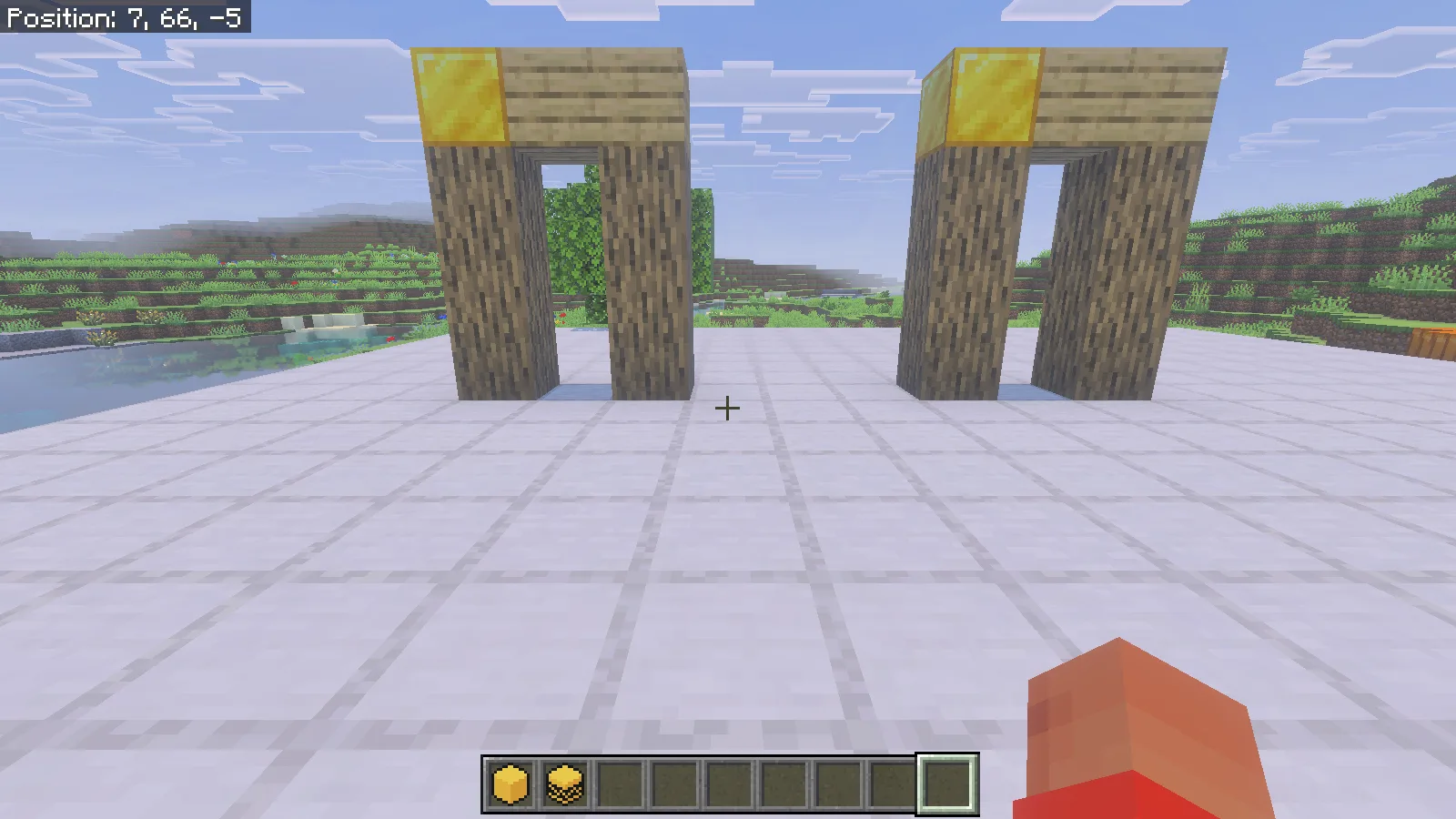
Two matching oak-log arches with gold corners stand side by side on the platform.

Install the matching packs

This example uses Construct 1.2.1 on Windows Bedrock 26.52. Open the author's .mcaddon with Minecraft, wait for its imports, then activate the Construct behavior pack and matching resource pack in a copy of your world. Enable Beta APIs in that world's Experiments settings. The structure-saving setup below uses commands, so the world owner needs cheats enabled and permission to run them.

Begin with a small design on clear ground. Leave room beside it for the copy and enough space to stand outside the projected blocks. Keep the original intact until the new build is complete.

Save a template and position its guide

Our arch occupies the box from 2,66,2 to 4,69,2. That is three blocks wide, four high and one deep, including the air in the opening. Save those bounds under a structure name, then give its Construct instance a short label:

/structure save modonix:gate 2 66 2 4 69 2 false disk true
/construct:create Gate modonix:gate
/construct:place Gate minecraft:overworld 8 66 2
/construct:construct

Use your own coordinates when saving a different build. Here, modonix:gate names the saved template and Gate names the guide placed in the world. The final command gives the Construct menu item. Hold it and right-click, then select Gate.
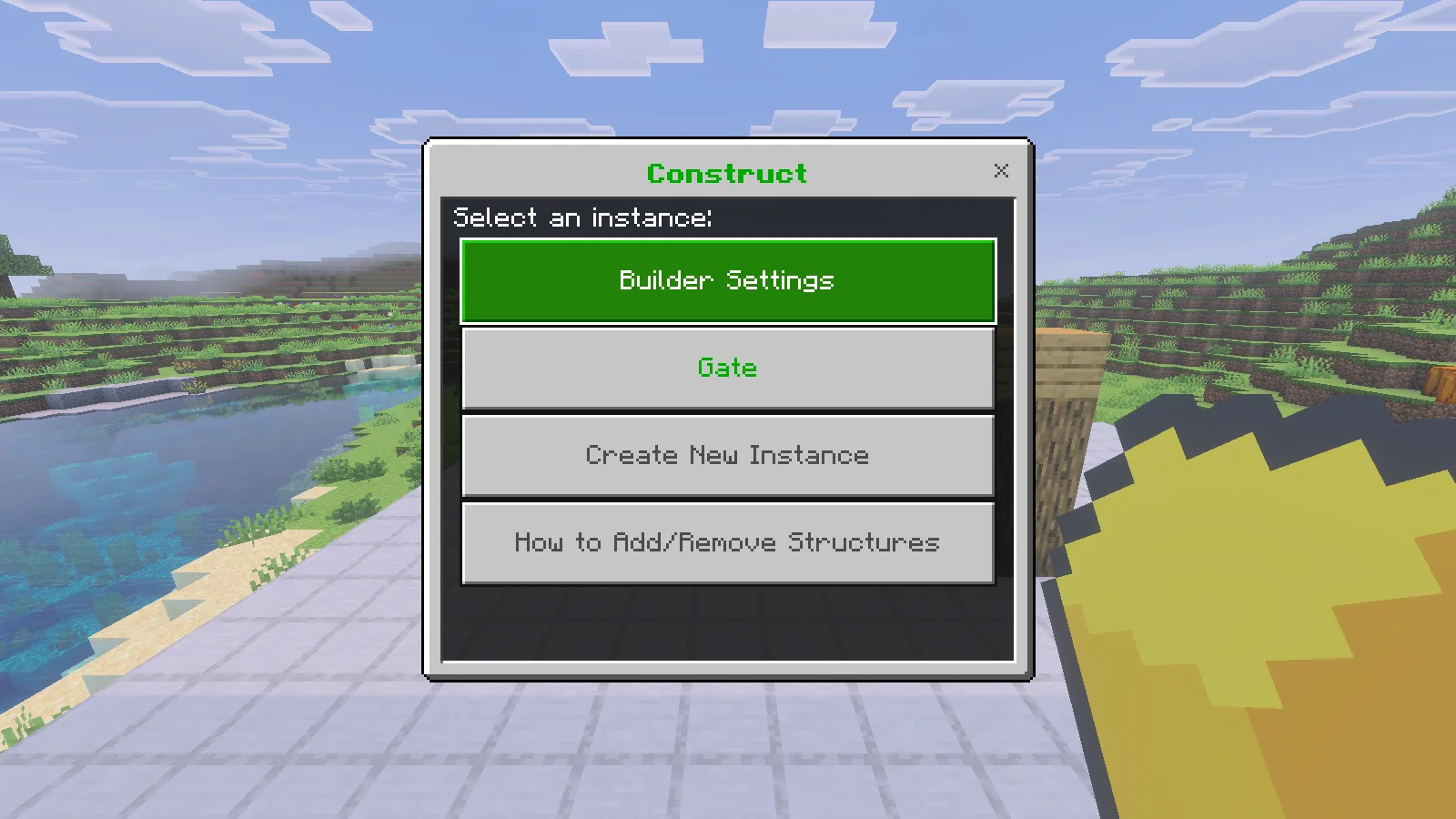
The real Construct menu shows Builder Settings, Gate, Create New Instance and structure help.

The Gate screen identifies the template and its location, with controls for layers and positioning together in one place. Check the intended position before building. Placing the guide creates a hologram; supplying and placing the blocks is the next step.
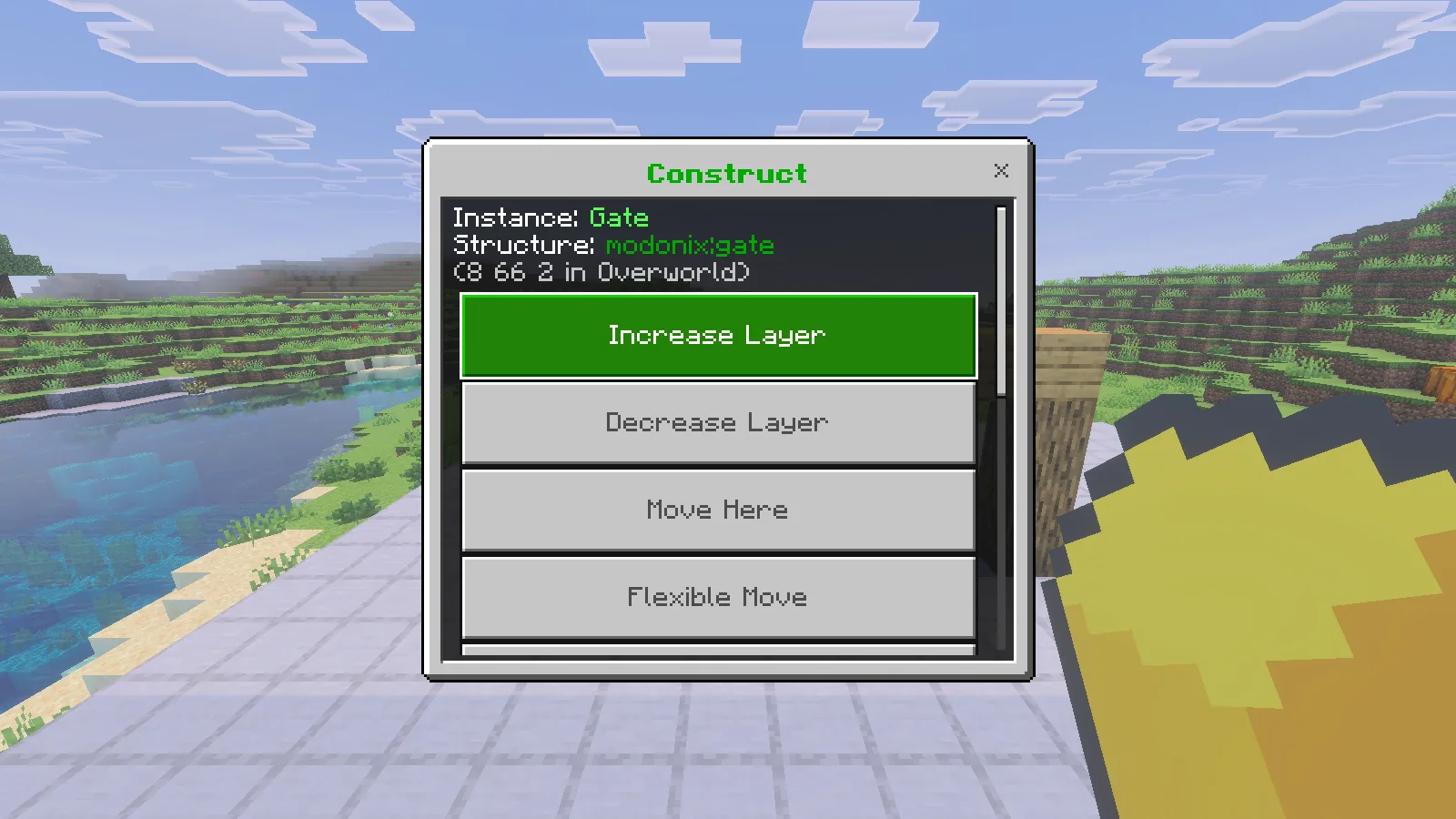
Gate instance options show its saved structure name and position above Increase Layer, Decrease Layer, Move Here and Flexible Move.

Bring materials and place the first block

For this arch, bring six oak logs, two oak planks and one gold block. Keep them in your inventory, then enable Fast Easy Place with /construct:builder fastEasyPlace true. Hold the Easy Place item in your main hand. In Survival, aim at a missing block in the guide and use a short right-click.
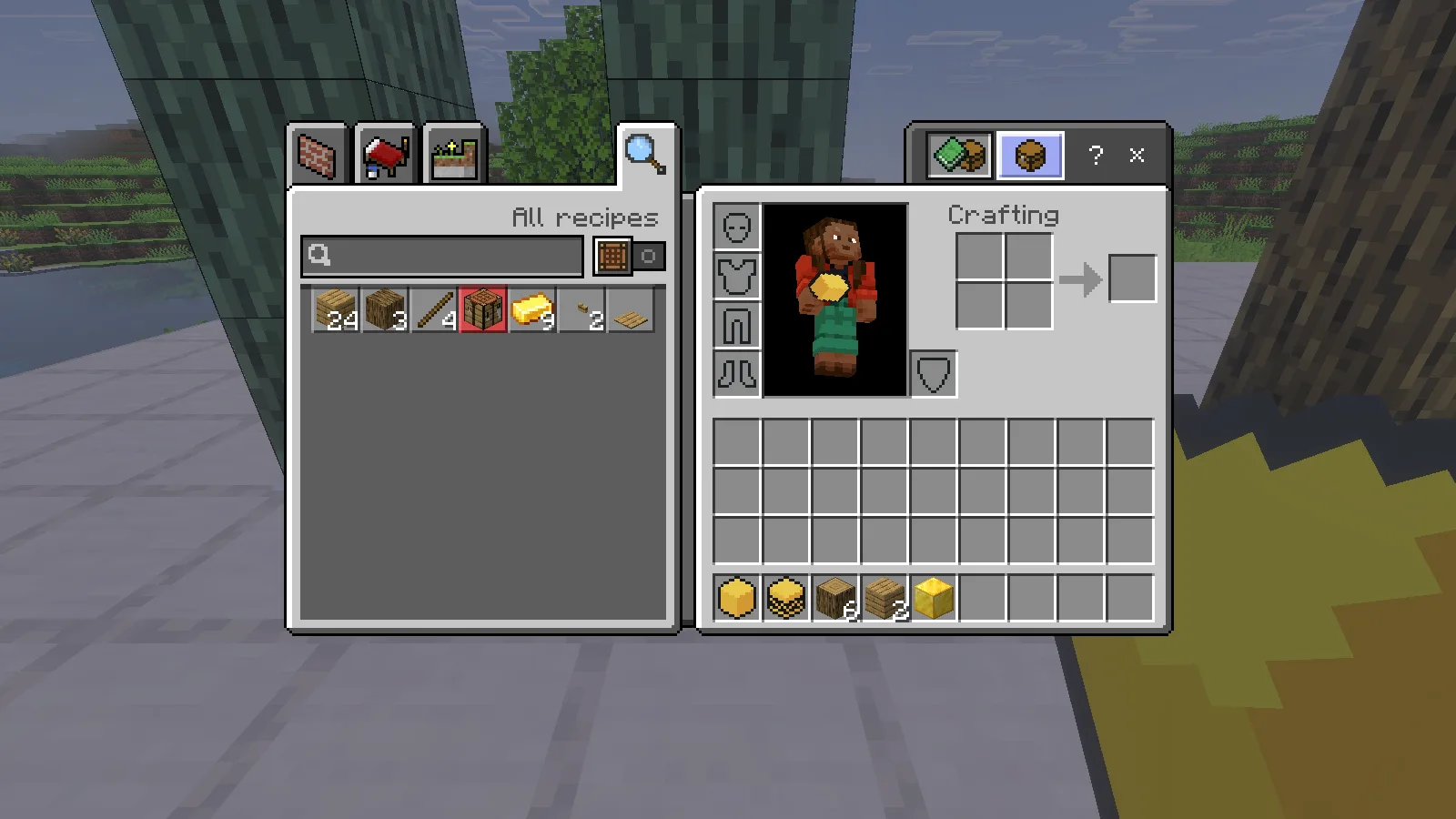
Native Survival inventory with six logs, two planks and a gold block in the hotbar, with the hologram behind it.

Start at the bottom of a pillar so the result is easy to inspect. Our first click placed one real oak log and reduced the stack from six to five. The remaining blue-tinted blocks were still the guide. The target display named the required oak log and showed its vertical pillar axis.
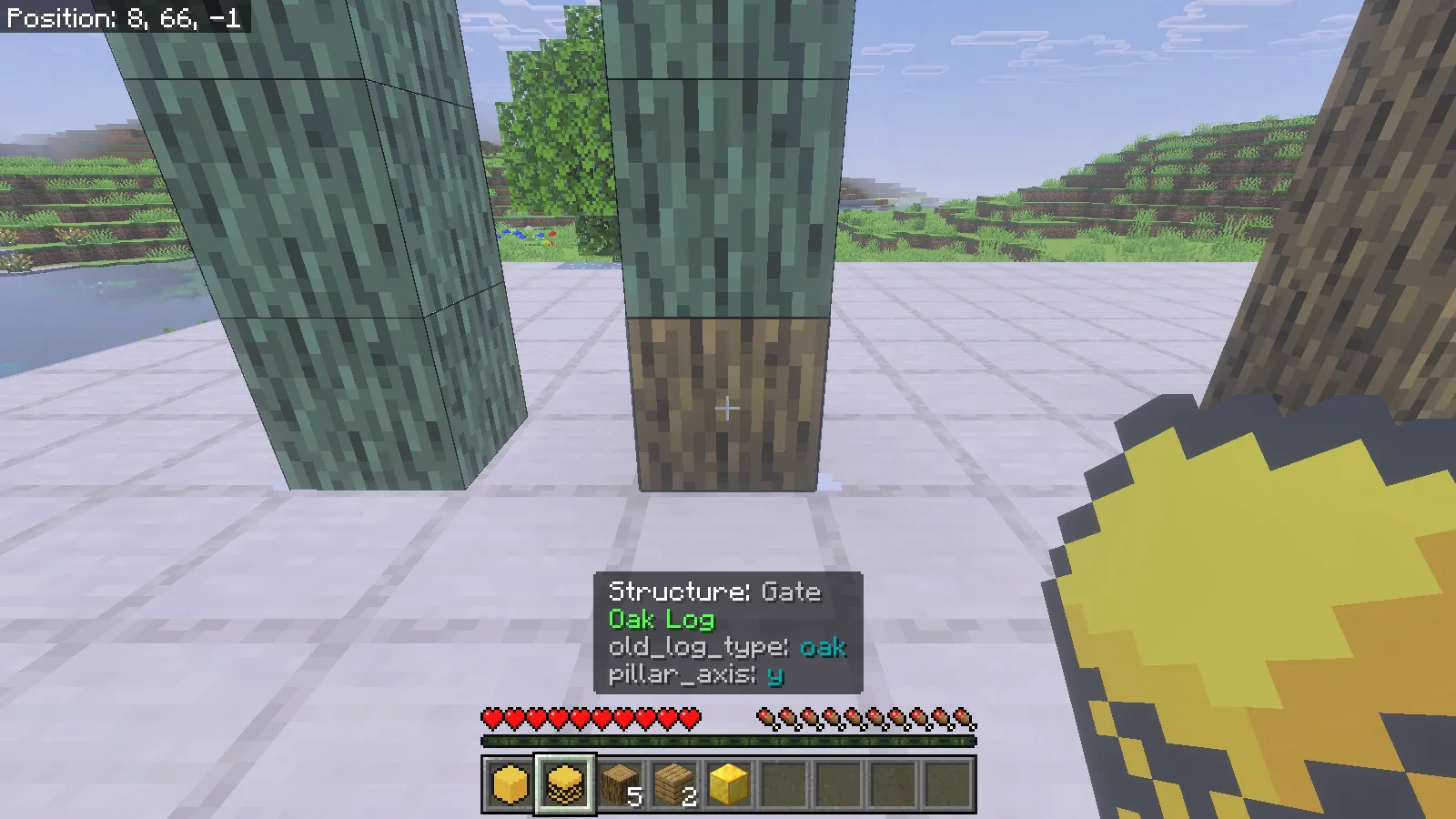
A normal oak log occupies the bottom of a hologram pillar, with the main-hand Easy Place item and five logs visible in the Survival hotbar.

Use separate short clicks while learning the tool. Holding use can repeat placement. If a block will not place, check that you have its matching material, that Fast Easy Place is enabled and that you are holding the tool in the correct hand. Stand clear of the target and check its supporting surface.

The separate Easy Place option uses the tool in the offhand while you place blocks normally. Keep that distinction in mind when following another tutorial: the main-hand workflow demonstrated here is Fast Easy Place.

Finish, check and hide the guide

Work up both pillars, then complete the beam and gold corner. /construct:stats Gate reports how much of the design matches. Our count progressed from zero correct blocks to one, then nine, with none missing at completion. The original six logs, two planks and gold block were all consumed by the finished Survival build.
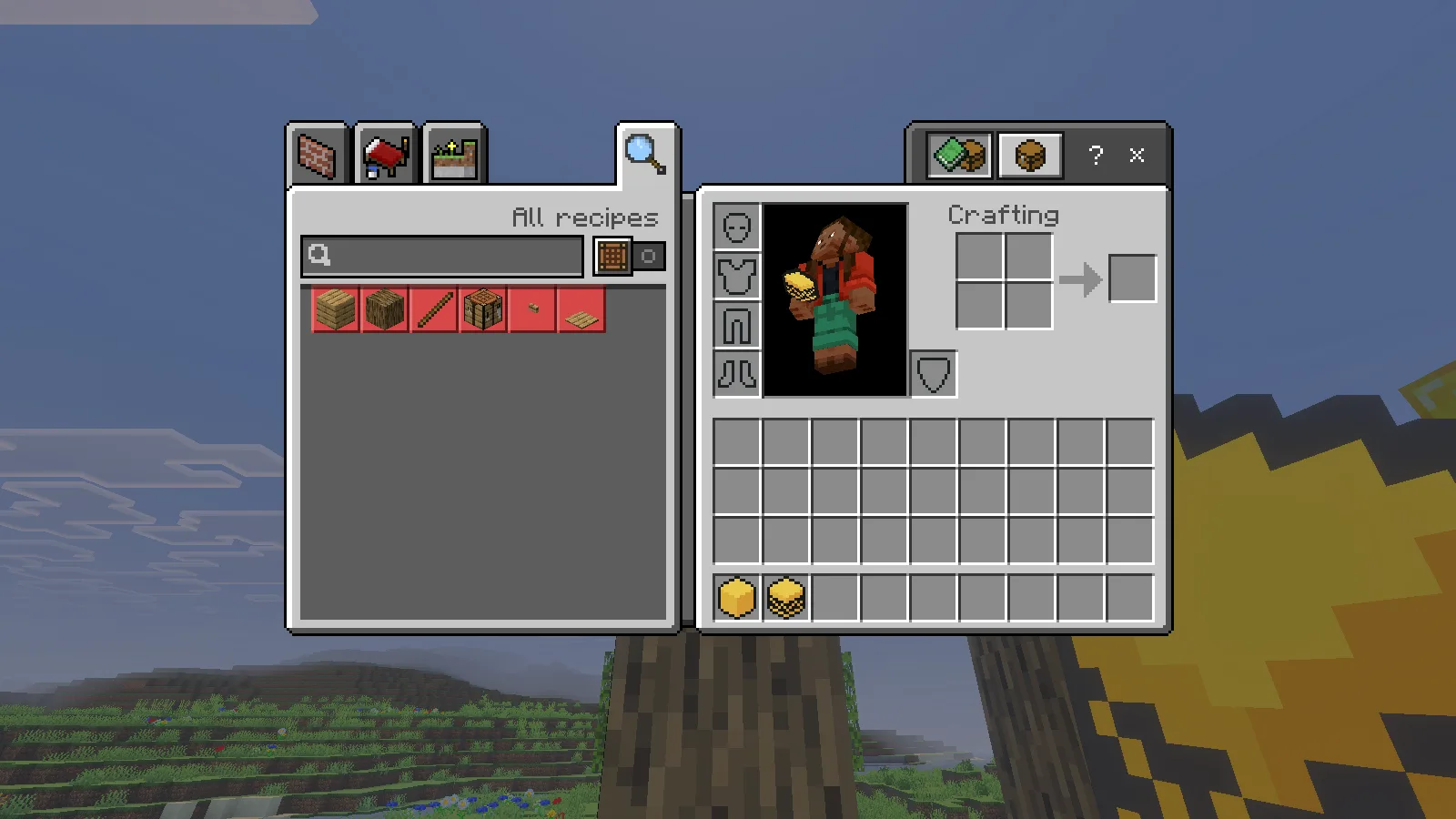
Native inventory after finishing the arch, showing empty material slots and the two Construct tools.

Use /construct:enable Gate false to hide the guide and inspect the actual structure. Both arches remained standing after saving and reopening the world. Check the opening and the top corners before adding doors, lights or neighboring walls.

Check /construct:stats Gate while the guide is enabled. In our Construct 1.2.1 test on Windows Bedrock 26.52, requesting stats for a disabled guide caused an error. If this happens, enable the existing guide with /construct:enable Gate true, save and quit, then reopen the world before checking stats again. You do not need to create or place Gate again.

For a row of matching entrances, keep the saved template and create separately named instances at the next positions. Give each one a recognizable name, such as NorthGate, and check its location before spending materials. Start with one repeatable section; a clear template and a small material list make mistakes easier to spot.

No ratings yet

Files

Filter files 1 fileAll release types
Show all files

Version 1.2.1

Stable

Construct-v1.2.1.mcaddon

Minecraft 26.52 Supported devices: Windows, Android, iOS / iPadOS

Device support based on pack review · Tested on: Windows

Beta APIs required
0 downloads
Download · 1.2 MB
Requirements & details

Bedrock 26.52 · Windows

  • Game version: 26.52 · Supported devices: Windows, Android, iOS / iPadOS · Experiments: Required · Script API: Beta API · Pack contents: Behavior + Resource · Game channel: Stable · Play in: Local world · File format: .mcaddon

Import and activate both Construct packs in a copied local world. Enable Beta APIs. Structure-saving commands need cheats and command permission; the demonstrated Fast Easy Place workflow uses the item in the main hand.

Requirements & notes
Known issues
Fast Easy Place uses the tool in your main hand; ordinary Easy Place uses the offhand. Bring the matching materials and use short clicks, because holding use can repeat placement.
Device compatibility basis
Pack review
Devices checked in-game
Windows
Device support notes
The documented installation targets are Windows, Android and iOS/iPadOS. Modonix checked this file on Windows Bedrock 26.52; mobile runtime has not been tested by Modonix. Use a local Bedrock 26.52 world with Beta APIs. Structure saving and gameplay use Bedrock controls in the same world. Moving .mcstructure files between worlds requires device-specific steps; the author provides a generated .mcpack where direct file access is limited. Direct console import is not included.
Device support source
https://github.com/ForestOfLight/Construct
Minimum engine version
1.26.50
Required experiments
Beta APIs required.
Script API modules & versions
@minecraft/server 2.11.0-beta; @minecraft/server-ui 2.3.0-beta; @minecraft/debug-utilities 1.0.0-beta.
Technical details
File details
Download type
Main
Realms & multiplayer support
Creating a hologram does not build it. Fast Easy Place places real blocks using materials from your inventory.
Tested setup
Minecraft for Windows 26.52 app1.26.5203.0; Construct1.2.1. Original 139 behavior/resource pack files matched staged author files. Six logs, two planks and one gold block consumed; stats0→1→9, guide disabled.
Compatibility notes
The walkthrough uses Construct 1.2.1 with Bedrock 26.52 and Beta APIs enabled.
File information

Archive structure and entry integrity checked · 168 entries · 4.9 MB unpacked.

Construct[BP]/manifest.json — Pack name
Construct [BP] v1.2.1
Construct[BP]/manifest.json — Pack version
1.2.1
Construct[BP]/manifest.json — Minimum engine version
1.26.50
Construct[BP]/manifest.json — Pack UUID
8c0c0153-d8b9-482a-889f-aef922b8fe58
Construct[BP]/manifest.json — Requires @minecraft/server
2.11.0-beta
Construct[BP]/manifest.json — Requires @minecraft/server-ui
2.3.0-beta
Construct[BP]/manifest.json — Requires @minecraft/debug-utilities
1.0.0-beta
Construct[BP]/manifest.json — Requires 375ec465-3dc1-429f-8b4c-a337889e1ed4
1.2.1
Construct[RP]/manifest.json — Pack name
Construct [RP] v1.2.1
Construct[RP]/manifest.json — Pack version
1.2.1
Construct[RP]/manifest.json — Minimum engine version
1.26.50
Construct[RP]/manifest.json — Pack UUID
375ec465-3dc1-429f-8b4c-a337889e1ed4
Construct[RP]/manifest.json — Requires 8c0c0153-d8b9-482a-889f-aef922b8fe58
1.2.1
Manifests read (2)
  • Construct[BP]/manifest.json · JSON structure
  • Construct[RP]/manifest.json · JSON structure
Review warnings (4)
  • This package declares a beta Script API dependency. Check the required experiment and exact game build.
  • This package declares a beta Script API dependency. Check the required experiment and exact game build.
  • This package declares a beta Script API dependency. Check the required experiment and exact game build.
  • A pack or module UUID also appears in another published project. Same-world compatibility has not been established by this structural check.

Cross-project UUID comparison covers files with indexed manifest inspections. Older files must be rechecked to join this comparison.

Manifest values describe the package. They do not prove that it works with every game version. This check is not an antivirus scan.

SHA-256: 42bff4bd79c64a037ef4e9f07efca17952d00599397b57f55e252e0ac149b681

Release updates

Version 1.2.1

Stable

Construct 1.2.1 provides building guides and Fast Easy Place. Carry the needed blocks and follow the guide to assemble a matching build.

View files

Comments & questions

Share what worked, ask for help or reply to another player.

No comments yet. Share what worked for you.

Join the conversation

No account required. Confirm your email with a code before your first comment.

1Your name & email

Only a masked address appears with your name. Guest comments are reviewed before publication.

2Verify & post

Search Modonix

Search in