

Structure Porter is a small interface resource pack for Bedrock's structure block. Its purpose is to expose the Import and Export controls. It does not supply a collection of houses, redesign your world or turn Java schematics into Bedrock structures.
There is a useful shortcut before you install anything: look at your structure block first. In our Windows 26.52 game, Import and Export were already available without this pack. If that is what you see too, you can use them directly.
What the pack actually adds
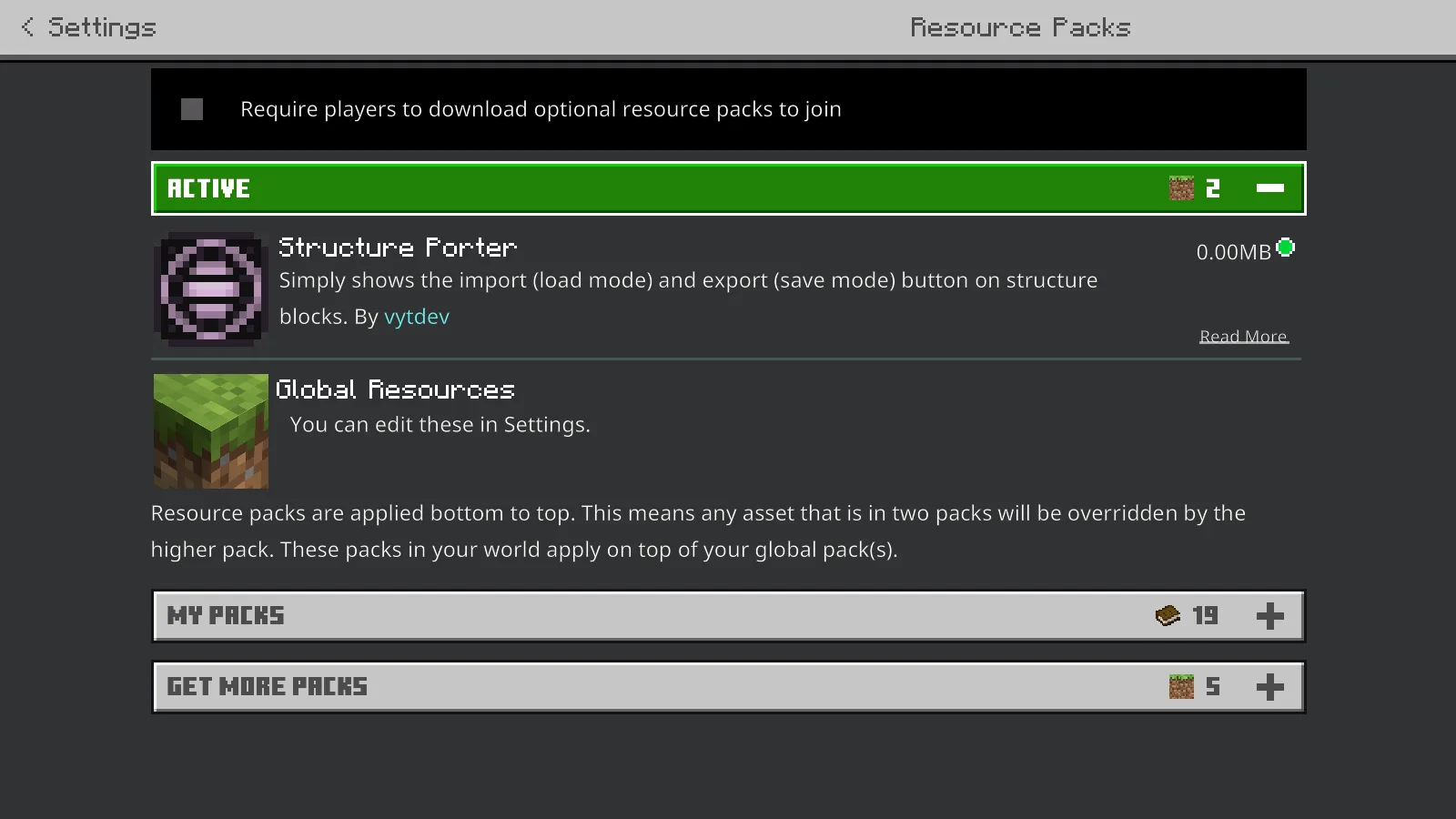
This resource pack changes structure-block controls, not the landscape textures.
Structure Porter 1.0.0 appears in the active resource packs for our demonstration world. It changes the structure-block interface; the house used below is a separate file from Microsoft's sample-house collection.
The distinction matters when a download seems to do nothing. This is not a texture makeover and it has no building item to craft. Look for the controls in the structure block, not a new block palette or a different title screen.
Give the build a clear boundary
We imported the little acacia house, then used Save mode to frame it. The preview makes the most important question easy to answer: does the box contain the entire building you want to carry over?
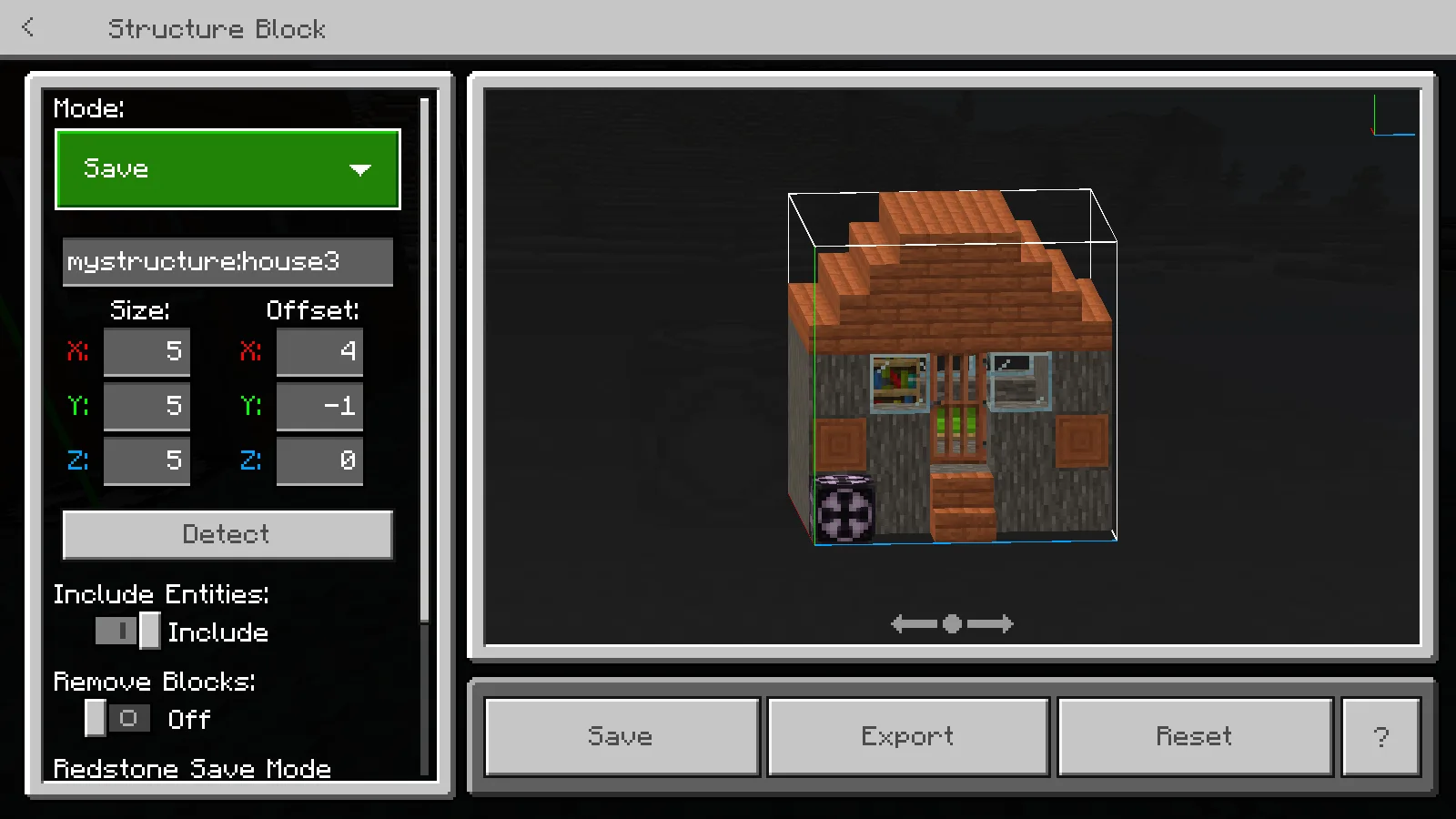
Frame the complete build before exporting its file.
For this house, the saved area is 5 × 5 × 5 blocks. A name such as minecanvas:porter_house keeps it recognizable. For your own build, adjust the size and offsets to include its roof, floor and any details that extend beyond the walls.
Choose Export and save the resulting MCSTRUCTURE file. Note the folder and filename shown by the file picker so you can find it again. Saving a structure name inside the world is not the same as exporting a portable file.
Bring it into another world
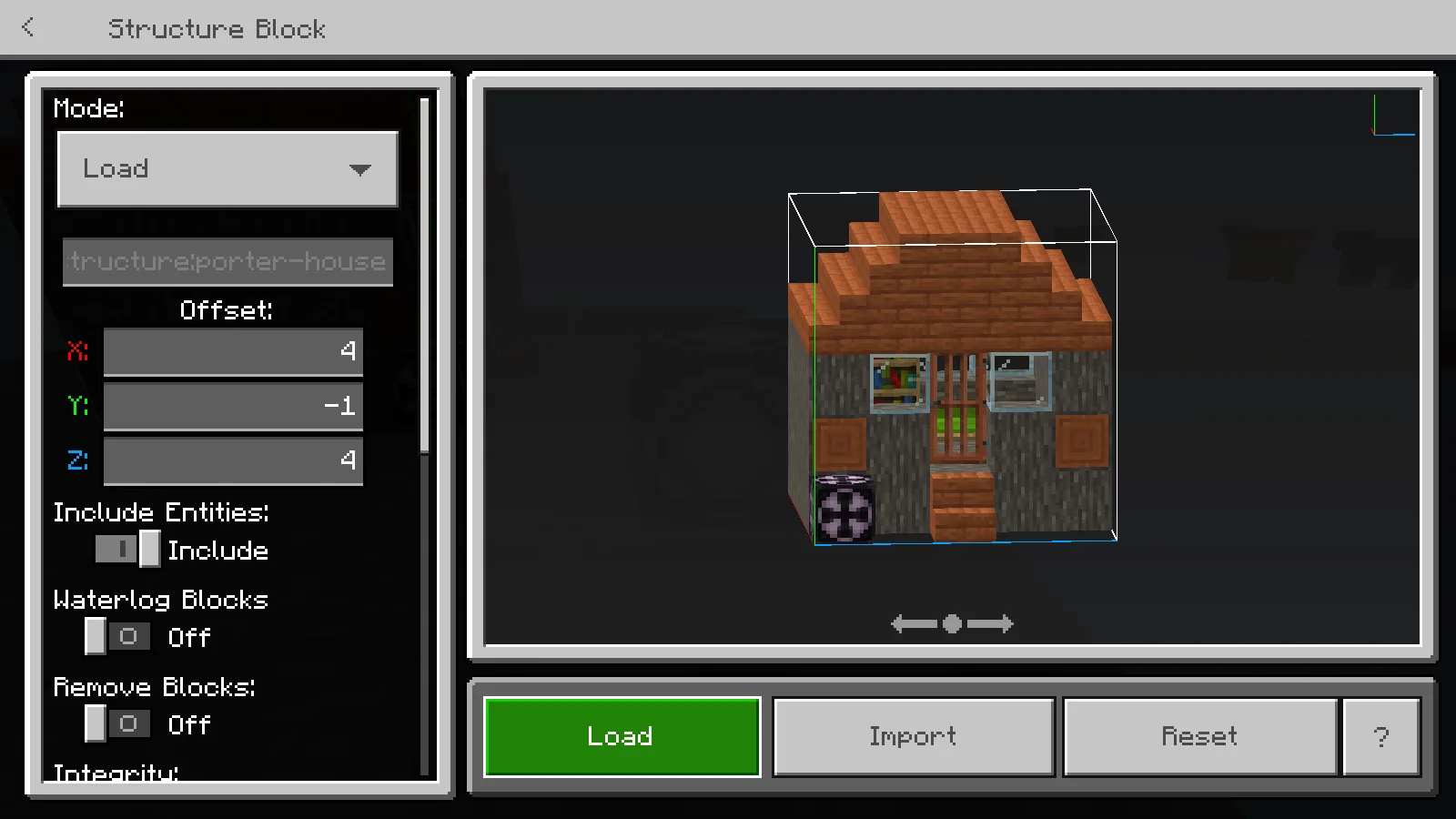
Import selects the saved file in the destination world.
In a separate copy of VoidWorld, we opened another structure block, selected Load → Import and chose the exported house. We placed it beside the controller using the offsets, then finished the surrounding ground.
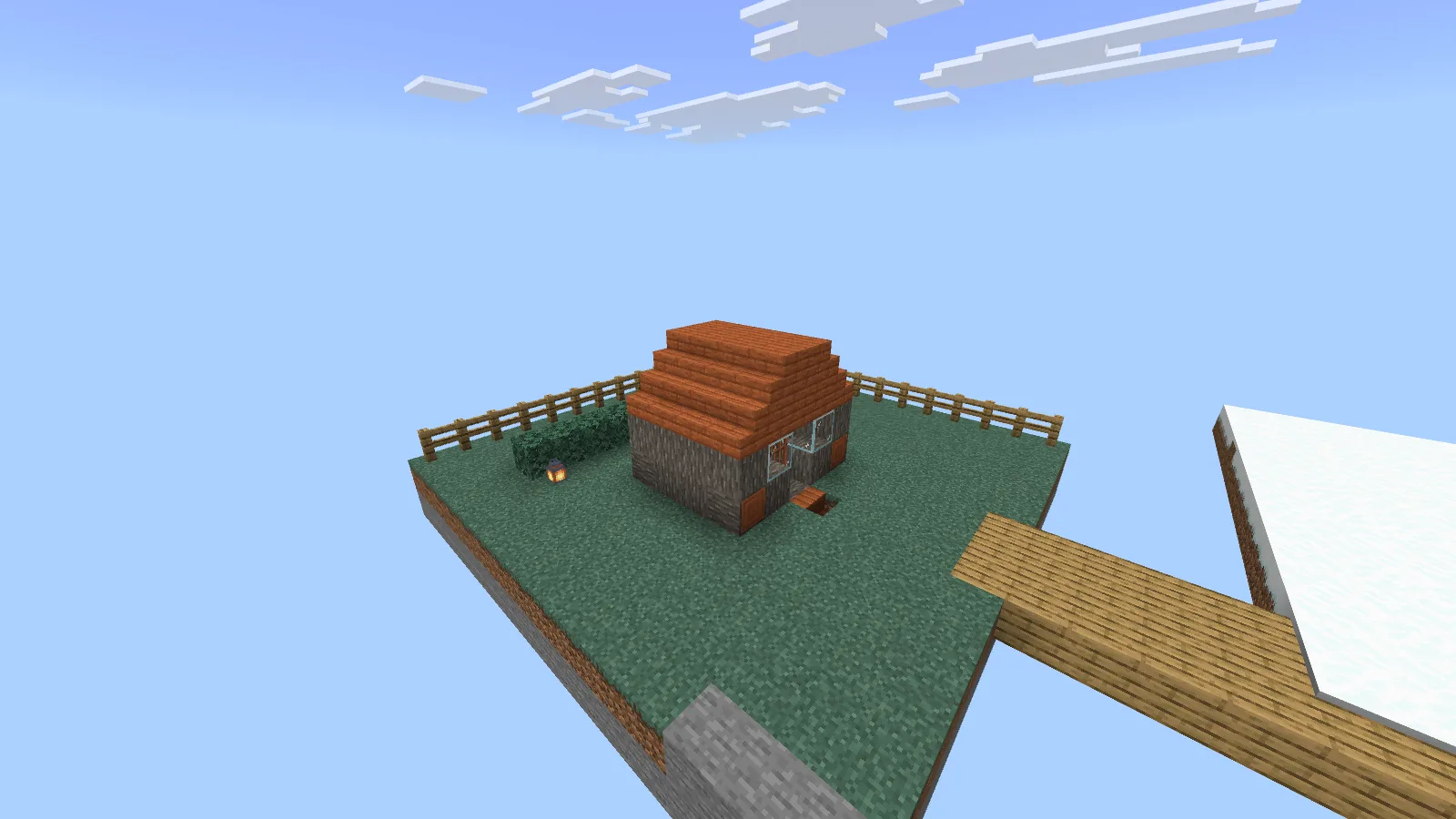
The transfer worked. The surrounding island and decorations are our additions.
The house is the transferred structure. The grass island, bridge, hedge and fence are our demonstration additions, not contents of Structure Porter or extras hidden in the download.
This is handy for keeping a small library of things you have built: a cottage, a market stall, a doorway or a favorite room. Begin with something compact so you can quickly spot missing roof edges or an awkward floor height.
Install the resource pack when you need it
- Download the MCPACK from Files, matching the available compatibility information to your game.
- Open it with Minecraft and wait for the resource-pack import to finish.
- In a practice world's settings, open Resource Packs → My Packs, select Structure Porter and activate it.
- Enter the world in Creative with commands enabled, use /give @s structure_block and inspect its Save and Load modes.
If another resource pack also changes that screen, try a separate world with Structure Porter and the default resources first. On Windows, compare with the native controls before keeping an extra UI pack enabled.
If a button or file is missing
A button being visible does not give every device the same file access. The walkthrough above uses Windows; do not assume it supplies an identical file picker on Android, iPhone or console. The pack's older release notes are not a guarantee for every later mobile update.
If a building name cannot be found in the destination world, use Import to select the exported file there. If the building lands at the wrong height, adjust the placement in a practice world before touching a finished base. Our structure-block guide explains those controls step by step.
Structure Porter is by vytdev / Vincent Yanzee J. Tan. Modonix made the demonstration, screenshots and guide. The original resource-pack file remains unchanged.
Comments & questions
Share what worked, ask for help or reply to another player.
No comments yet. Share what worked for you.