
Marketplace add-ons can retain achievements in an otherwise eligible Bedrock Survival world. Imported gameplay add-ons obtained outside Marketplace do not benefit from that policy. A texture pack is a different kind of content, so do not assume that every change to the game's appearance has the same effect.
If you want to try an add-on without risking your achievement save, keep the original and play with the add-on in a clearly named copy. That gives you somewhere to experiment without changing the world where you have been earning achievements.
Keep your Survival save separate
Before activating anything, choose Edit beside your world in the Worlds list. Under General, scroll to File management and choose Duplicate world. Give the copy a recognizable name such as “Survival — add-on trial”, then open its settings and check the name before changing anything.
Keep your original in Survival with Cheats off. In the trial copy, check which behavior and resource packs you are adding. An imported add-on may need both halves of a matching pair; its custom blocks working correctly does not change the achievement rules. The Bedrock add-on import guide explains how to check those two lists.
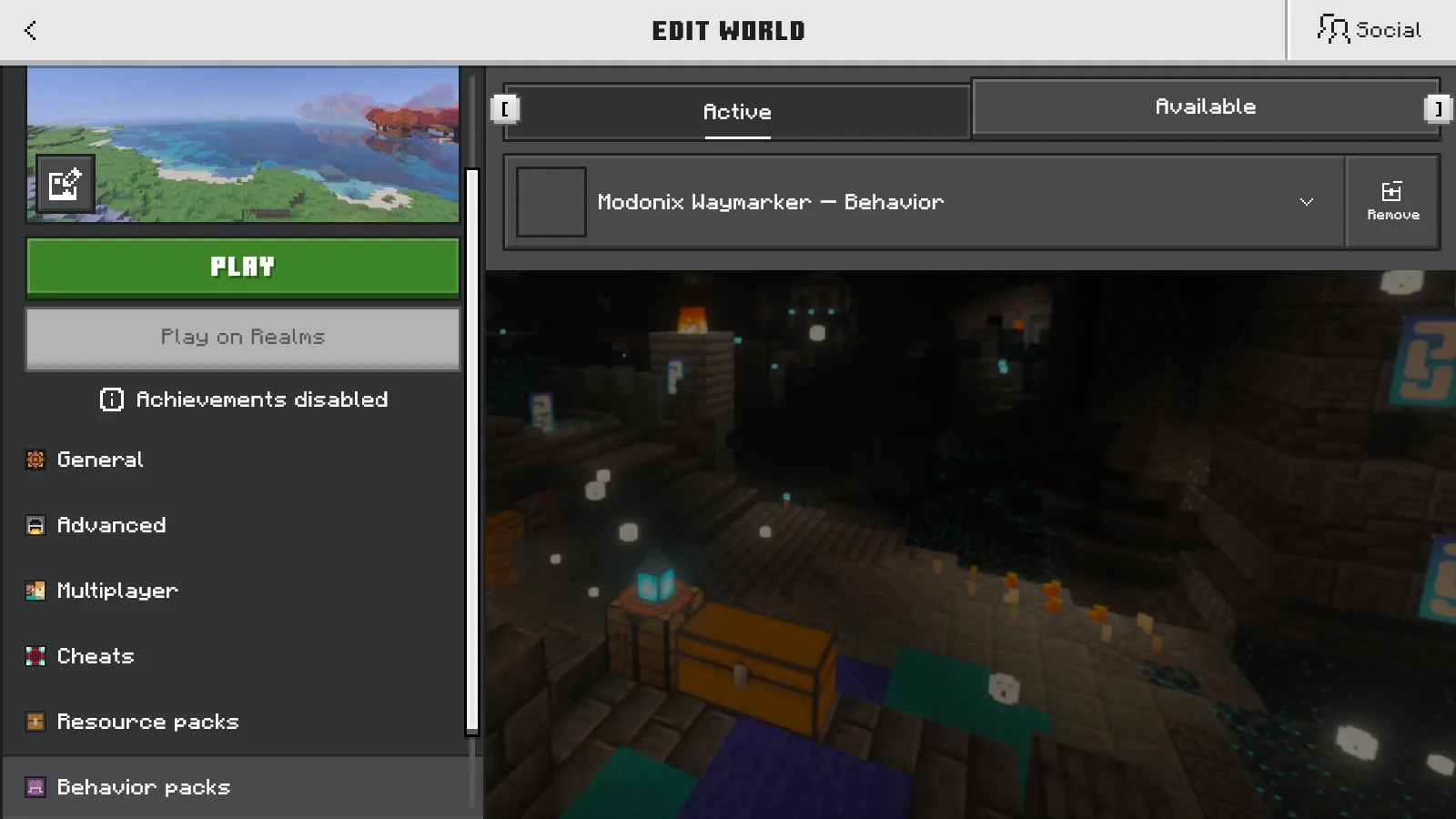
Use the trial world for its new recipes, creatures or building pieces, and leave your achievement world separate. Decide which save you want to continue before spending an evening extending a base in the copy.
The Creative-to-Survival trap
Switching to Creative for a moment can have a lasting consequence. You might only want to browse the new blocks or pick up a missing tool, but Creative can disable achievements even while the Cheats switch remains Off. Enabling Cheats is a separate way to permanently disable achievement unlocks in that world, even if you turn Cheats off later.
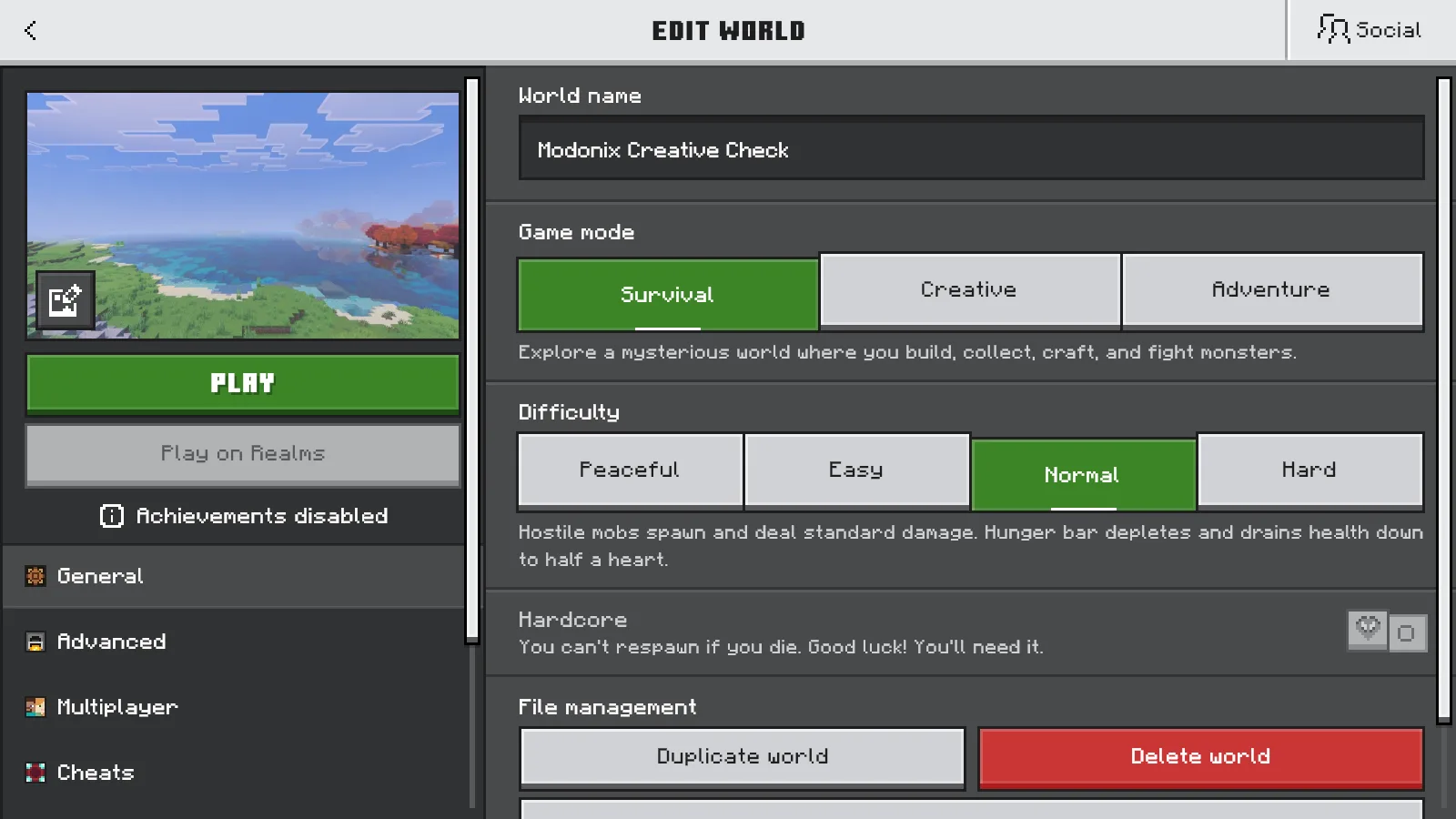
Returning to Survival does not erase that history. In our Creative copy, switching back brought the hearts and hunger bar back on screen. After saving and reopening it, the world was in Survival with Cheats Off, but the Achievements disabled badge remained. Treat the warning as a decision about that save, not a temporary pause that ends when you switch modes again.
Make your copy before the change. Copying an already changed world preserves your build and inventory, but it also carries the save's existing state. For a backup you can keep separately, follow the world backup and restore guide.
In a separate copy of the untouched Survival world, enabling Cheats brought up the disabled badge and a Play warning naming Cheats as the reason. Turning Cheats Off, confirming Save changes and reopening that copy left the badge in place too. The current position of the switch does not tell you the whole history of the save.
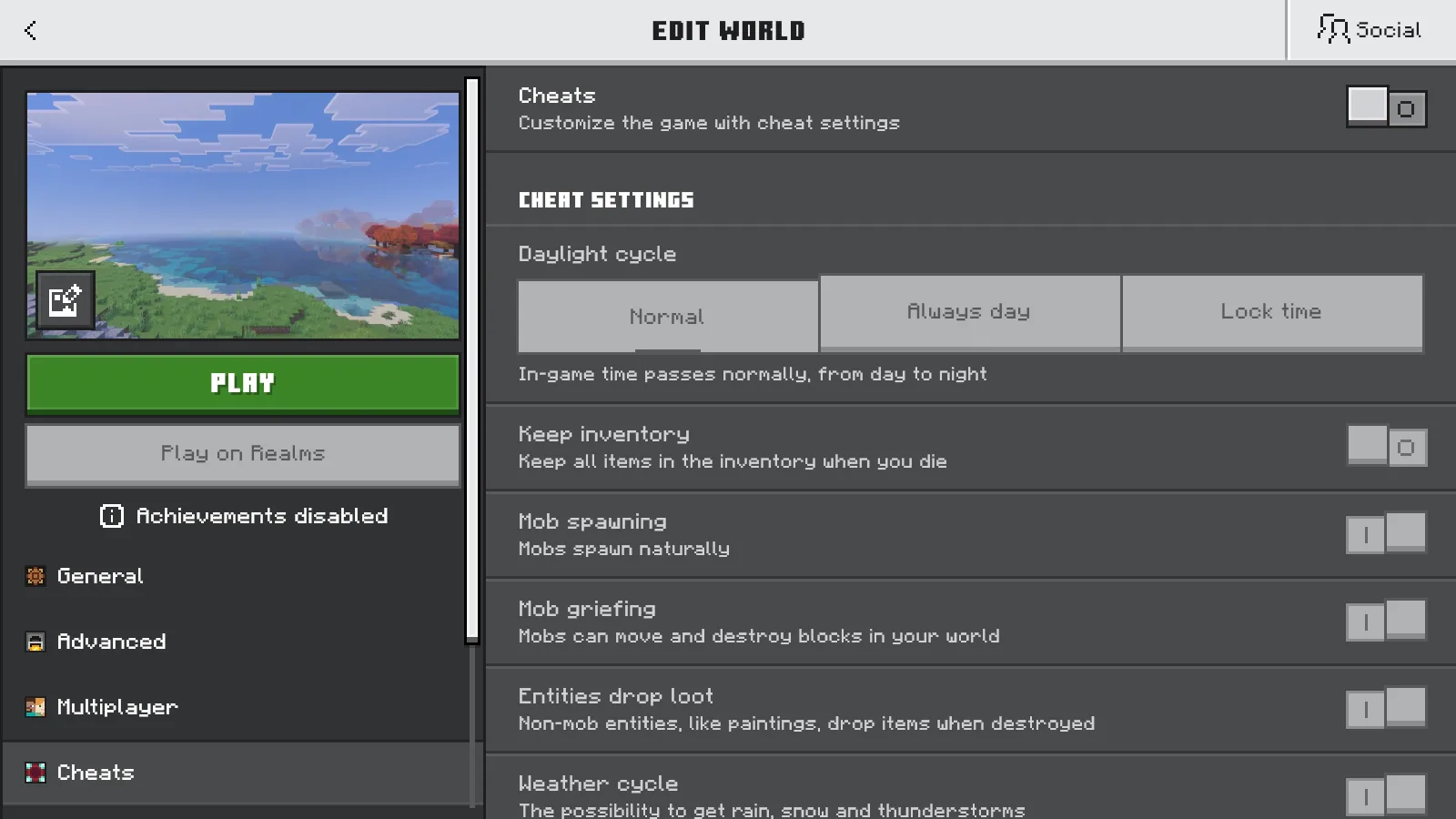
Marketplace support does not undo earlier changes
The current achievement policy covers add-ons released through Minecraft Marketplace. A downloaded add-on file stays an outside import even when it appears in the same installed-pack menus as other content. A familiar name or a polished icon is not a reason to treat it as a Marketplace release.
Marketplace support also does not undo a world's earlier Creative or Cheats history. Check the save's history as well as the pack's source. Keep Creative experiments in the copy.
For an imported example, we activated the Waymarker behavior pack in another clean Survival copy. Its matching resource pack became active too. Cheats and experiments stayed Off, yet Play displayed an achievement warning specifically saying an external behavior pack had been activated. After a normal save and reopen, the copy was still in Survival with Cheats Off, its pack pair active and achievements disabled.
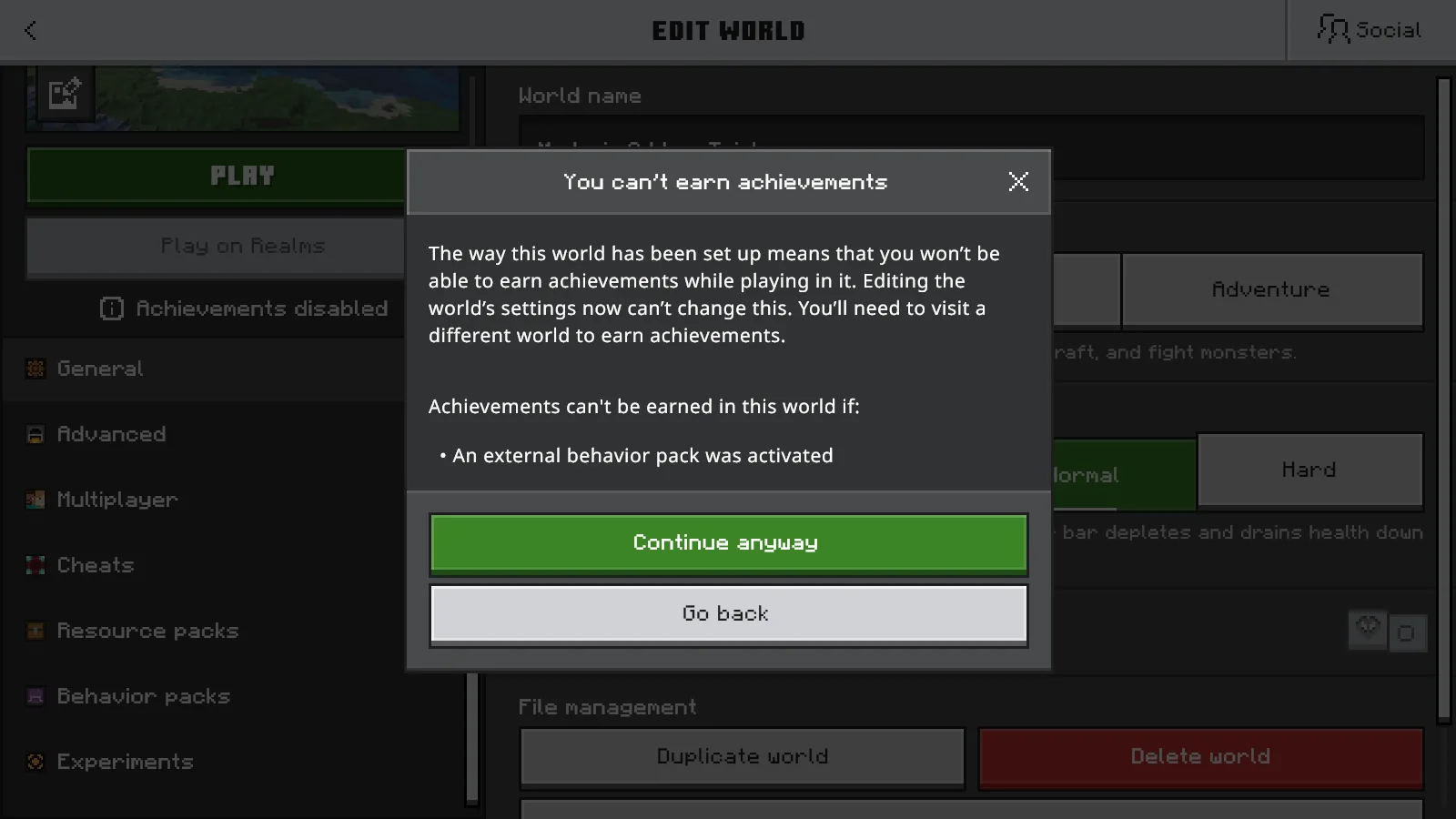
Why the warning may differ from an older tutorial
Bedrock 26.30 removed the achievement warning displayed during world creation with add-ons enabled. An older video can therefore show a message that your current game no longer displays. That interface change did not extend Marketplace's policy to every imported gameplay add-on.
Bedrock 26.52 fixed a separate achievement problem: older worlds with active Marketplace add-ons could lose achievement eligibility after updating to 26.50 or later. This correction concerns that Marketplace case. It does not extend eligibility to imported external behavior packs or undo a world's Creative or Cheats history.
Read any achievement message shown in the exact world's settings before continuing. If no creation pop-up appears, do not use its absence as your reason to change the original. You can still make the named trial copy first.
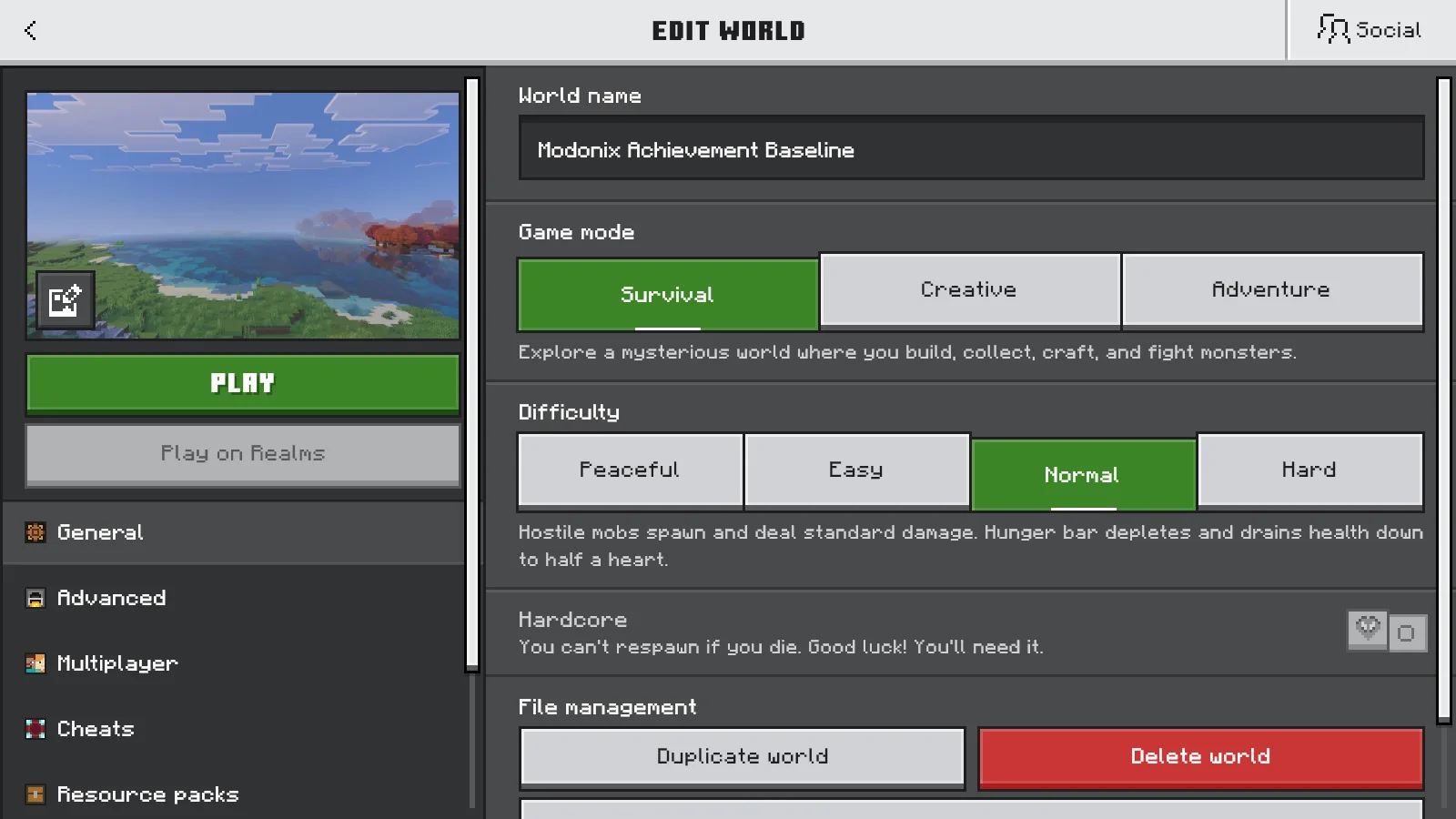
When you want to return to your achievement save, choose the untouched original you kept before experimenting. Check its name rather than relying on the thumbnail. Keep the add-on copy too if you like the changes; there is no need to overwrite your original just to have both kinds of play available.
Comments 0
Share what worked, ask for help or reply to another player.
Use your Modonix account to join the discussion and manage your comments.
Sign in to commentNo comments yet. Share what worked for you.