
Removing an add-on can change a world you have already built around it. Before touching your main save, make a separate copy and check the places and items you would miss. A world that still opens may have lost the contents you wanted to keep.
Keep an untouched world first
- Use Save & Quit, then open Play → Worlds.
- Select the pencil beside your world. In General, scroll to File management and choose Duplicate world.
- Return to Worlds and edit the new entry. Give it a clear name such as Removal Check so you can distinguish it from the original.
- Open that copy before removing anything. Pick a few familiar places, note your item counts and take pictures you can compare afterward. Save and quit again.
Choose examples that matter to your world: a furnished room for furniture, several storage containers for item packs, or each pet's name and usual location for a creature add-on. Keep the original with its packs active while you try the change in the copy.
Here, Waymarker posts lined a bamboo trail. I also kept marker items in a chest, my main inventory and the hotbar, with ordinary bamboo beside them.
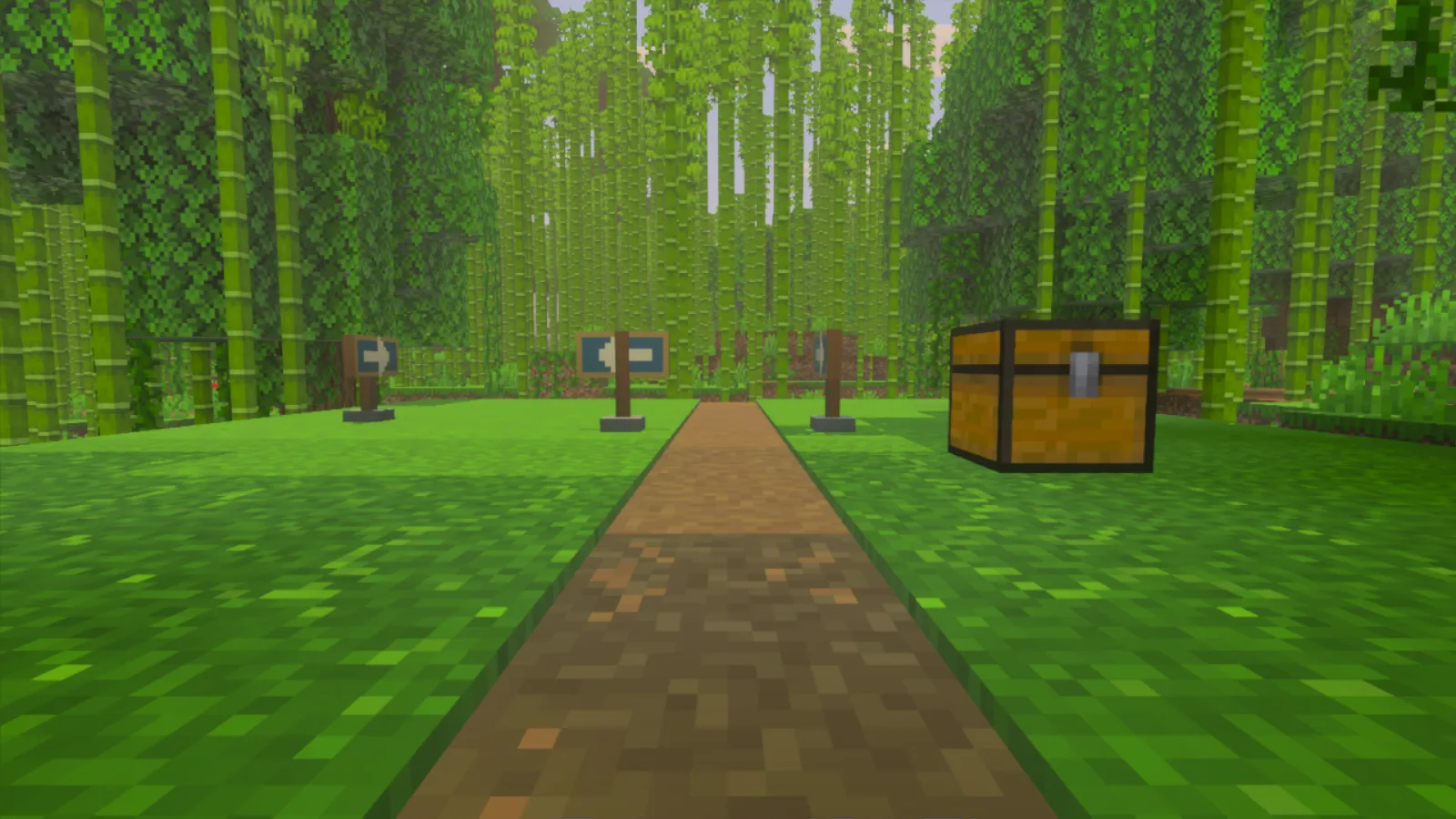
The trail before removal, with Waymarker posts and an ordinary chest beside the path.
Remove the add-on from the copy
- Edit Removal Check and check its world name before changing any packs.
- Open Behavior packs → Active, expand the add-on and choose Remove.
- Read the warning. Bedrock warns that removing packs from a played world may cause permanent data loss. If you have not already kept a protected copy, choose Copy and continue rather than Just continue.
- Check Resource packs → Active too. In this example, the matching resource pack stayed active after I removed the behavior pack, so I removed it separately.
- Return to Worlds and open the changed copy.
Use the world's Active lists for this comparison. Leave the installed pack files available for your untouched world.
Look beyond whether the world loads
The copy opened, but the visible trail posts had become brown blocks marked with question marks. I left them in place while checking the rest of the world.
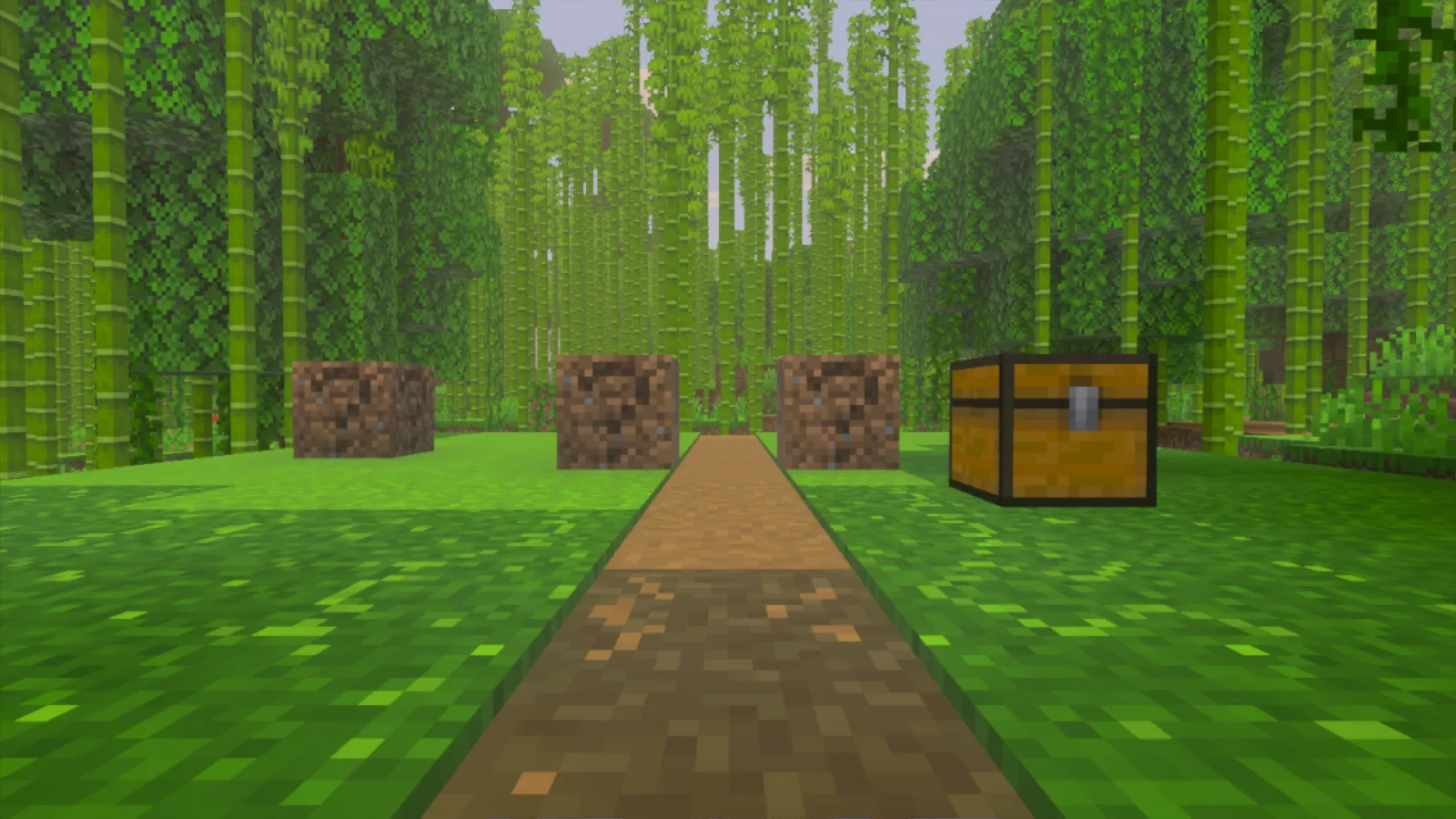
The same stretch of trail after removing the pair: question-mark blocks occupy the visible post positions.
The marker items were also absent from their slots. The ordinary bamboo remained:
| Location | Before removal | After removal |
|---|---|---|
| Chest | 4 markers and 1 bamboo | 1 bamboo |
| Main inventory | 4 markers | Empty |
| Hotbar | 8 markers and 4 bamboo | 4 bamboo |
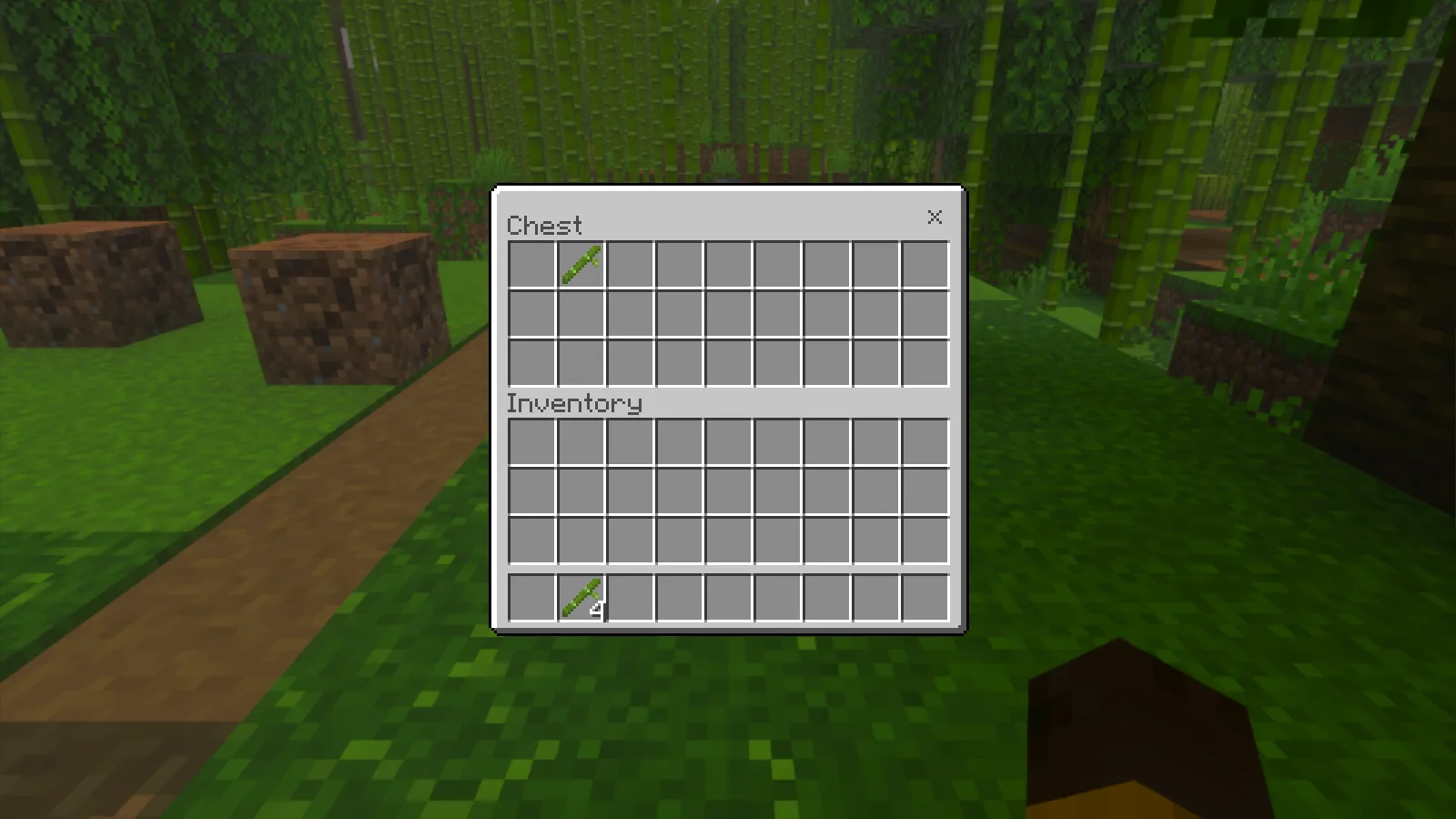
The chest still holds its bamboo, but its marker stack is gone. The main inventory is empty and four bamboo remain in the hotbar.
Putting these custom items in an ordinary chest did not protect them from this removal. Check both carried items and stored supplies; looking at the build alone would have missed part of the change.
I saved and reopened the changed copy. The question-mark blocks and empty marker slots remained. Repeat that check in your own copy before deciding to keep playing it.
Check creatures as well as their surroundings
In a separate Hearthcall world, two musicians stood on a lakeside deck.
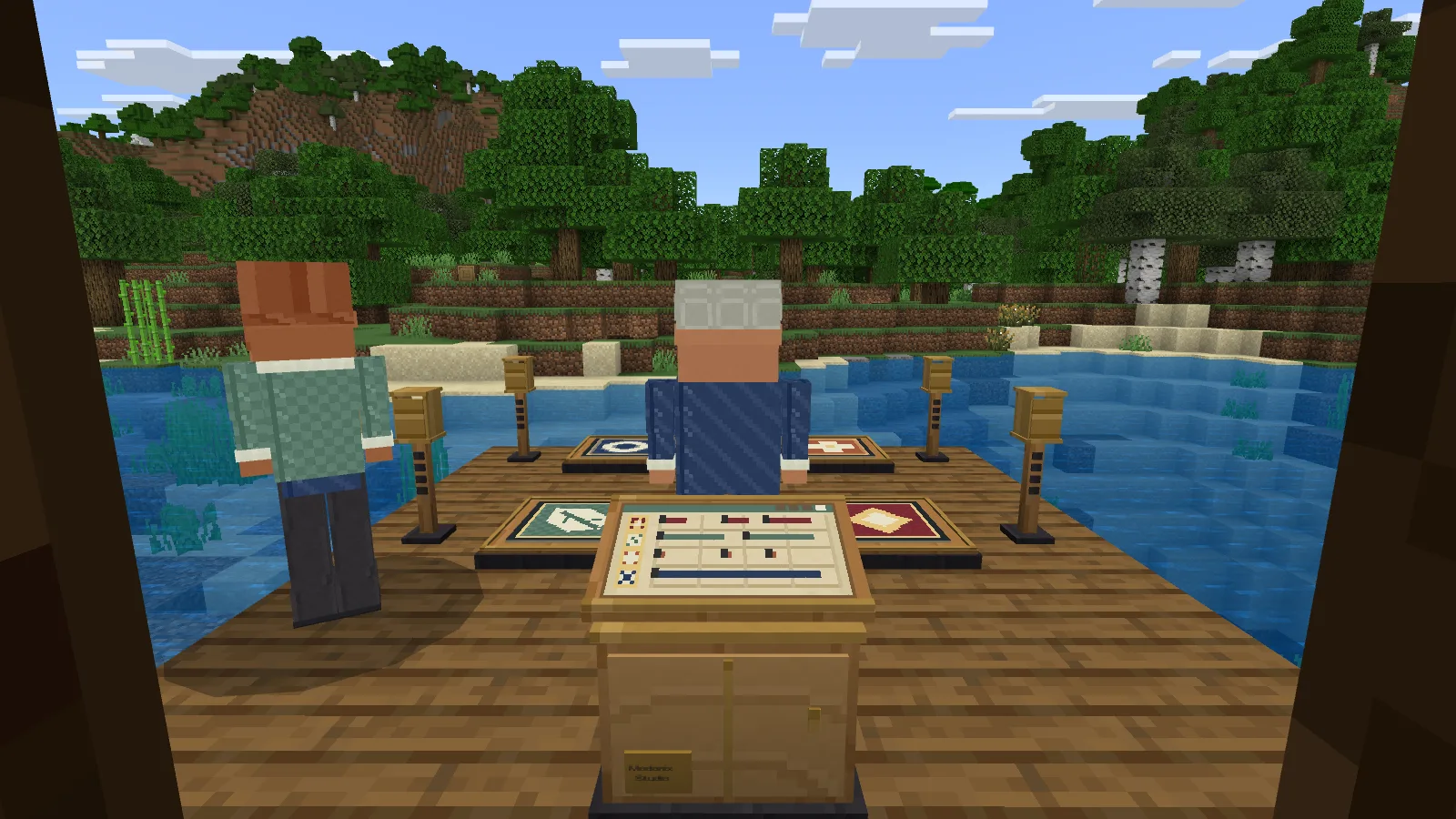
Two Hearthcall musicians on the deck before removing the add-on from a copy.
After removing Hearthcall's behavior and resource packs from that copy, neither musician was visible at their original deck positions. Five props showed question-mark blocks. The musicians were still absent after saving and reopening.
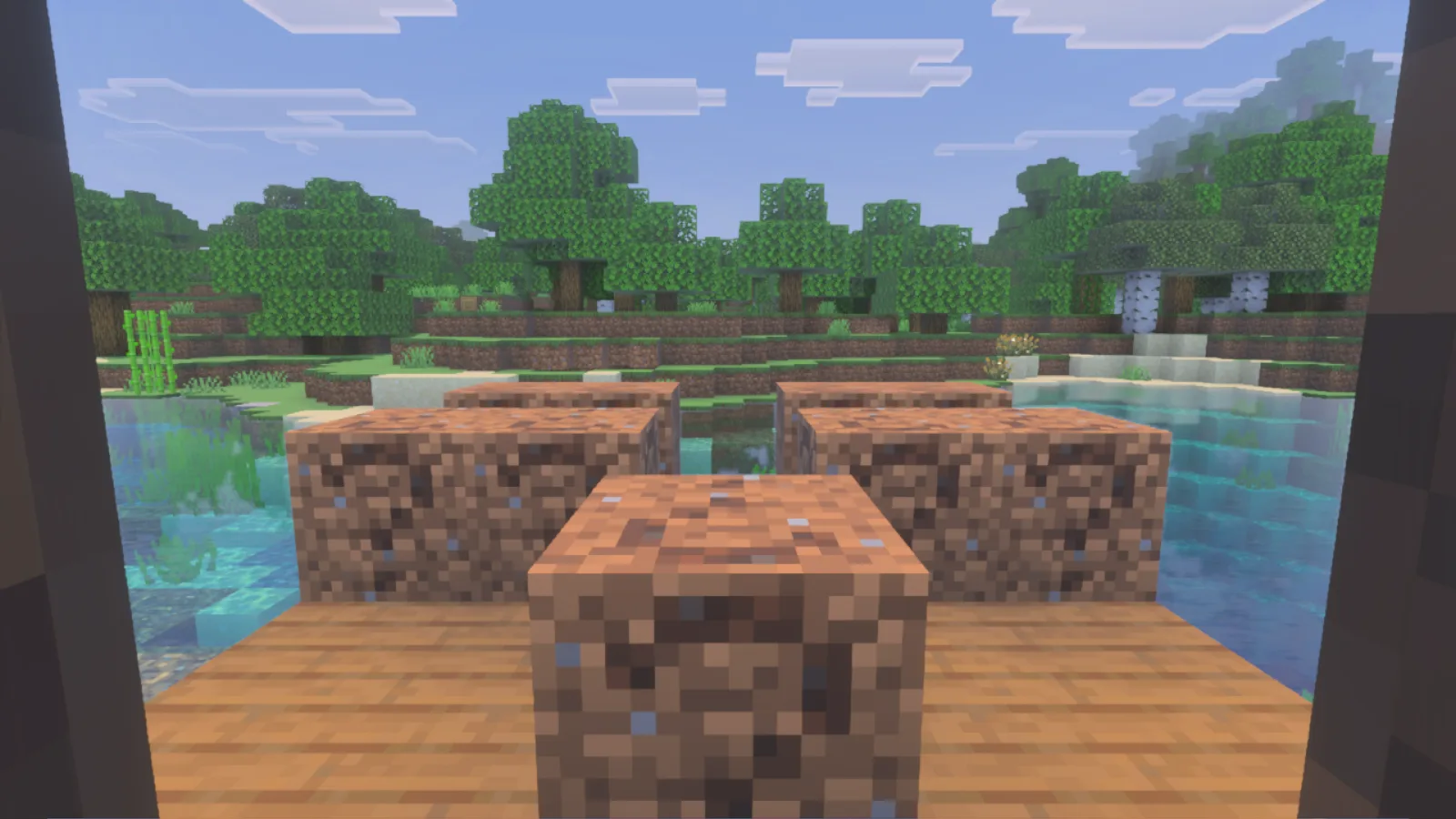
The musicians are no longer visible on the deck, and five prop positions show question-mark blocks.
The protected version with its packs still active showed both musicians when I reopened it. This was a return to the preserved world; the changed copy remained separate. An empty spot does not prove permanent loss. Check each pet or creature as well as its surroundings before choosing which save to keep.
Return to the version saved before removal
A separate pre-removal backup gave me a way back. Using Import world created another world entry. Opening that saved version brought back the post shapes, the four markers and one bamboo in the chest, the four markers in the main inventory, and the eight markers and four bamboo in the hotbar. Those contents were still there after saving and reopening.
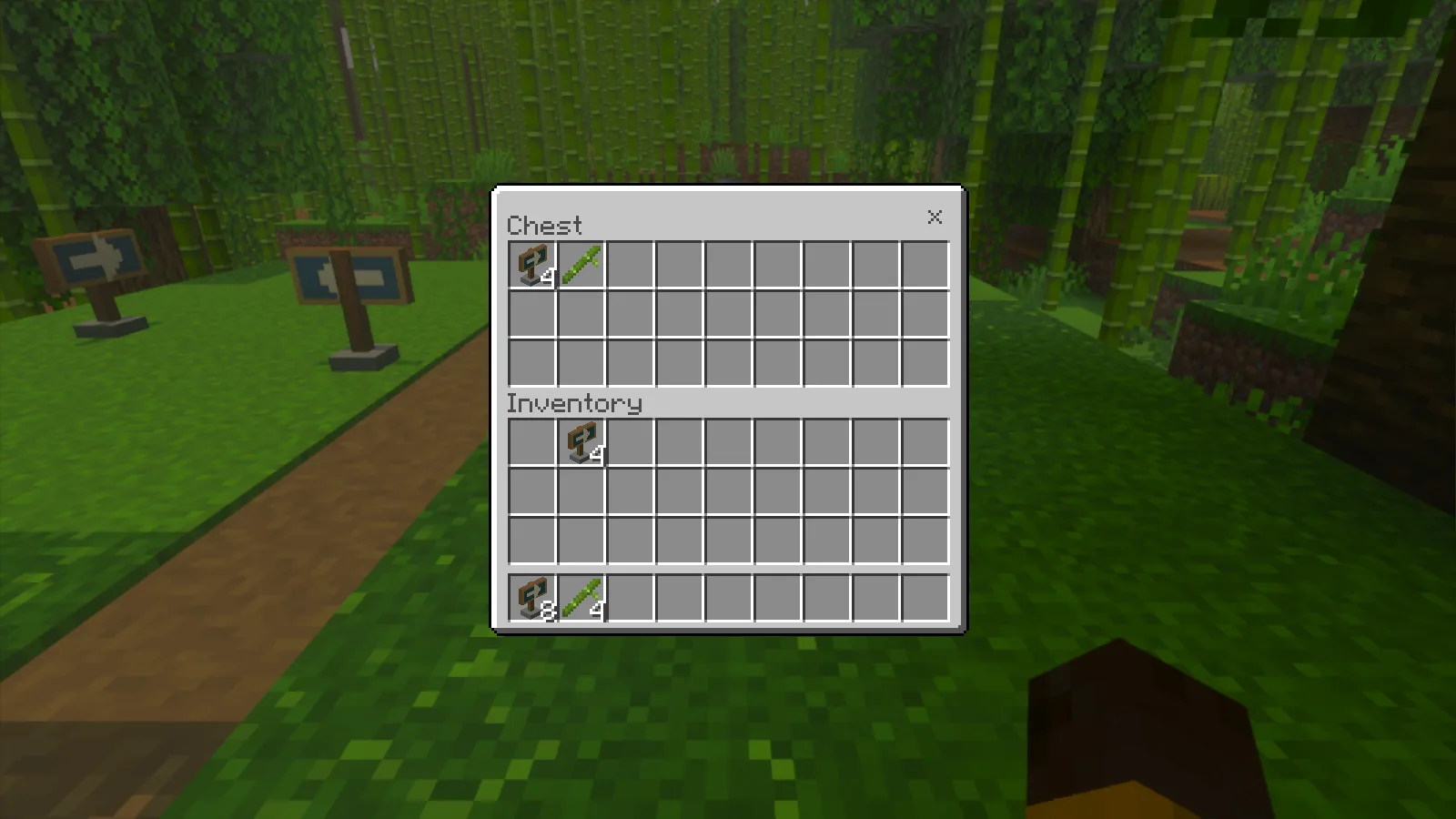
The imported pre-removal version has the original marker stacks and bamboo counts again.
This imported world is an earlier checkpoint. It does not repair the changed copy or include progress made after the backup. Keep playing the version whose contents you have checked, and keep your protected original until you are satisfied. Do not rely on turning an add-on back on as an undo button.
Comments 0
Share what worked, ask for help or reply to another player.
Use your Modonix account to join the discussion and manage your comments.
Sign in to commentNo comments yet. Share what worked for you.