
Vanilla Vibrant Visuals gives familiar Bedrock buildings more pronounced material detail and a different lighting treatment. On our riverside warehouse, the Full preset strengthens the edges across the wooden roof and adds clearer contrast to the water below. You keep the recognizable oak, stone and glass palette while changing how those surfaces read in the scene.
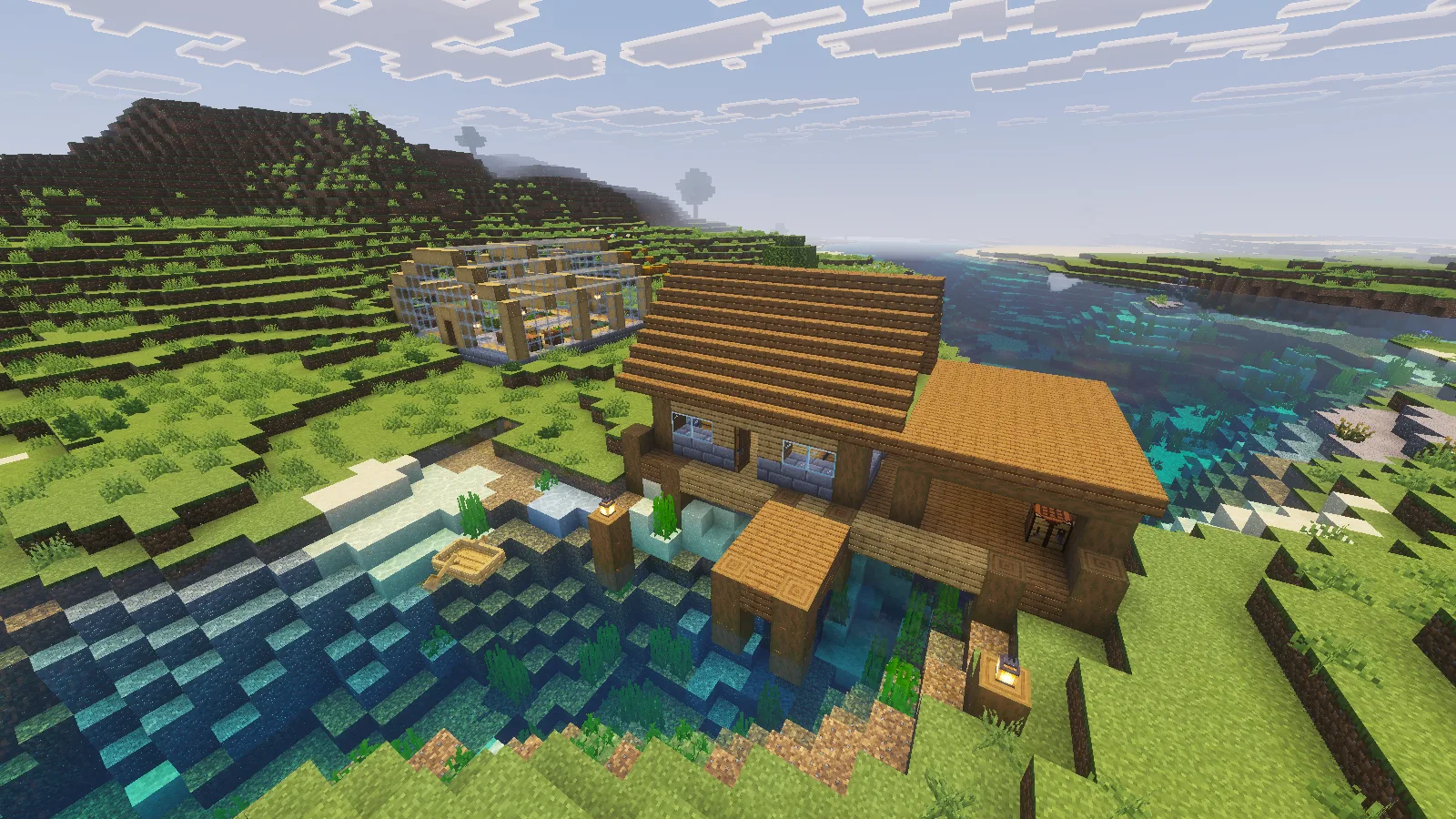
Full Vanilla Vibrant Visuals: stronger roof detail and water contrast around the riverside warehouse at midday.
Compare it with built-in Vibrant Visuals
The control below already uses Minecraft's Vibrant Visuals mode. Compare the roof, pier posts and river with the Full view above: this is the contribution of Cubeir's resource pack, beyond turning on the renderer.
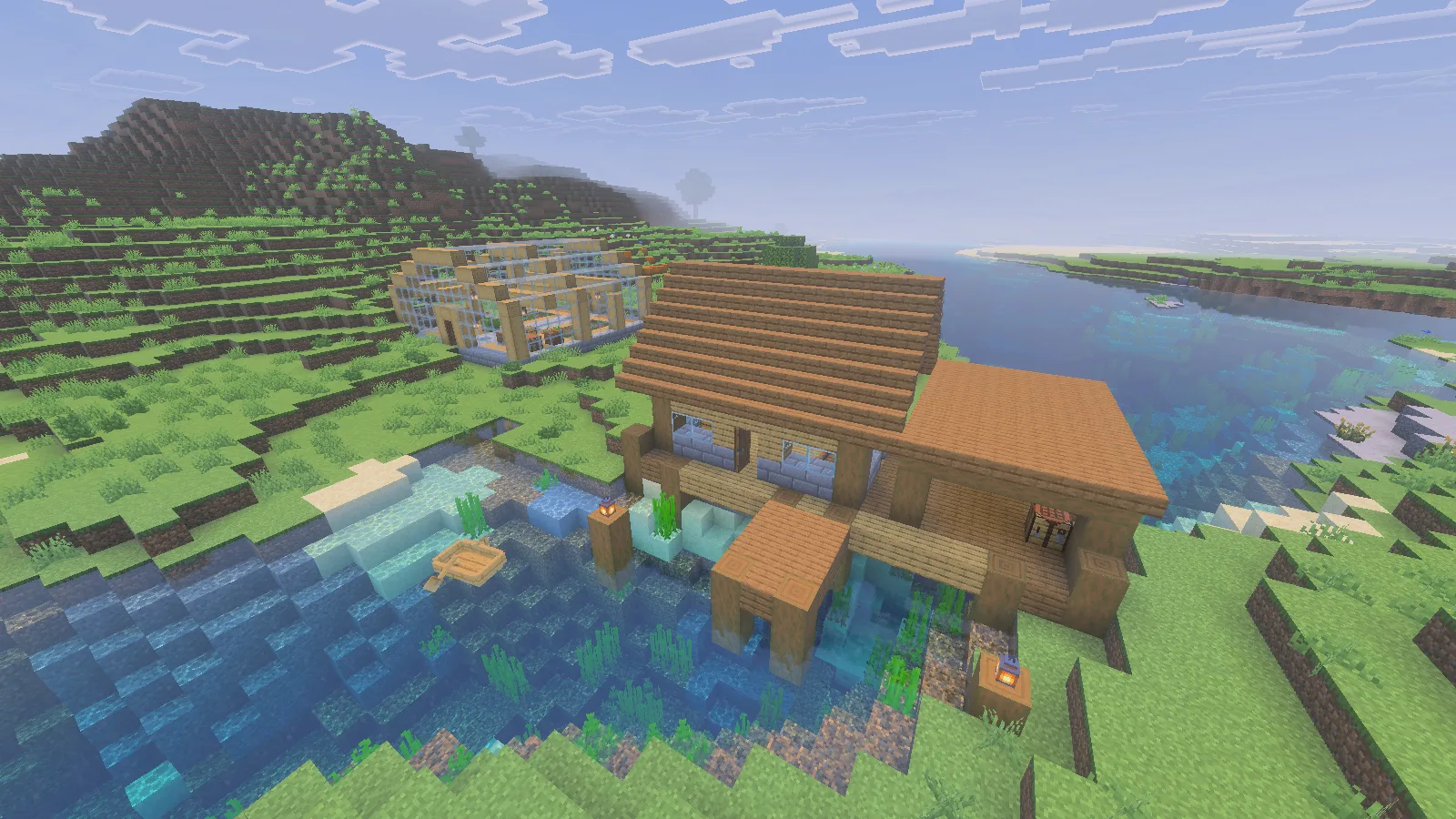
The same midday viewpoint with built-in Vibrant Visuals and no added visual pack.
A small waterside building is a useful first choice because it puts several materials beside each other. Look across the whole roof before moving closer to individual blocks. Stronger surface outlines can help a simple building feel more detailed, but you may prefer broad, quiet walls beside them. Try the pack on an existing cabin or workshop before redesigning an entire town around it.
Inside the greenhouse, the wooden beams and stone path show the material treatment at a closer distance. The bright lantern centers are visible even in daylight. Keep a clear walking aisle and let the posts, floor and lighting carry the room instead of adding decoration to every free block.
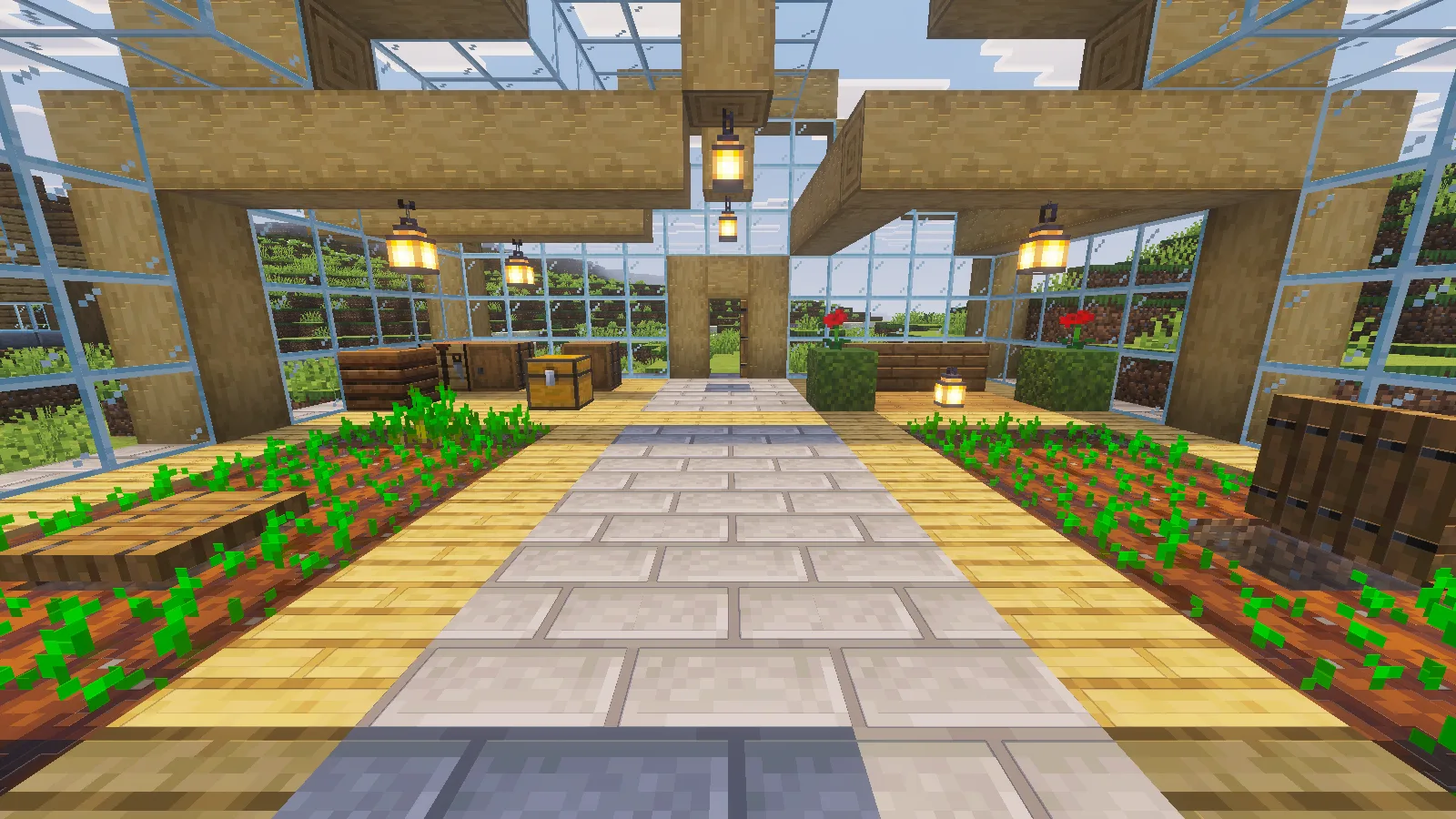
Full in daylight: beam surfaces, the stone aisle and bright lantern centers inside the greenhouse.
Make the night view part of your choice
Here is the greenhouse with built-in Vibrant Visuals after dark:
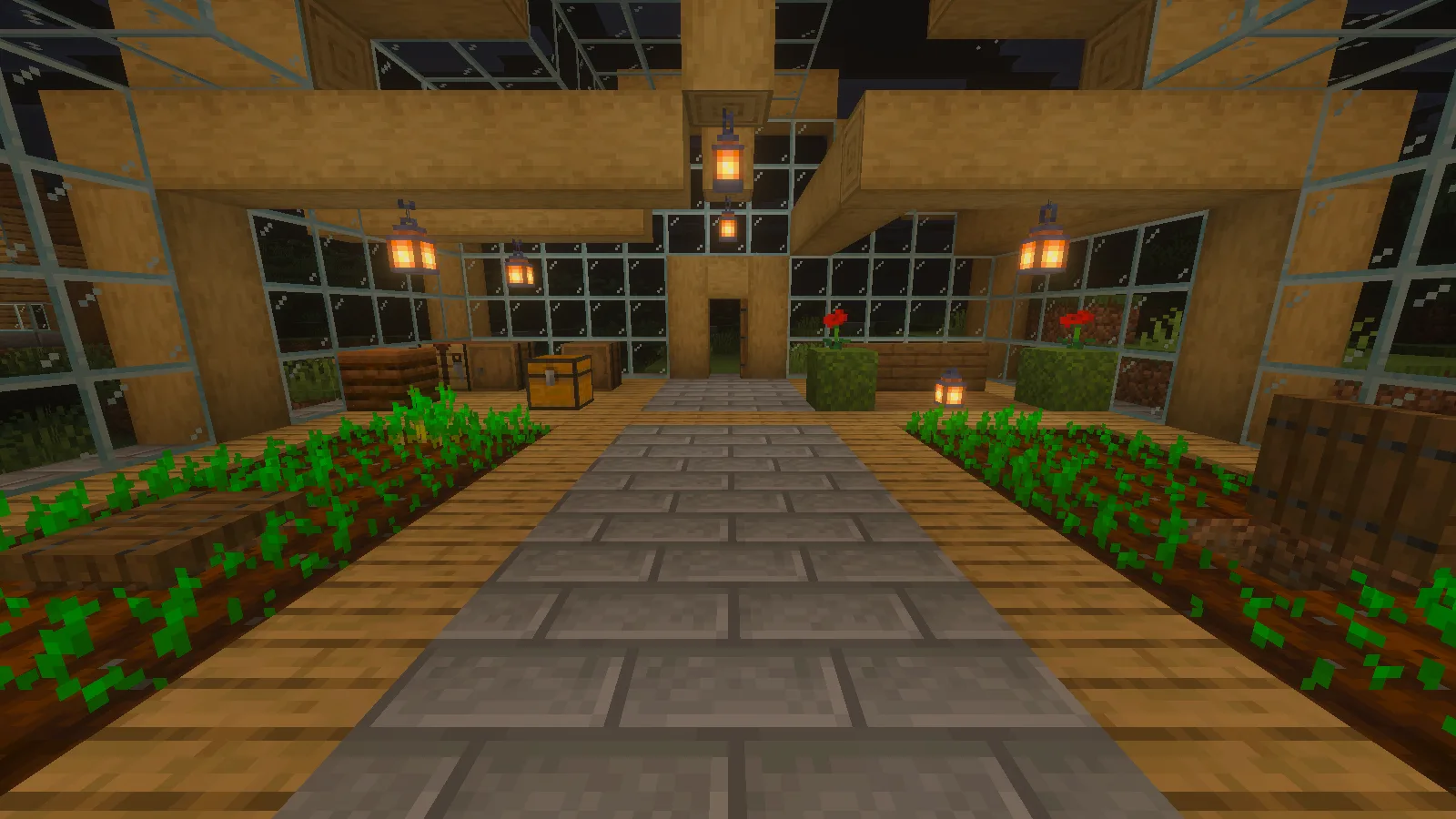
Built-in Vibrant Visuals at night, before adding the author pack.
With Full active, the lantern centers become brighter white-yellow, and the surrounding wood takes on a warmer orange glow.
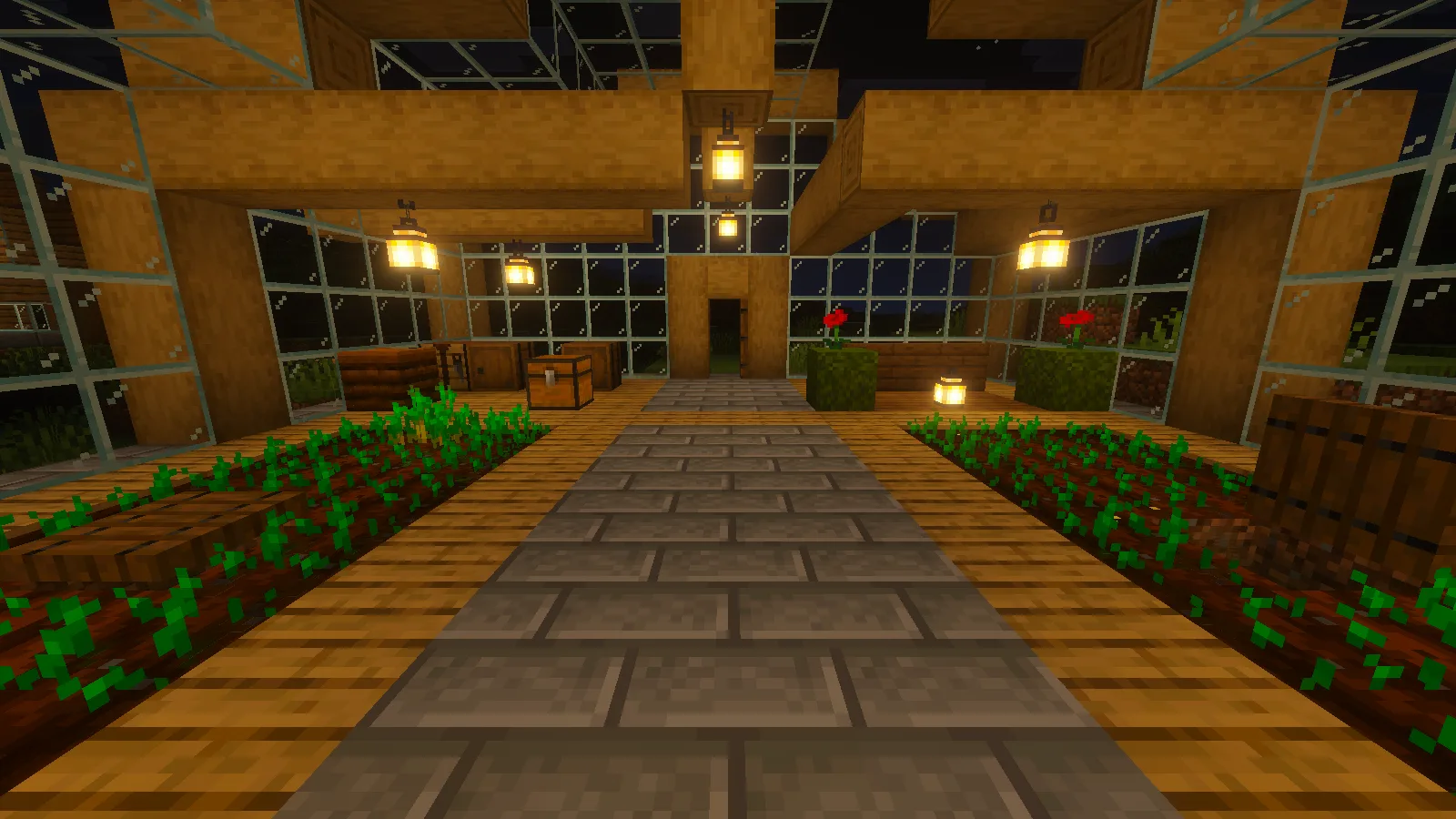
The same night view with Full: brighter lantern centers and a warmer orange glow across the wood.
That warmer interior can suit a garden room, inn or storage workshop. Check the places where you actually stand and read container labels, not only the view from the entrance. A small room may need a different balance of bright surfaces and darker corners from an open hall.
Outside, our lantern-lit pier and roof stand out against the dark hillside and water. This is a useful way to judge an arrival point: can you recognize the doorway and landing when approaching after sunset? The look of the light does not replace the usual practical layout of paths and entrances.
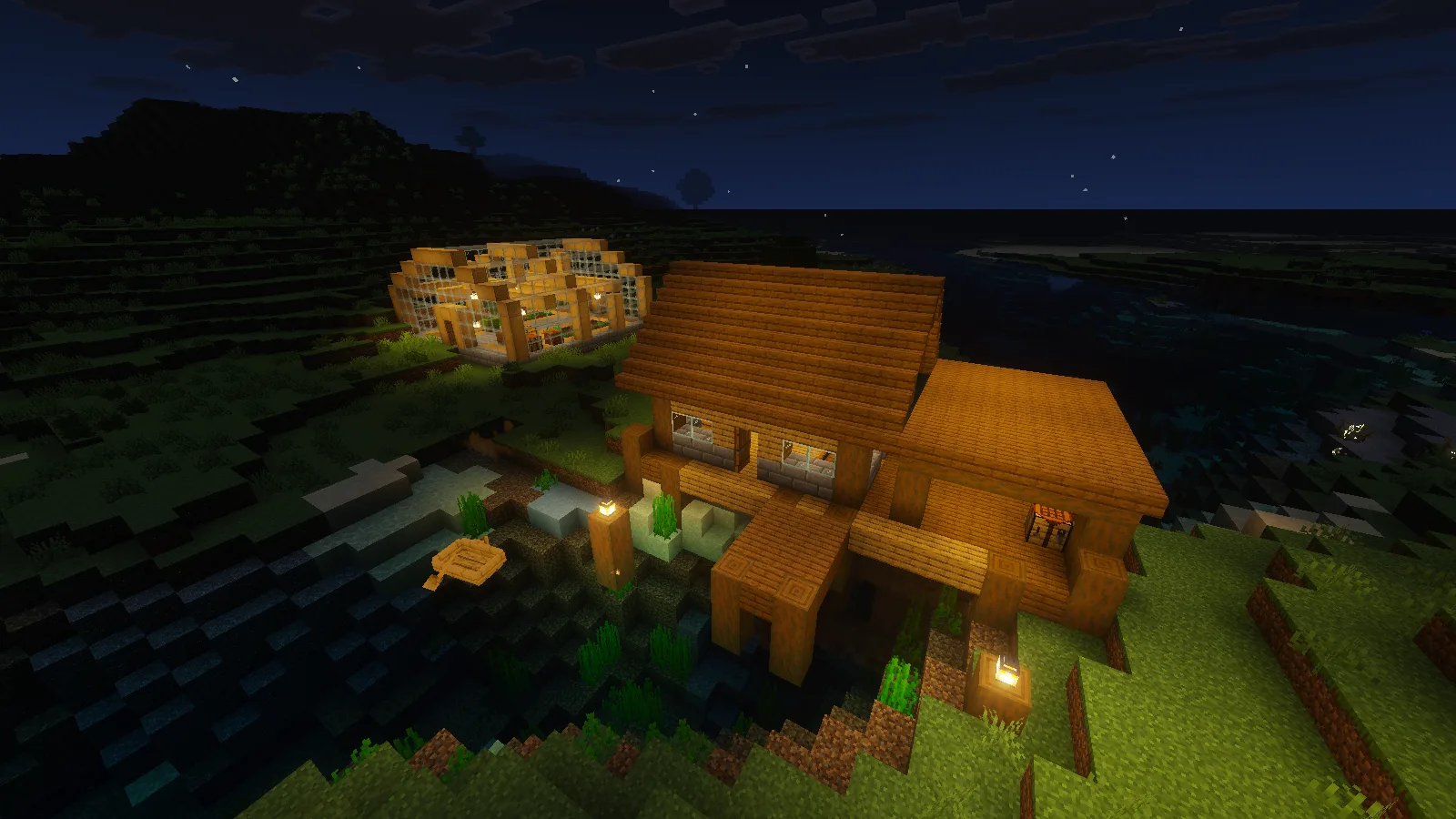
Full at night: the illuminated pier and warehouse contrast with the dark hillside and river.
Install the original pack
Download Vanilla-Vibrant-Visuals-3.3.0.mcpack from this page's Files section. Save and exit your world, close Minecraft normally, then open the original file with Minecraft for Windows.
From Worlds, edit your chosen save and open Resource Packs. Activate Vanilla Vibrant Visuals and confirm it under Active. Open its Settings and select Full Vanilla Vibrant Visuals under Resolution. Use Back to return to Worlds before opening the save.
In the main menu's Settings, open Video and choose Vibrant Visuals under Mode if your device offers it. The mode is a client setting; the resource pack is selected separately for the world. Leave other broad visual packs out of the first comparison.
These images use Full on Windows Bedrock 26.52. The package also offers Lighting Only (No Textures) if you want its lighting configuration without the Full texture layer. That is a separate choice from the Full results shown here.
Creator and version
Cubeir created Vanilla Vibrant Visuals as part of the Vanilla PBR project. This download is the original 3.3.0 release from August 7, 2026. It is separate from Vibrant Normals and from Vanilla RTX for the ray-traced graphics mode.
The author's custom license requires credit and preservation of the license or its valid link when sharing the files. Keep them freely accessible. The original package and its license link are preserved here.
Comments & questions
Share what worked, ask for help or reply to another player.
No comments yet. Share what worked for you.