
An underwater wall is easier to work on when the group can pause for air nearby. Tideheart creates temporary breathing assistance without draining the water or building a sealed room.
Work underwater with breathing room
Activate Tideheart underwater to create a temporary breathing zone. Its four-block radius gives you a nearby place to work around a submerged build without draining the scene.
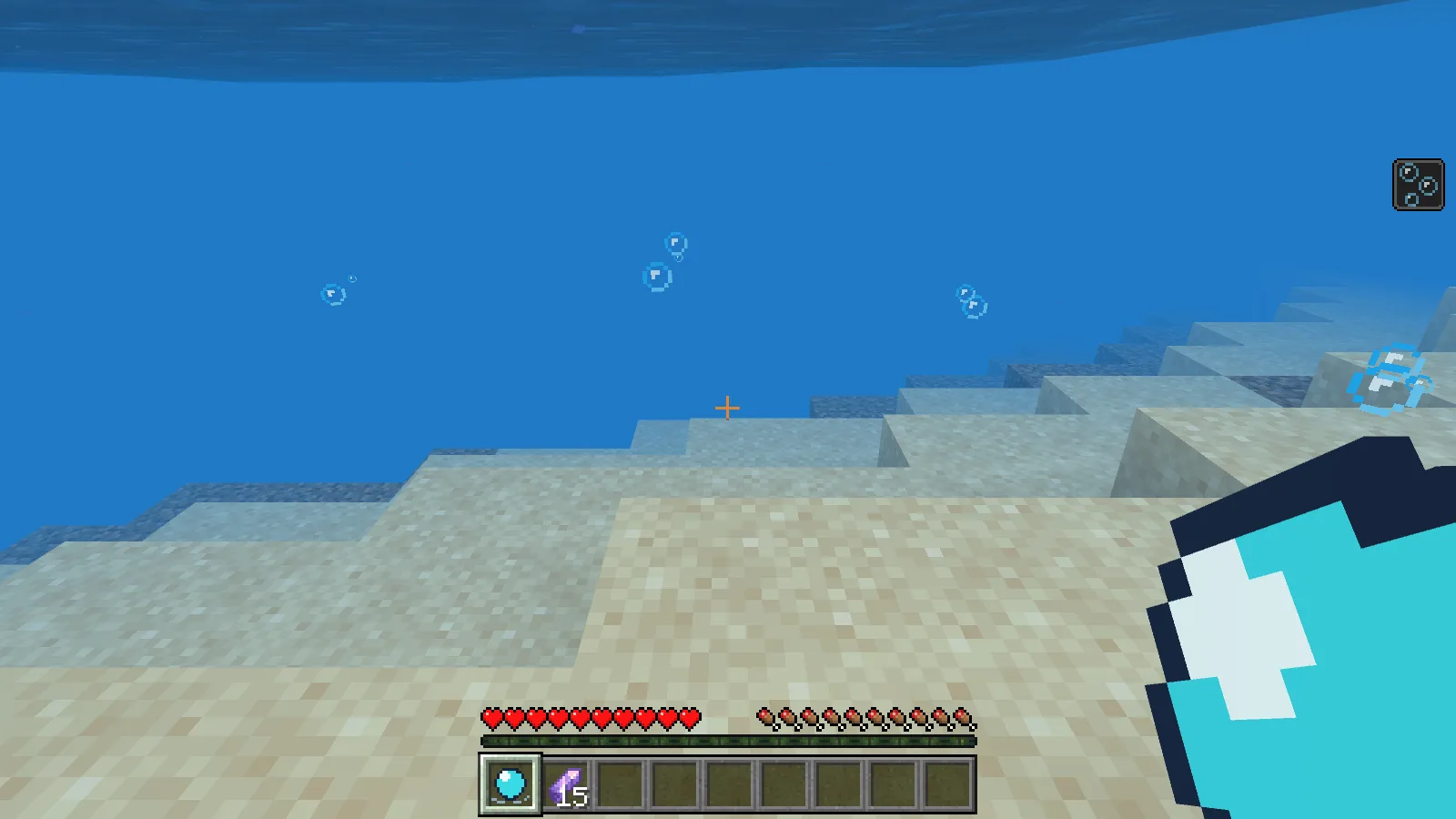
Tideheart active underwater: bubbles mark the zone and Water Breathing appears in the HUD.
The supplied zone lasts 45 seconds. Other players explicitly join or leave by sneak-using their artifact inside it. Stay aware of its boundary and timer: the water remains in place, and assistance fades shortly after you leave.
Craft it
At a crafting table, arrange the ingredients as follows. Each recipe makes one Tideheart controller.
| Row | Left | Centre | Right |
|---|---|---|---|
| Top | empty | copper ingot | empty |
| Middle | copper ingot | amethyst shard | copper ingot |
| Bottom | empty | stick | empty |
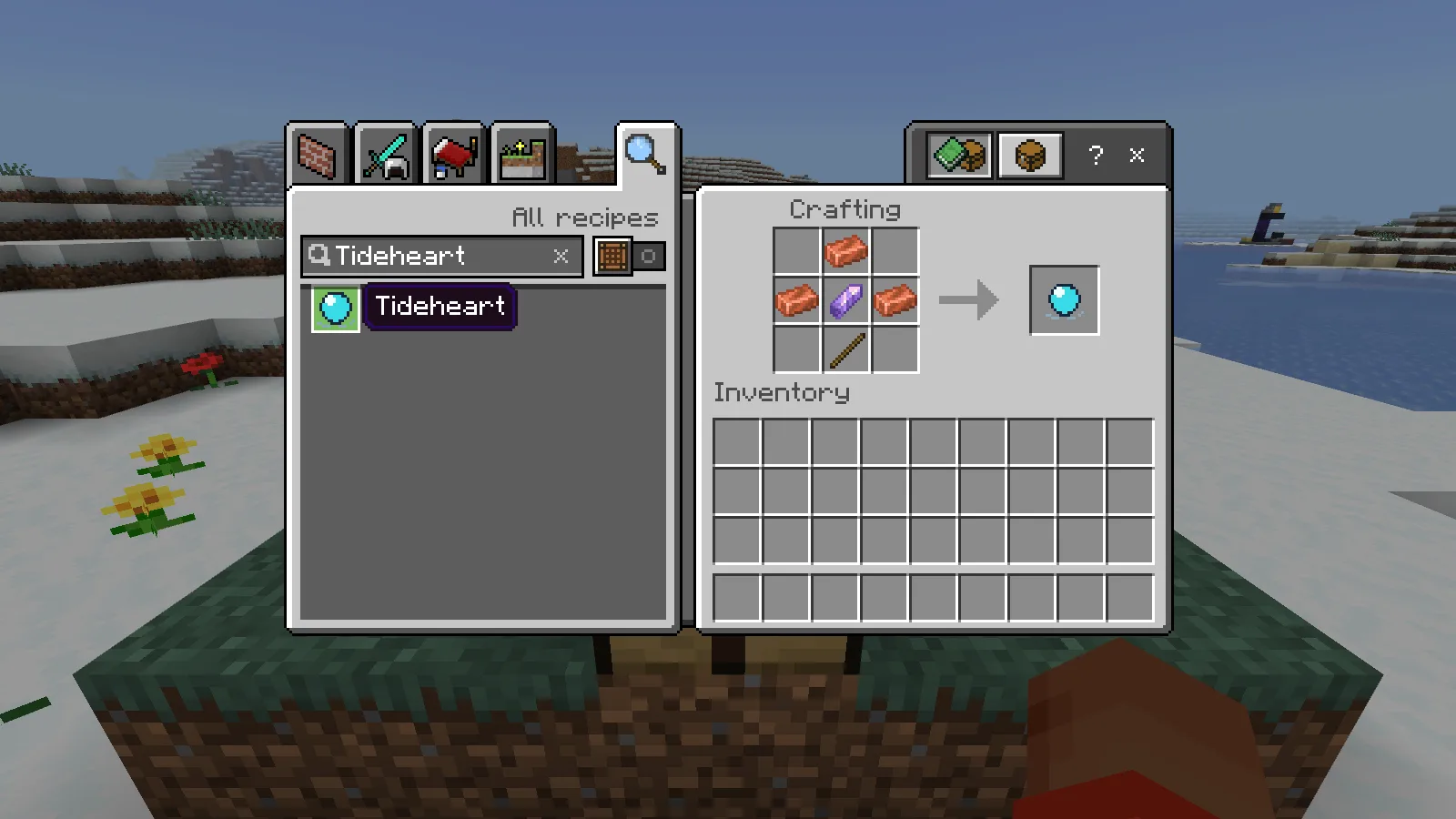
Craft the Tideheart controller.
Before you try it
- Water remains water. The zone does not create dry space or remove environmental hazards.
- Nearby players are not silently opted in. The zone does not remove existing stronger effects.
- Each Survival activation costs one amethyst shard and has a three-second cooldown. Creative use is free.
Download the MCADDON from Files, open it with Minecraft and activate both its behavior and resource packs in a separate world. Make a copy before adding it to a world you care about.
Make it yours
Increase Zone lifetime to 60 seconds for a short building task, or change Access to Owner only for solo exploration.
Open Tideheart in the builder to change settings and build your version. Save the editable project to keep working later.
Comments 0
Share what worked, ask for help or reply to another player.
Use your Modonix account to join the discussion and manage your comments.
Sign in to commentNo comments yet. Share what worked for you.