Shift & Fade: try Grand and Twilight teleport transitions

9 views 0 downloads

Compare an overhead journey with a dark dissolve-and-rebuild transition between two prepared Bedrock destinations.

Shift & Fade gives a Bedrock teleport a visible departure and arrival. Grand lifts the camera above the landscape; Twilight surrounds the character with dark fragments before rebuilding them at the destination. It suits a dramatic return to a base, an entrance to an adventure area or a short tour between two prepared viewpoints.

Our example connects two small stone-brick platforms 24 blocks apart. A gold block marks the first platform and a blue block marks the second, so you can follow where each transition begins and ends.
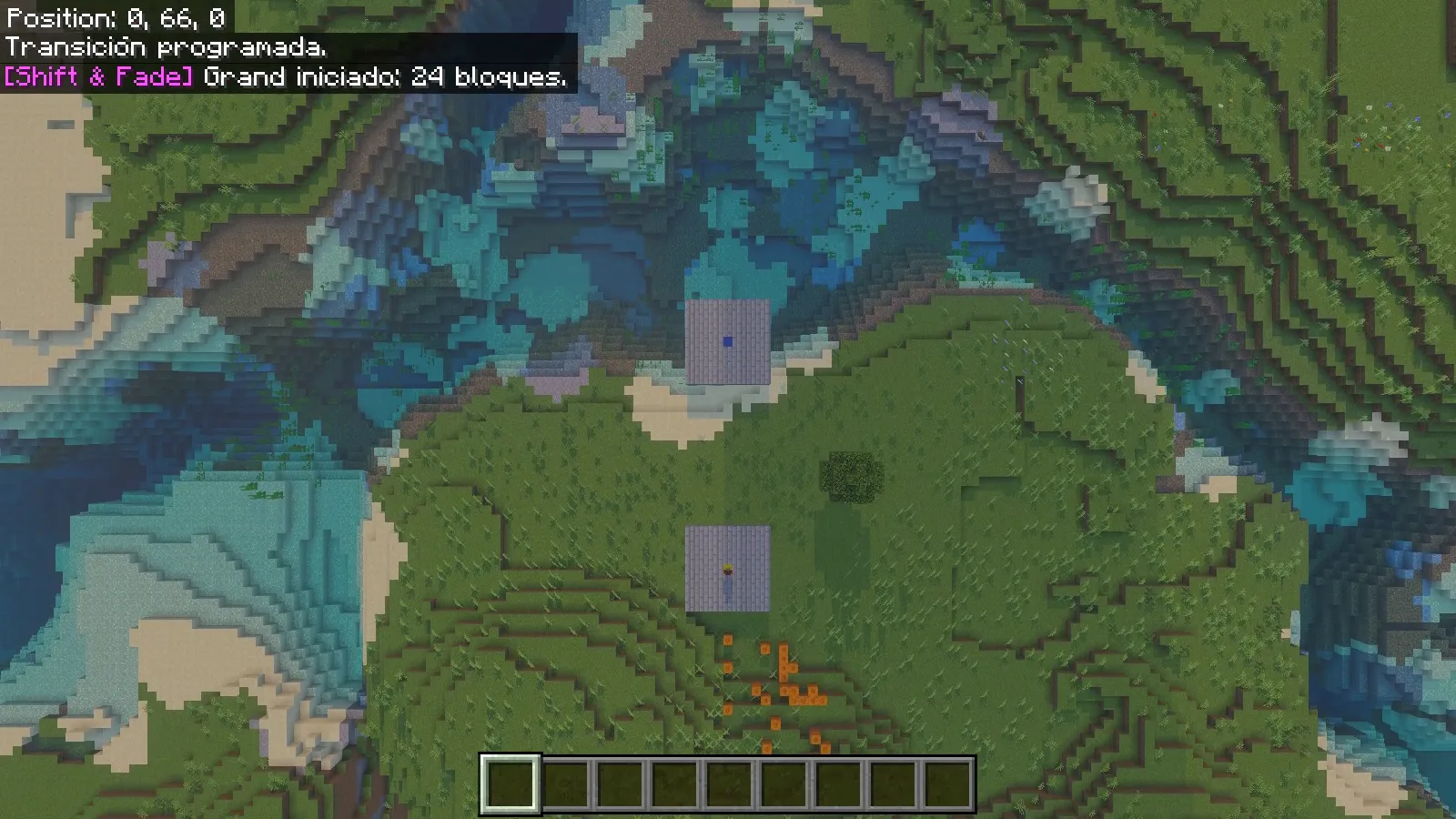
Overhead native Grand transition frame showing two stone-brick pads beside a river.

Install the Core packs

This walkthrough uses the original Shift & Fade 2.0.0 Core on Windows Bedrock 26.52. Open its .mcaddon with Minecraft and wait for the imports to finish. In a copy of your world, activate both Shift & Fade behavior and resource packs. Beta APIs can stay off. Enable cheats in that world to use the /sf: commands below.

Core provides the transition and commands. The separately distributed Shift & Fade: Waystones adds its own waystone gameplay; installing Core alone does not create a waypoint network or a survival crafting route. You can try the two styles directly without that companion add-on.

Prepare two clear destinations

Choose solid ground with room to stand and a clear view around it. Make the two landing spots visually different: colored center blocks work well. Record the coordinates at player-foot height, rather than the height of the block under your feet.

Our centers are 0.5,66,0.5 and 24.5,66,0.5, with the supporting floor at Y65. These coordinates describe our demonstration world; substitute safe positions from yours. Keep pets away from this first demonstration because the public teleport command also requests nearby tamed companions.

Stand on the first pad, open chat and enter:

/sf:tp 24.5 66 0.5 grand

Use the full /sf:tp name. The final word selects Grand for this journey, so there is no need to change the world's default style.

Follow Grand from above

The camera rises over the gold departure marker. From above, the two pads become easy to compare with the surrounding river and shoreline. This makes Grand a useful choice when the route itself deserves attention: a courtyard leading to a tower, for example, or two parts of a larger build.
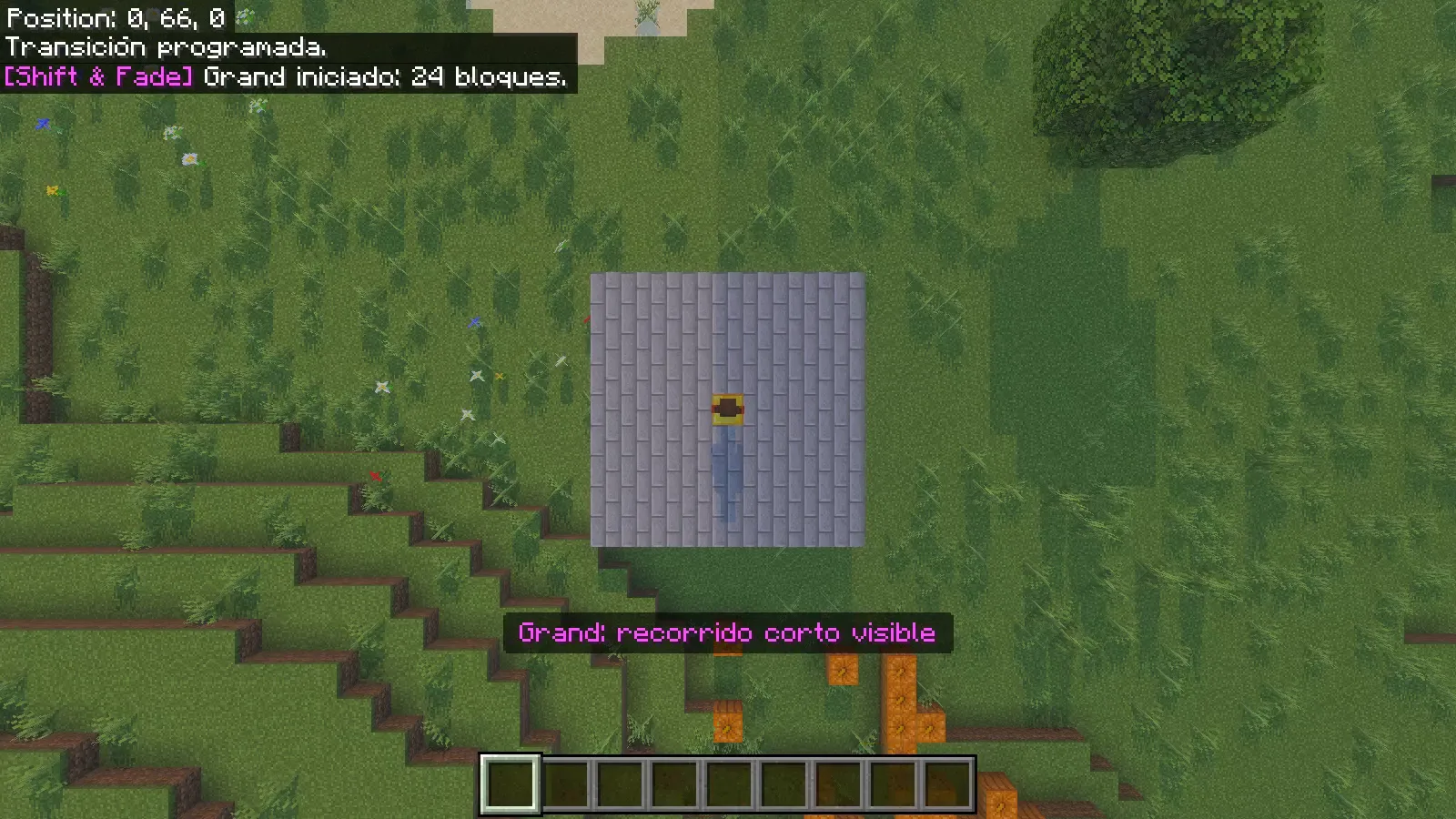
The player stands on a gold center block as the actual Grand camera looks down from above.

During our short crossing, the view widened over both pads, then descended toward the blue destination. The position display changed from 0,66,0 to 24,66,0. After the transition ended, an ordinary forward movement moved the player again.
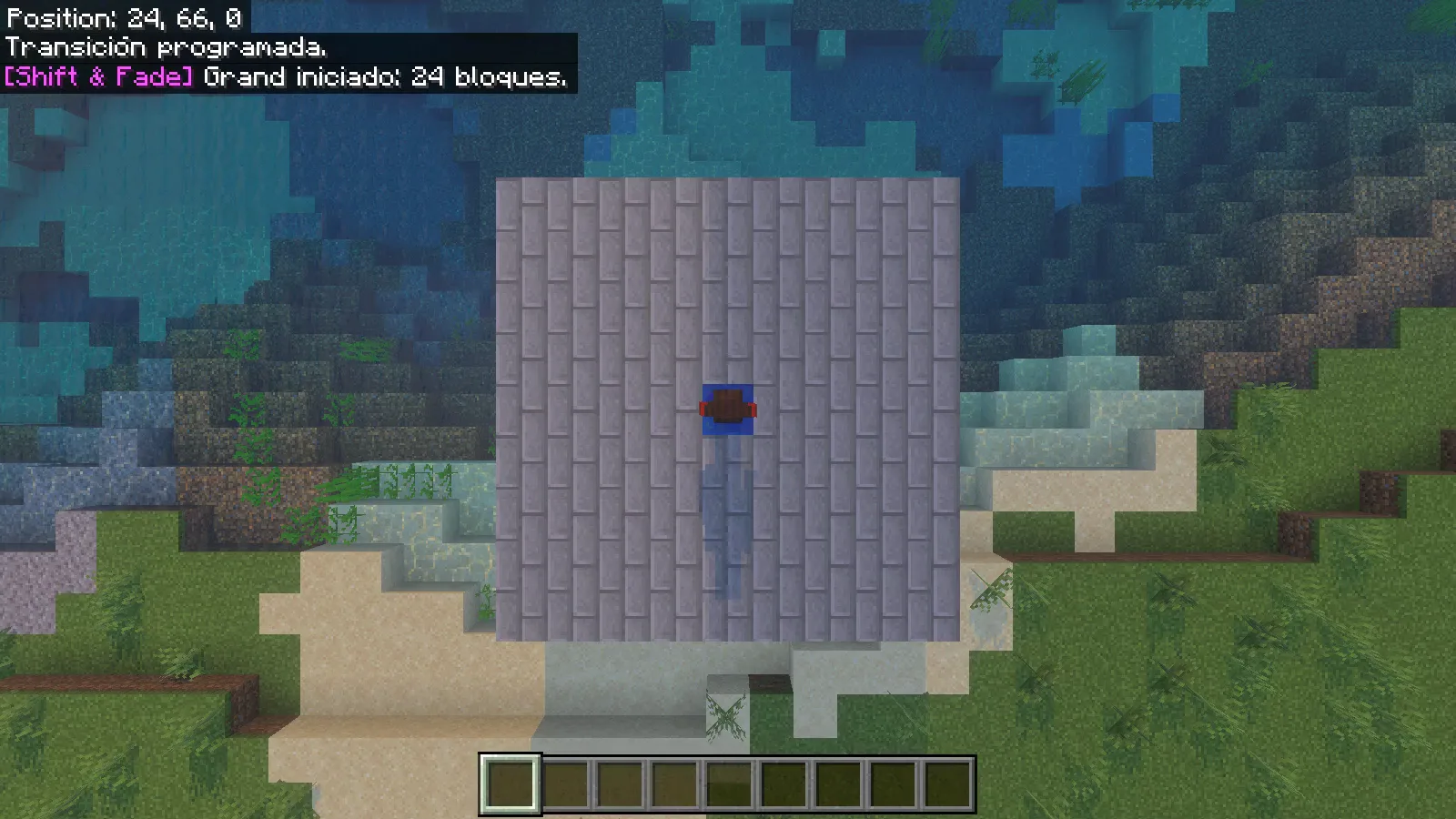
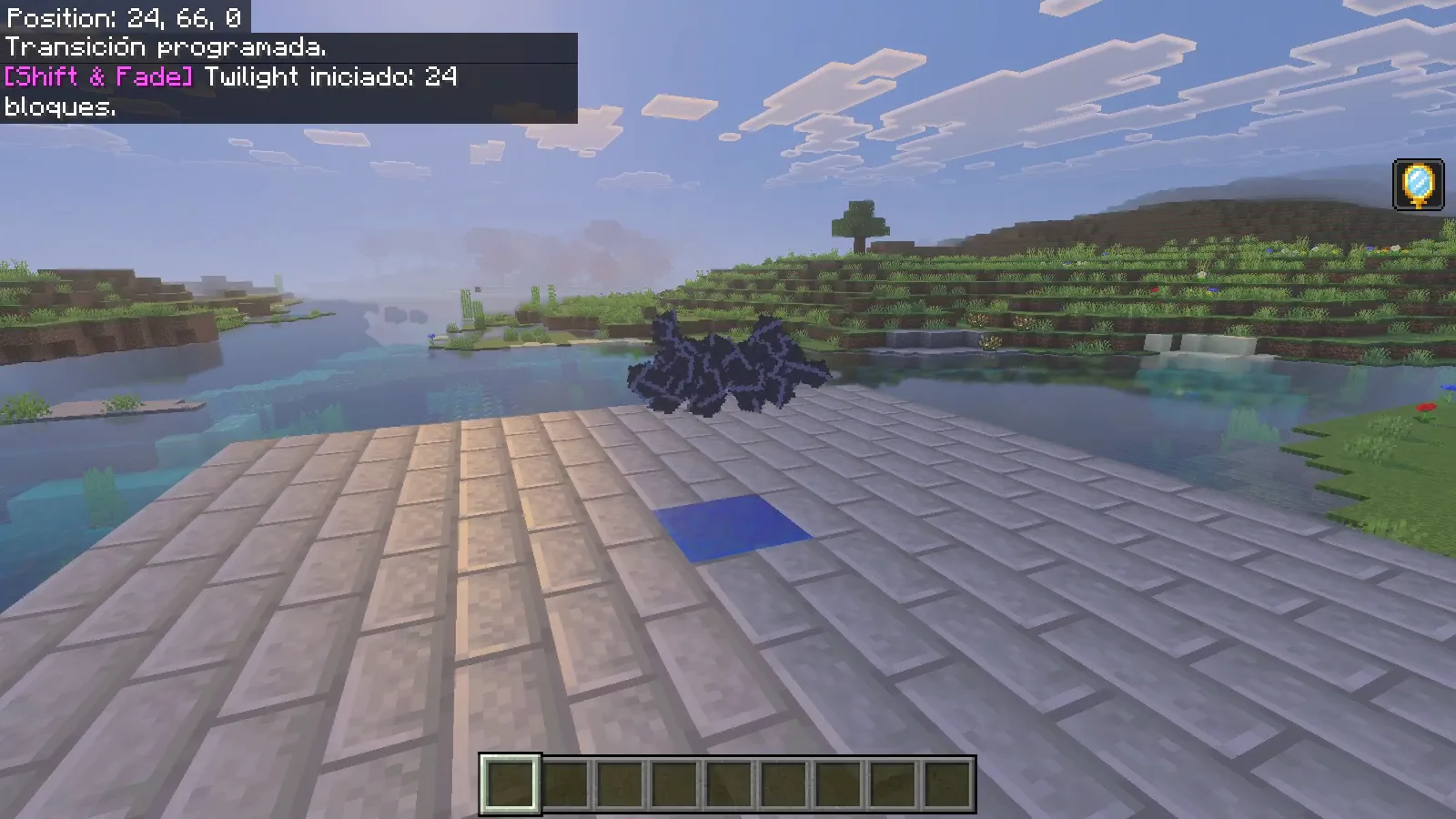
The player is visible over the blue destination block during Grand descent, with coordinates 24,66,0.

Let the camera finish before issuing another request. The open space around each pad helps you read the arrival without a nearby wall filling the view.

Return with Twilight

From the blue pad, choose the other style for the return:

/sf:tp 0.5 66 0.5 twilight

Twilight puts the character at the center of the scene. The camera moves around them as dark fragments gather near their feet, then the character disappears into the effect.
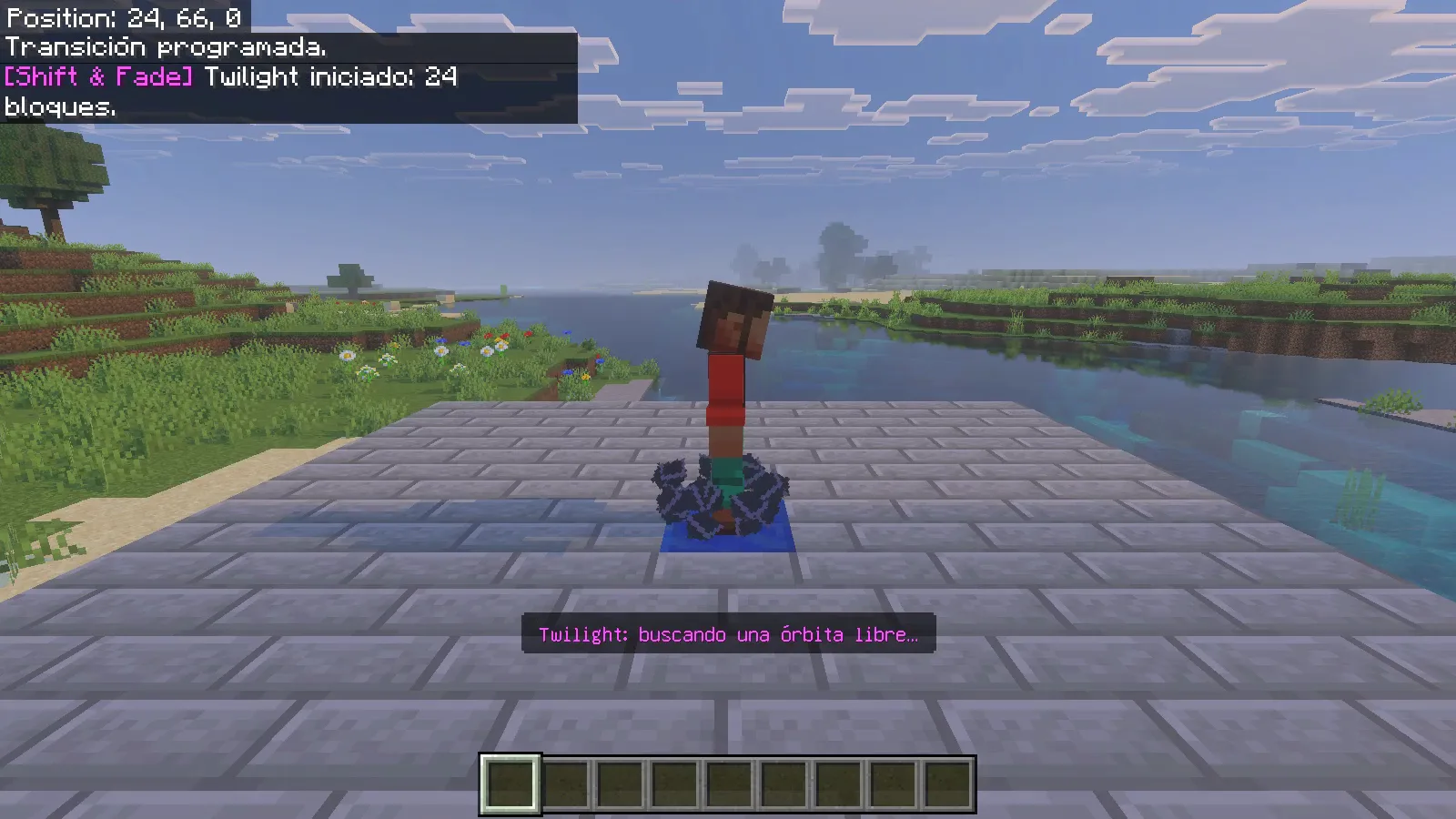
A native orbit-camera view of the character on the blue block with dark particles at their feet.

Dark fragments hover over the blue center block during the actual Twilight departure.

After the fade, the character rebuilds above the gold marker. Our return finished at 0,66,0, and normal forward movement worked afterward. The two styles covered the same pair of destinations but gave the journey a different emphasis: Grand showed the landscape; Twilight focused on the traveler.
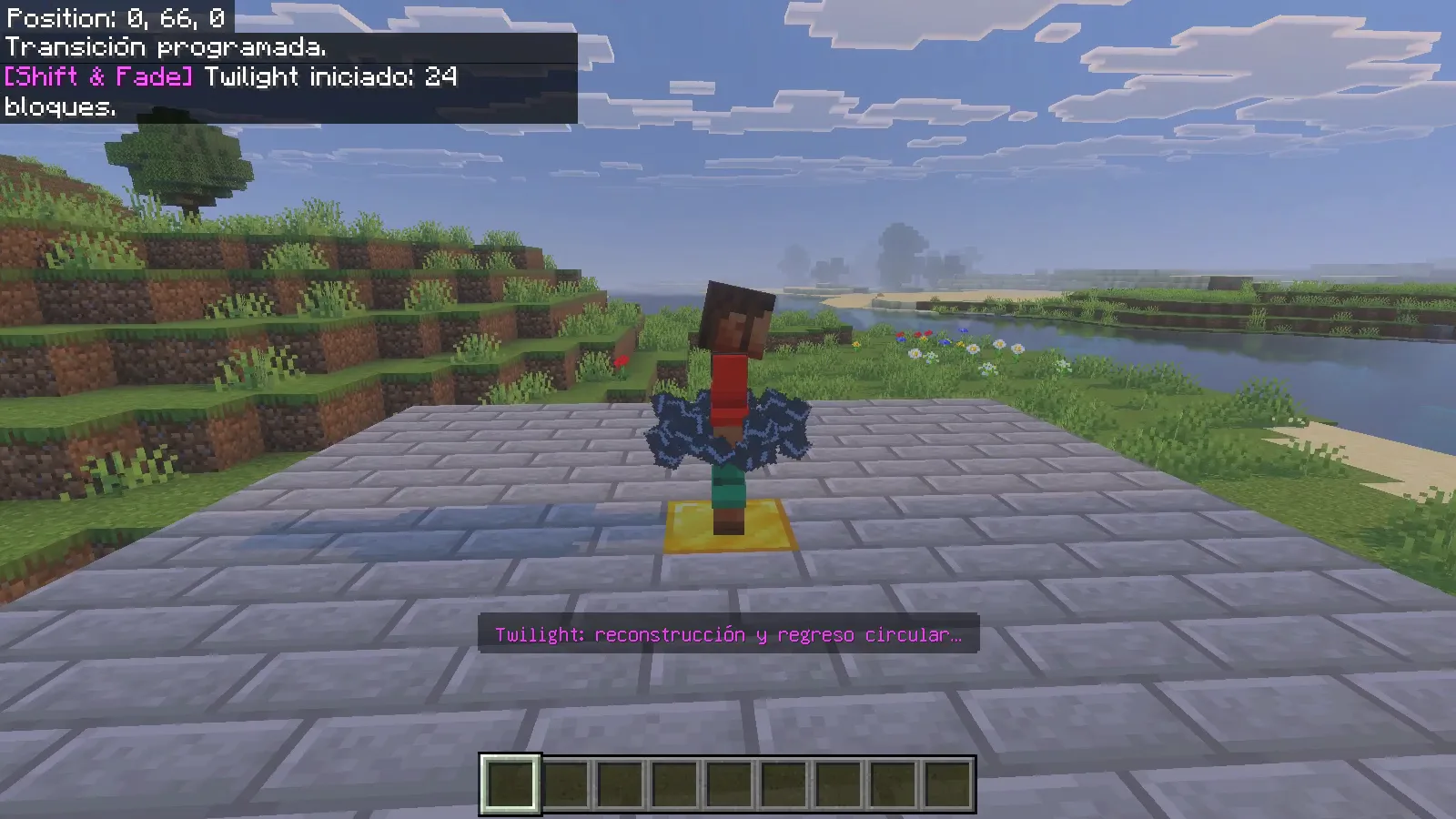
The character reappears above the gold block surrounded by fragments; the position display reads 0,66,0.

The command messages visible in these captures are the author's original Spanish messages, even though the game interface is English.

Make the arrival worth seeing

Place a recognizable landmark beyond the destination: a gate, a lit doorway or a framed view of the harbor. Keep the landing surface broad enough that the player can take a few ordinary steps after control returns. Try one short route first, then decide which style fits the place.

For an interrupted transition, the owner's /sf:reset @s command is the provided recovery option. Our two completed journeys did not need it. Keep separate journeys spaced apart, and check the destination before turning a teleport into a regular part of your world.

No ratings yet

Files

Filter files 1 fileStable
Show all files

Version 2.0.0

Stable

Shift_and_Fade_v2.0.0.mcaddon

Minecraft 26.52 Listed devices: Windows
0 downloads
Download · 1.2 MB
Requirements & details

Bedrock 26.52 · Windows

  • Game version: 26.52 · Listed devices: Windows · Experiments: Not required · Script API: Stable API · Pack contents: Behavior + Resource · Game channel: Stable · Play in: Local world · File format: .mcaddon

Import and activate both Core behavior and resource packs in a copied local world. Beta APIs are not required. Enable cheats and command permission for /sf:tp. The separately distributed Waystones companion was not installed.

Requirements & notes
Known issues
Core provides transitions and commands; the Waystones companion is a separate download. Command feedback is Spanish. Leave room at the destination and let one transition finish before starting another.
Minimum engine version
1.26.30
Required experiments
None. Beta APIs were off in the saved native world.
Script API modules & versions
@minecraft/server2.8.0 declared; paired original Core behavior/resource packs.
Technical details
File details
Download type
Main
Realms & multiplayer support
Enable cheats for /sf:tp. For an interrupted transition, the world owner can use the provided /sf:reset @s recovery command.
Tested setup
Minecraft for Windows26.52 app1.26.5203.0; original Shift & Fade2.0.0 Core. All31closed-world pack files matched original author staging. Six unedited sampled native frames.
Compatibility notes
The walkthrough uses Shift & Fade 2.0.0 Core with Bedrock 26.52 and Beta APIs off.
File information

Archive structure and entry integrity checked · 33 entries · 2.5 MB unpacked.

Shift_and_Fade_BP_v2.0.0.mcpack!/manifest.json — Pack name
Shift & Fade
Shift_and_Fade_BP_v2.0.0.mcpack!/manifest.json — Pack version
2.0.0
Shift_and_Fade_BP_v2.0.0.mcpack!/manifest.json — Minimum engine version
1.26.30
Shift_and_Fade_BP_v2.0.0.mcpack!/manifest.json — Pack UUID
f053f834-d8f0-4d38-a820-94943e2d50fb
Shift_and_Fade_BP_v2.0.0.mcpack!/manifest.json — Requires 63db4617-cd29-4522-a834-a69f3338ca75
2.0.0
Shift_and_Fade_BP_v2.0.0.mcpack!/manifest.json — Requires @minecraft/server
2.8.0
Shift_and_Fade_RP_v2.0.0.mcpack!/manifest.json — Pack name
Shift & Fade Resources
Shift_and_Fade_RP_v2.0.0.mcpack!/manifest.json — Pack version
2.0.0
Shift_and_Fade_RP_v2.0.0.mcpack!/manifest.json — Minimum engine version
1.26.30
Shift_and_Fade_RP_v2.0.0.mcpack!/manifest.json — Pack UUID
63db4617-cd29-4522-a834-a69f3338ca75
Manifests read (2)
  • Shift_and_Fade_BP_v2.0.0.mcpack!/manifest.json · JSON structure
  • Shift_and_Fade_RP_v2.0.0.mcpack!/manifest.json · JSON structure

Cross-project UUID comparison covers files with indexed manifest inspections. Older files must be rechecked to join this comparison.

Manifest values describe the package. They do not prove that it works with every game version. This check is not an antivirus scan.

SHA-256: 7f713ac264f402f5bafe0ba7fcf46069193d149f616474bbd0fd9fd1cd1dac75

Release updates

Version 2.0.0

Stable

Shift & Fade 2.0.0 Core adds visual transitions between locations. Choose Grand or Twilight in the guide; the separate Waystones pack is optional.

View files

Comments & questions

Share what worked, ask for help or reply to another player.

No comments yet. Share what worked for you.

Join the conversation

No account required. Confirm your email with a code before your first comment.

1Your name & email

Only a masked address appears with your name. Guest comments are reviewed before publication.

2Verify & post

Search Modonix

Search in