Quick Mining: gather timber and ore while sneaking

13 views 0 downloads

Keep ordinary mining available, gather connected logs or ore while sneaking, and bring the useful drops straight into your inventory.

Quick Mining makes a timber run less repetitive: hold an axe, sneak and break a log to gather connected wood. Switch to a suitable pickaxe and the same idea works for supported ore blocks. You still choose what to gather and where to cut; the useful change is spending less time chasing each connected block.
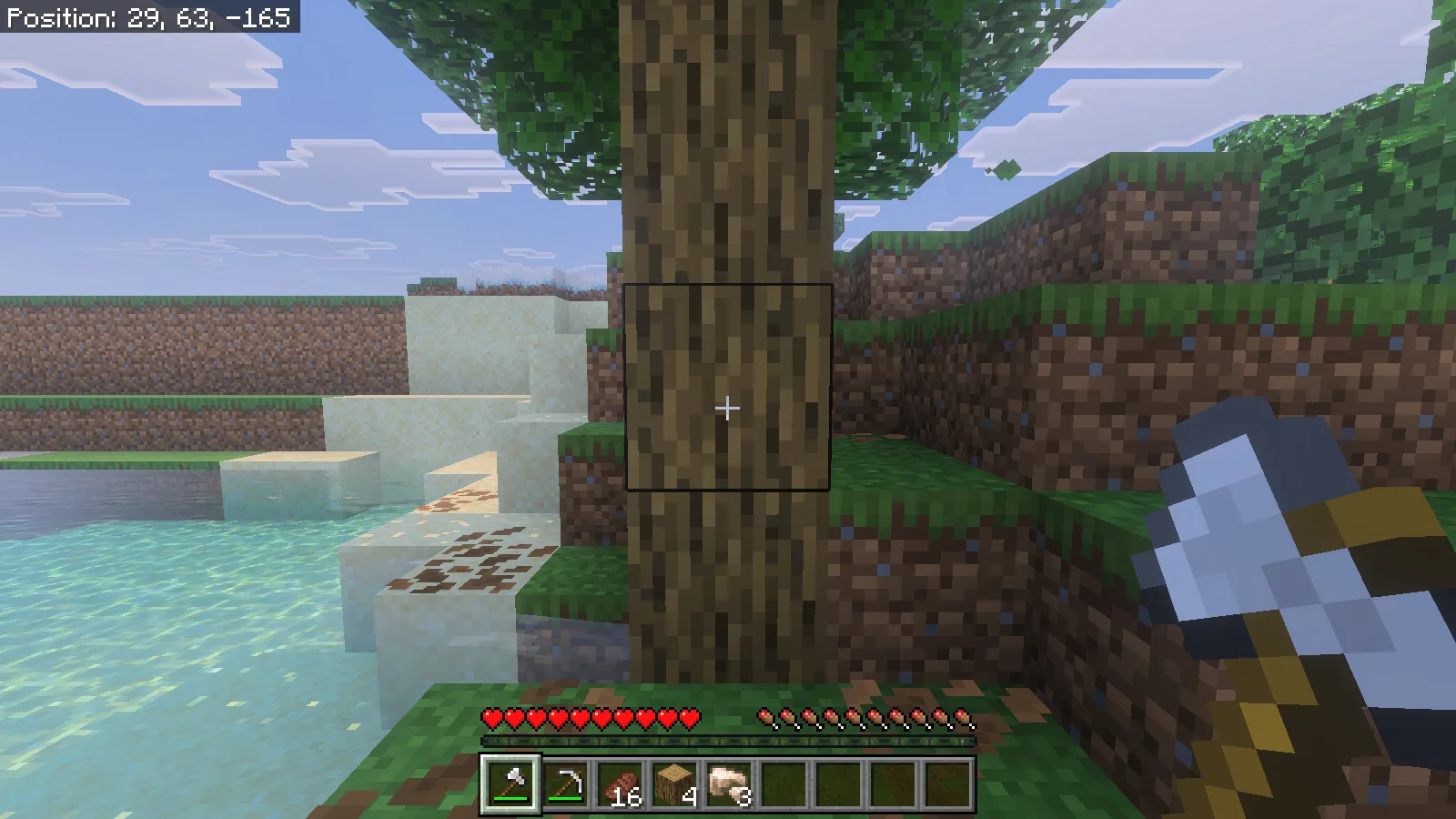
First-person Survival view aimed at a natural oak trunk beside a sandy bank; the hotbar contains four oak logs.

Install the matching pair

This walkthrough uses Quick Mining 1.9.0 on Minecraft for Windows, Bedrock 26.52. Make a copy of an existing world before adding the pack. Open the downloaded .mcaddon file with Minecraft and wait for the import to finish. From the world list, choose the world's edit button, open Behavior Packs → My Packs, select Quick Mining and activate it. Check Resource Packs → Active for the matching Quick Mining resource pack; the behavior pack declares it as a dependency.

The 1.9.0 package used here ran with Beta APIs off. You do not need to enable that experiment for this setup. Activate the add-on in the intended world, then enter it with an axe and a pickaxe ready.

Keep an ordinary swing available

Enter /qmine-prefs in chat. Under Enable quick-mining, keep When sneaking selected. The preferences are per player, so your choice does not change a friend's trigger. The same form controls automatic collection and the block categories you want included.
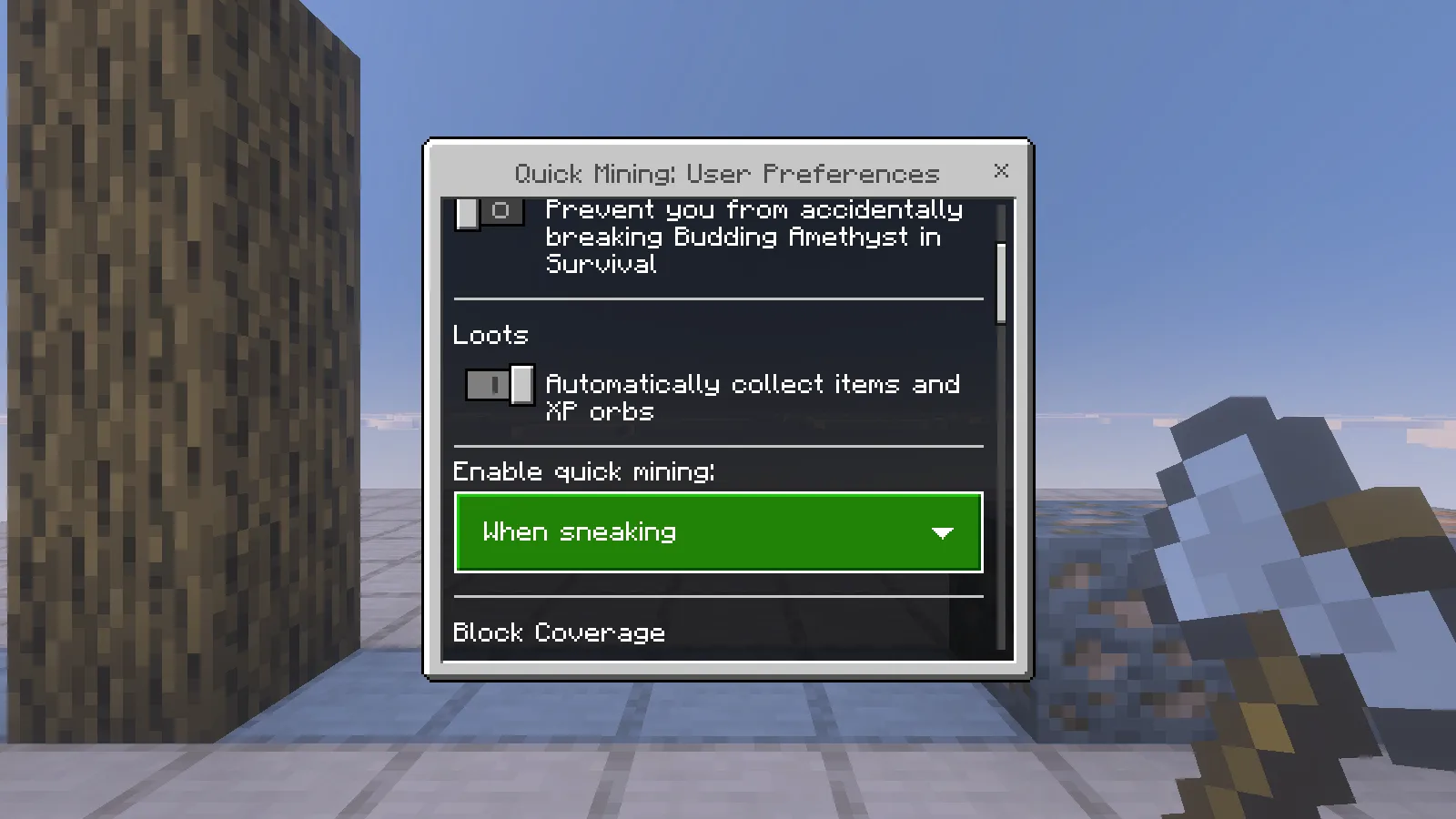
Quick Mining User Preferences form showing When sneaking and the automatic item and XP collection switch.

With this mode, stand normally for individual blocks and sneak for connected gathering. On a keyboard, use your configured Sneak key; our Windows controls used Shift. Hold the normal mining input until the target breaks. Merely tapping a log or punching it without the appropriate tool is not the same action.

Two matching four-log columns made the difference easy to see. Standing normally with an iron axe broke the bottom log, left three above it and dropped an item on the ground.
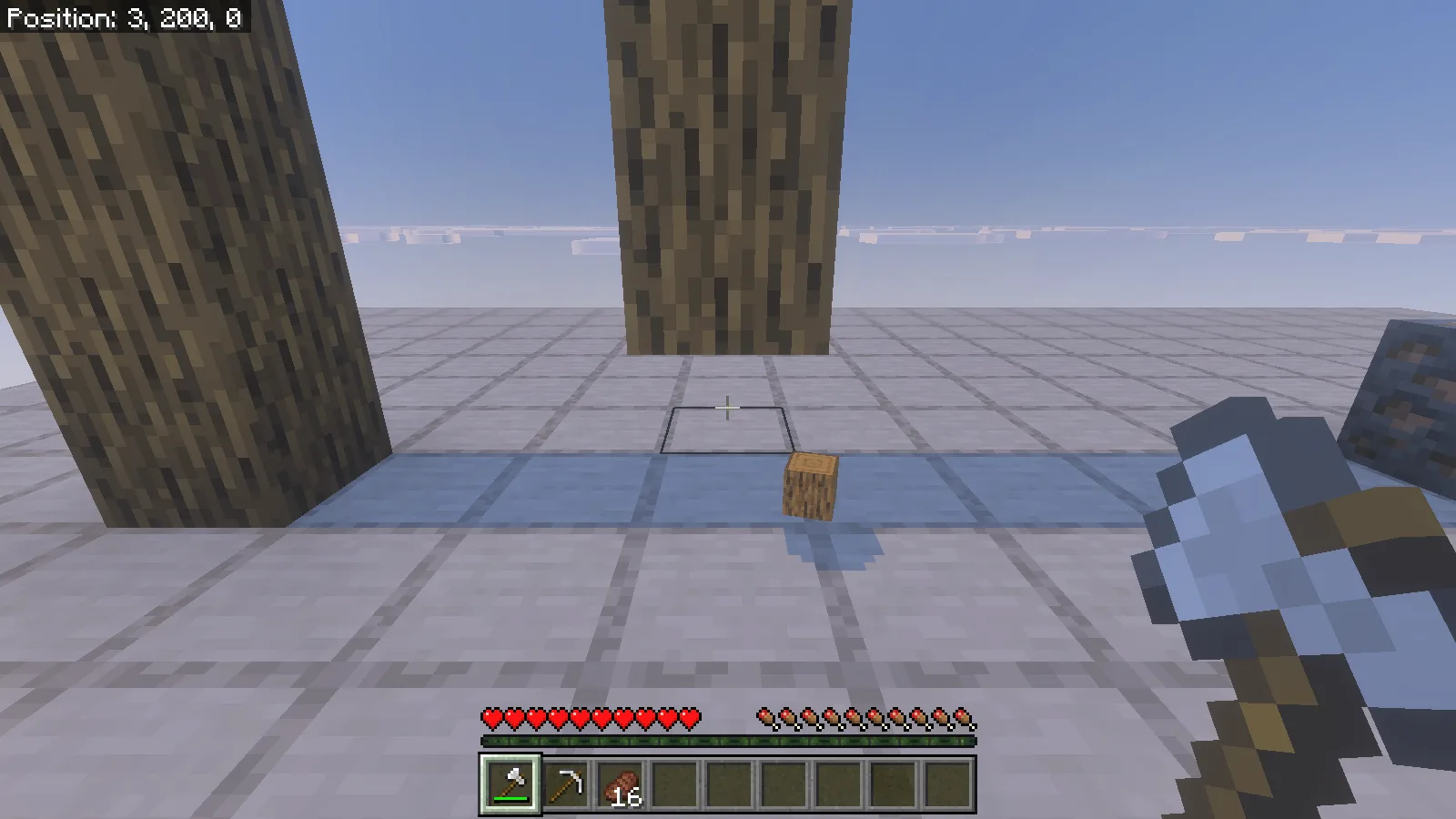
Artificial oak-log column after ordinary axe mining, with its bottom block missing and one log item on the platform.

Sneaking with the axe at the other column removed all four logs and placed four logs in the inventory. These columns were deliberately placed for comparison; the forest example below shows the same gathering approach on natural terrain.

Empty site of the matching four-log column after sneak-mining; the hotbar shows four oak logs.

Gather a building supply, then replant

Choose a tree away from your buildings and aim at a reachable trunk block. Leave inventory room for the logs and leaf drops. A useful first trip has a small target: wood for a porch roof, a bridge deck or replacement tools. Stop when you have what the build needs rather than clearing every nearby tree.

In our forest pass, sneak-mining a natural oak cleared the targeted trunk and surrounding leaves. The oak-log stack went from 4 to 21, with 2 apples, 16 saplings and 8 sticks also visible afterward. Connected neighboring wood can join the operation, so that result is an example of one gathering pass, not a promise of 17 logs from every oak.
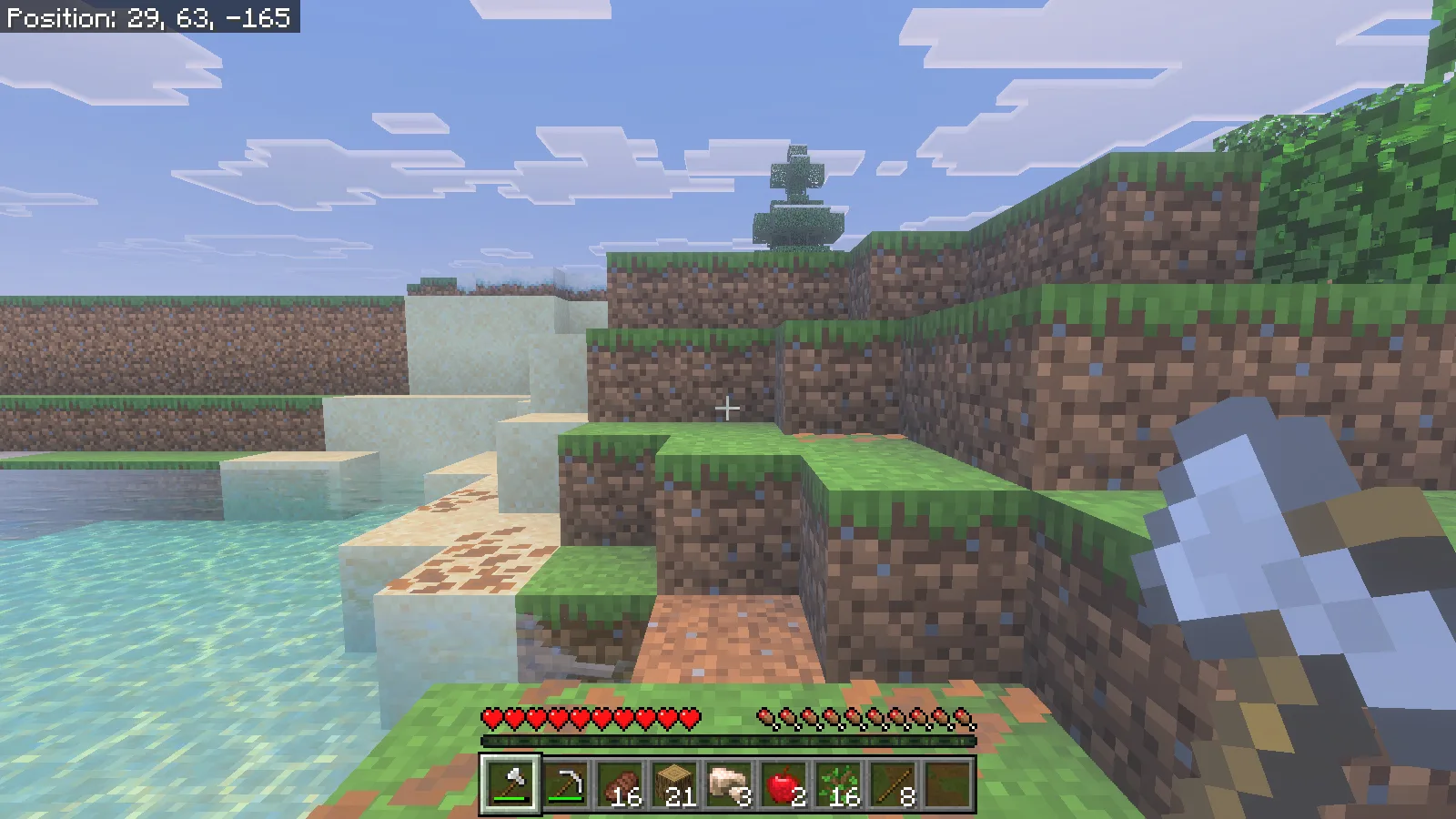
Same forest position after the oak gathering pass, showing cleared trunk space and hotbar stacks of 21 logs, 2 apples, 16 saplings and 8 sticks.

Put some of those saplings back before leaving. Select a sapling, aim at a suitable ground block and use it normally. Here, one oak sapling was planted at the cleared site in Survival, reducing the stack from 16 to 15. Quick Mining handled gathering; the replanting was our own action.
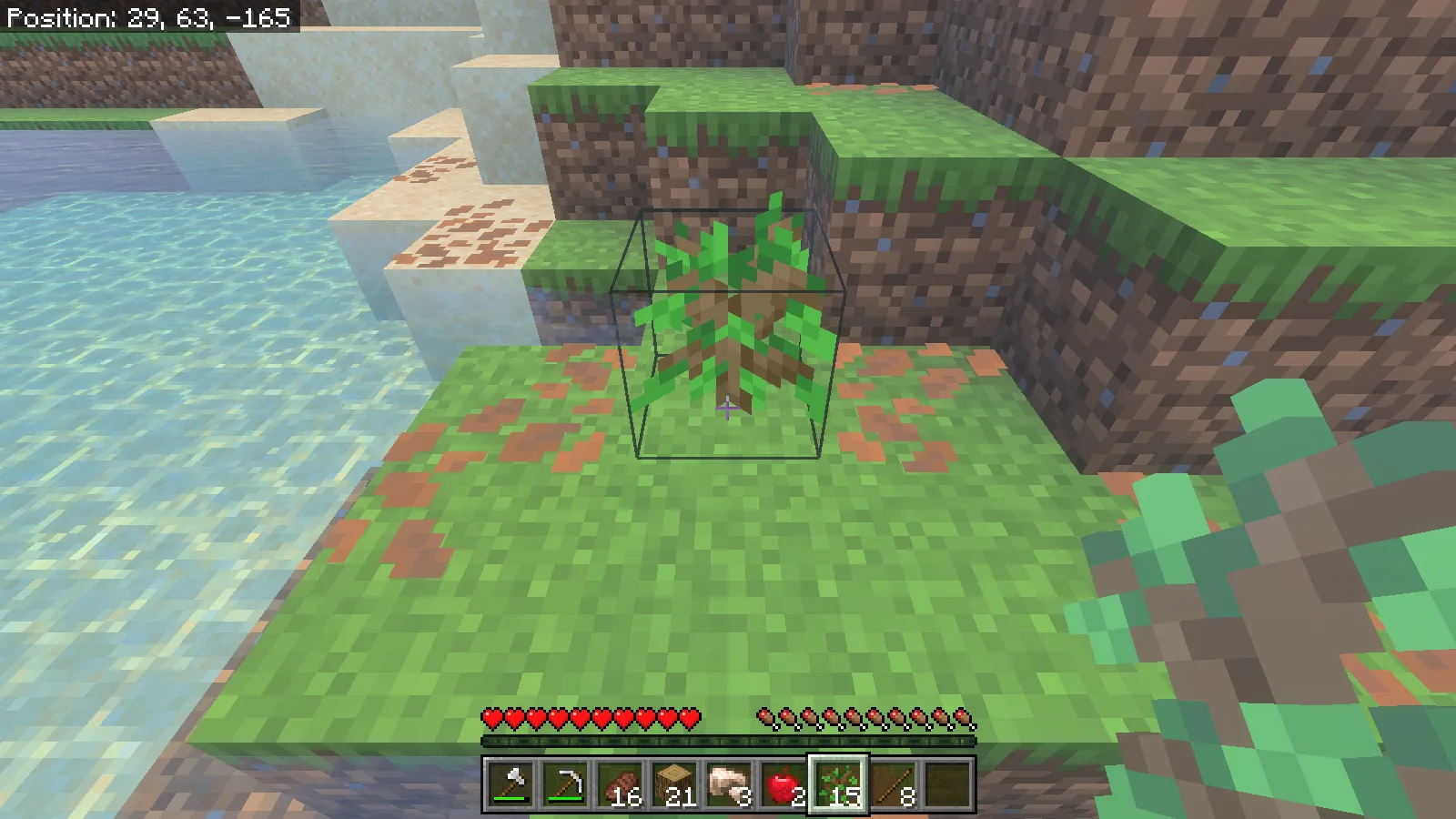
A newly planted oak sapling at the cleared tree site, with the sapling item selected in the Survival hotbar.

Use the right pickaxe for ore

For ore, select a pickaxe capable of harvesting the block, stand somewhere secure and sneak while mining. Keep an eye on the space behind the vein: removing connected blocks can expose a drop, water or another part of a cave.
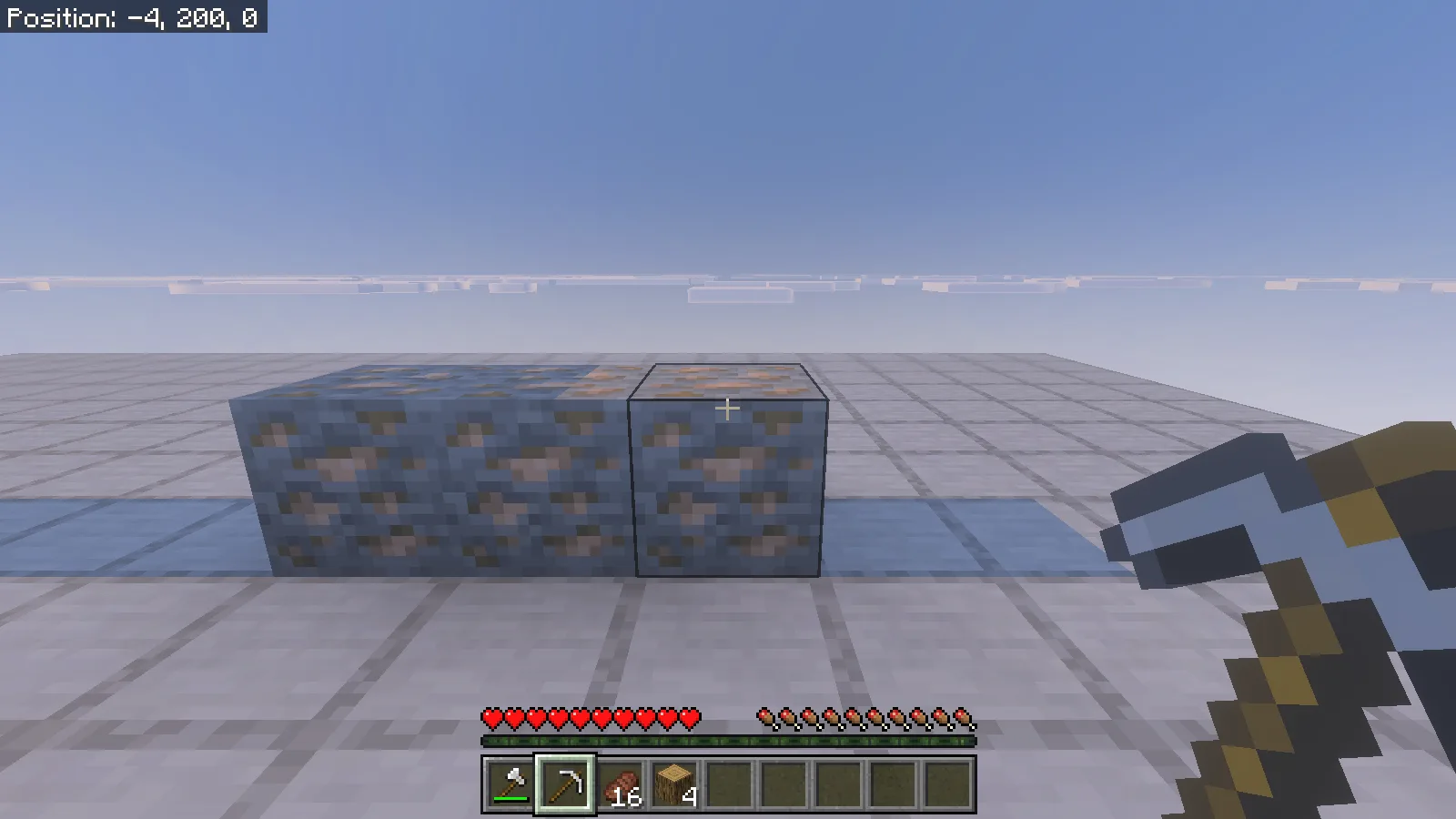
Three iron-ore blocks on the test platform before mining, with an iron pickaxe selected.

Our simple ore comparison used three placed iron-ore blocks. Sneak-mining with an iron pickaxe removed the row and added 3 raw iron to the inventory. This shows the gathering result clearly without presenting a staged row as a naturally generated vein.

The empty ore-row site after sneak-mining, with three raw iron visible in the hotbar.

Keep gathering away from timber builds

The log-column comparison also shows why player-placed wood deserves care. Do not use sneak-mining to trim a log pillar, repair a timber roof or remove one support beside connected wood you want to keep. Stand normally under When sneaking, or choose Never in the preferences for a building session.

Keep broad stone and soil categories disabled until you deliberately want excavation. A separate resource grove, a little inventory space and a clear gathering target make the add-on easier to use without turning a small repair into a much larger job.

4.0 / 51 rating

Files

Filter files 1 fileStable
Show all files

Version 1.9.0

Stable

quick-mining-addon-1.9.0.mcaddon

Minecraft 26.52 Supported devices: Windows, Android, iOS / iPadOS

Device support based on pack review · Tested on: Windows

0 downloads
Download · 385.4 KB
Requirements & details

Bedrock 26.52 · Windows

  • Game version: 26.52 · Supported devices: Windows, Android, iOS / iPadOS · Experiments: Not required · Script API: Stable API · Pack contents: Behavior + Resource · Game channel: Stable · Play in: Local world · File format: .mcaddon

Import the original .mcaddon and activate its paired behavior and resource packs. Experiments are not required for 1.9.0.

Requirements & notes
Known issues
Connected player-placed logs can be gathered too. When repairing timber builds, choose Never or keep When sneaking selected and stand normally. Custom ores and wood from other add-ons are not quick-mined by this release.
Device compatibility basis
Pack review
Devices checked in-game
Windows
Device support notes
Modonix checked Quick Mining 1.9.0 on Windows Bedrock 26.52. The author documents Windows, Android and iOS/iPadOS installation and reports an iPad Pro test; Modonix has not runtime-tested mobile. Use the listed game version and world settings. Direct console import is not included. Keep stable-API settings; the older README Beta APIs instruction does not apply to this release.
Device support source
https://github.com/depressed-pho/quick-mining
Minimum engine version
1.21.90
Required experiments
None. Beta APIs off in the actual 26.52 session; release 1.9.0 NEWS supersedes the older README.
Script API modules & versions
Declared @minecraft/server 2.1.0 and @minecraft/server-ui 2.0.0; stable runtime promotion to 2.10.0 and 2.2.0 observed.
Technical details
File details
Download type
Main
Realms & multiplayer support
Use an axe for logs and a suitable pickaxe for ore. Enable When sneaking in /qmine-prefs to keep ordinary mining available.
Tested setup
Minecraft for Windows 26.52 (app 1.26.5203.0); Quick Mining 1.9.0.
Compatibility notes
The walkthrough uses Quick Mining 1.9.0 with Bedrock 26.52. The manifest minimum 1.21.90 is a loading requirement, not a list of compatible game releases.
File information

Archive structure and entry integrity checked · 235 entries · 1.2 MB unpacked.

quick-mining-addon-bp/manifest.json — Pack name
Quick Mining Addon v1.9.0 [BP]
quick-mining-addon-bp/manifest.json — Pack version
1.9.0
quick-mining-addon-bp/manifest.json — Minimum engine version
1.21.90
quick-mining-addon-bp/manifest.json — Requires 8273c28f-b128-46bb-a1b3-281f98db5fe0
1.9.0
quick-mining-addon-bp/manifest.json — Requires @minecraft/server
2.1.0
quick-mining-addon-bp/manifest.json — Requires @minecraft/server-ui
2.0.0
quick-mining-addon-rp/manifest.json — Pack name
Quick Mining Addon v1.9.0 [RP]
quick-mining-addon-rp/manifest.json — Pack version
1.9.0
quick-mining-addon-rp/manifest.json — Minimum engine version
1.21.90

Manifest values describe the package. They do not prove that it works with every game version. This check is not an antivirus scan.

SHA-256: bf7b79872eda24a0b7b4d441241c24f5ec50da5b47d1b3fbda466941501f7924

Release updates

Version 1.9.0

Stable

Quick Mining 1.9.0 lets you harvest connected logs and ore with a matching tool. Replant saplings yourself after clearing a tree.

View files

Comments & questions

Share what worked, ask for help or reply to another player.

No comments yet. Share what worked for you.

Join the conversation

No account required. Confirm your email with a code before your first comment.

1Your name & email

Only a masked address appears with your name. Guest comments are reviewed before publication.

2Verify & post

Search Modonix

Search in