
Nico’s More Dungeon adds new places to explore in Minecraft Bedrock, with underground rooms, custom creatures and loot worth checking before you head home. A small structure on the surface can hide a much larger expedition below. This review follows a naturally generated rat dungeon and shows how to craft the item used to tame a Cobbled Deepslate Golem.
Look below the surface
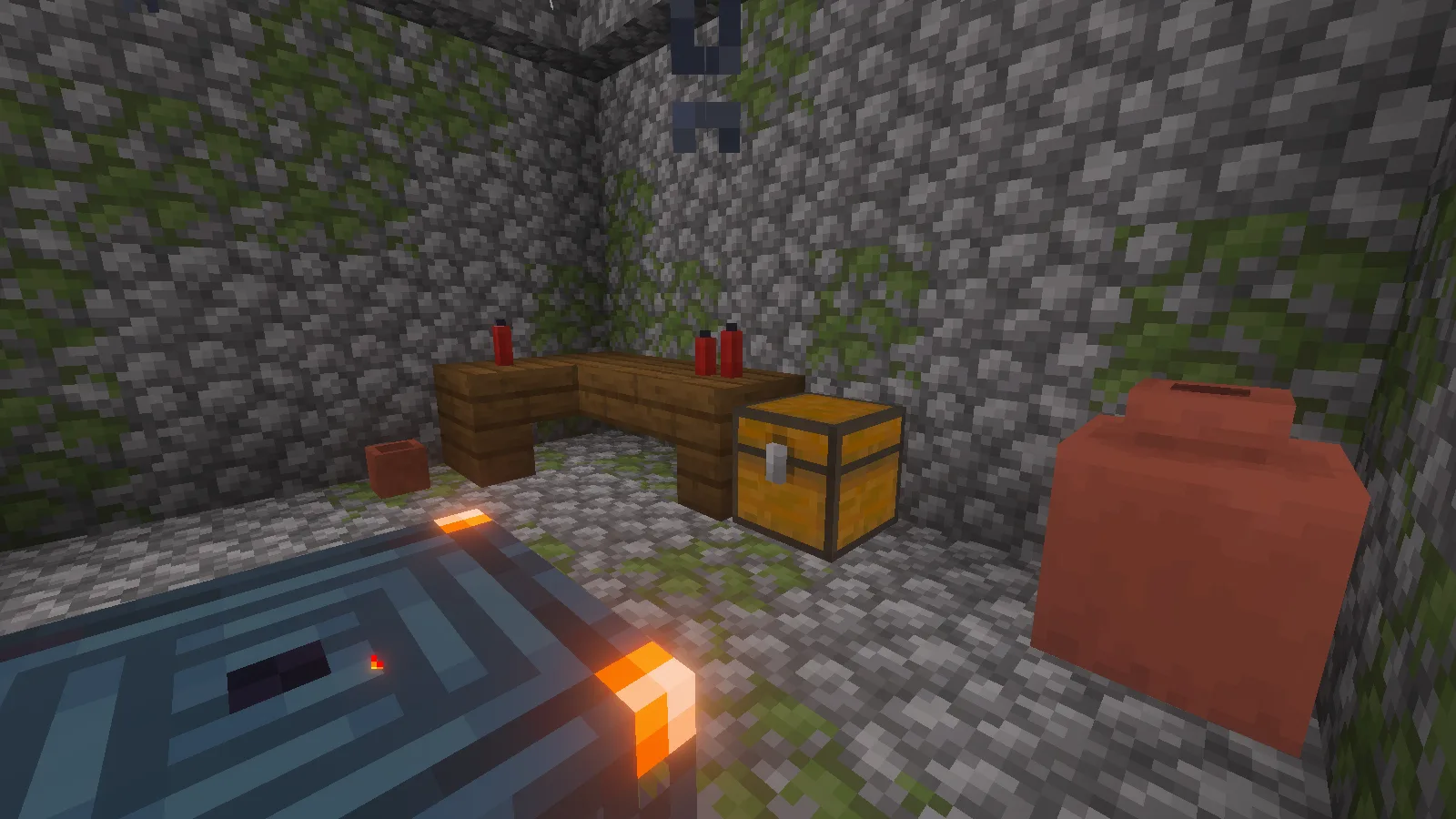
The rat dungeon we found began with a mossy stone well beside a ravine. Its underground passages contained barred cells, pots, storage and trial spawners. The well is a useful visual clue: take time to inspect structures that look small above ground instead of judging their size from the roof.
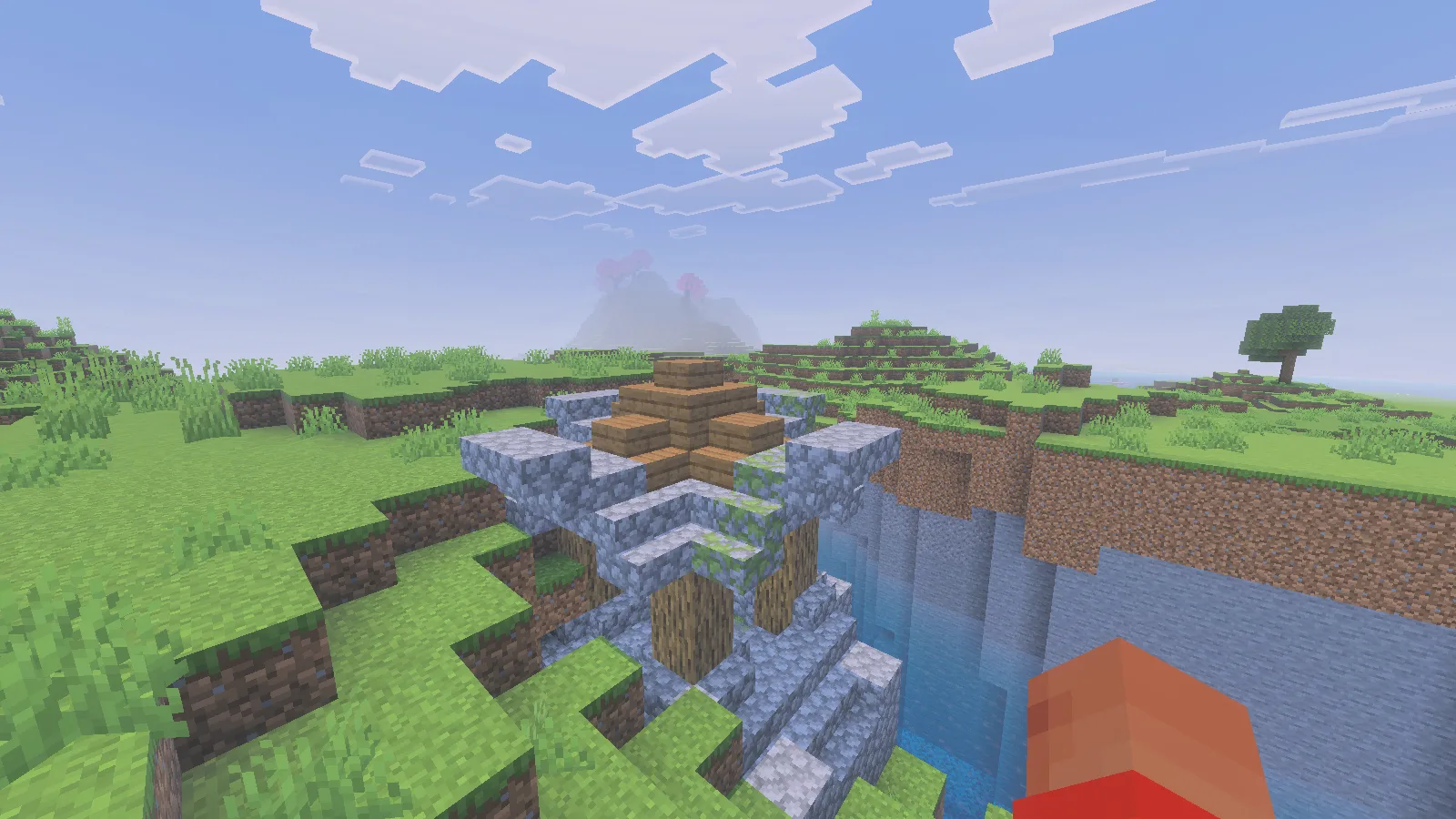
Bring food, light sources, building blocks and a way back up before descending. Mark turns as you explore the corridors, and leave a few inventory slots free. Our well generated against uneven terrain; do not assume every entrance has a safe, level approach.
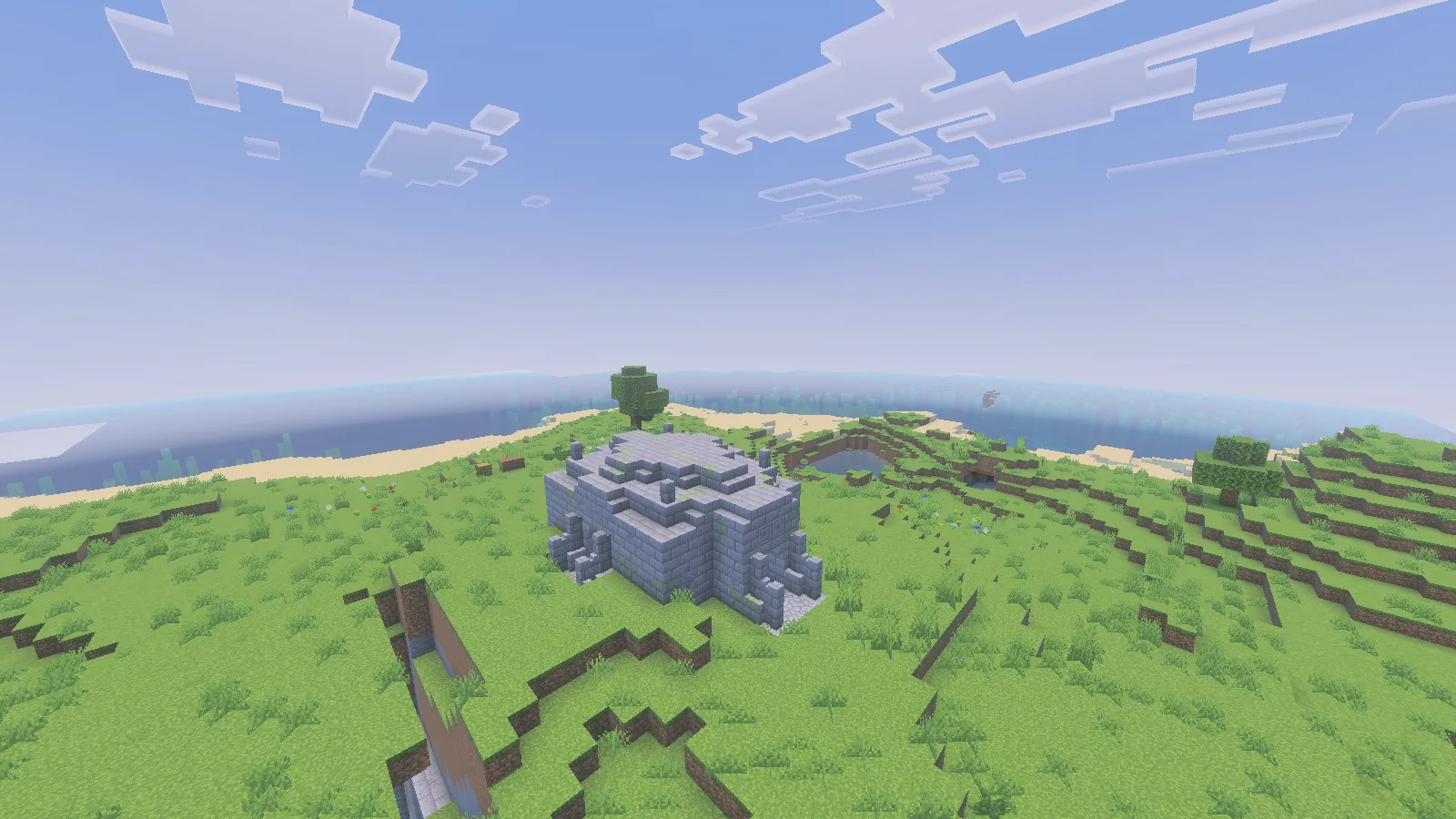
A separate Zombie Dungeon appeared beneath a stone building on a grassy hill. It provides another recognisable landmark to look for while exploring. Both surface structures in these pictures came from the add-on’s natural world generation; they were not built as sets for the review.
For a first playthrough, start a new world with both packs active. In an existing world, back it up first and explore new terrain. Do not expect an already explored area to fill itself with newly added dungeons. The pack offers normal, lower and higher structure spawn-rate choices; our world used Normal Structure Spawn Rates.
Check chests before leaving a room
The rat dungeon’s chest produced a mix of supplies when opened: food, raw materials, worn iron leggings, a book and other items. We transferred lapis lazuli into the player inventory in Survival. The picture below shows the actual generated contents before that transfer, rather than a chest filled for the screenshot.
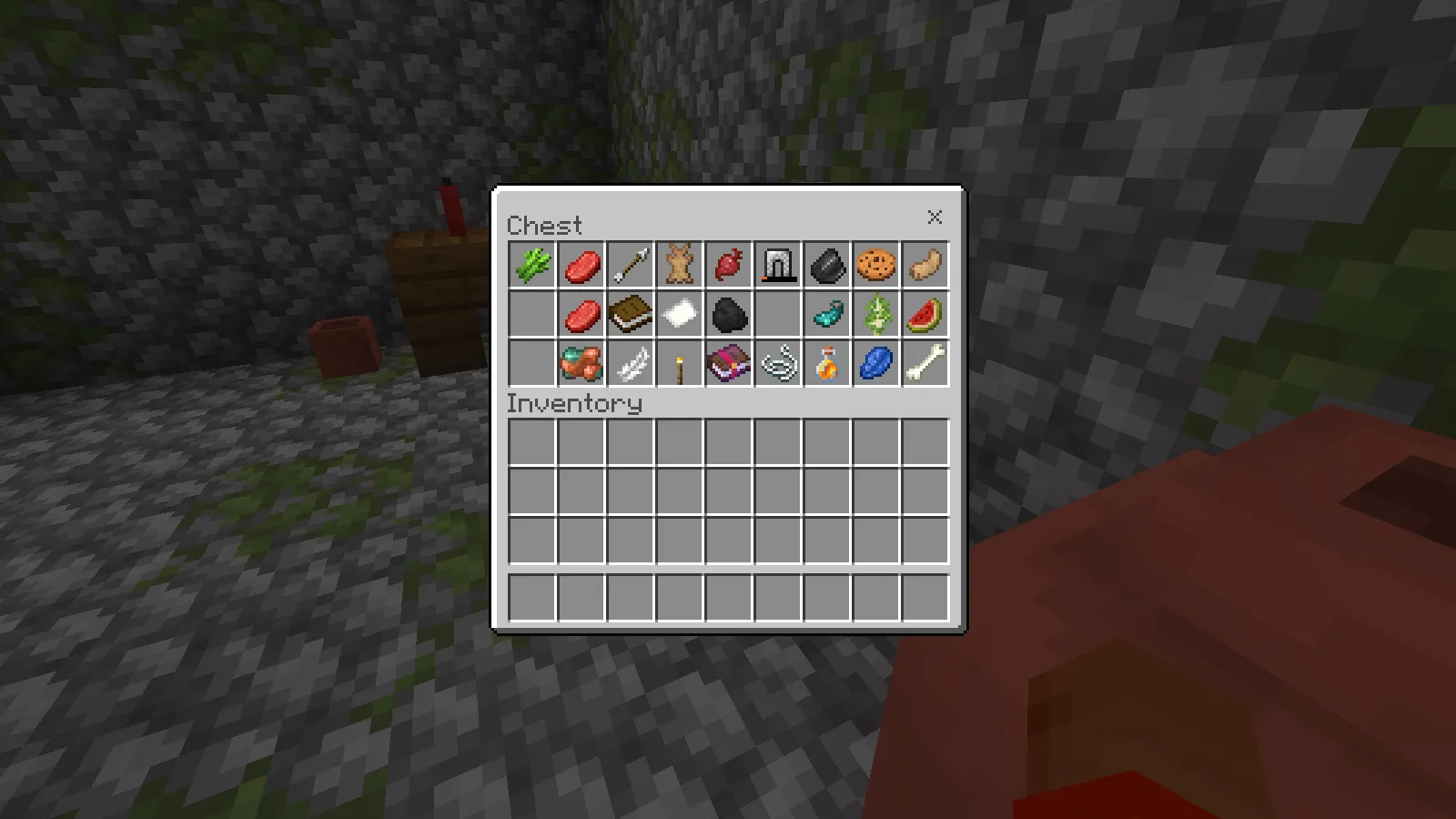
Treat this as one possible chest, not a guaranteed reward list. Sort useful food and materials while you have space, and inspect equipment before deciding what to carry. A nearby spawner is a reason to stay alert while doing that. We checked the room and its ordinary chest; this session did not complete every trial or test vault rewards.
Craft an Enchanted Emerald
At a crafting table, combine one emerald and one Bottle o’ Enchanting to make one Enchanted Emerald. This is a shapeless recipe: use the recipe book if you want it placed automatically. Keep the bottle as an ingredient instead of throwing it for experience.
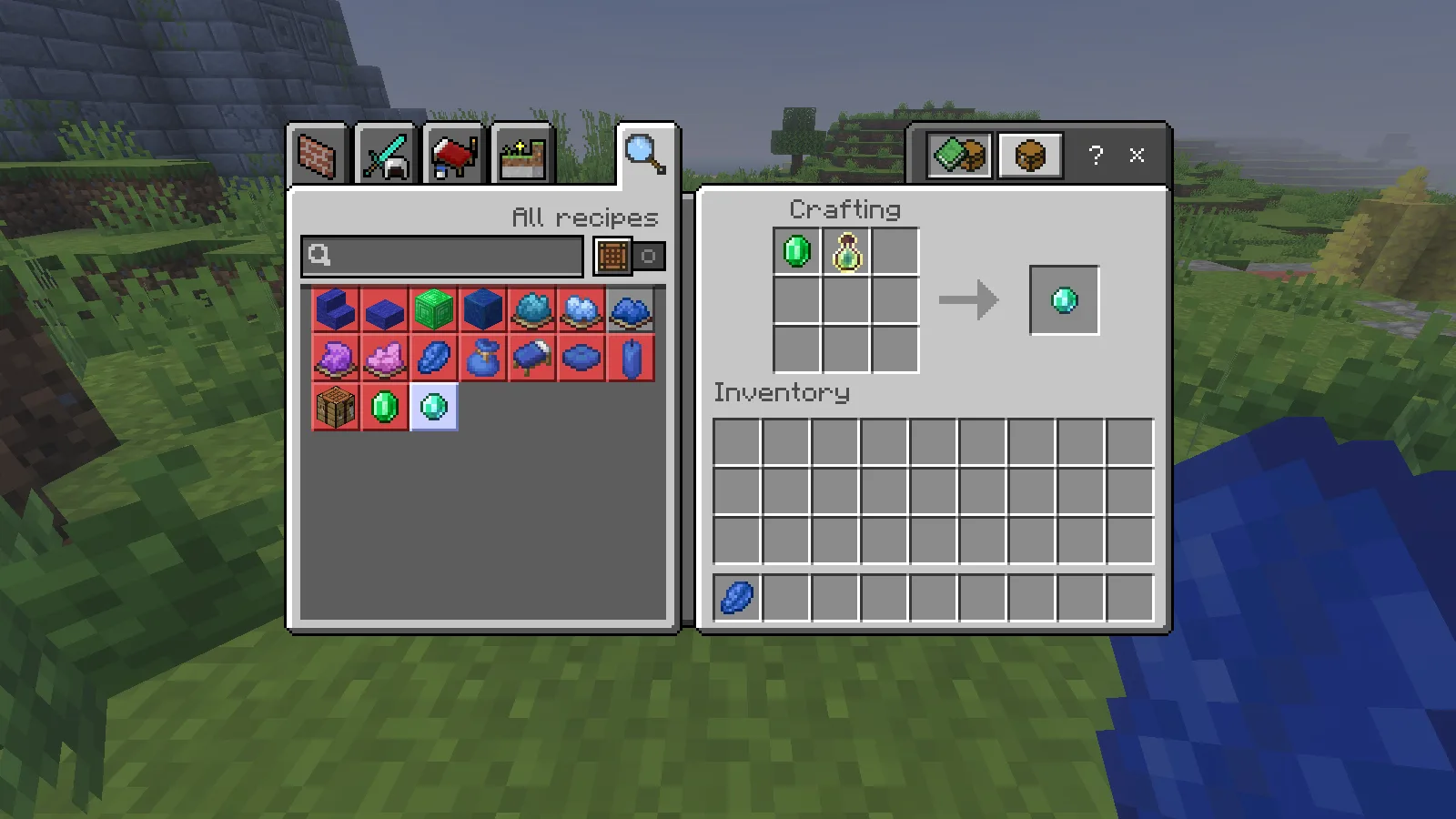
We crafted and collected the result in Survival, and both starting ingredients were consumed. The pale turquoise item is different from an ordinary emerald. It has a practical use with the add-on’s golems, so keep it accessible before approaching one.
Turn a golem into a companion
The Cobbled Deepslate Golem is a custom creature with broad stone arms and a bright turquoise centre. The included guide places it in deep underground areas and Deepslate Catacombs. A wild one can attack, so do not approach it as if it were an ordinary friendly iron golem.
Select an Enchanted Emerald and use the normal interact control on the golem. Our controlled check successfully changed it to a tamed companion. We then returned to Survival and used an empty hand to make it sit and stand.
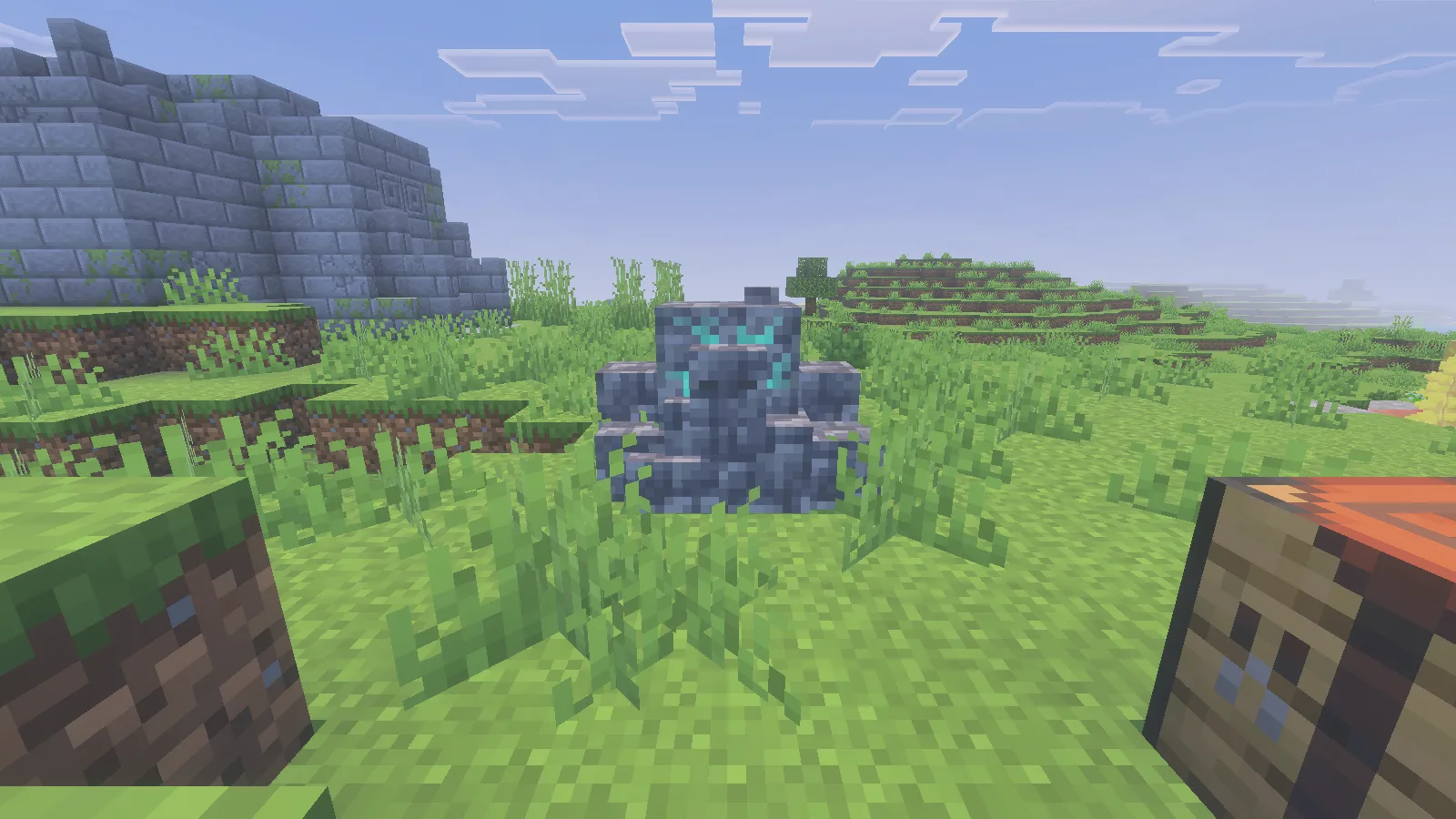
Sitting keeps it in place while you organise your supplies; interact again when you want it standing. Get close enough and aim at the creature itself. Our sitting interaction worked at close range; aiming past it or standing too far away simply did nothing.
The test golem was summoned near the entrance, and the taming interaction used Creative to keep the demonstration controlled. The emerald recipe, chest transfer and subsequent sitting/standing interactions were checked in Survival. This is not a claim of a complete unaided dungeon clear or a combat-balance test.
Install the matching Bedrock release
Download the Nico’s More Dungeon MCADDON, open the .mcaddon with Minecraft Bedrock, then activate both included packs in the world. Use our Bedrock import guide if you need help finding the behaviour and resource pack lists.
Comments 0
Share what worked, ask for help or reply to another player.
Use your Modonix account to join the discussion and manage your comments.
Sign in to commentNo comments yet. Share what worked for you.