
GraveStones gives a failed expedition a clear next step: find your grave, unlock it and collect your equipment. Effect99’s Bedrock add-on leaves a marker where you died and gives you a key that shows the coordinates and distance. It is useful when you want the journey back to your belongings without leaving loose items scattered across the landscape.
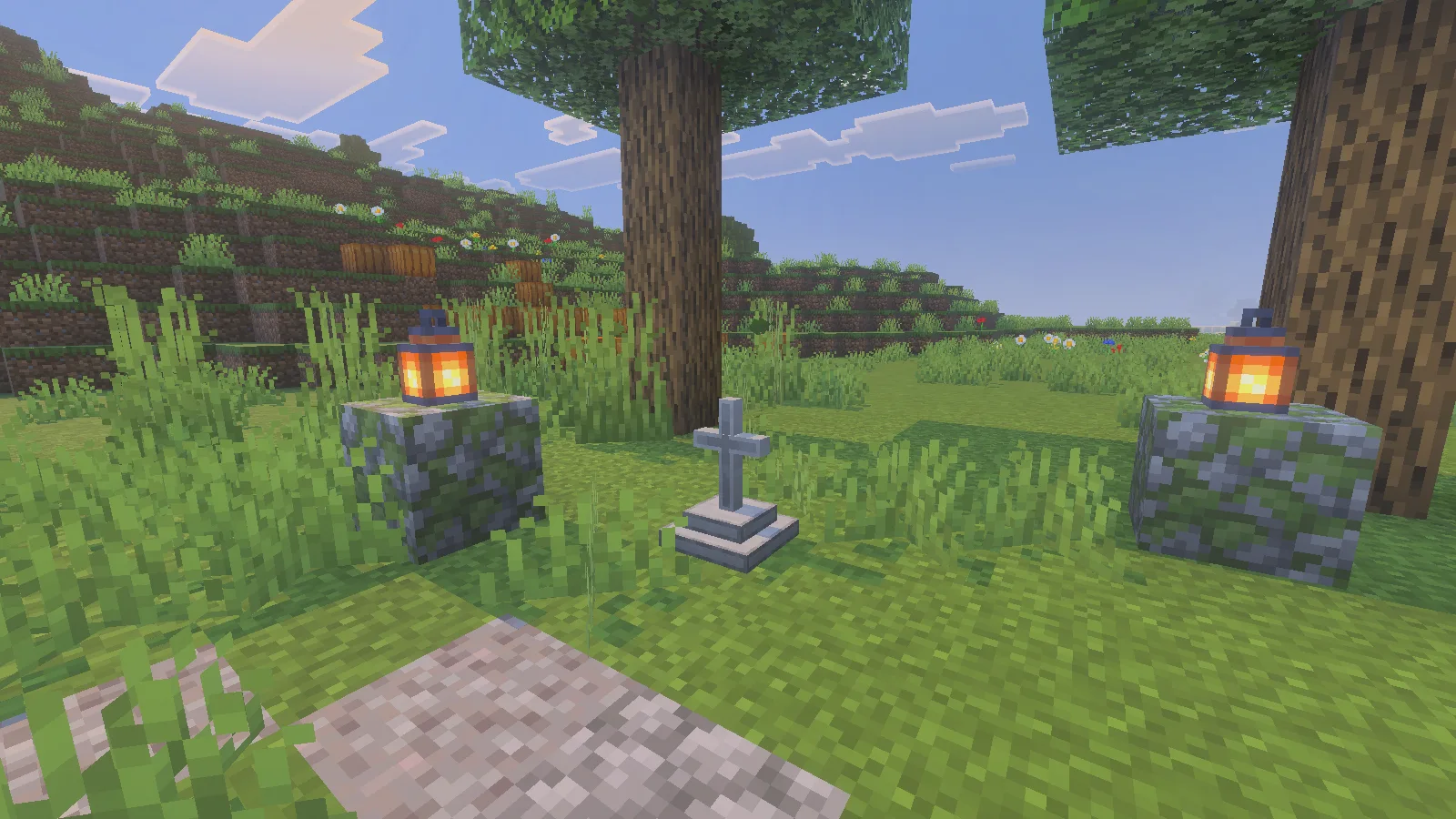
What happens when you die?
With both packs active and Keep Inventory enabled, your belongings move into a grave at the death location. The add-on enables that rule when the world starts; keep it enabled while using the pack. This does not mean the items stay in your inventory: the grave holds them for you.
We tested a fall in Survival with seven diamonds, three apples, an iron pickaxe and an equipped iron chestplate. After respawning, the diamonds were no longer in the player inventory, a stone grave stood at the landing spot, and a Grave Key was ready to use.
Follow the key back to your equipment
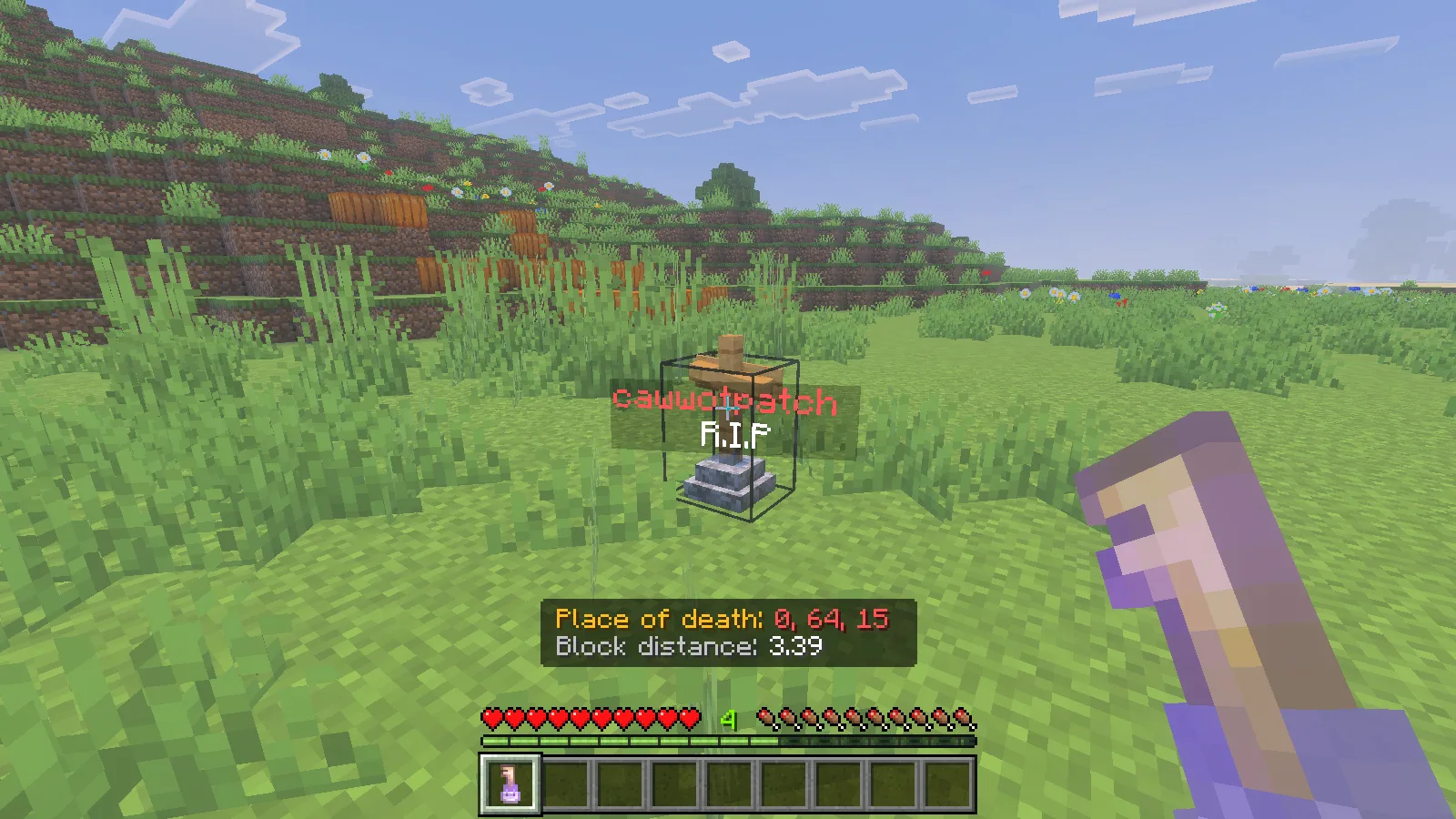
Select the key to display Place of death and Block distance. Follow the coordinates back to the marker; the distance helps when you get close. Our key led back to the exact spot shown below.
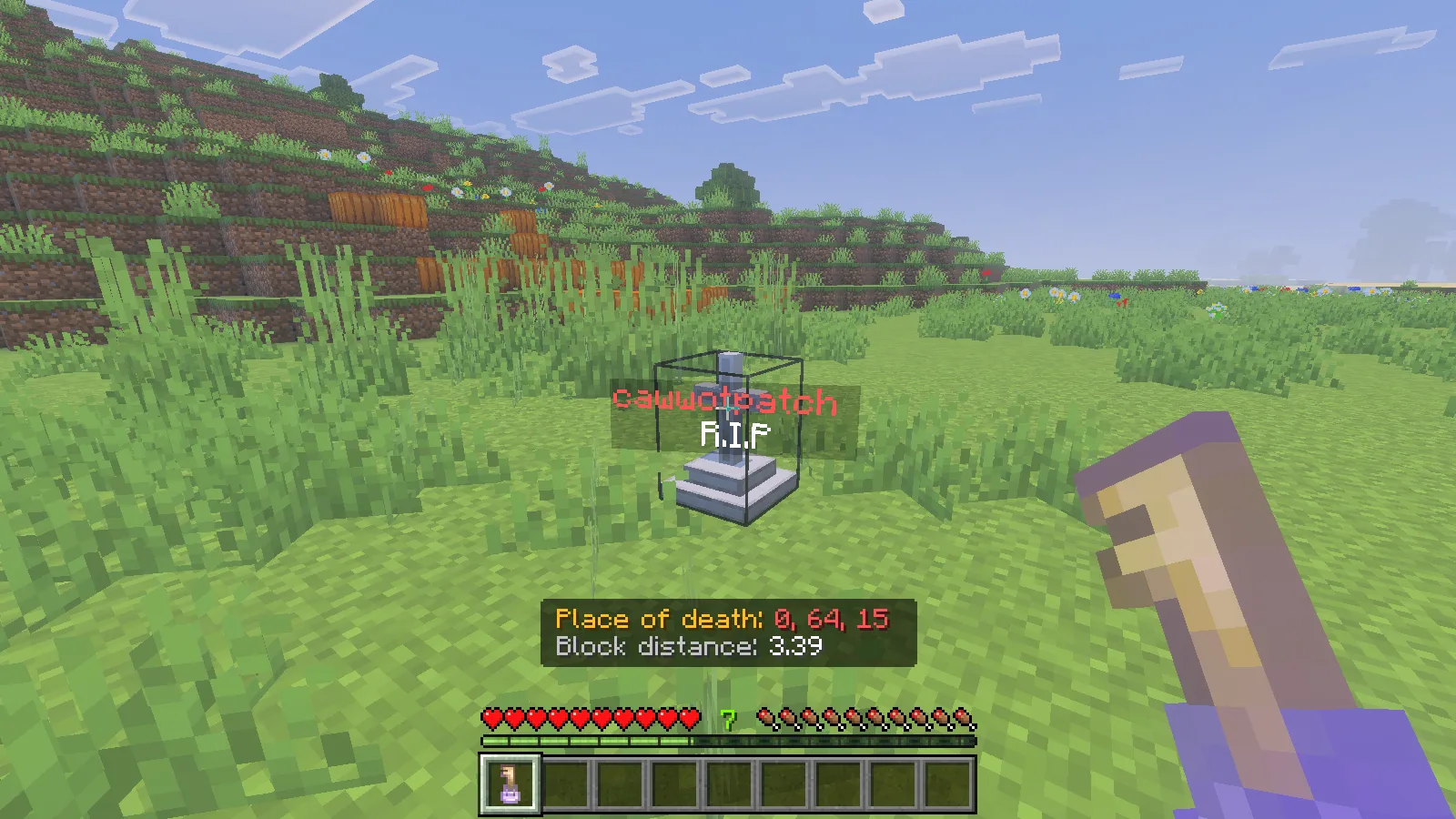
Aim at the grave and use the matching key. With mouse and keyboard, that means right-clicking the marker. The grave opens, the key is consumed and your belongings drop onto the ground.
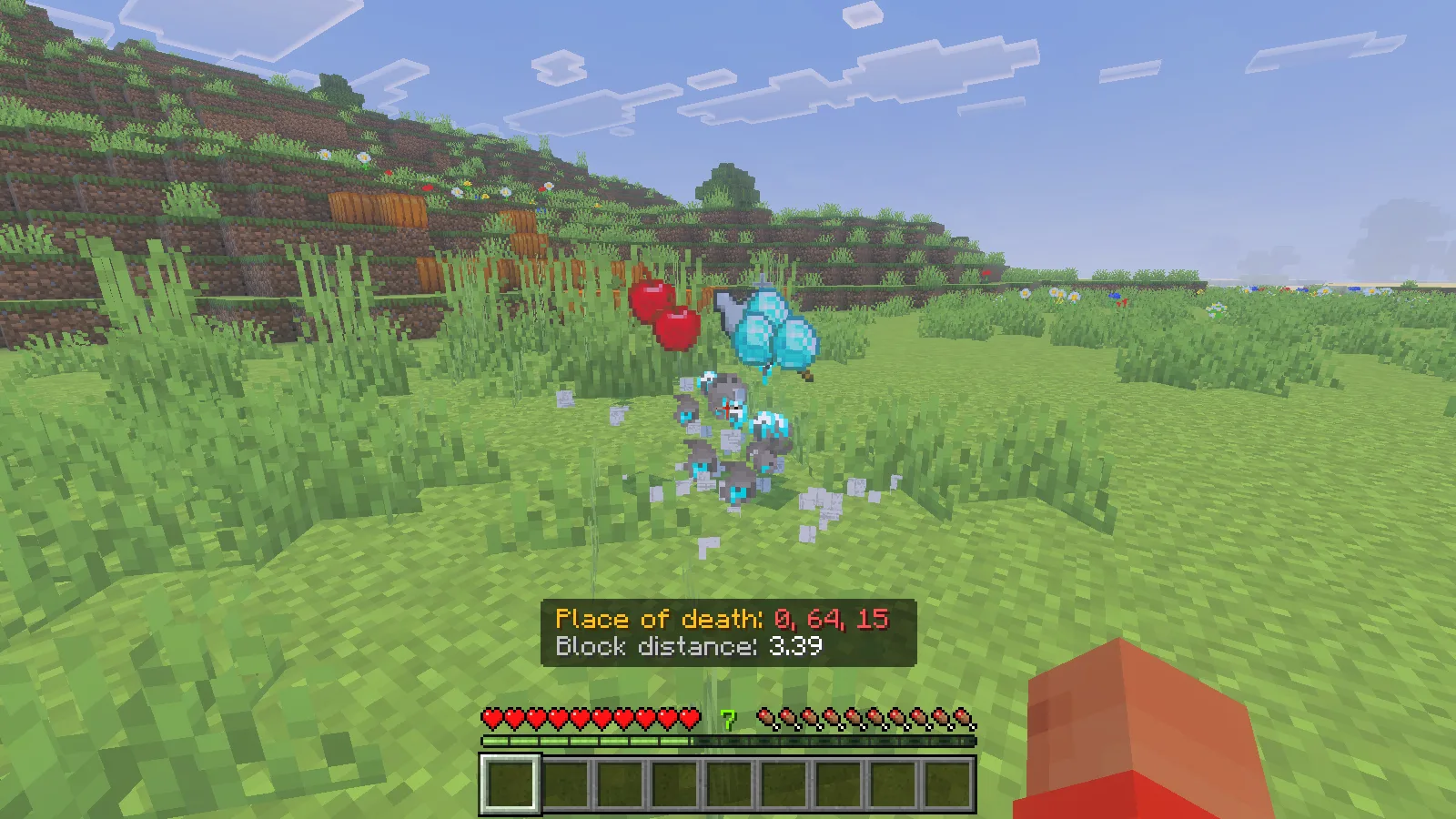
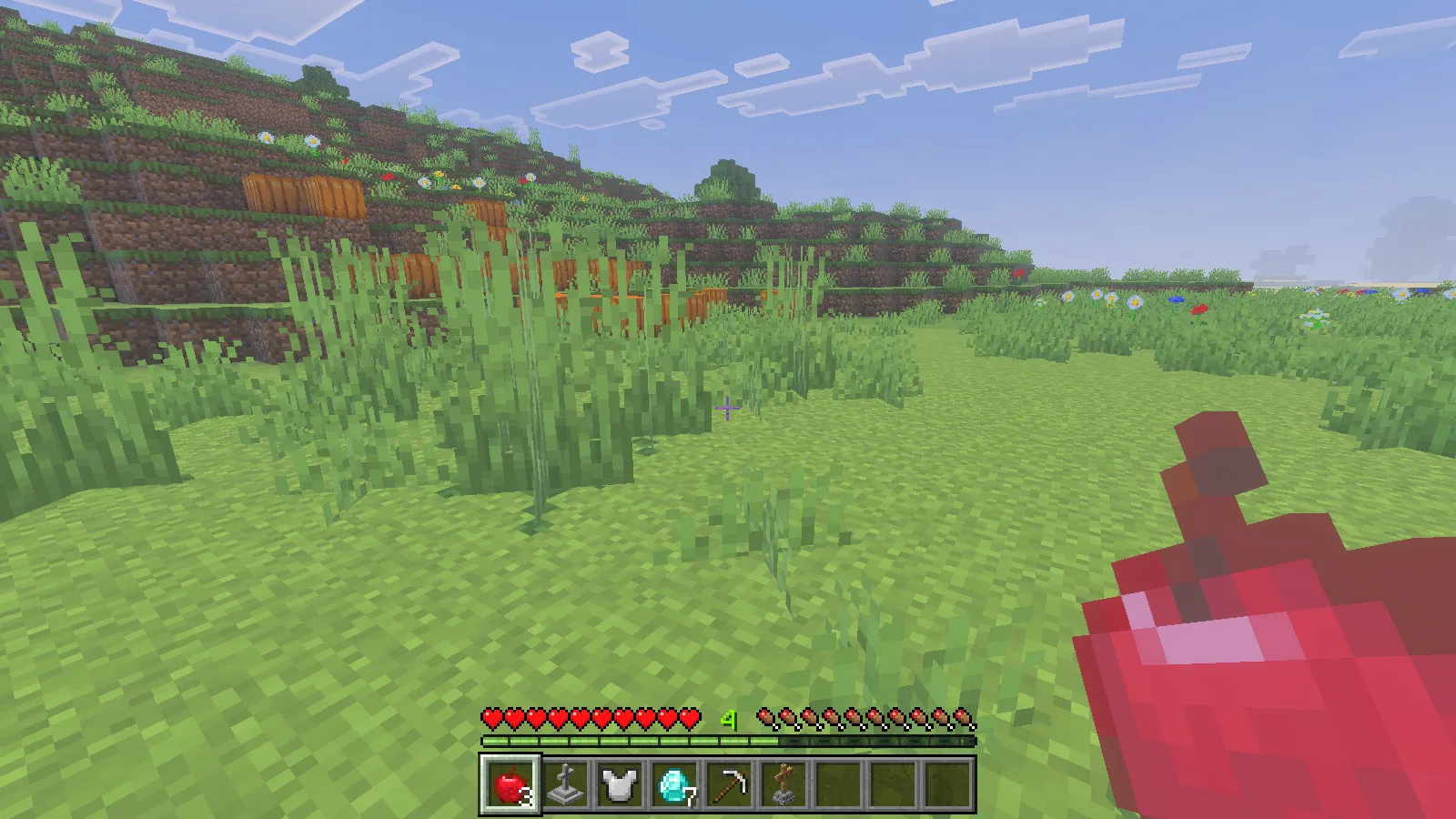
Walk over the dropped items to pick them up. They do not jump straight into the inventory when you unlock the grave. Move somewhere safe before sorting them, and put your armour back on: our recovered chestplate arrived as an inventory item rather than returning to its equipment slot.
All seven diamonds, three apples, the pickaxe and the chestplate returned in this check. The grave marker also dropped as an item. Expect to reorganise the hotbar after recovery; the useful result is getting the items back, not restoring every previous slot.
Lost the key? Craft a replacement
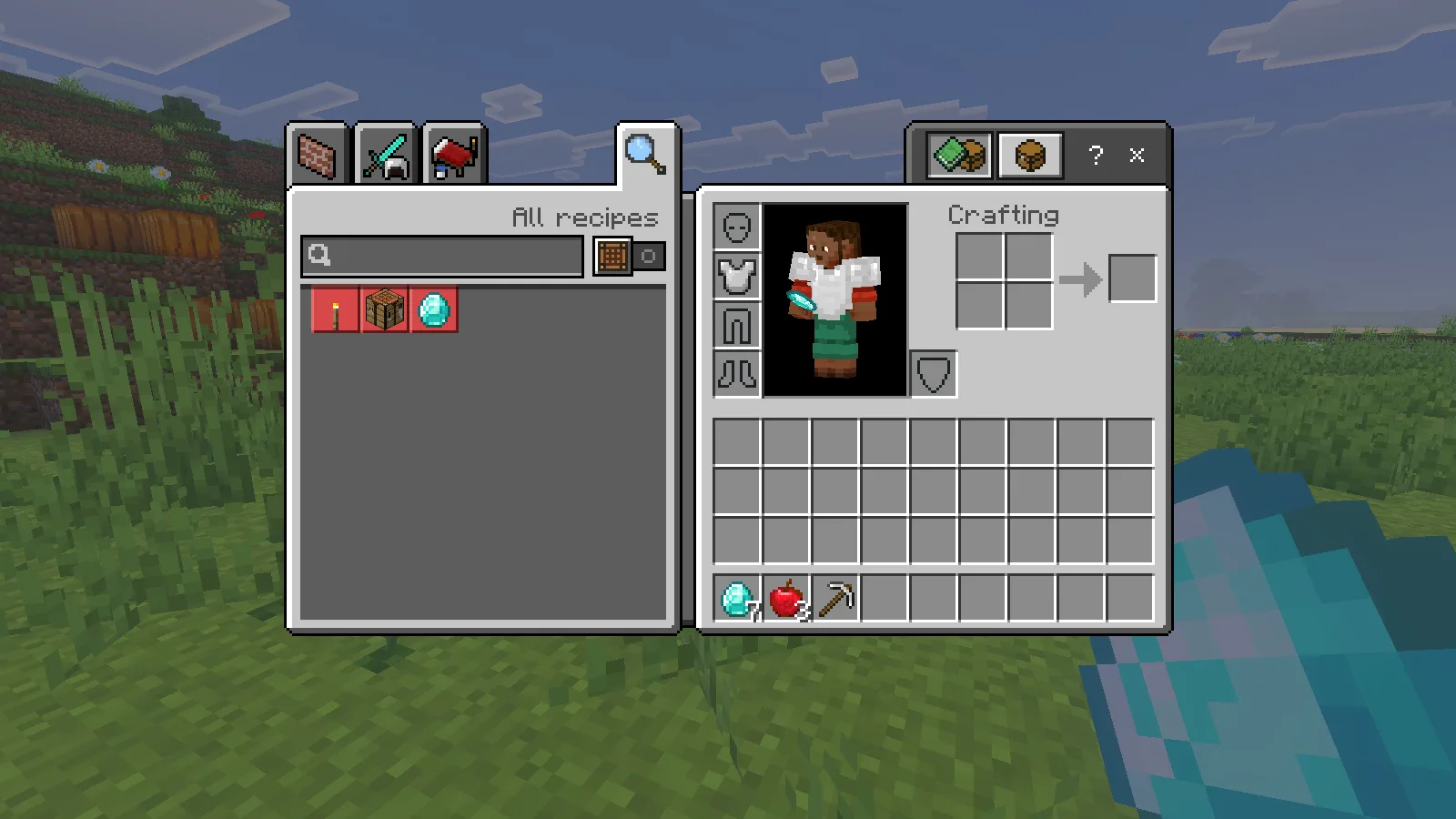
You can make a fresh Grave Key from two gold nuggets, two gold ingots and one bone. Use a crafting table and follow the arrangement in the screenshot. Search for Grave Key in the recipe book if you need to find it again later.
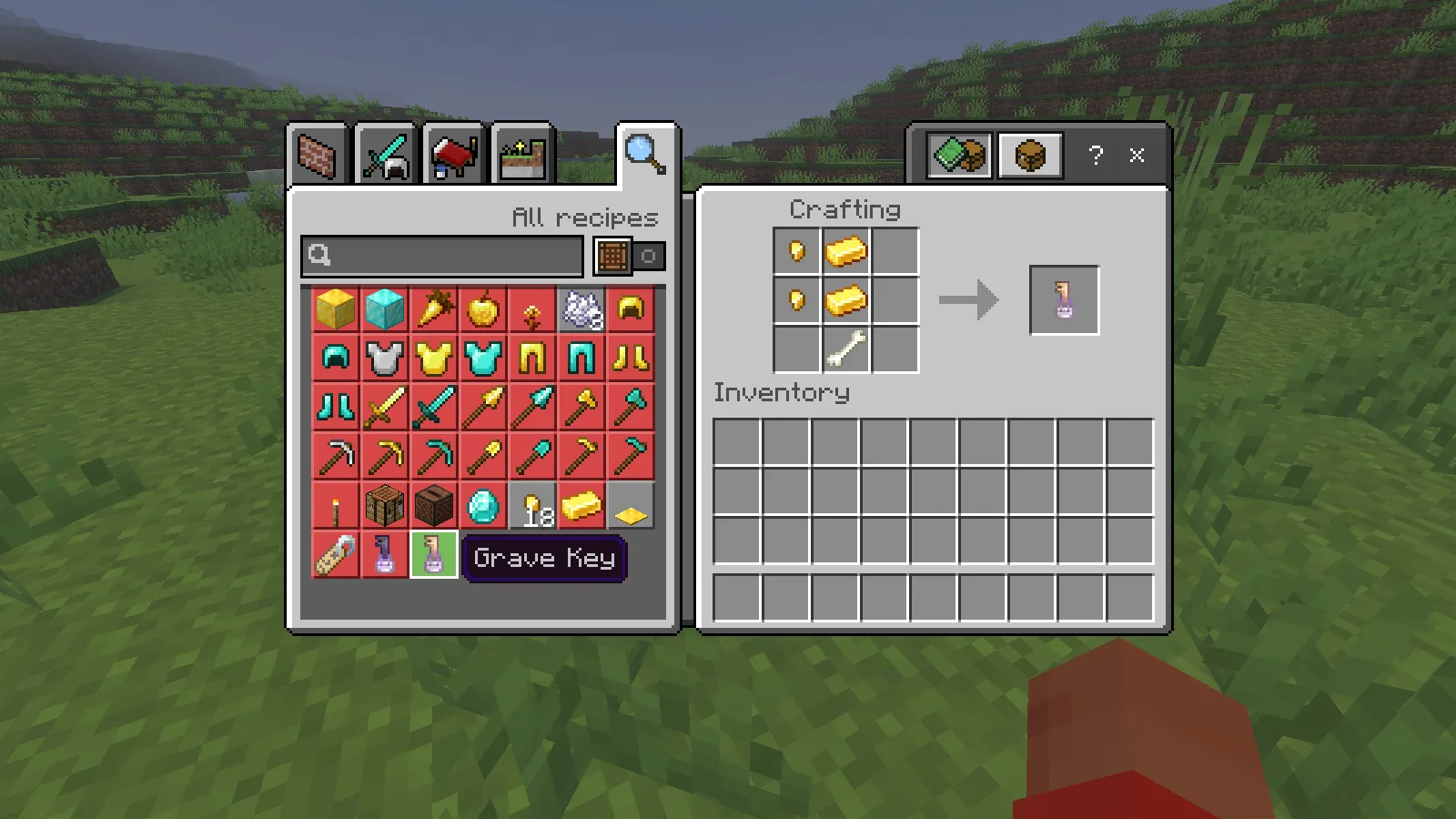
A newly crafted key needs to be linked before it can open a grave. Take it to your own marker and use it once. The coordinates appear on the key, showing that it is now bound to that grave. Use the linked key on the marker again to release the items.
We removed the automatically issued key after a second death, crafted a replacement and linked it to the new grave. We then saved, quit to the world list and reopened the same world. The linked key and grave survived; unlocking and collecting the drops returned all four kinds of item in their original quantities.
Know the limits before relying on it
Recovering items does not promise a full refund of experience. Our test began at level 28 and returned fewer levels after recovery. The marker’s appearance also changed between our higher- and lower-experience deaths; the key and recovery routine stayed the same.
The creator describes owner-linked access, administrator recovery tools and special handling for lava and the End void. This review checked local-world fall deaths, equipped armour, a crafted replacement key and saving/reopening. Multiplayer ownership, administrator access, lava and void recovery were not tested here. Back up an important world before changing death-handling add-ons, and try your own pack combination with spare equipment first.
Install GraveStones for Bedrock
Download GraveStones 2.0.8, open its .mcaddon file with Minecraft Bedrock and activate both the behaviour pack and resource pack in the world. Our Bedrock installation guide shows the import steps. Keep Inventory must remain enabled; experiments were not needed for this setup.
Comments 0
Share what worked, ask for help or reply to another player.
Use your Modonix account to join the discussion and manage your comments.
Sign in to commentNo comments yet. Share what worked for you.