
FURNICRAFT brings furniture you can craft, colour and use into Minecraft Bedrock. A living room can have proper armchairs, tables, potted plants and a standing lamp, with room left for your usual storage and crafting area. This guide follows one small cottage from its first furniture recipe to a seat you can actually sit on.
Make FURNICRAFT clay first
The starting ingredient is FURNICRAFT Clay. At an ordinary crafting table, put a red dye in the top-centre slot, then green dye, a clay ball and blue dye across the middle row. One of each ingredient makes two pieces of FURNICRAFT Clay. The larger numbers in our screenshot are the remaining ingredient stacks; you do not need five of each for one craft.
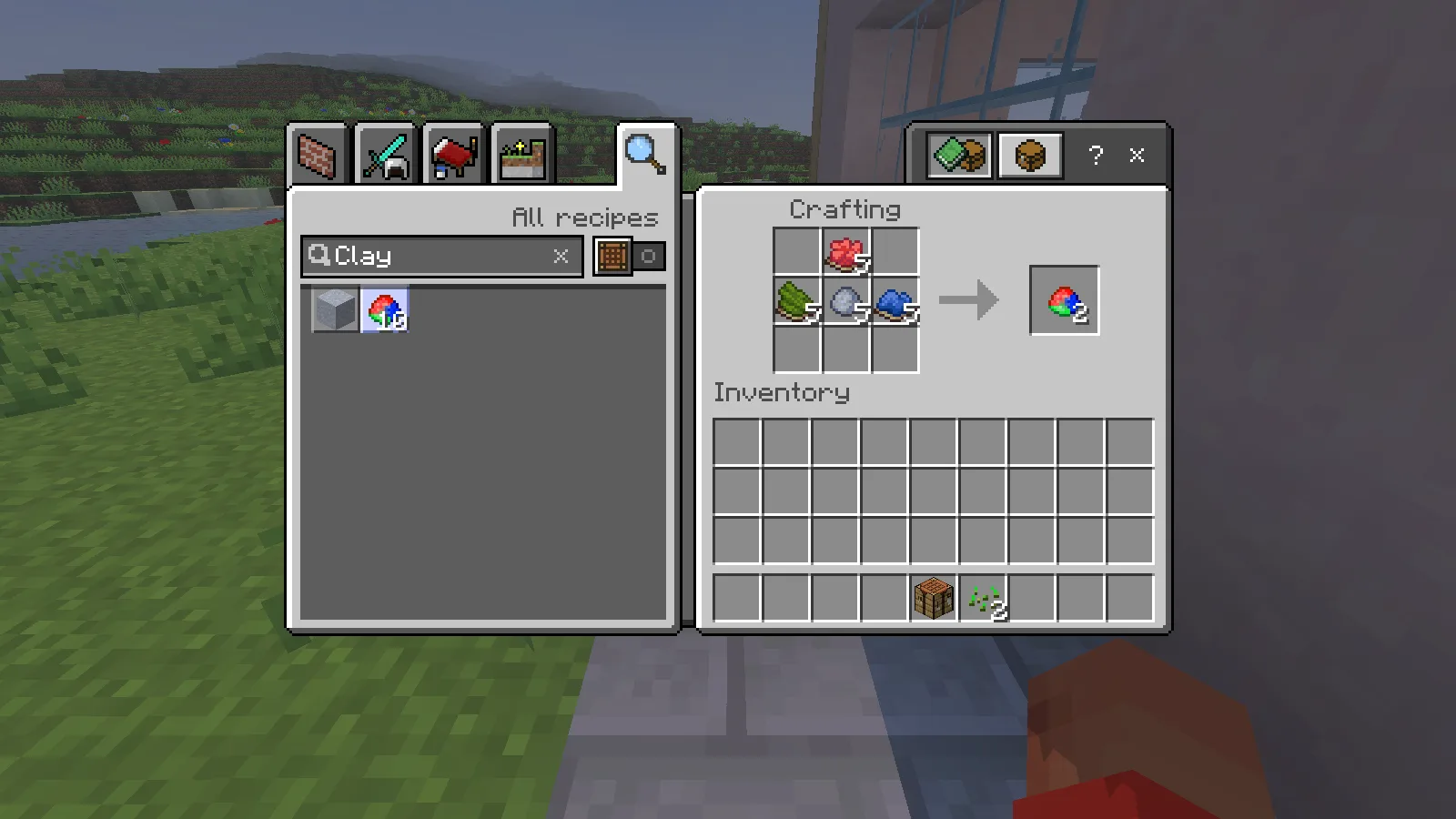
Keep both pieces. One can go into the furniture workbench and the other into your first chair. Gather more ordinary clay and dyes if you plan to furnish several rooms.
Craft and place the Decorations Table
Search for Decorations Table in the recipe book. Its recipe is one FURNICRAFT Clay directly above one ordinary crafting table. Collect the result, select it in your hotbar and place it on a clear floor block.
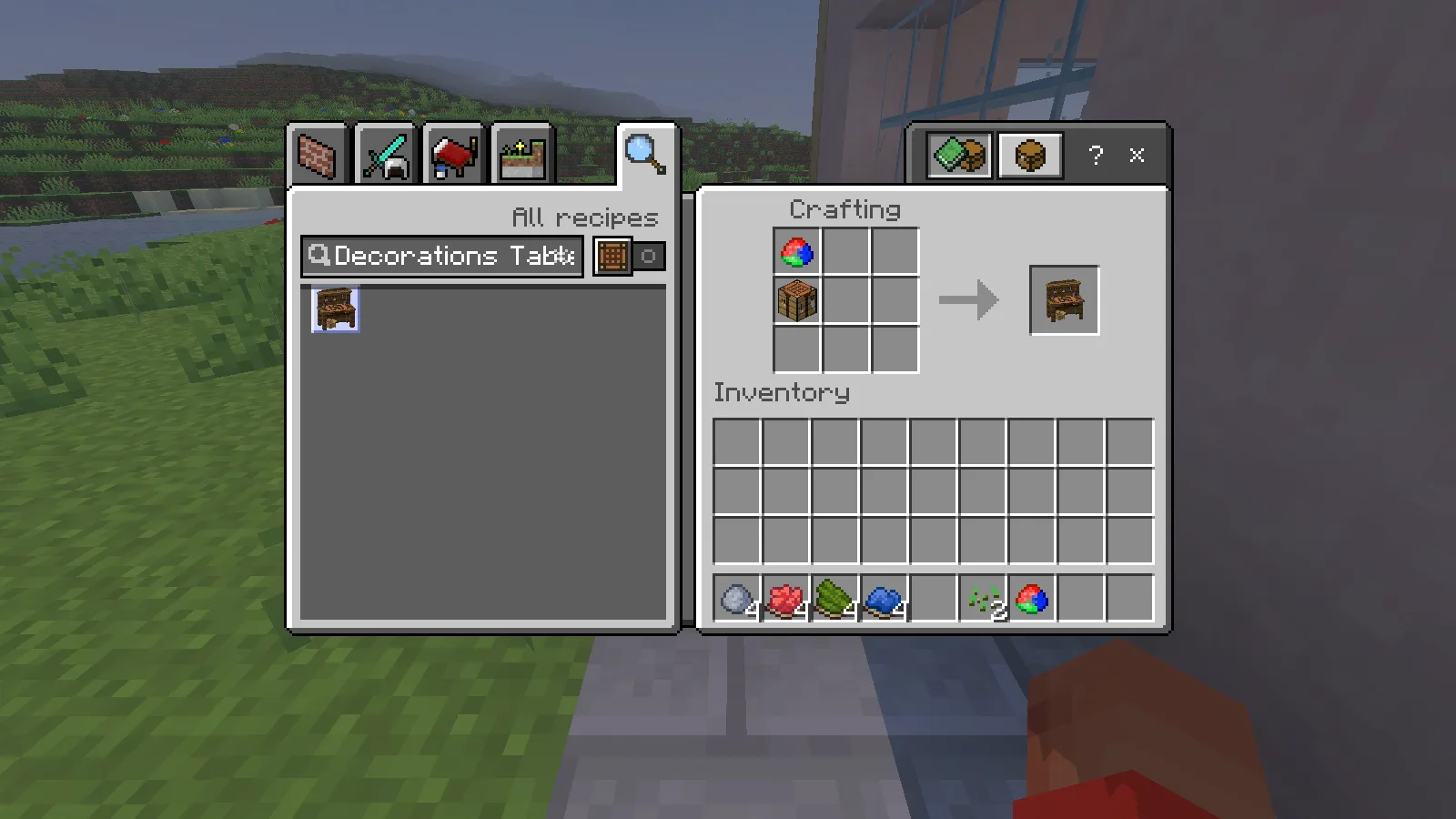
Open the placed table with the normal use control. The furniture recipe screen is labelled FURNICRAFT. Use its recipe search to find a specific piece instead of scrolling through the entire catalogue. Leave space around the workbench: its model includes legs, a work surface and tools, so it also works as part of a workshop interior.
Get your first armchair
In the Decorations Table, search for Armchairs. We selected the first variant and used one FURNICRAFT Clay in the centre slot to craft one chair. The recipe below was opened and collected in Survival.
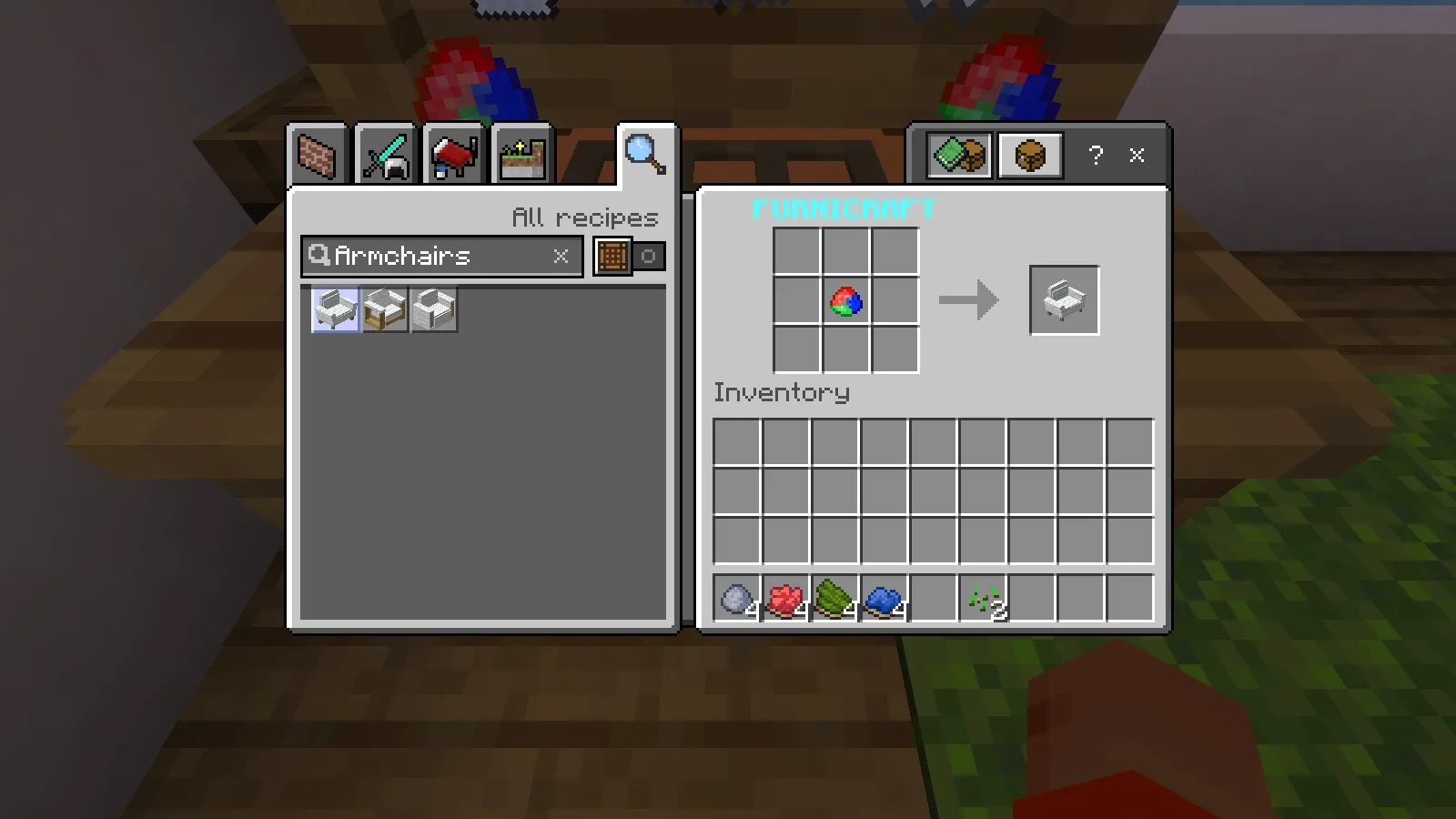
Place the chair on a clear floor block, leaving an approach in front of it. Use the chair with an empty hand to sit down. On a keyboard, the sneak/dismount control gets you back out. Put the paintbrush away before trying to sit: the brush is for editing the furniture rather than using the seat.
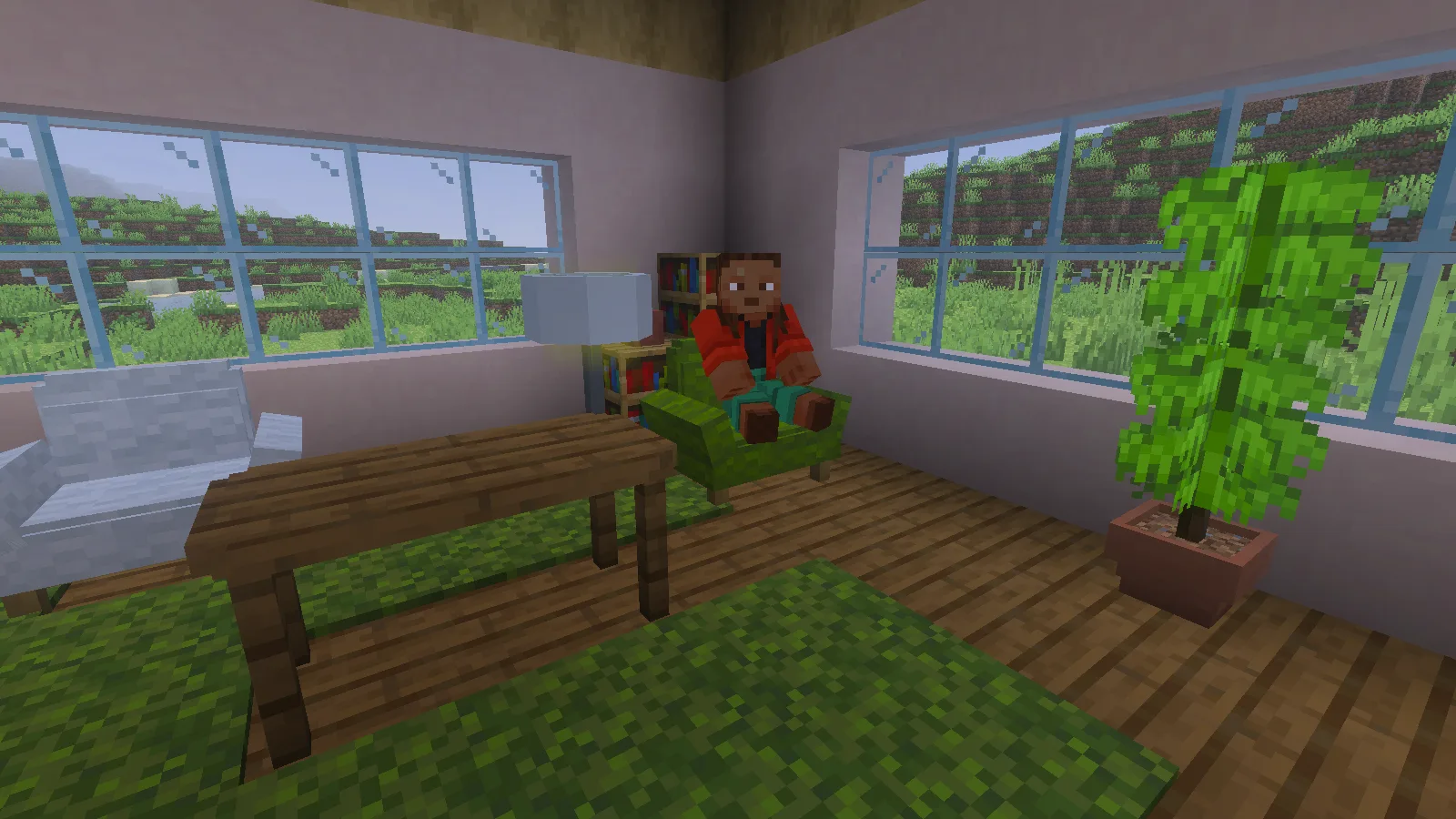
Our green chair in the opening image is the chair crafted in this sequence. It was placed, used as a seat and recoloured during the review. The second chair, tables and plants were arranged separately to show how the pieces work together in a room.
Recolour furniture with the paintbrush
Make one more piece of FURNICRAFT Clay for the paintbrush. In the Decorations Table, put it in the centre slot to craft one Paintbrush. If your first clay batch went into the table and chair, make another batch with the dyes and clay recipe above.
Select the paintbrush and use it while aiming into open air. Open Colors, scroll to the shade you want and select it. We chose Green from the palette below.
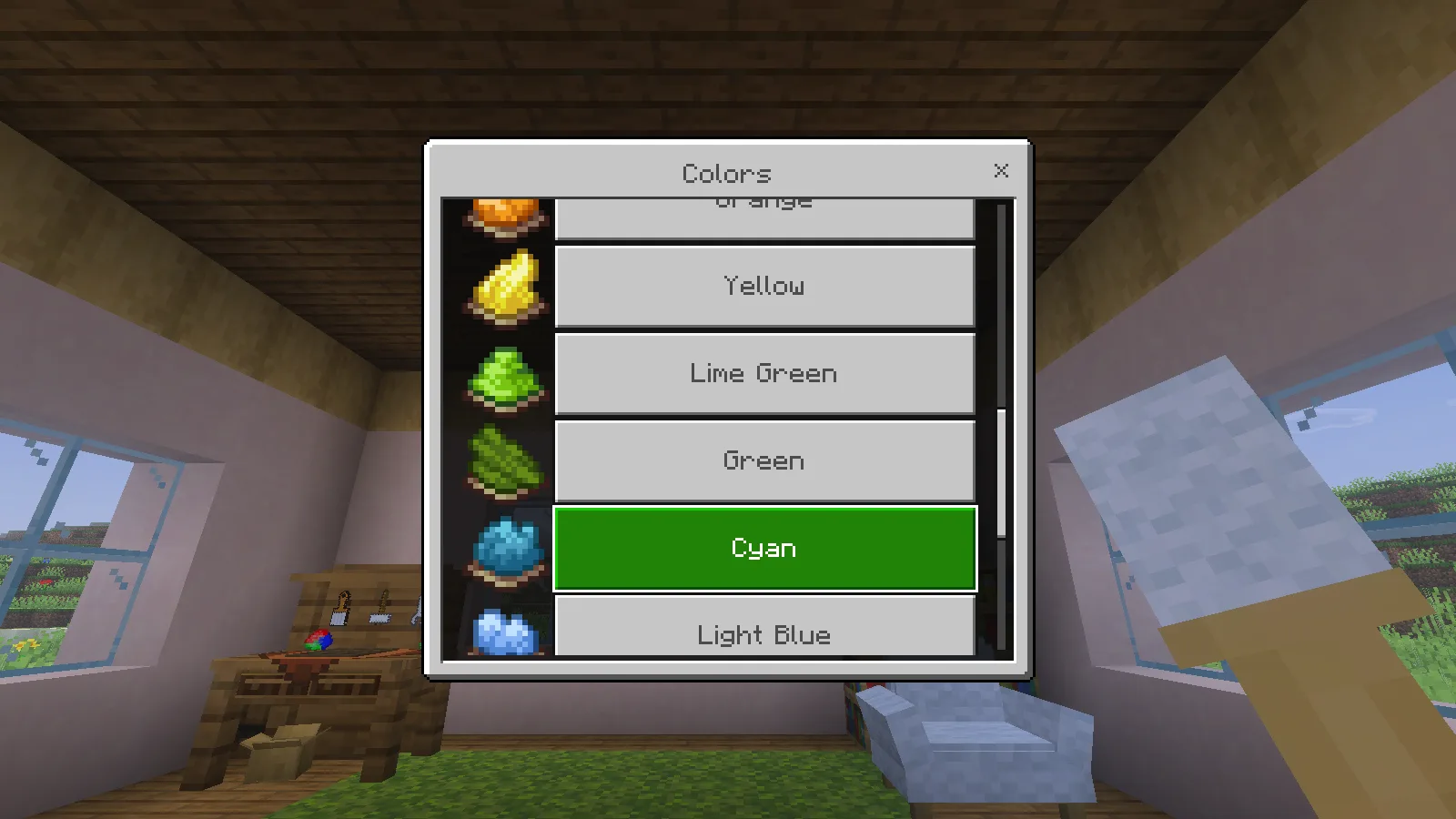
Next, aim at a supported furniture block and use the brush on it. The chair changed from white to green immediately in our check. You can choose another colour through the same menu and try it before committing to the rest of the room.
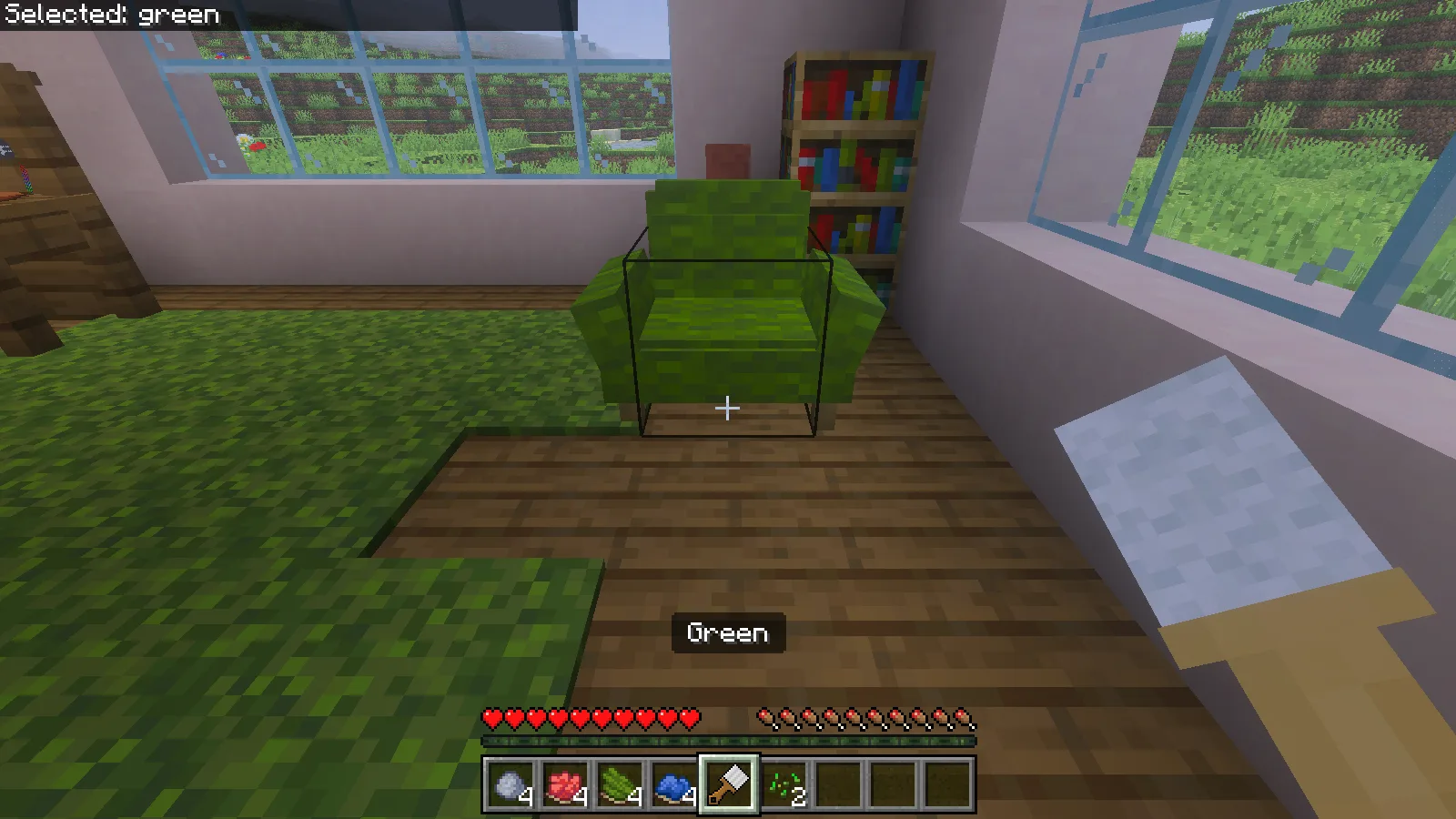
Start with one accent colour for the seating, then match the rug or surrounding blocks to it. The brush menu offers colours and materials for compatible furniture, but not every category applies to every piece.
Use a standing lamp beside the seat
The tall standing lamp is interactive too. With an empty hand, use it to toggle its on/off state. We switched it on, off and on again beside the reading chair. Leave a clear floor position next to the seat rather than placing it in the route through the room.
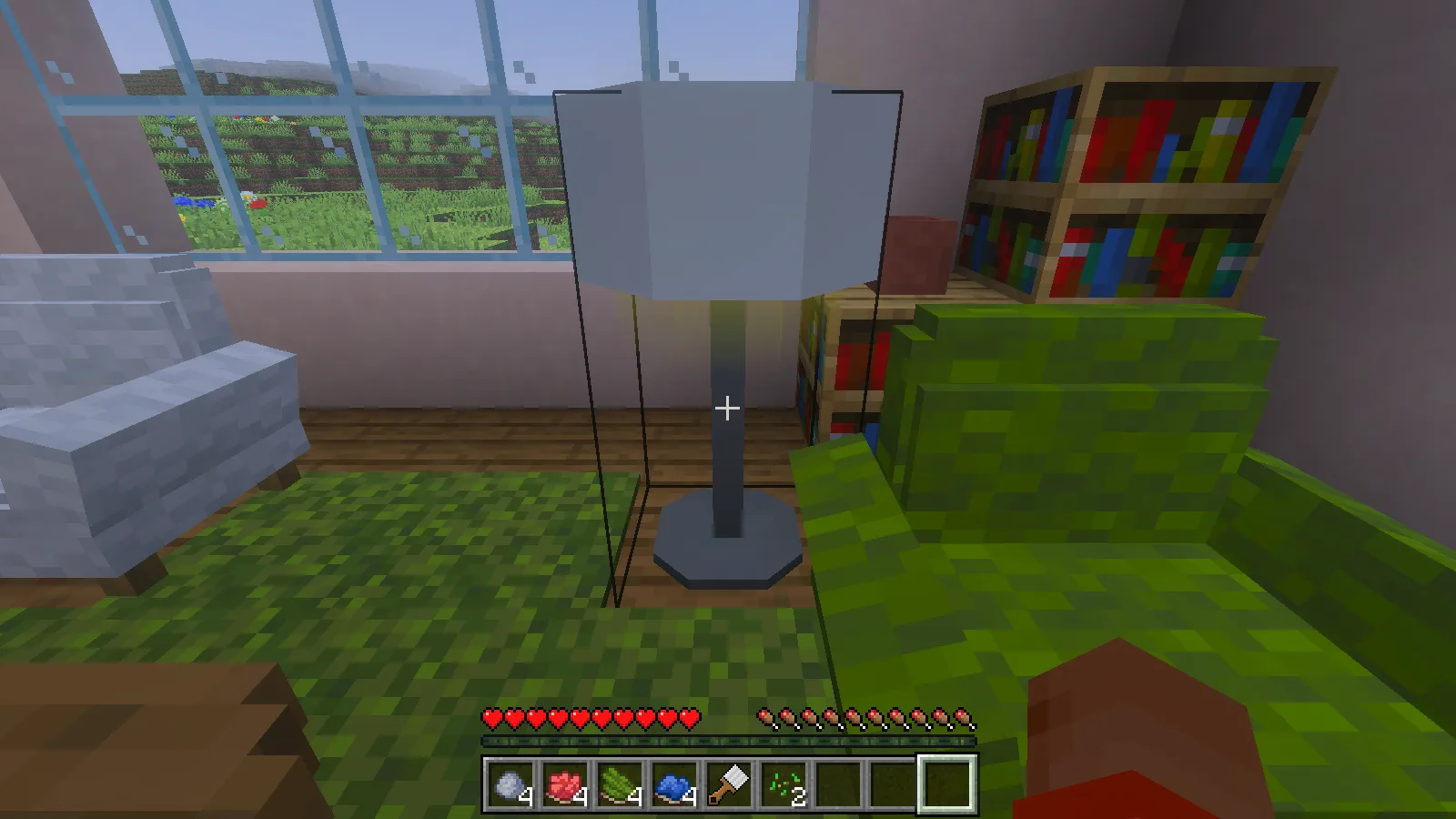
This makes a compact starter layout: two seats, a shared wooden table, a lamp and a plant beside a window. The cottage sits on ordinary generated terrain, so the windows also give the room a view of the surrounding grassland and hills.
Install both matching packs
This release comes as two separate downloads. Get both files from the Files tab:
- Behavior Pack [B] supplies the furniture recipes and interactions.
- Resource Pack [R] supplies its models, textures and interface assets.
Open each .mcpack with Minecraft Bedrock, then activate the matching behaviour and resource packs in your world settings. Keep both packs on the same release. Importing just one half will not give you the complete add-on. Our Bedrock import guide shows where to check the two pack lists.
The pictures use the resource pack’s Low Resolution option.
The walkthrough covers crafting and placing the Decorations Table and armchair, sitting, recolouring furniture and switching the lamp. Other furniture features are outside its scope.
Comments 0
Share what worked, ask for help or reply to another player.
Use your Modonix account to join the discussion and manage your comments.
Sign in to commentNo comments yet. Share what worked for you.