
Crops Overhaul gives a Bedrock kitchen garden four new ingredients: corn, tomatoes, avocado and broccoli. Grow them beside your usual wheat and carrots, then turn the harvest into cookies, soup or baked vegetables. The small set is easy to start using without building a separate workshop.
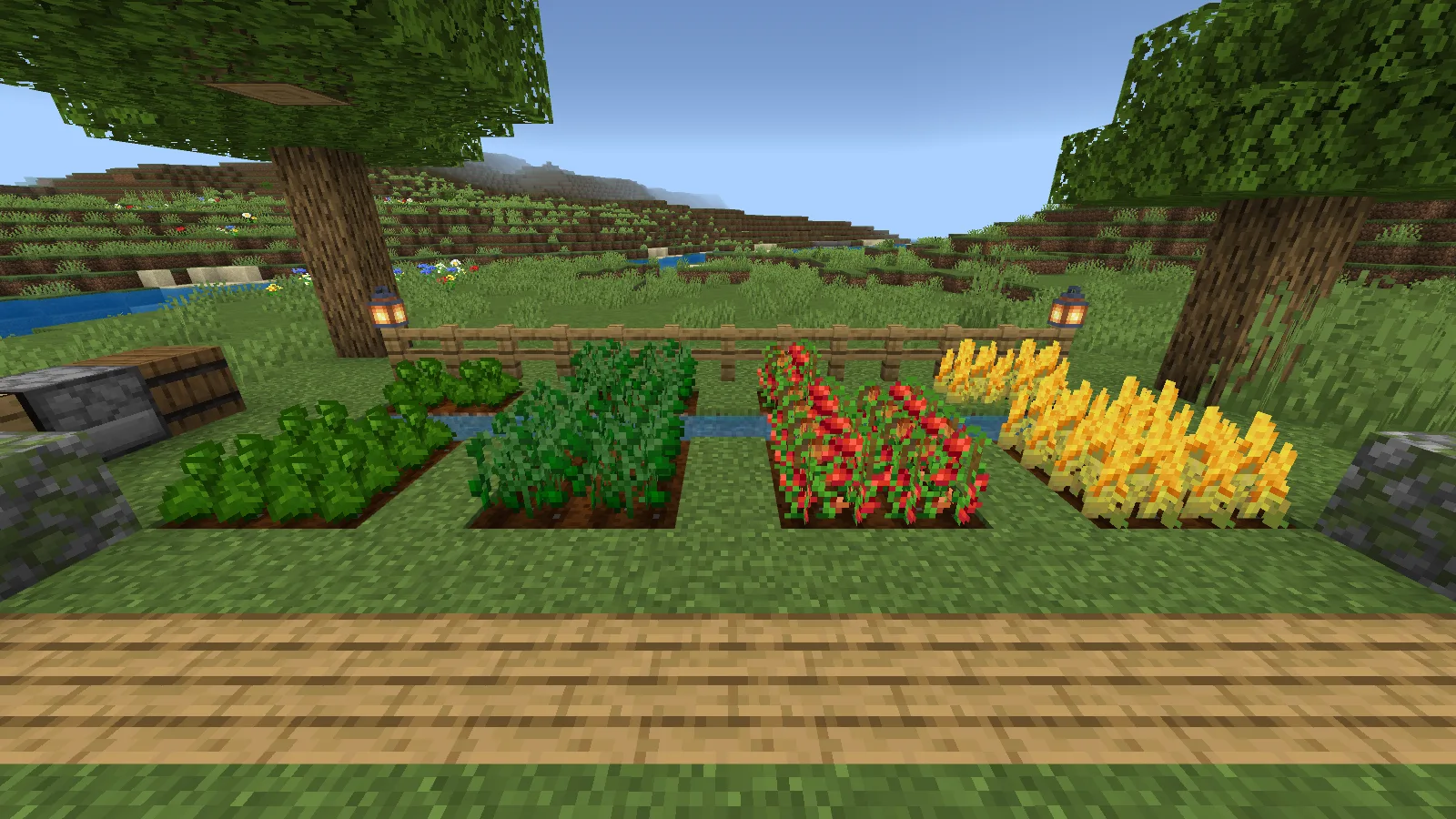
Start your first crop patch
Start with leaf litter in Survival: breaking it can drop one of the new planting items. It is a chance-based drop, so do not expect a seed from every piece. Keep your first seeds for planting; gathering time will vary.
Prepare farmland near water and leave the plants enough light. Corn and tomatoes have their own seeds. Avocado and broccoli are planted with the harvested vegetable itself, so save part of each harvest for the next planting.
| Crop | What you plant | What to keep for another planting |
|---|---|---|
| Corn | Corn Seeds | Corn Seeds from the harvest |
| Tomato | Tomato Seeds | Tomato Seeds from the harvest |
| Avocado | Avocado | Some of the harvested avocados |
| Broccoli | Broccoli | Some of the harvested broccoli |
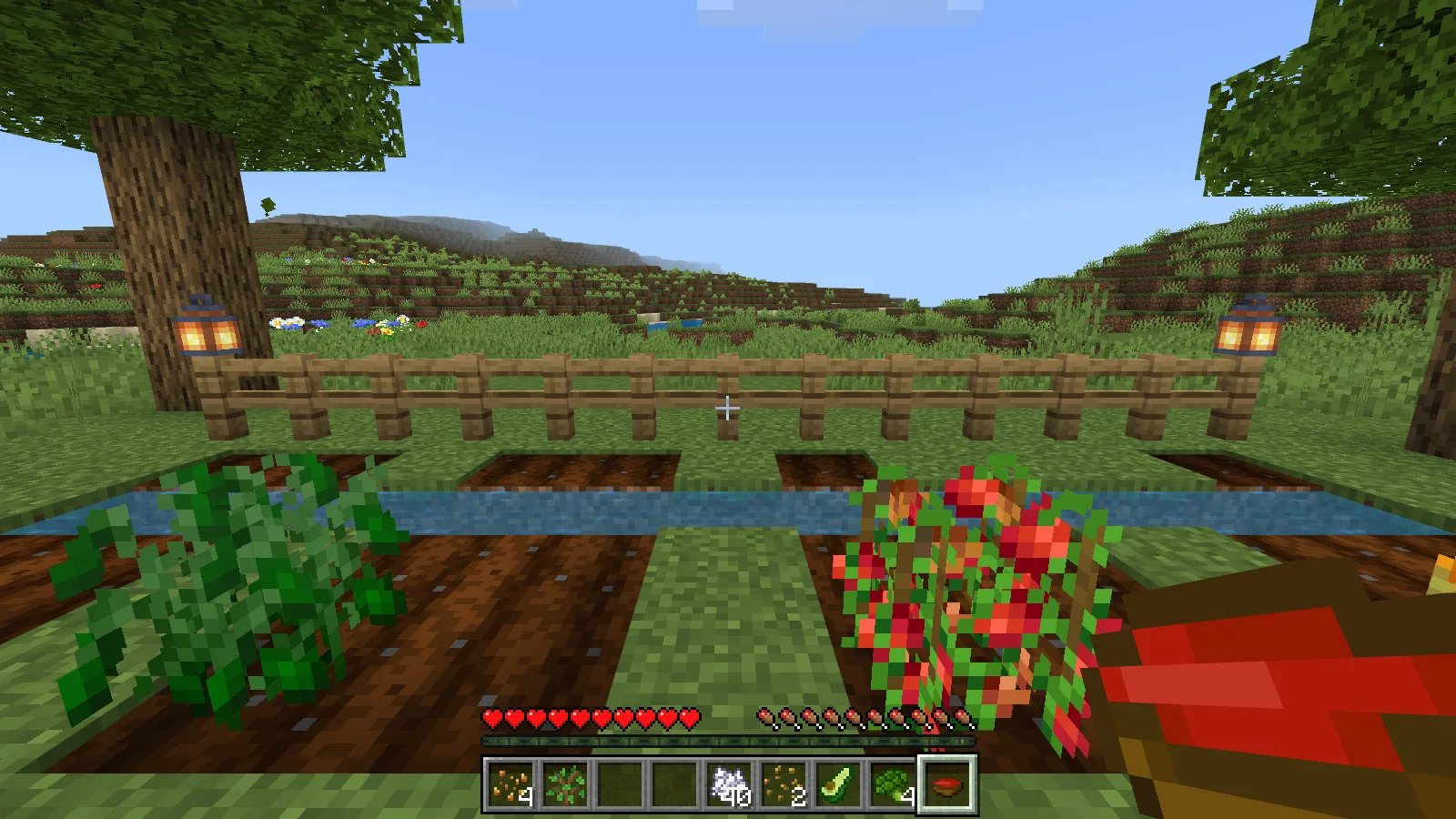
Use the planting item on farmland. The young corn below is beside a mature plant, making the growth difference easy to recognise. The mature corn turns yellow; ripe tomatoes show red fruit.
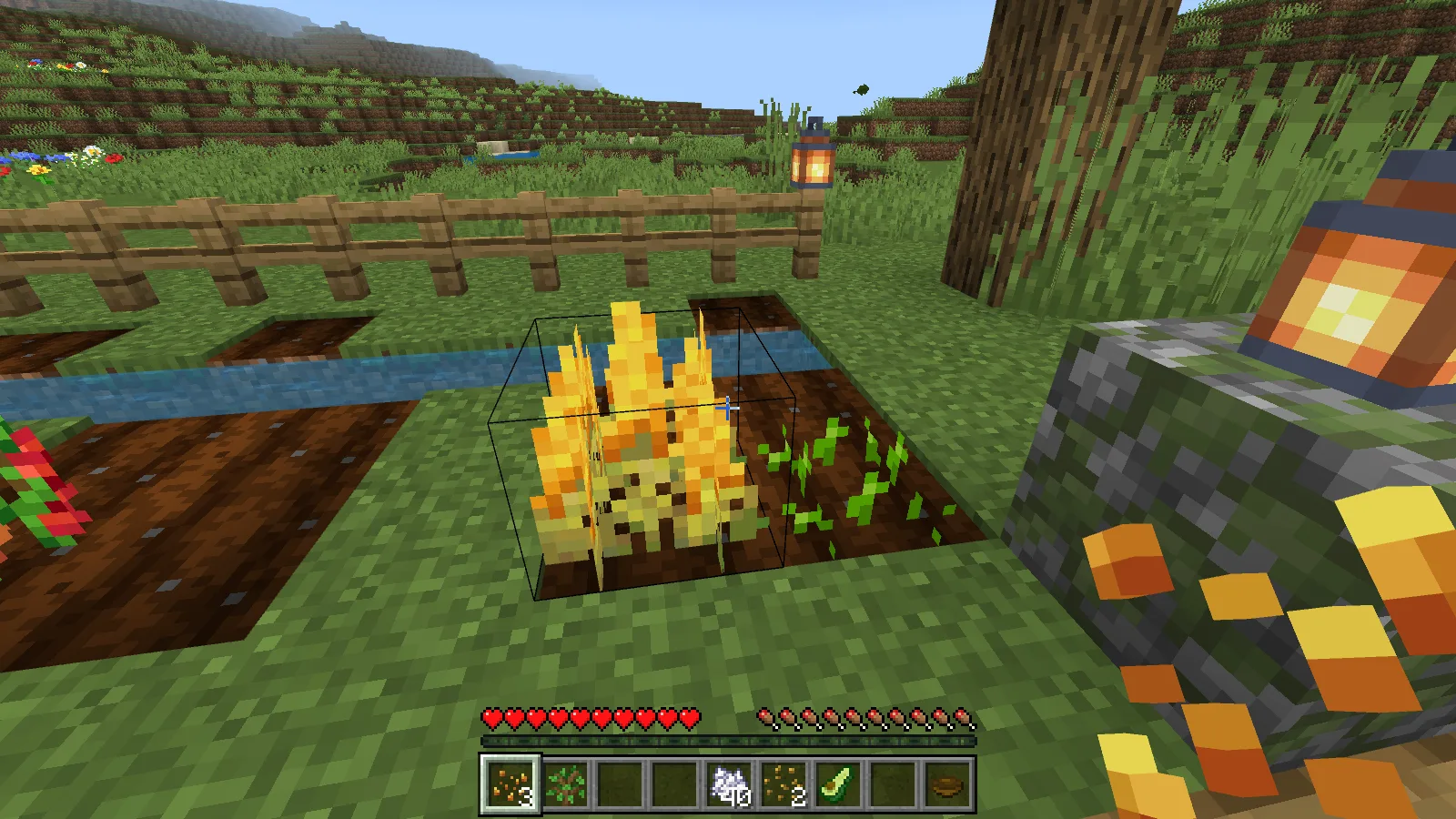
We planted two of each crop and grew them with bone meal in Survival. All four reached maturity, and harvesting the first plant of each type produced its food item. Bone meal was consumed during growth. Wait for a mature plant before breaking it, collect the drops and replant; keep seeds separate from ingredients when organising the chest beside your garden.
Turn corn into eight cookies
At a crafting table, combine one corn and two wheat to make eight Corn Cookies. Search for Corn Cookie in the recipe book to bring up the recipe shown here. We used corn from the garden and collected all eight cookies from the output slot.
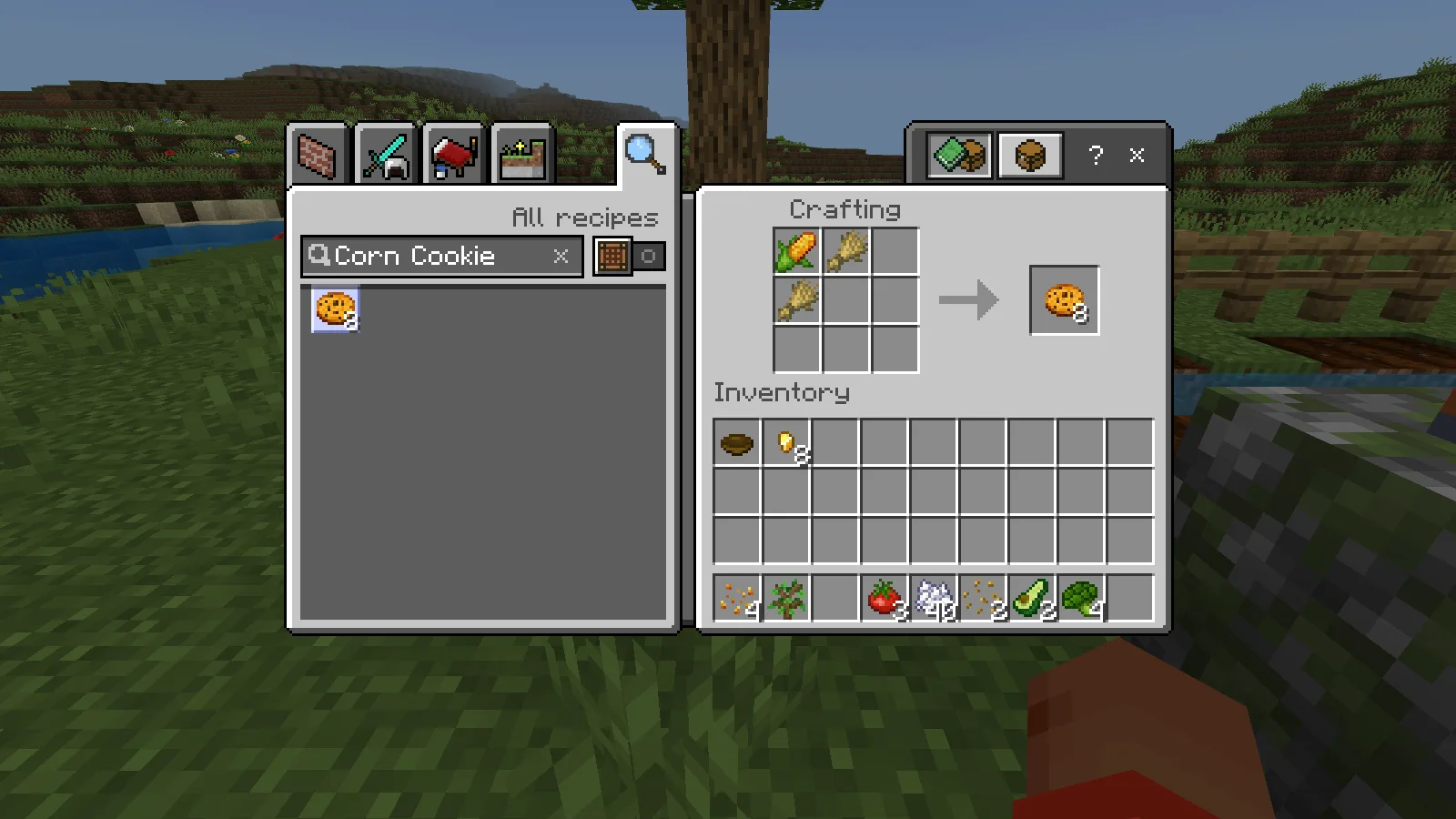
This is a convenient first recipe if your base already has a wheat patch. The batch gives you several pieces of food from one corn, although the review does not compare its hunger value with every other food in Minecraft.
Make and eat tomato soup
Tomato Soup needs six tomatoes and one bowl. Fill the top two rows with tomatoes and put the bowl in the bottom-centre slot. The recipe makes one serving at the crafting table; a furnace is not part of this recipe.
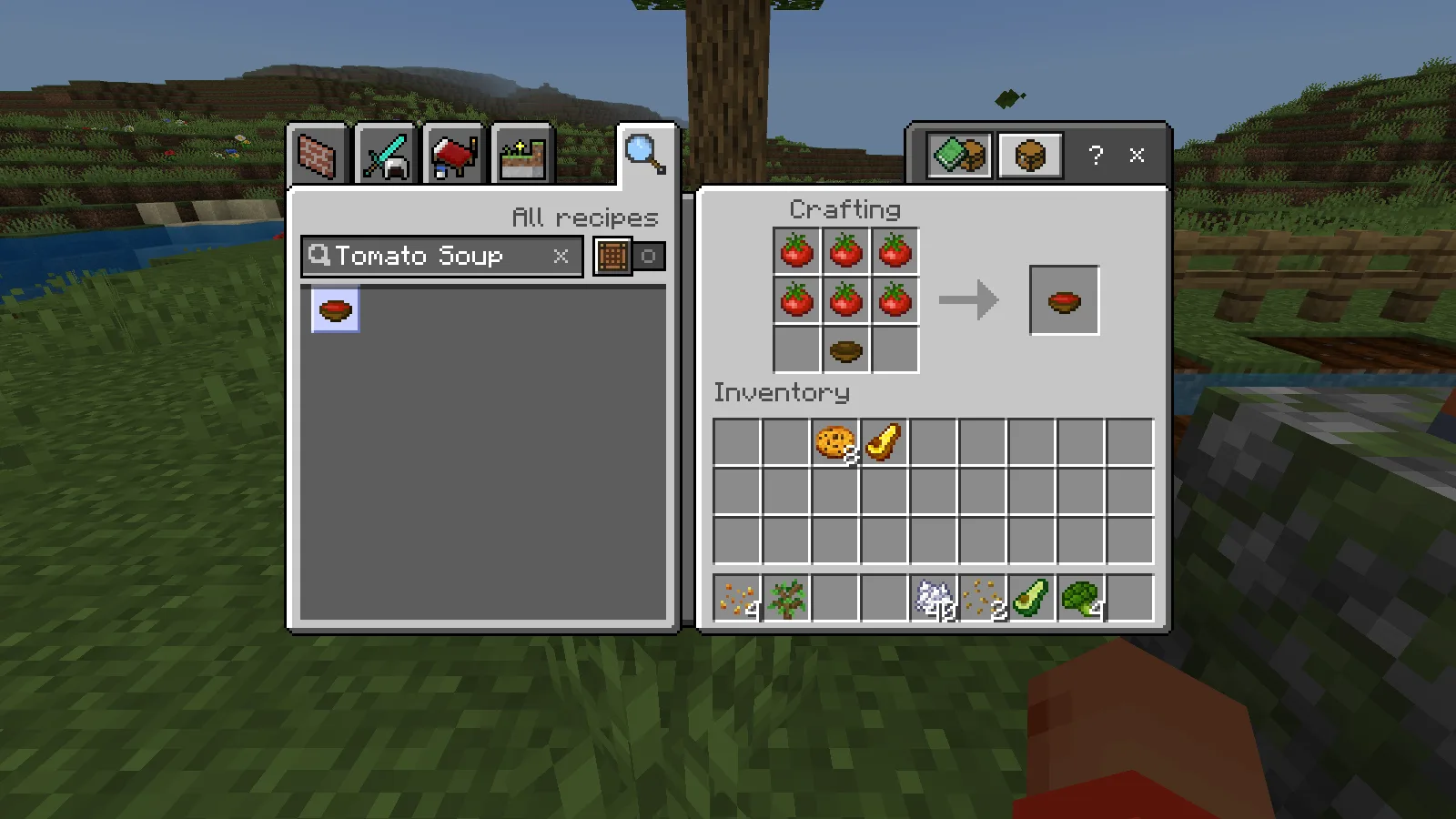
The resulting serving occupies its own inventory slot. Select it and hold the normal eat/use control. In our Survival check the soup was consumed successfully and the empty bowl returned, ready for another serving.
Six tomatoes can take more than one plant to gather. Keep a small tomato patch if you want to cook this regularly, and store the empty bowls beside the crafting table.
Bake broccoli in a furnace
Put harvested broccoli in the top slot and fuel in the lower slot. We used coal and collected Baked Broccoli after the furnace cooked it. The screenshot shows the first piece ready while the remaining broccoli is still cooking.
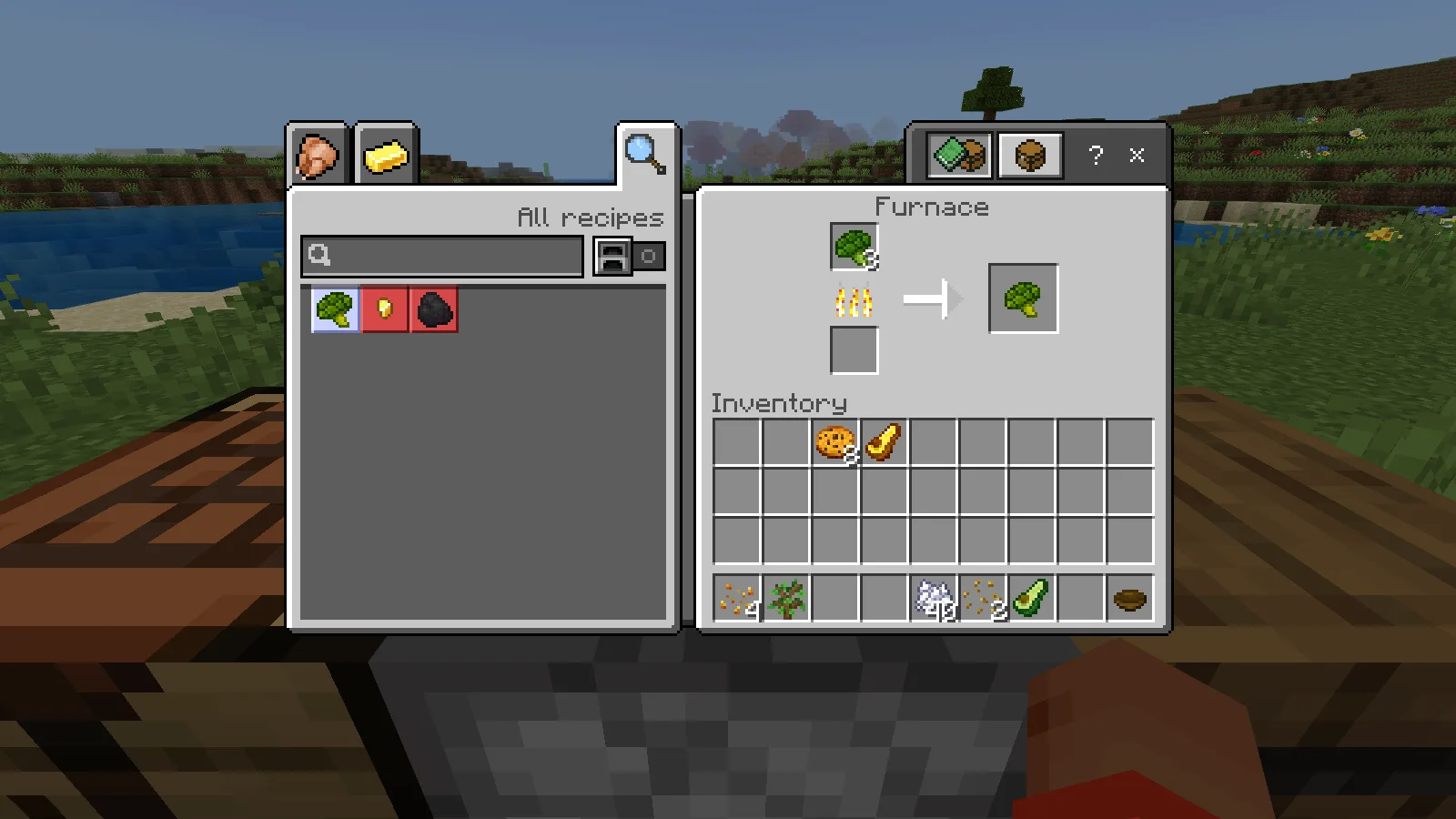
Leave some raw broccoli aside for replanting before baking the batch. This gives a small garden a repeatable loop: grow, harvest, reserve planting stock and cook the rest.
Craft golden avocado
Place one avocado in the centre and eight gold nuggets around it. These are nuggets, not gold ingots. The recipe produces one Golden Avocado, which we crafted and collected in the same Survival session.
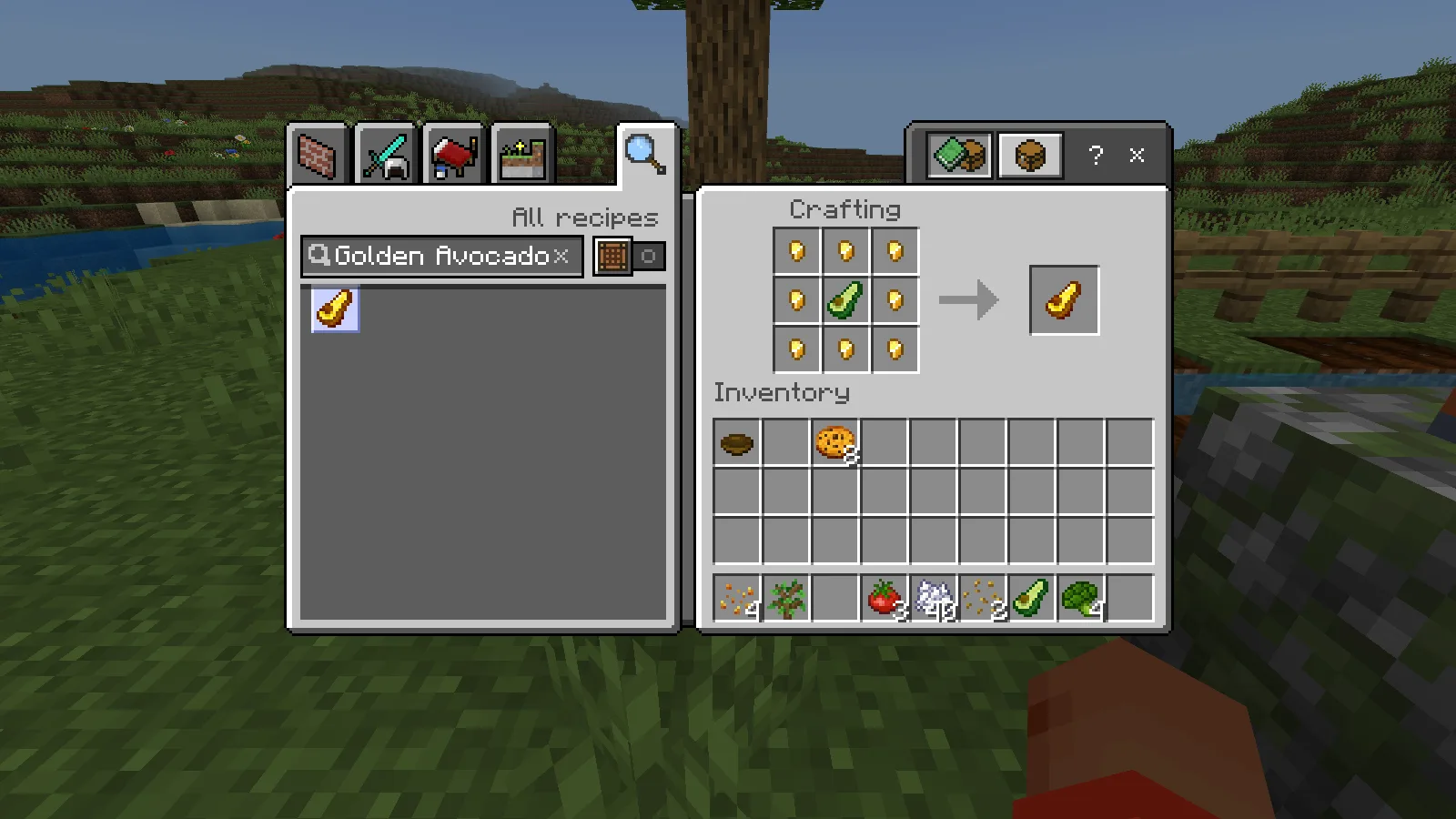
The golden appearance should not be taken as a promise of golden-apple effects. This check covers the recipe and output, not special combat benefits. Start with the ordinary crop recipes if you are deciding how much of your garden to dedicate to each ingredient.
Install and play
Download the Crops Overhaul MCADDON, open the .mcaddon with Minecraft Bedrock and enable both included packs in your world. See our Bedrock import guide if this is your first add-on.
Comments 0
Share what worked, ask for help or reply to another player.
Use your Modonix account to join the discussion and manage your comments.
Sign in to commentNo comments yet. Share what worked for you.