Challenge Forge

Host a small opt-in PvE trial with configured waves, a boundary, and a time limit. The host supplies the prize before the challenge starts.

Content language

Turn a clear arena into a short opt-in fight with a prize the host actually supplies. Challenge Forge tracks its own enemies and returns the prepaid shard at the altar; the prize comes from the host's inventory.

Host a small arena trial

Leave level, open space for the spawn points and a clear spot behind you for the reward altar. The supplied controller uses a seven-block radius, two waves of two zombies, and a 90-second limit. In Survival, carry at least two amethyst shards before hosting: one is spent to activate the controller and one is moved to the altar as the prepaid prize. The trial starts after a five-second countdown.
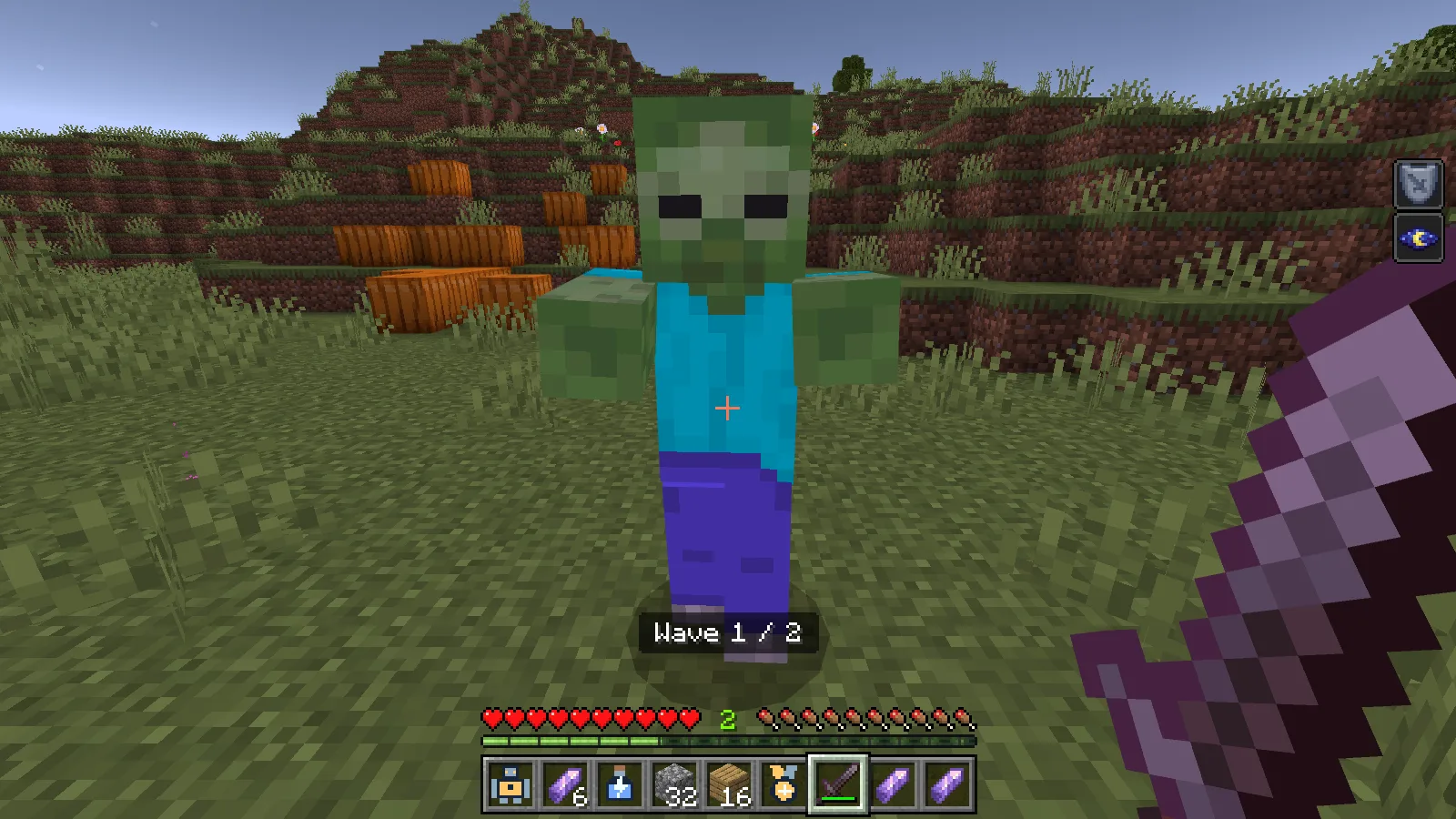
A zombie in the first of two Challenge Forge waves, with the wave counter visible.
A zombie in the first of two configured waves. The visible Night Vision and Resistance effects are separate from Challenge Forge; the add-on does not grant those abilities.

Nearby players sneak-use the controller to join or leave, up to four participants. The host can sneak-use to cancel. Only enemies summoned by the trial count. Keep participants inside the arena; the trial can end when no one remains, time runs out, an enemy escapes, or a spawn point becomes blocked. For a representative fight, use a covered arena or play at night: zombies can burn in daylight.
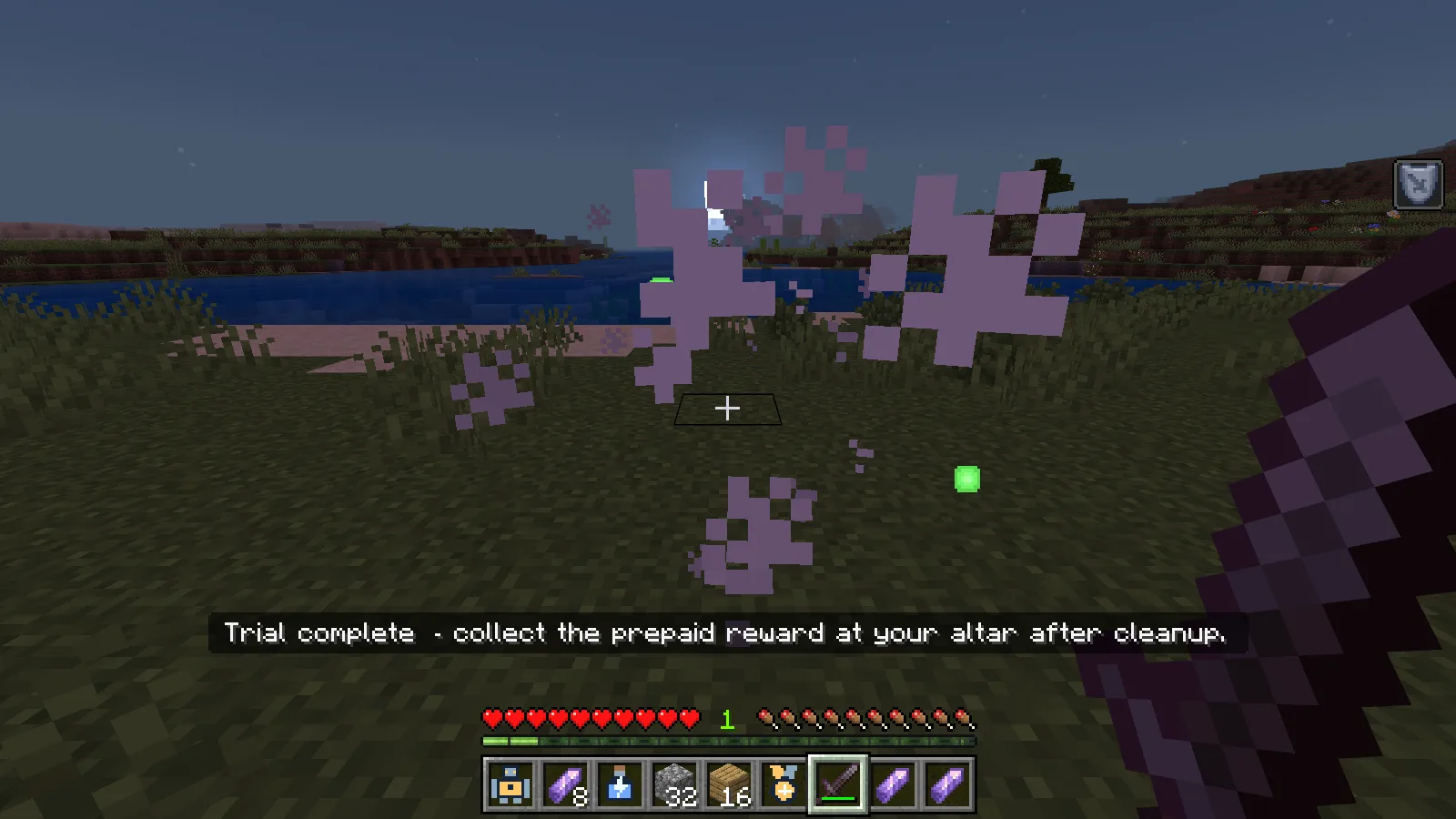
Challenge Forge shows Trial complete after both zombie waves; the prepaid reward awaits collection at the altar.
The native Trial complete message after both waves. The prepaid reward remains at the altar until the host collects it.

After completion or cancellation, return within four blocks of the altar and use the controller again to collect the supplied prize. Keep an empty inventory slot for it; the return does not merge into an occupied matching stack. A completed fight returns the prepaid shard, not an extra generated shard.

Craft it

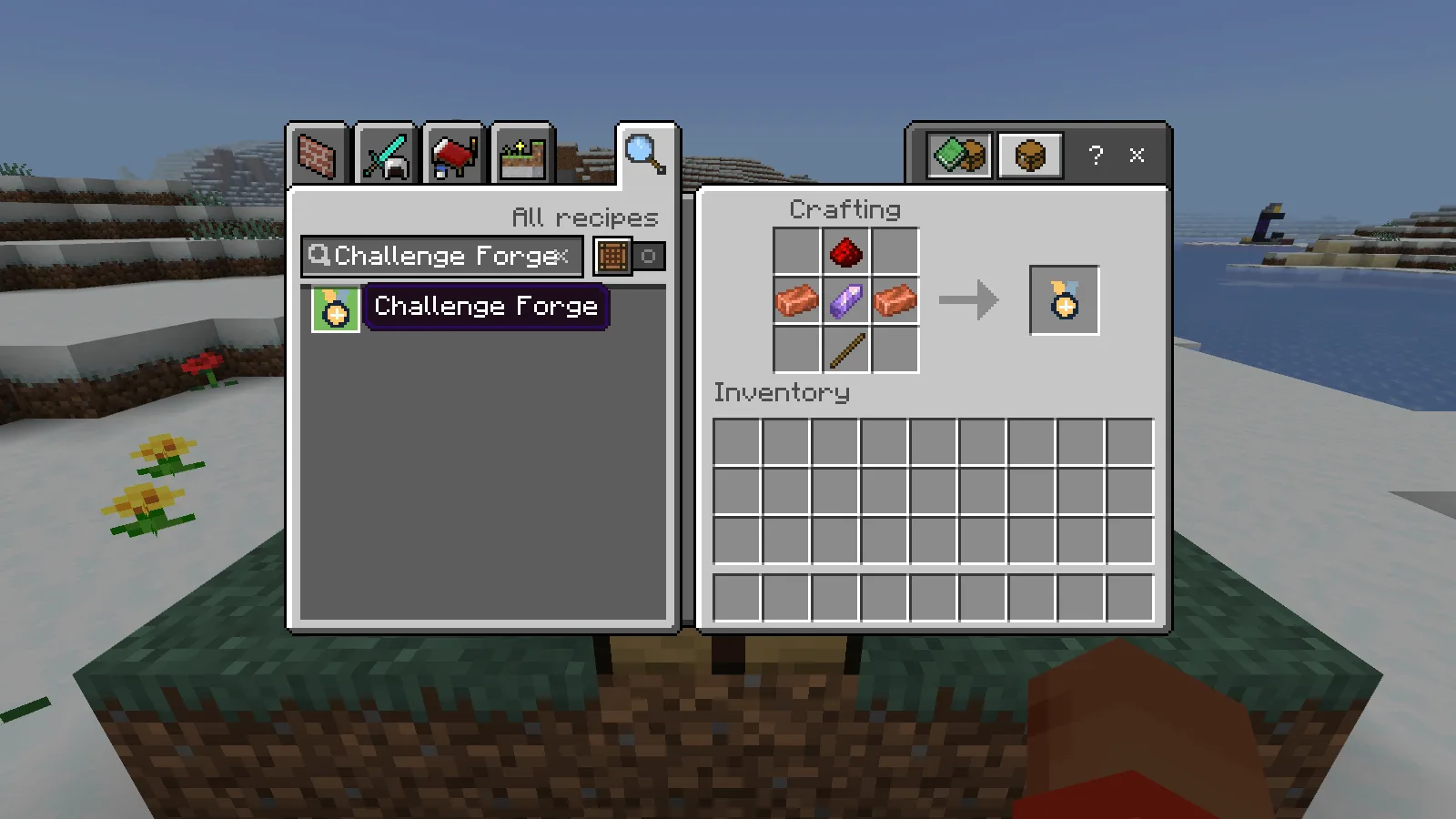
At a crafting table, arrange the ingredients as follows. Each recipe makes one Challenge Forge controller.

Row Left Centre Right
Top empty redstone dust empty
Middle copper ingot amethyst shard copper ingot
Bottom empty stick empty

The Challenge Forge controller recipe and crafted item at a Minecraft Bedrock crafting table.
Craft the Challenge Forge controller at a Minecraft Bedrock crafting table.

Before you try it

  • Only enemies summoned by the trial advance the waves. Ordinary nearby enemies do not count.
  • The supplied reward is one prepaid amethyst shard, separate from the one-shard Survival activation cost. Activation has a three-second cooldown; Creative activation is free, but the host still supplies the reward.
  • Clear the arena and altar space before starting. The host can cancel and reclaim the supplied reward after cleanup.

Download the MCADDON from Files, open it with Minecraft and activate both its behavior and resource packs in a separate world. Make a copy before adding it to a world you care about.

Make it yours

Increase Wave count from two to three, then adjust Time limit to suit a longer round. Keep the enemy list small while deciding how hard the arena should be.

Open Challenge Forge in the builder to change settings and build your version. Save the editable project to keep working later.

No ratings yet

Files

Filter files Files: 2All release types
Show all files

Only preview files match this setup. Beta and Alpha releases may be unfinished.

Version 0.1.2

Beta

challenge_forge-0.1.2-bedrock-26.52.mcaddon

Minecraft 26.52 Devices: Windows, Android, iOS / iPadOS

Author-declared devices · Tested on: Windows

1 download
Download · 33.5 KB
Requirements & details

Bedrock · 26.52

  • Game version: 26.52 · Devices: Windows, Android, iOS / iPadOS · Experiments: Not required · Script API: Stable API · Pack contents: Behavior + Resource · File format: .mcaddon

Import the .mcaddon, then activate its behavior and resource packs in your world. No experiments required. Multiplayer compatibility is unconfirmed for this beta.

Requirements & notes
Device compatibility basis
Author-declared
Devices checked in-game
Windows
Device support notes
Designed for Windows, Android and iOS / iPadOS using standard Bedrock behavior and resource packs. Modonix tested this file on Windows Bedrock 26.52; Android and iOS / iPadOS runtime have not been tested by Modonix. Use the game version and world settings listed in compatibility. Direct console import is not included.
Minimum engine version
1.26.50
Script API modules & versions
@minecraft/server 1.19.0

Version 0.1.1

Beta

challenge_forge-0.1.1-bedrock-26.52.mcaddon

Minecraft 26.52 Devices: Windows, Android, iOS / iPadOS

Author-declared devices · Tested on: Windows

1 download
Download · 33.1 KB
Requirements & details

Bedrock · 26.52

  • Game version: 26.52 · Devices: Windows, Android, iOS / iPadOS · Experiments: Not required · Script API: Stable API · Pack contents: Behavior + Resource · File format: .mcaddon

Import the .mcaddon, then activate its behavior and resource packs in your world. No experiments required. Multiplayer compatibility is unconfirmed for this beta.

Requirements & notes
Device compatibility basis
Author-declared
Devices checked in-game
Windows
Device support notes
Designed for Windows, Android and iOS / iPadOS using standard Bedrock behavior and resource packs. Modonix tested this file on Windows Bedrock 26.52; Android and iOS / iPadOS runtime have not been tested by Modonix. Use the game version and world settings listed in compatibility. Direct console import is not included.
Minimum engine version
1.26.50
Script API modules & versions
@minecraft/server 1.19.0

Release updates

Version 0.1.2

Beta

Challenge Forge now brings wave opponents into the arena gradually and resumes a saved partial wave after reloading. Keep an empty inventory slot to collect the prepaid reward.

View files

Version 0.1.1

Beta

No release notes for this version.

View files

Comments 0

Share what worked, ask for help or reply to another player.

Join the conversation

1Your name & email

No account required. Confirm your email with a code before your first comment. Only a masked address appears with your name. Guest comments are reviewed before publication.

2Verify & post

No comments yet. Share what worked for you.

Search Modonix

Search in