
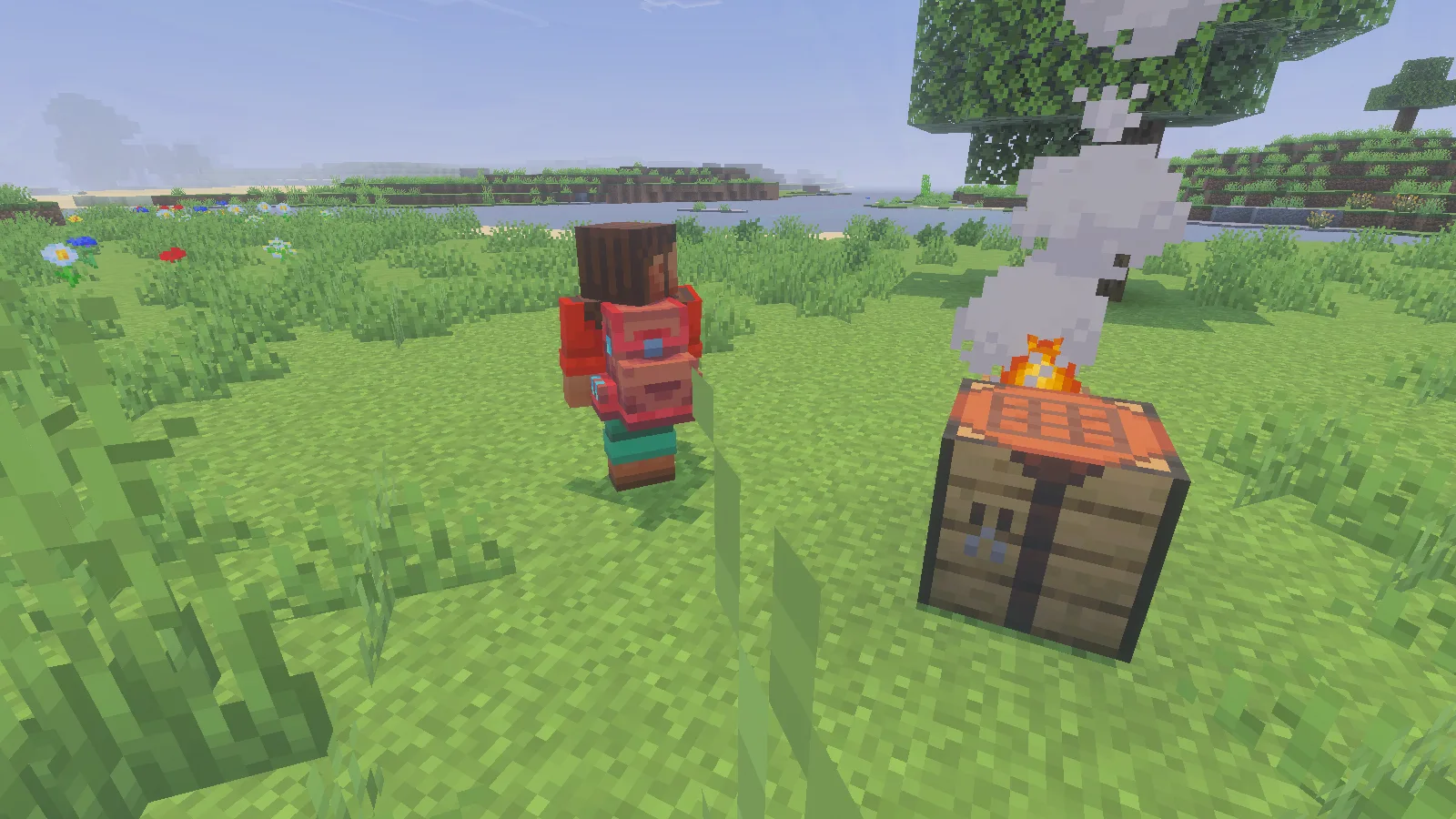
Backpacks by PurpleByte_ gives you portable storage for a mining trip, a building supply run or a longer walk away from base. The first backpack has 27 slots, can sit on the ground like a small container, and can be worn on your back. There is a useful upgrade path, but one rule matters before you start: empty a backpack before using it in a crafting recipe. Its contents do not carry into the new backpack.
Craft your first backpack
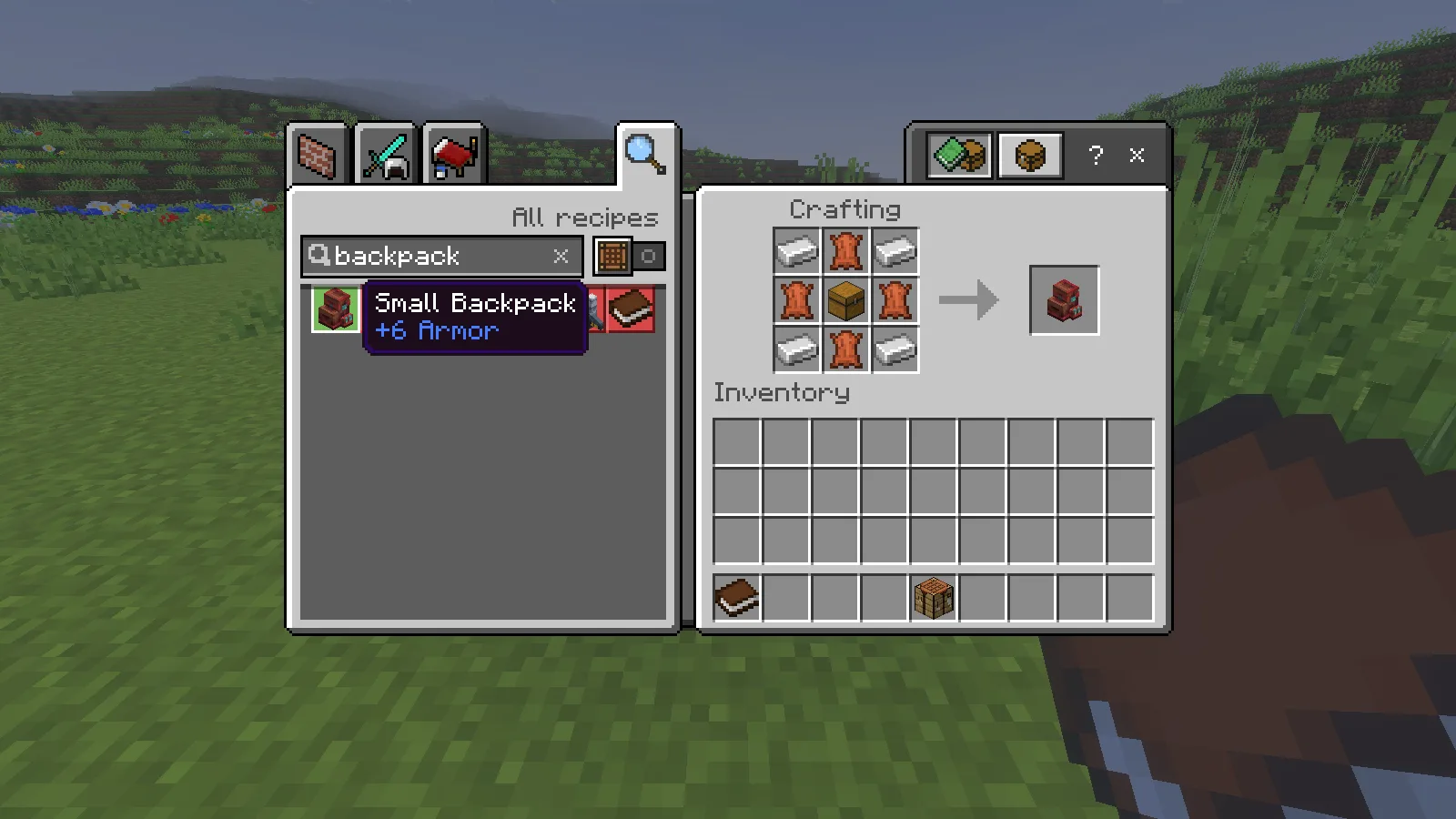
Make a Small Backpack at a crafting table with four leather, four iron ingots and one chest. The screenshot shows the arrangement and the finished item in the output slot. You can also search for “backpack” in the recipe book instead of rebuilding the pattern by hand.
The small version is a practical starting point: keep spare food, building materials and collected resources inside, while leaving the tools you use constantly on the hotbar. Its storage is separate from your normal inventory.
Open it, set it down and carry it home
With a mouse and keyboard, select the backpack, crouch, then use it. Give the crouch a brief moment before clicking. Move items into its grid as you would with a chest.
You can also place it on a block and interact with it there. To pick the placed backpack back up, crouch and break it. In our Small Backpack check, seven diamonds and three apples stayed inside after changing hotbar slots, saving and reopening the world, and placing and picking up the backpack.
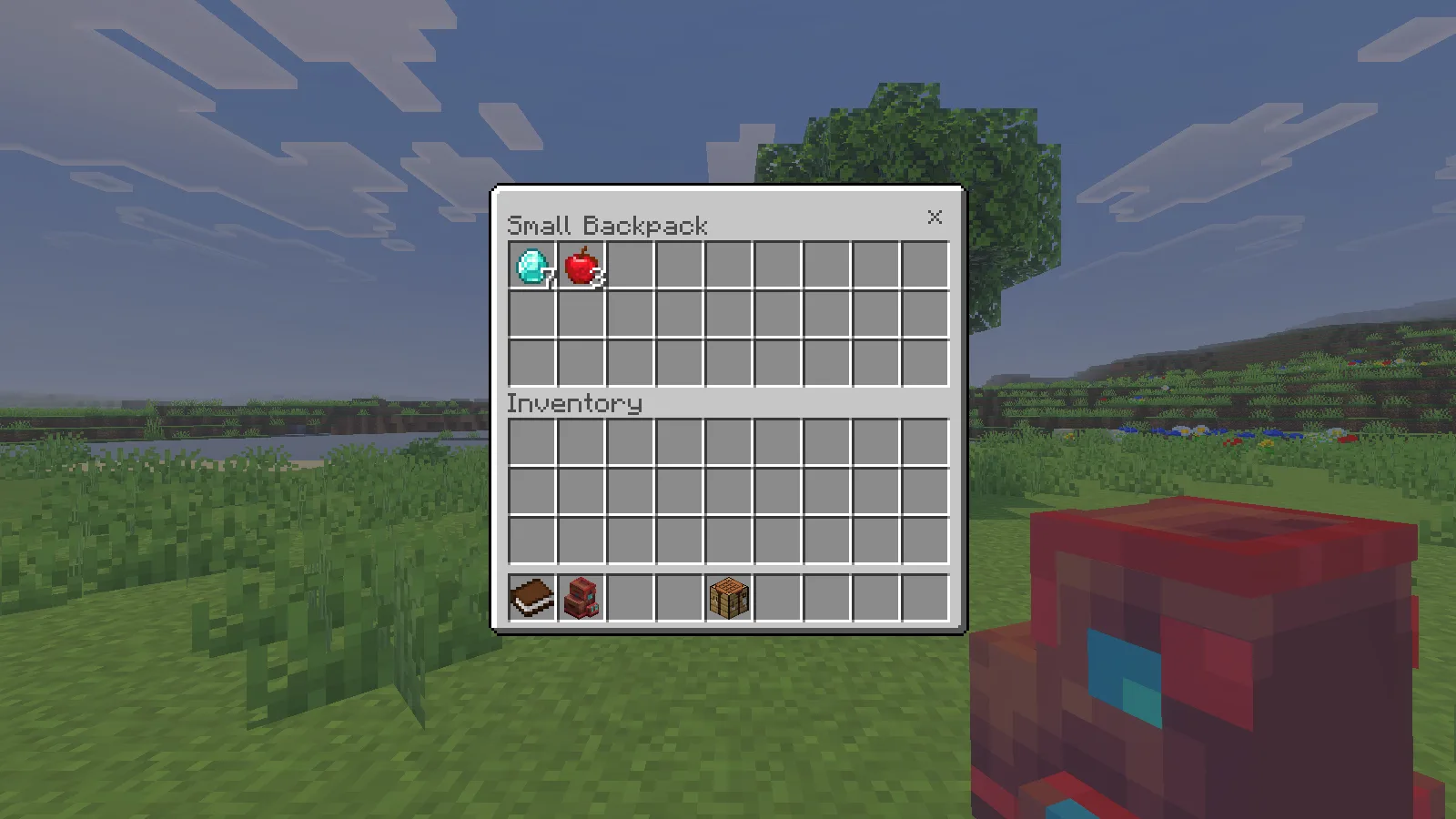
To wear it, move the backpack into the chest armour slot. The Small Backpack displays six armour points and appears on the character’s back. It occupies that slot, so plan around the chest equipment you would otherwise wear. Wearing it is optional: the storage also works while you carry the item.
If the backpack will not move in your inventory after you open it, close the inventory, select another hotbar slot, then open your inventory again. This released the active backpack slot in our check and allowed us to equip it normally.
Upgrade only after unloading
The Medium Backpack recipe uses the Small Backpack together with leather, iron, gold and another chest. Follow the recipe below after moving every stored item somewhere safe.
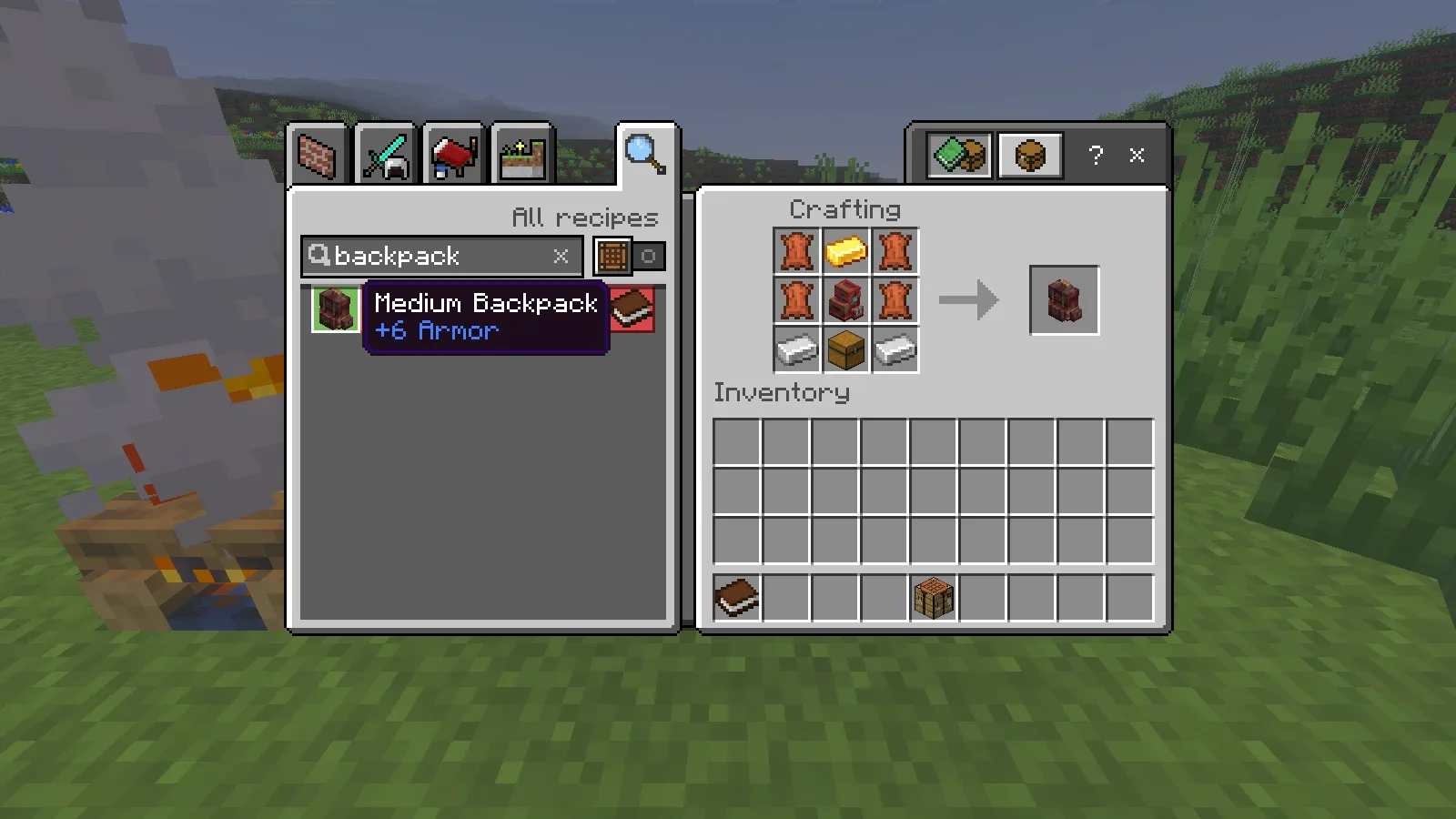
We deliberately crafted a Medium Backpack from the filled test backpack. The new backpack was empty: the seven diamonds and three apples were not transferred. The add-on’s in-game manual warns about this too. Treat upgrading as making a new container, not expanding the old one with its cargo intact.
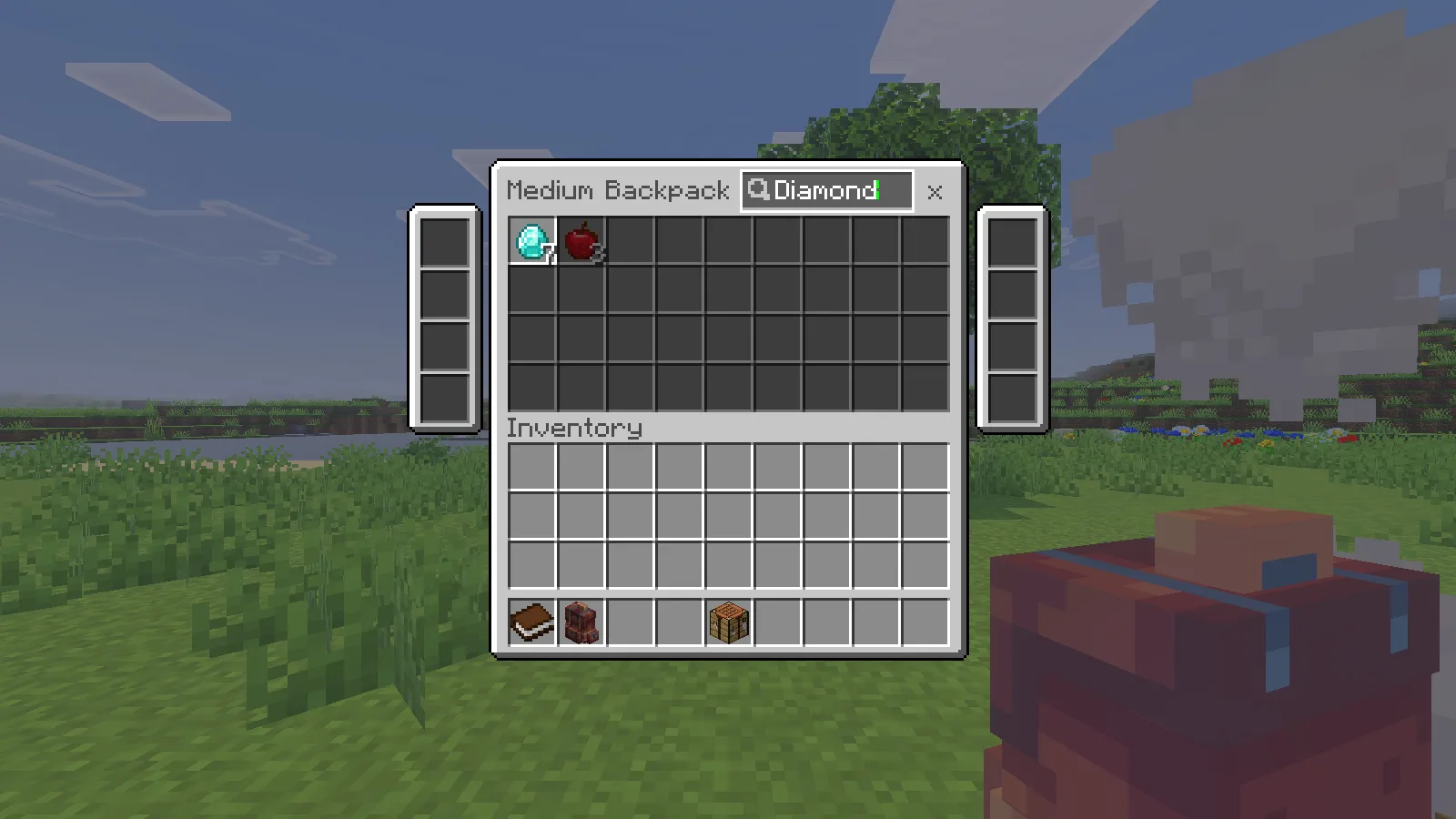
The medium interface has 36 main storage slots plus eight side slots for tools. That distinction explains the advertised total of 44. The larger tier is listed by the creator at 120 slots in total. The guide also introduces Ender, Grave and Rocket variants; their special abilities were outside this gameplay check, so do not assume ordinary storage protects items on death or shares them between backpacks.
Find an item in the medium backpack
The search field helps you spot an item without rearranging the inventory. Unmatched slots become darker; the items stay where you put them. In the English interface, entering Diamond highlighted our diamonds while the apples stayed dimmed. Lowercase diamond did not produce the same match, so copy the item name’s capitalisation if the search looks empty.
Install and choose your setup
Open the downloaded .mcaddon with Minecraft Bedrock and activate both the behaviour pack and its matching resource pack in your world. If you need a walkthrough, follow our Bedrock pack installation guide. Make a copy of an existing world before adding or updating packs.
Comments 0
Share what worked, ask for help or reply to another player.
Use your Modonix account to join the discussion and manage your comments.
Sign in to commentNo comments yet. Share what worked for you.