
Animals Nature brings more wildlife to Minecraft Bedrock, including elephants, giraffes, zebras and birds. A walk through a savanna can become an animal-spotting trip, while some creatures also help with everyday supplies. We tried zebra storage, leading a zebra, milking a bison and feeding an eagle in the September 14 release.
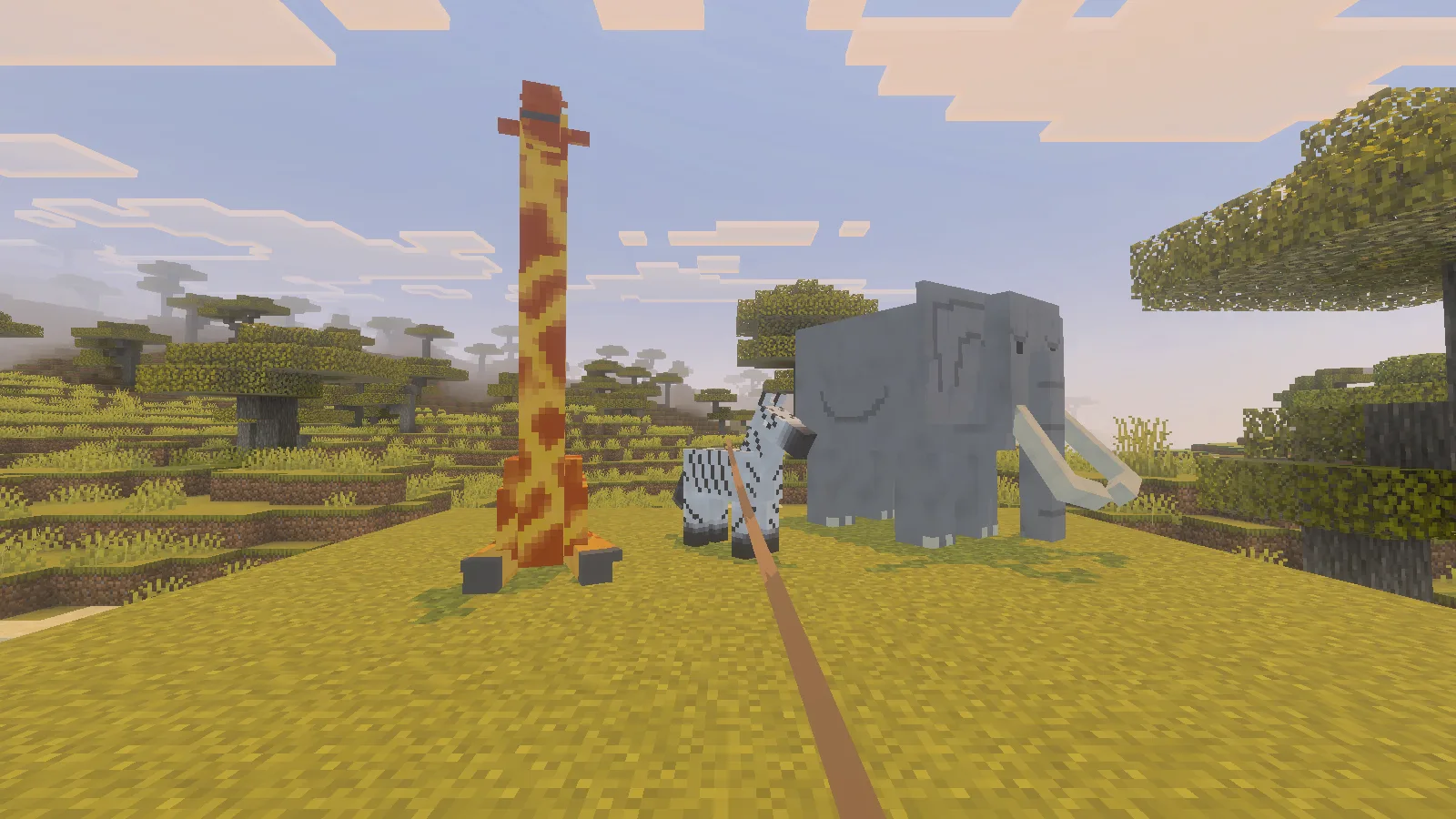
The creator advertises more than 95 animals across land and water habitats. Our hands-on review concentrates on a few useful interactions, rather than treating that whole list as tested. African elephants appeared naturally during our savanna exploration; the named group above was arranged for the photographs.
Take provisions with a zebra
A zebra can carry a small supply of food once you have tamed it and attached a chest. Bring wheat, a chest and a lead, and leave an empty hotbar slot for mounting. Approach on level ground where you can keep the animal in sight.
Feed wheat using the normal interact control. Then select an empty hand and interact to mount. In our check, ten wheat followed by mounting was enough to gain access to the zebra’s inventory. That is what worked for this animal, not a promise that every attempt needs exactly ten wheat.
While mounted, open the inventory. On a keyboard this is E. After confirming that you can open it, dismount, hold a chest and interact with the zebra. The chest is consumed when attached. Mount again and open the inventory to see the new storage space.
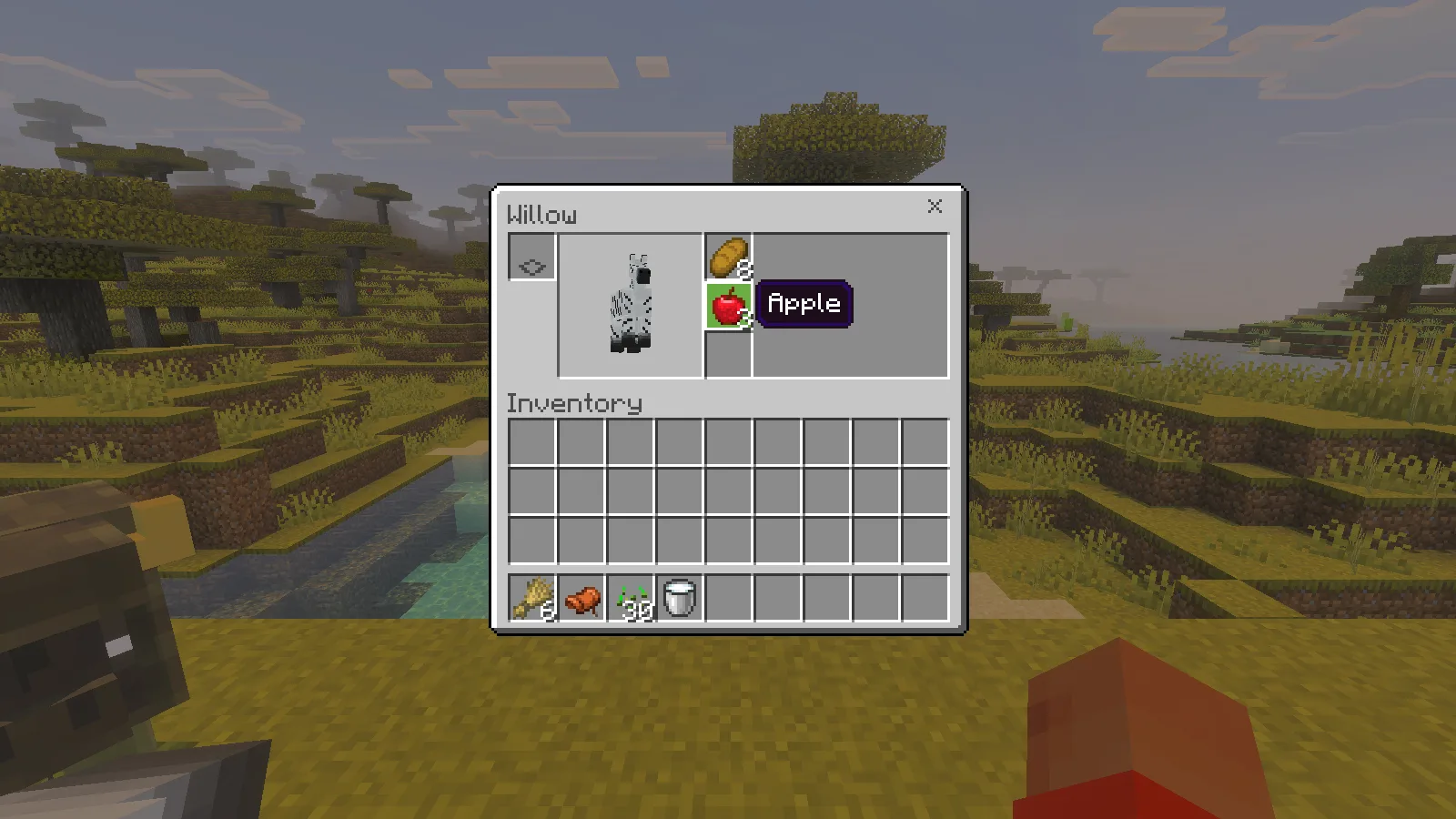
Our zebra, Willow, had three storage slots. We placed eight bread and three apples into two of them. Move items into these slots as you would with a chest; the lower rows are still your own inventory. This is useful for a few provisions, rather than a replacement for a large backpack.
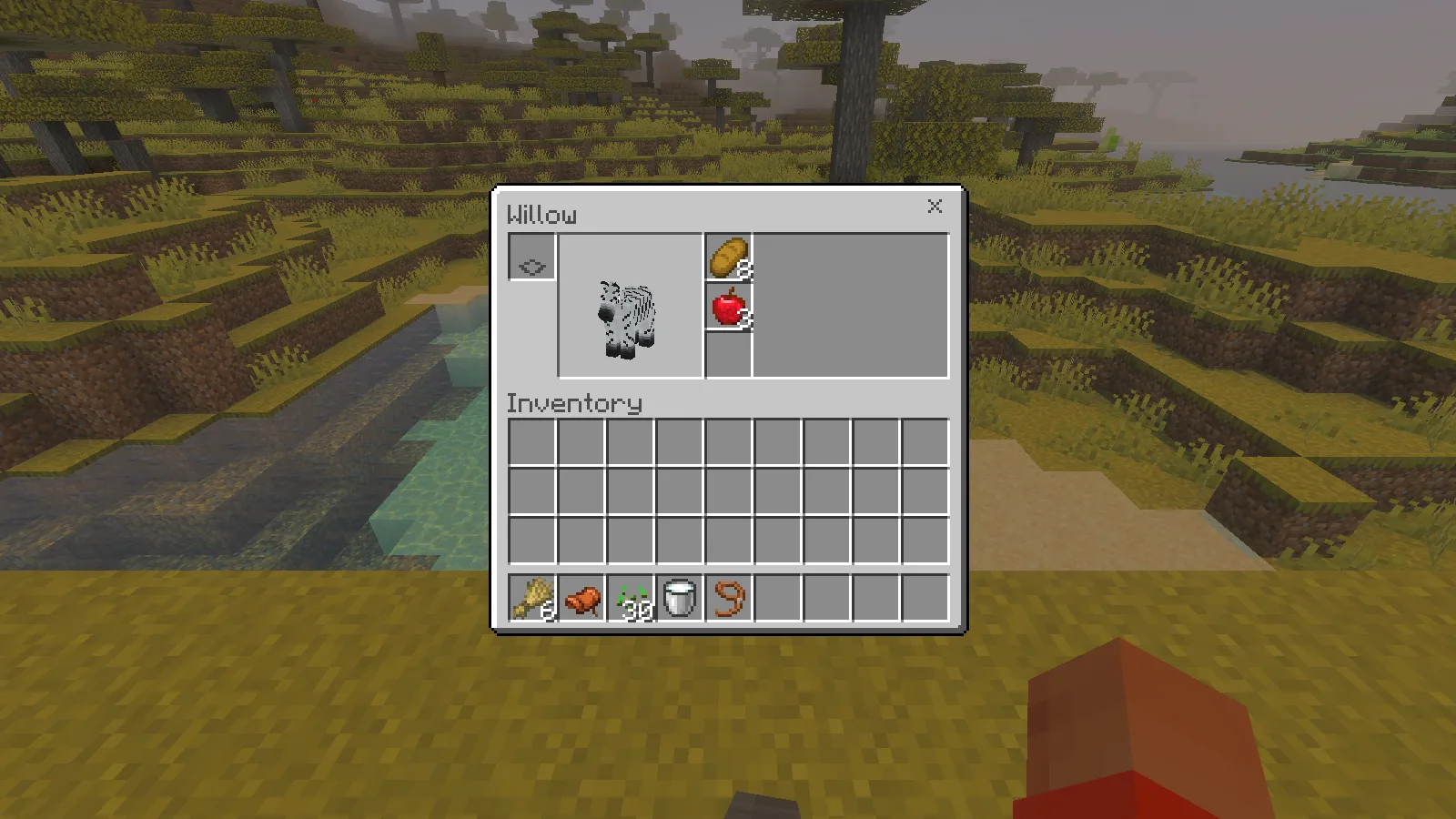
We saved the world, returned to the world list and joined again. Both stacks were still inside Willow. The picture below shows the reopened storage, and we then moved all eight bread back into the player inventory successfully.
Lead your zebra along a route
Dismount, select a lead and interact with the zebra. Walk a short distance and watch the rope: in our check Willow followed the player across the clearing. Keep your route gentle around banks and rivers, and stop to check the animal before making a large descent.
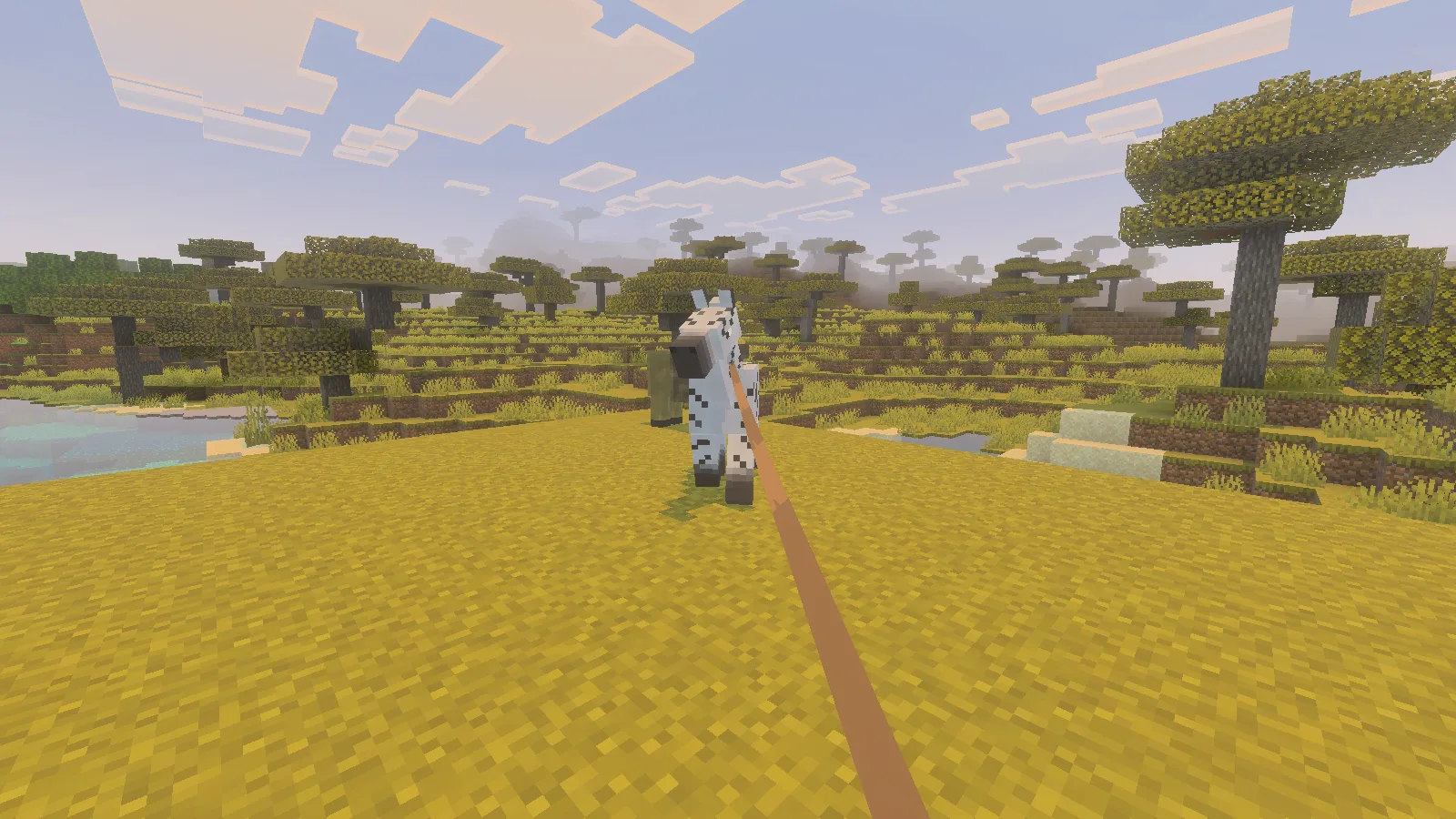
Mounting and access to storage worked, but we did not verify steering the zebra like a saddled horse. The dependable travel interaction in this session was walking with a lead. Try a short route near your base before taking valuable supplies on a long expedition.
Get milk from a bison
Select an empty bucket, stand close to an adult bison and use the normal interact control on its body. Our bucket became a Milk Bucket in Survival. The filled bucket was still in the player inventory after saving and rejoining.
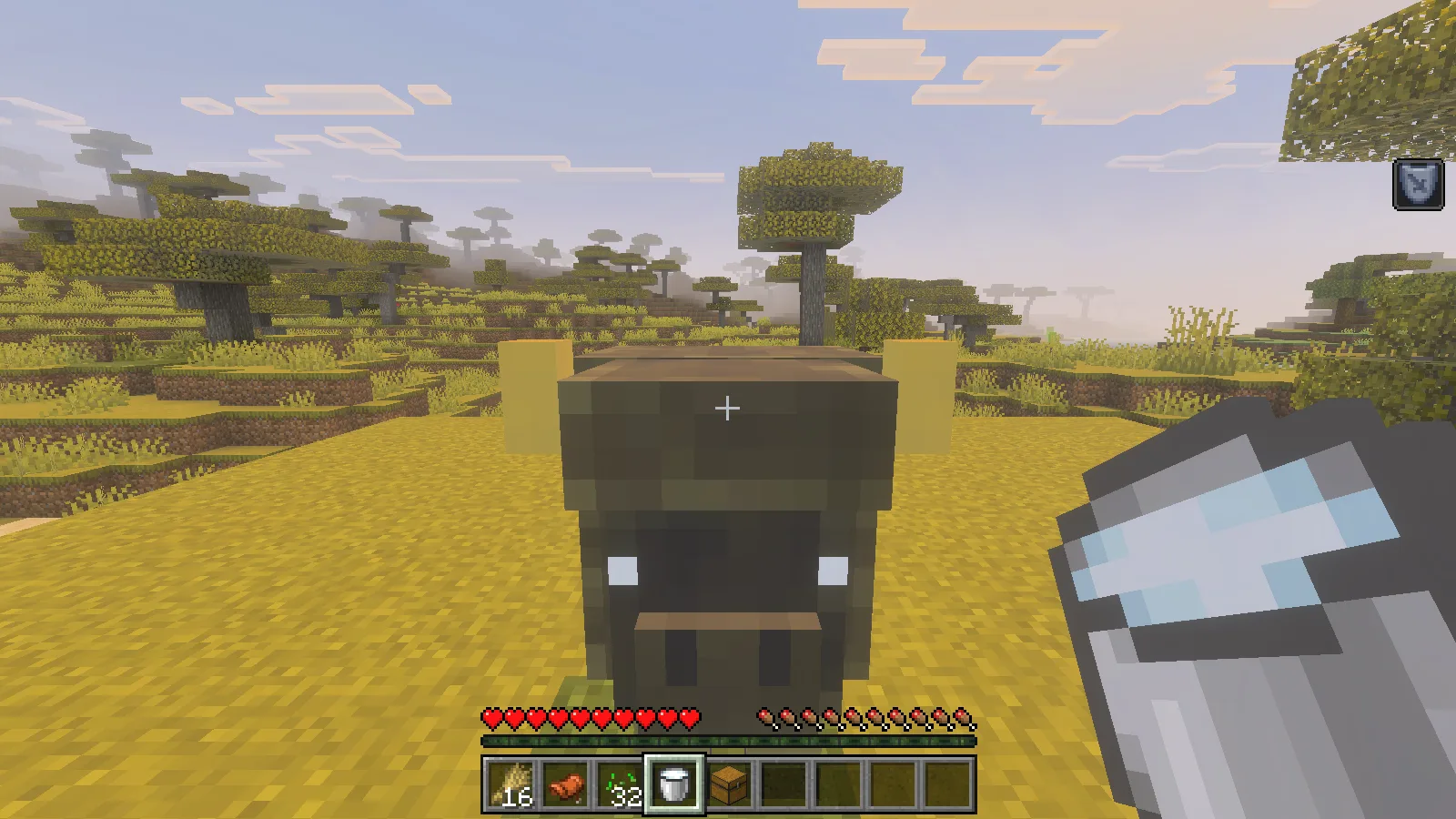
Aim carefully at the animal rather than the ground behind it. Several early attempts simply missed a moving creature; getting close and keeping it in view made the interaction work. The pictured bucket contains the milk obtained from this bison.
Feeding an eagle: what worked, and what remains uncertain
We offered wheat seeds to an eagle. The bird consumed two seeds, displayed hearts and became tamed. The screenshot captures that interaction.
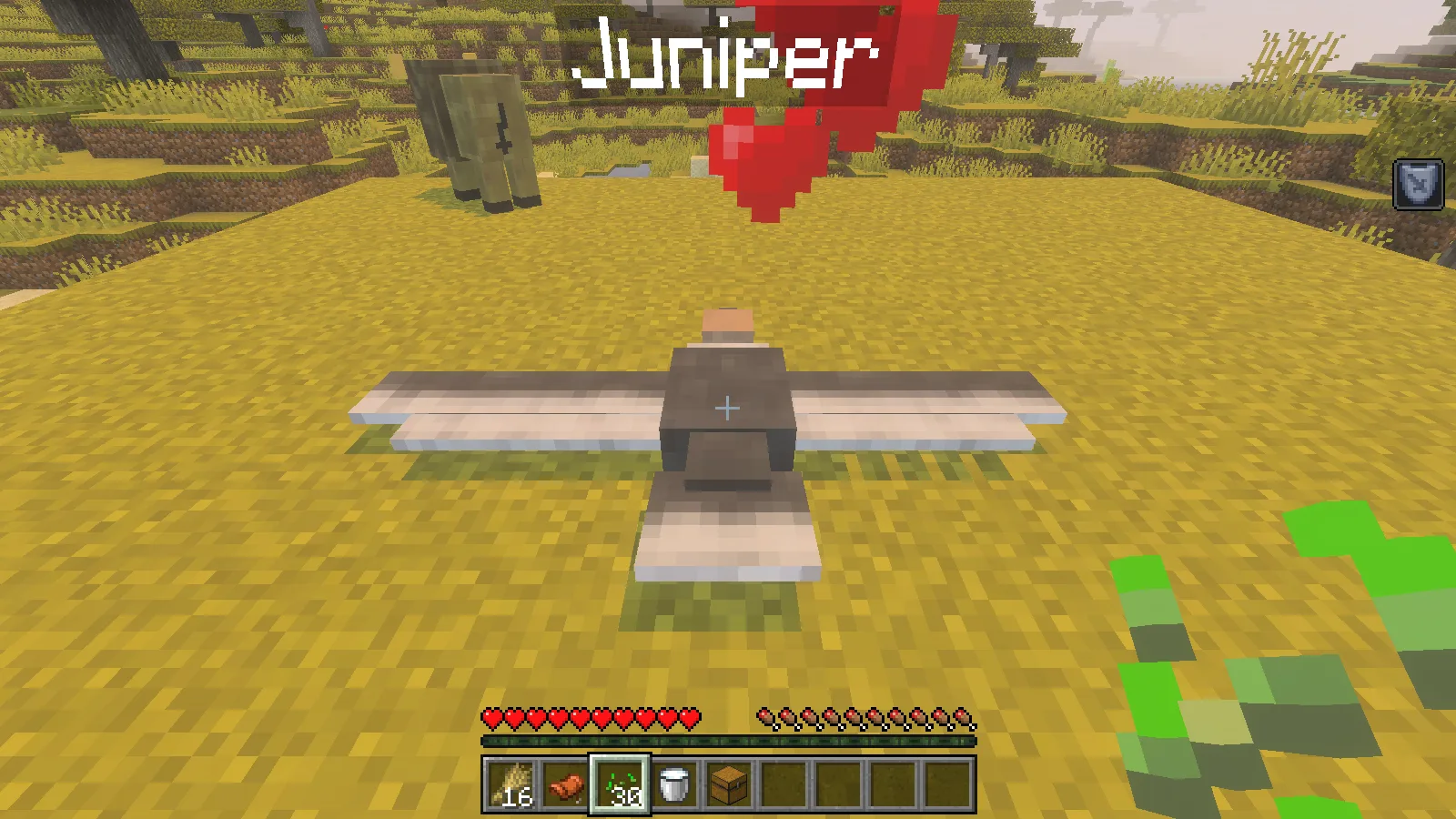
However, we could not find the named eagle later in the same session. We did not establish whether it had flown out of the loaded area or disappeared for another reason. Sitting, shoulder riding and reliable long-term following were not confirmed. If an eagle companion is your main reason for choosing this pack, try it in a separate world first; this review cannot promise that it will stay with you.
Install Animals Nature
Open Animals nature.mcaddon with Minecraft Bedrock and activate both its behaviour and resource packs in your world. Our Bedrock import guide shows where to check both lists. Back up an existing world before adding new animals, or begin with a separate world for your first try.
The savanna pictures demonstrate feeding, riding, chest storage, leading and milking. They do not establish how frequently these animals appear in a new world.
Comments 0
Share what worked, ask for help or reply to another player.
Use your Modonix account to join the discussion and manage your comments.
Sign in to commentNo comments yet. Share what worked for you.