
A harbor feels more lived-in when its houses are not all the same stone box. Seabreeze Masonry brings pale sandstone, white and light-blue plaster, sunbleached oak and stone bricks into a focused set of eight textures. Use the color on the buildings, then leave the quay a quieter place for paths and unloading.
For a waterfront house, try white terracotta on the lower walls and light-blue terracotta upstairs. Sandstone corners and a covered doorway connect the two floors without turning every wall into masonry. Keep one long wall mostly blue or white so the plaster has room to show; use sandstone for the edges you want to pick out.
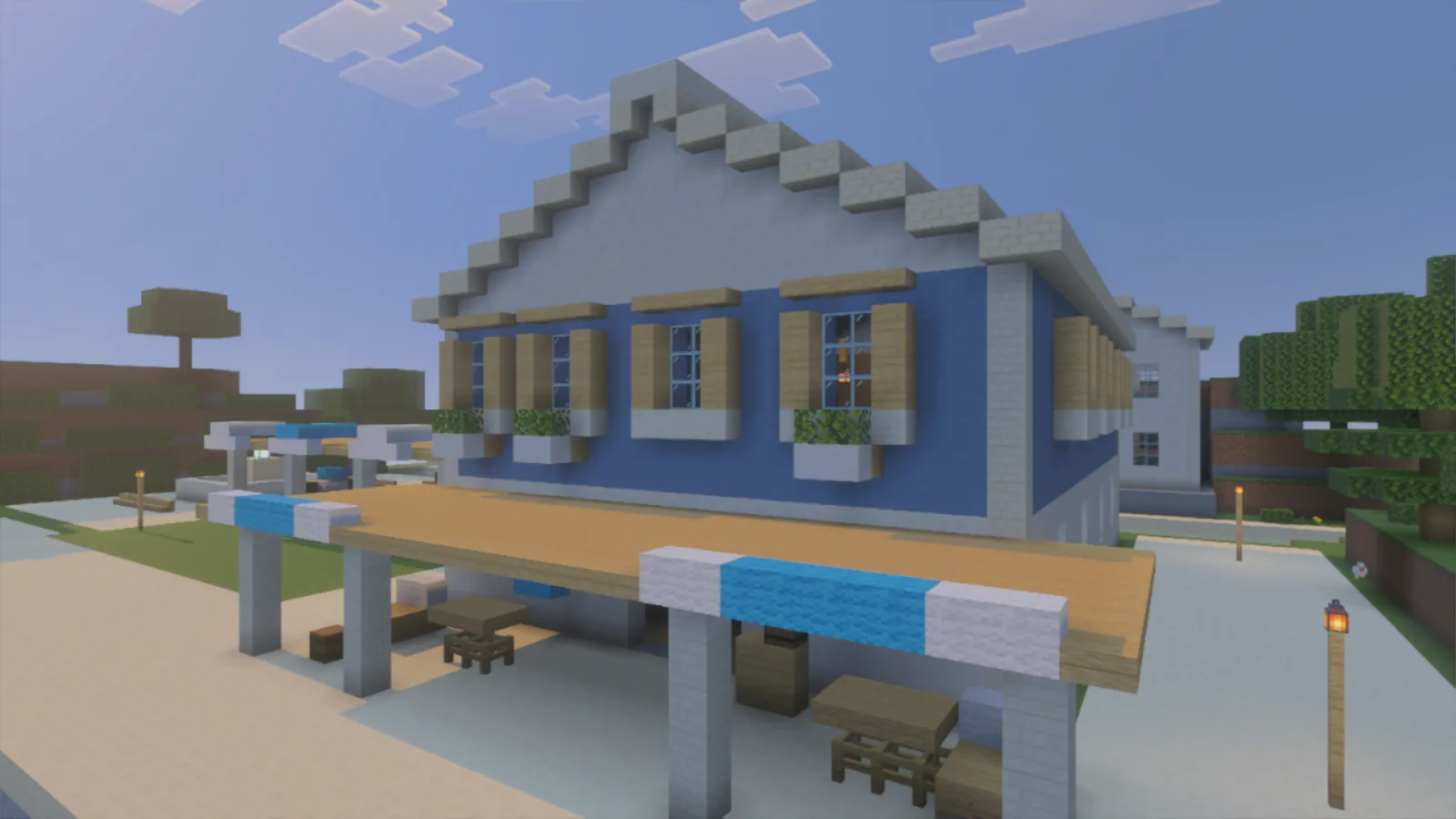
White lower walls and gable frame the blue upper floor; timber shutters and window boxes detail the facade.
For a courtyard basin, combine the rougher pattern of ordinary sandstone on the central pedestal with cut sandstone around the rim. Its long, straight joints give the edge a calmer line against the blue-and-white lighthouse. The same pairing suits a small well inland.
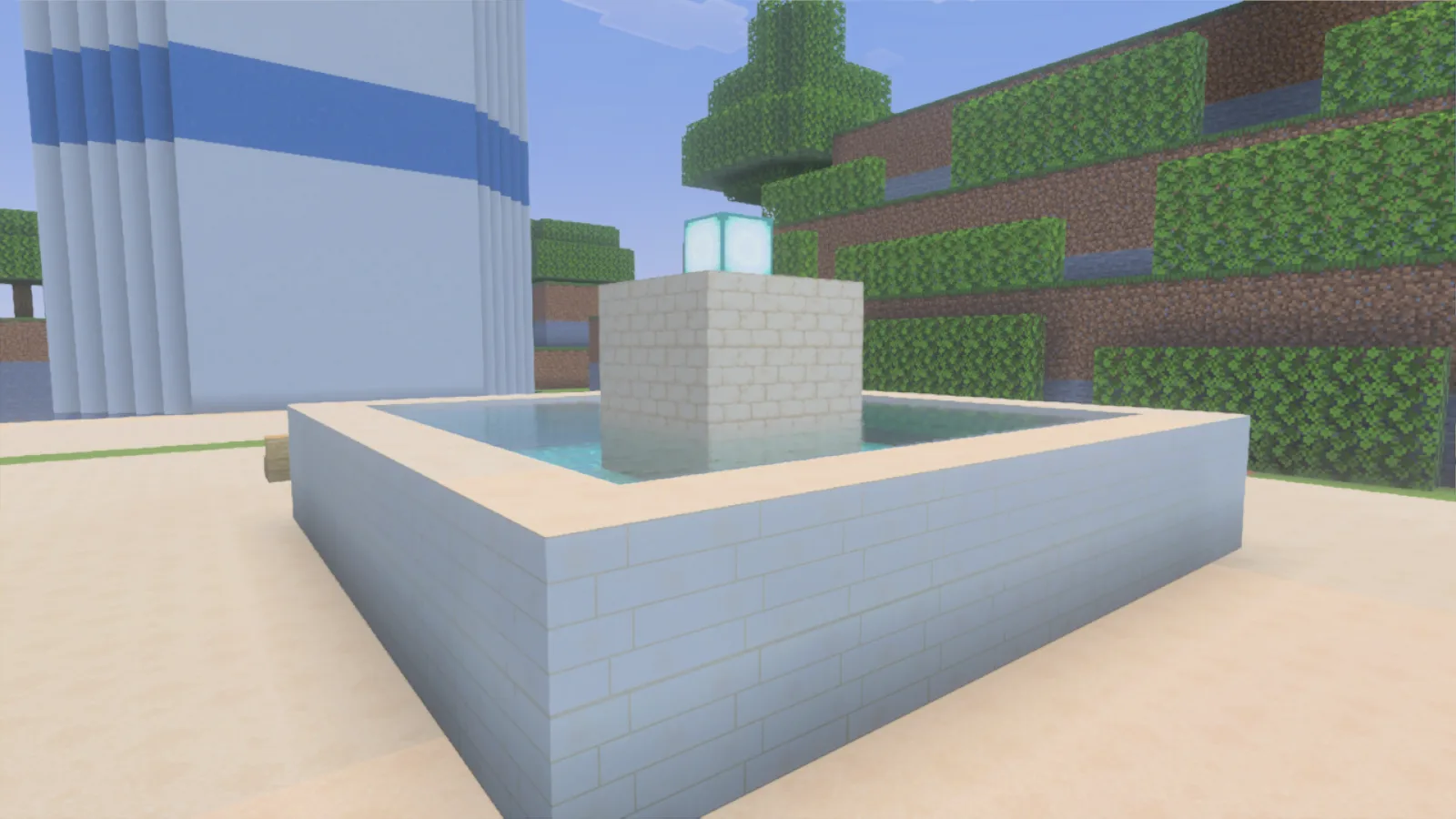
Ordinary sandstone patterns the center; cut sandstone gives the rim longer, straighter joints.
In the tavern, oak flooring sits beneath white plaster walls, with a timber counter and simple stools in the middle. Leave a passage beside the counter and put tables by the windows. A stone-brick chimney gives the furnace corner a different surface; sandstone suits the covered entrance outside. Build with ordinary blocks: the harbor, furnishings and lanterns are examples you place yourself, not part of the download.
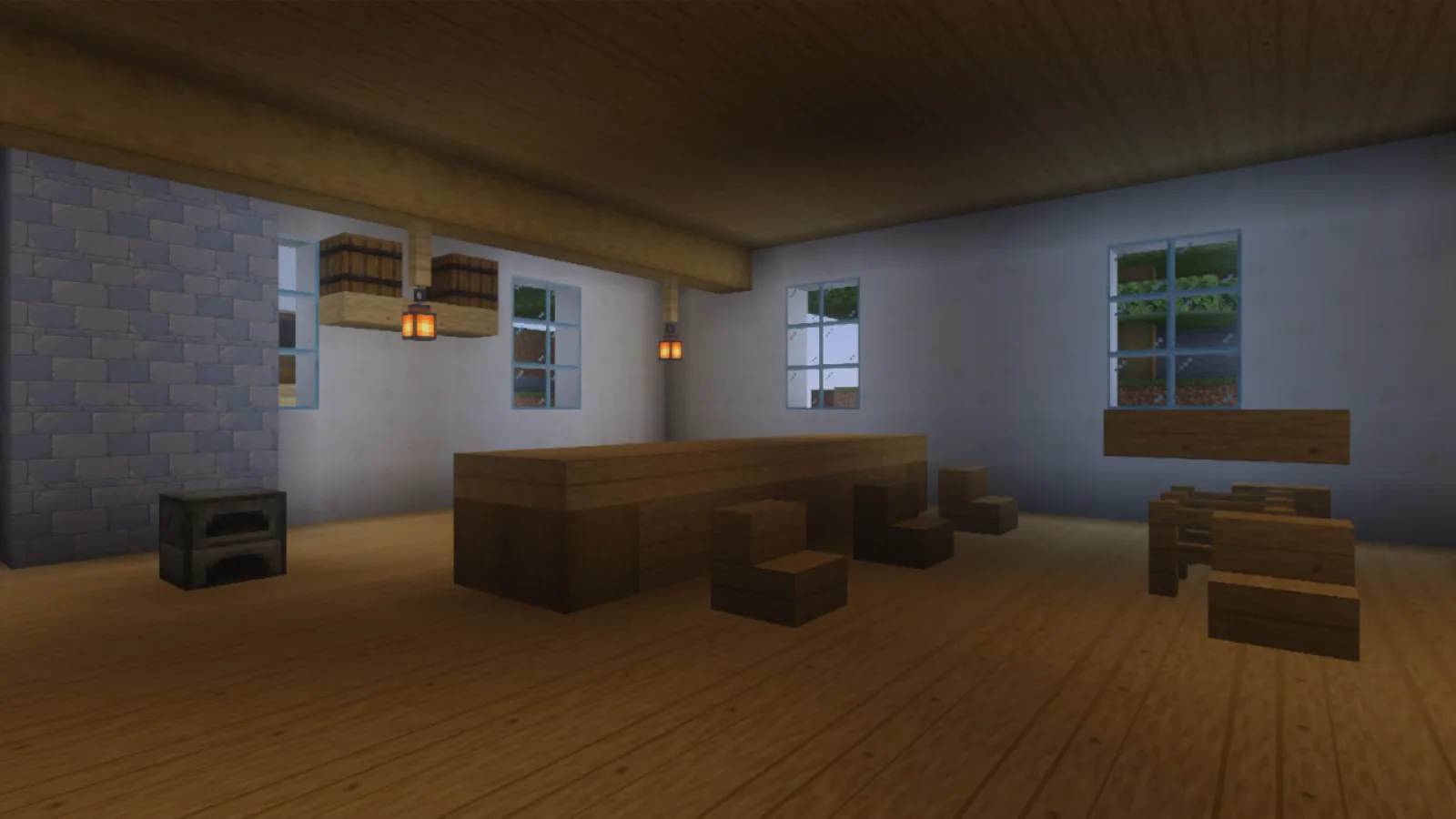
The oak floor leads past the timber counter and stools; white plaster and a stone-brick chimney separate the walls.
On Windows, open the downloaded .mcpack file with Minecraft. If Minecraft opens but the pack does not appear, return to the main menu and open a copy of the file as a ZIP archive. Extract it into its own Seabreeze Masonry folder inside %appdata%\Minecraft Bedrock\users\shared\games\com.mojang\development_resource_packs. Keep manifest.json and textures directly inside that pack folder, without an extra nested folder. Then edit your world, open Resource Packs, find Seabreeze Masonry among the available packs and activate or add it. Place it above packs that replace the same materials, then reload the world.
Comments 0
Share what worked, ask for help or reply to another player.
Use your Modonix account to join the discussion and manage your comments.
Sign in to commentNo comments yet. Share what worked for you.