Faithful 32x keeps the familiar Minecraft building palette and gives its surfaces finer detail. Oak still belongs beside stone, a timber roof still feels like a timber roof, and your existing base remains recognizable. It suits a world whose layout you already like: you can change how the materials look without redesigning every room.
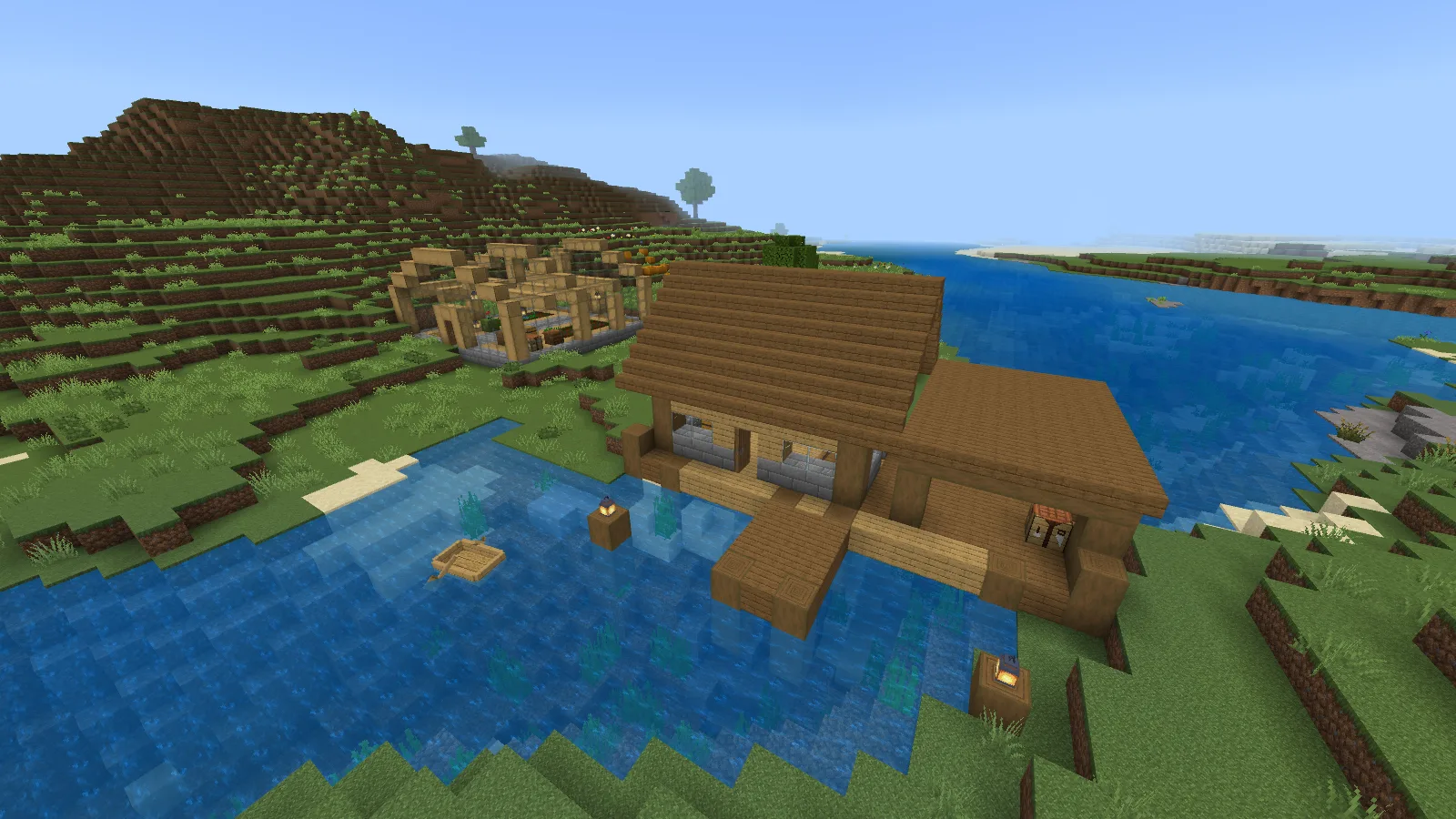
The river warehouse with Faithful 32x, in Bedrock 26.52 Fancy mode.
Look at a building you already use
A storehouse is a useful first stop. Stand far enough away to see the roof, entrance and foundation together, then walk onto the pier or up to the door. From a distance, judge the whole palette. Up close, look at the plank grain, log ends and stone-brick joints.
The two pier views below keep the same building and viewpoint. The warm wood and gray foundation still do the same job, while Faithful puts smaller details into those surfaces. You do not need to add more block types to take advantage of it. A clear timber frame, one main wall material and a stone base give the textures room to show.
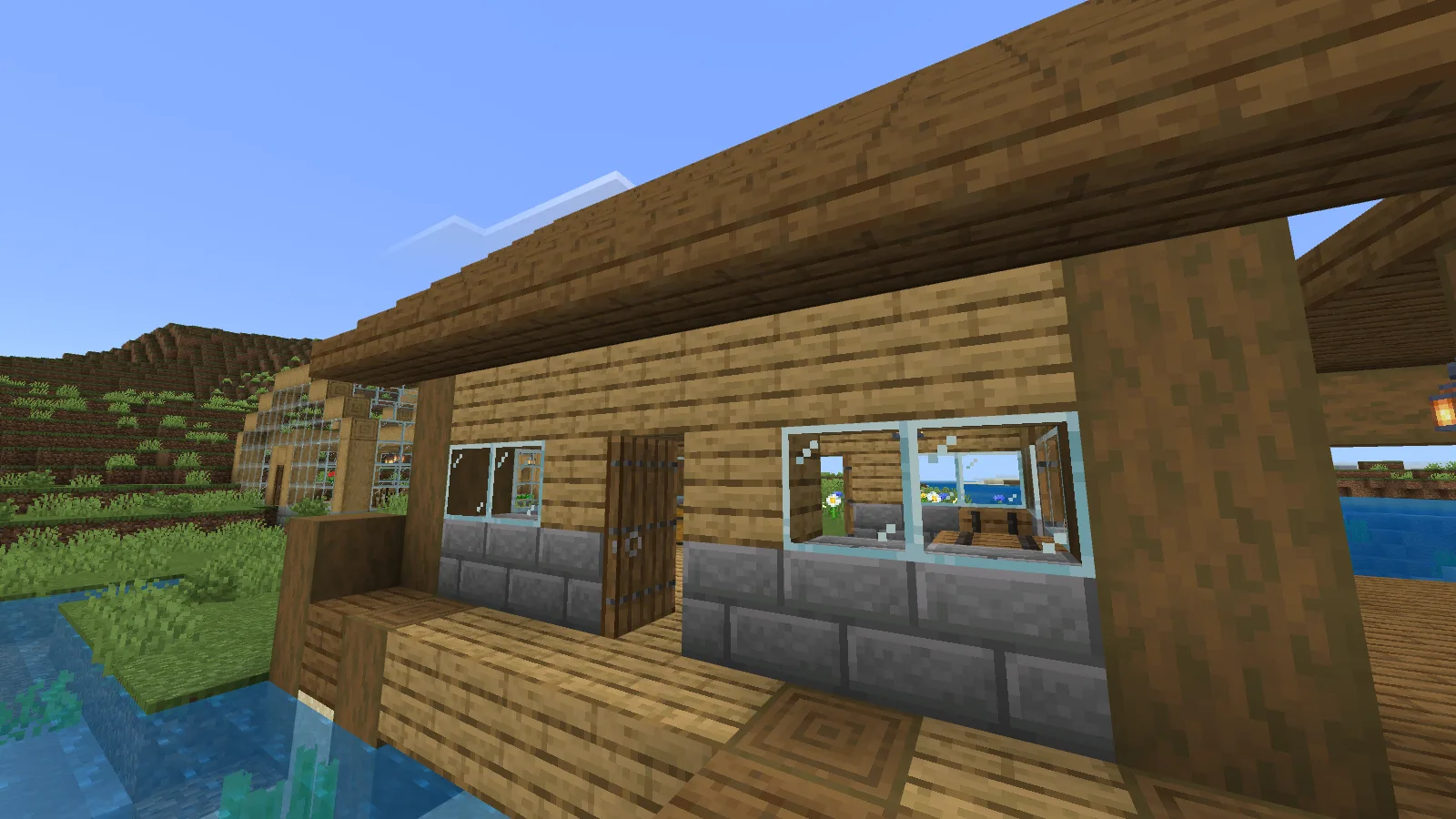
Default Minecraft textures on the pier entrance: wood, stone bricks and glass.
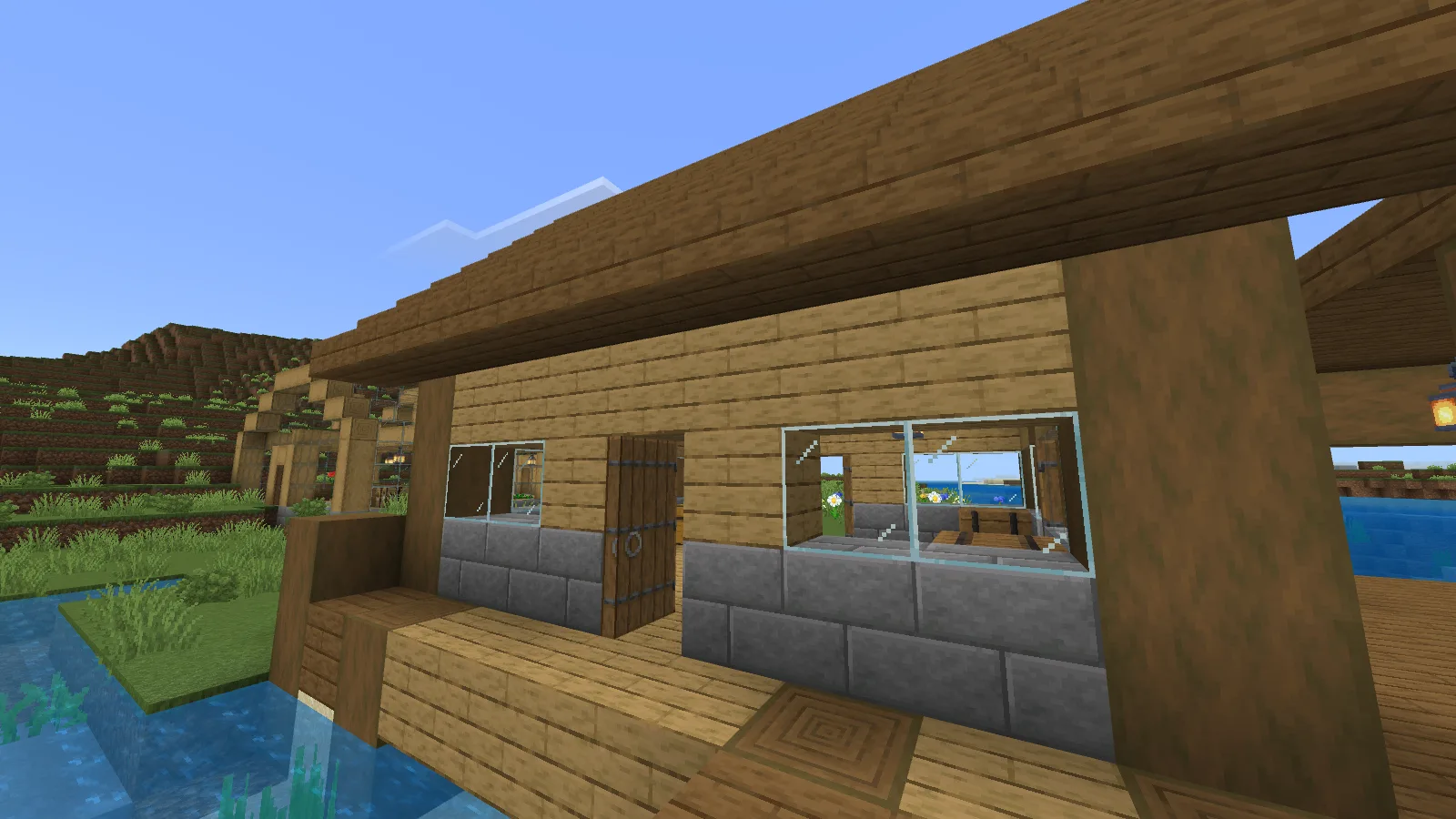
Faithful 32x from the matching pier viewpoint, with finer plank grain and glass lines.
For a small renovation, try a deeper window recess, a roof overhang or a different direction for exposed log ends. Make one change at a time and step back before continuing. Texture detail is most useful when you can still understand the building's shape at ordinary walking distance.
Check glass and floors from inside
The greenhouse gives a closer comparison. Look along the stone-brick aisle, across the wooden border and up at the glass lines. Faithful's finer surface pattern is especially easy to see where these materials meet. The frame, walkway and doorway remain familiar.
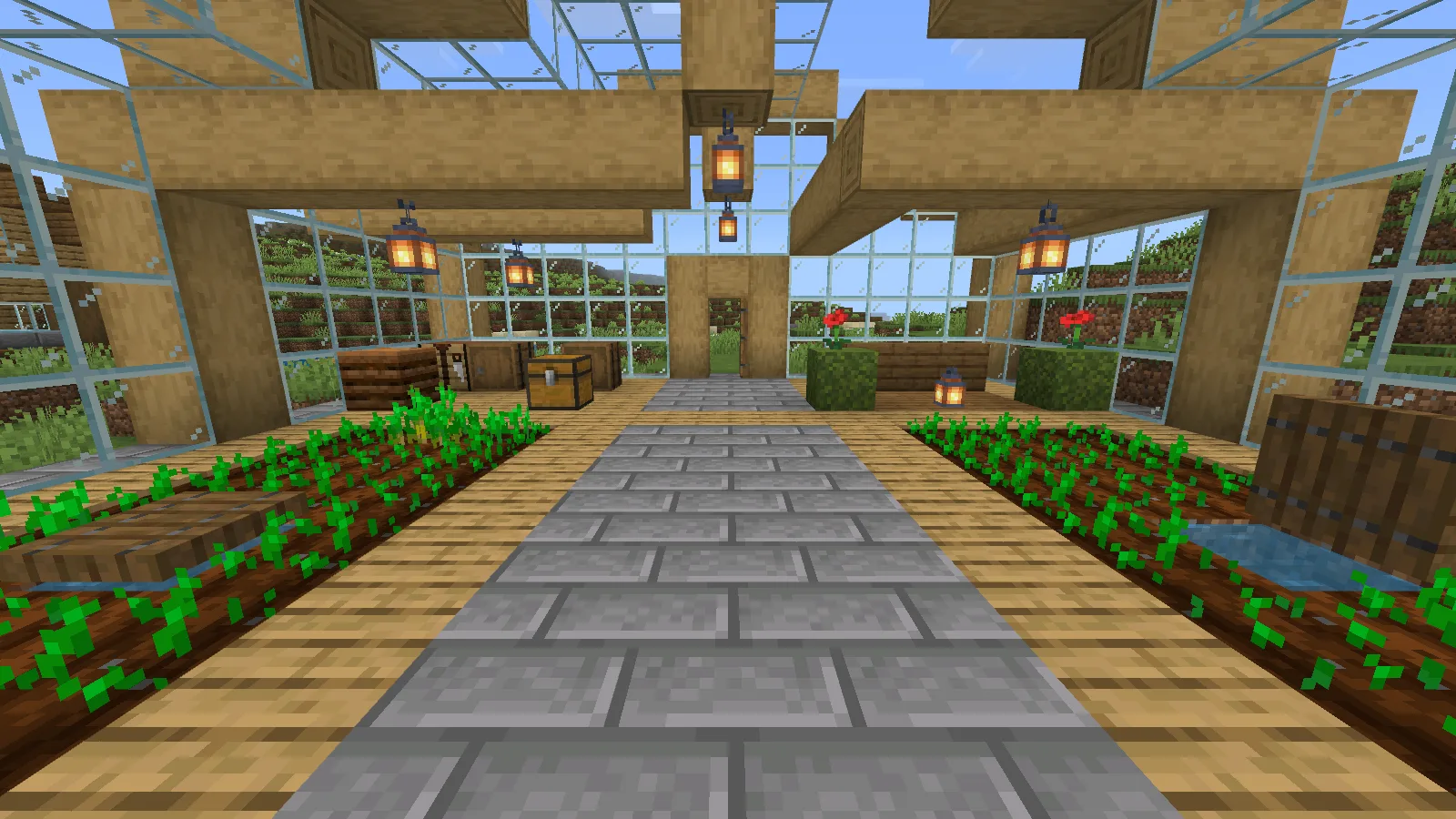
Default textures: compare the stone-brick aisle, timber frame and glass lines.
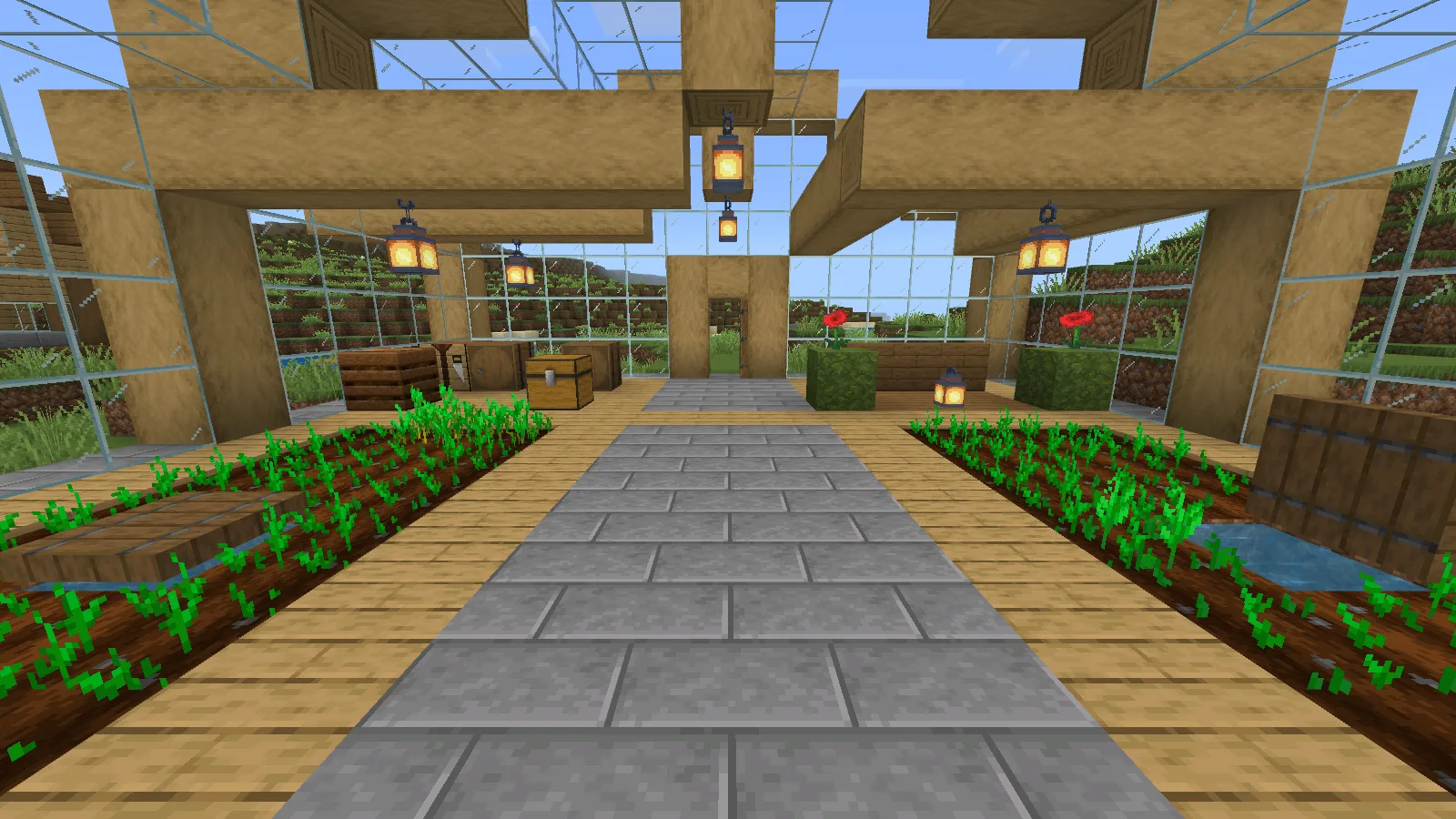
Faithful 32x from the matching aisle viewpoint; focus on the floor, wood and glass.
Use that idea in your own workshop or garden room. Keep a clear walking strip through the center, use wood to frame the planting or storage area, and leave a view through the windows. Before committing to a large glass wall, look through a small section toward both a bright sky and a darker hillside.
For your own off/on comparison, return to the same place and keep the graphics mode, field of view and time of day unchanged. Focus on solid surfaces and glass edges; moving water and growing plants will not stay still for a screenshot.
Install it for one world
Download the Bedrock September 2026 Hotfix MCPACK from this page's Files section. Save your game, close Minecraft normally, then open the downloaded file with Minecraft for Windows. If Windows asks which app to use, choose Minecraft. The Worlds screen's Import button is for worlds; use the pack file itself for this step.
Once Minecraft has opened, go to Worlds and edit the world you want to use. Open Resource Packs, find Faithful 32x among the available packs and activate it for that world. Confirm that Faithful appears under Active, then use Back to return to Worlds before opening the save.
Start with Faithful as the only additional resource pack for that world. You do not need a behavior pack or Beta APIs for it. The pack can be installed without being active in a particular save, so check the world's Active list if its blocks still look unchanged.
Open a storage chest before settling on your setup, too. Look at the item icons, stack counts and container name at the interface size you normally use. These are details you will read far more often than a distant landscape.
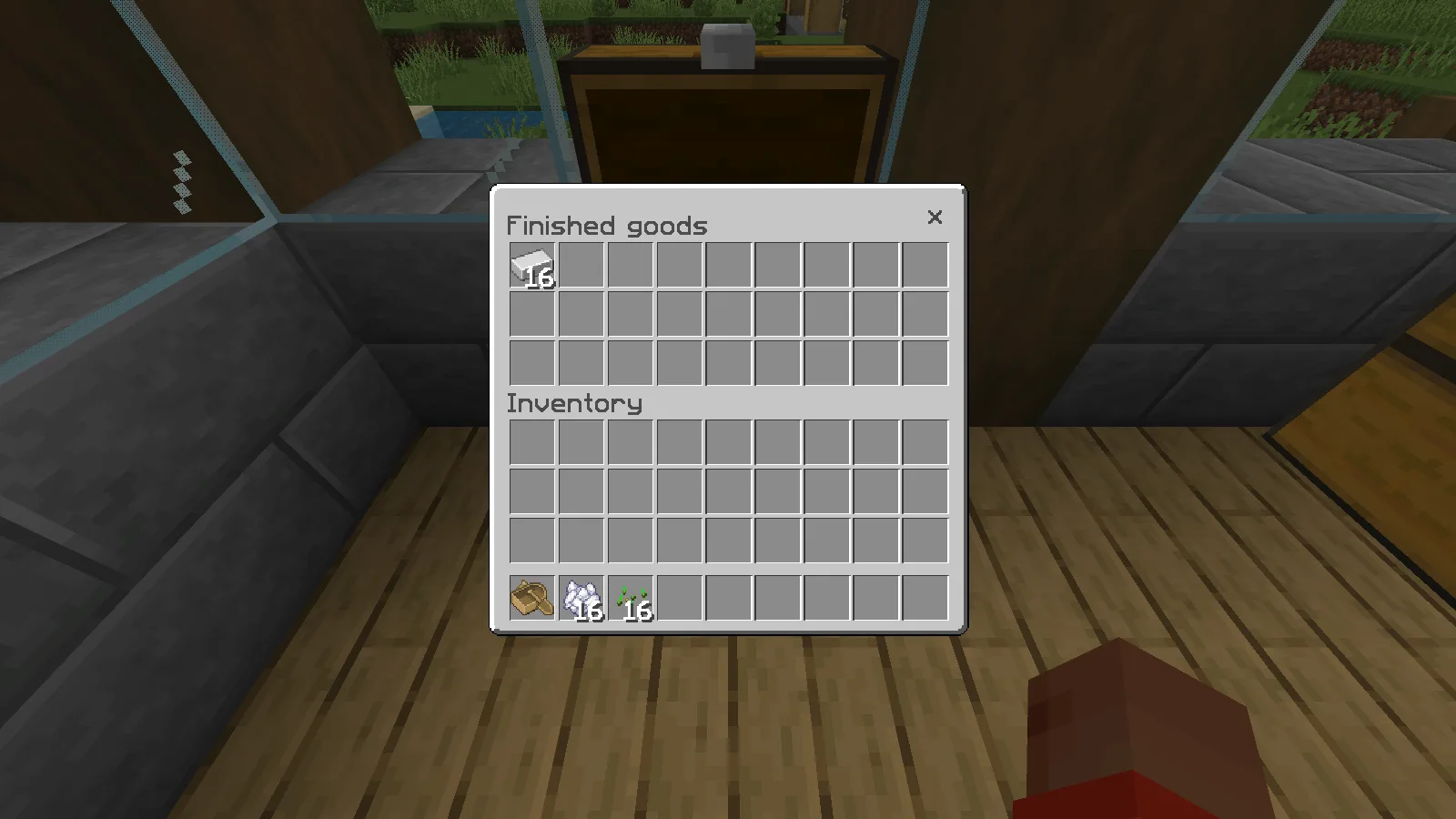
The Finished goods chest with Faithful active; the stored stack contains 16 iron ingots.
The examples here use Minecraft for Windows Bedrock 26.52 in Fancy graphics mode. Keep the same mode while deciding whether this texture style suits your build.
Source and credit
Faithful 32x textures are by Vattic & Faithful Team. Faithful's official website is the project home. The selected download is the unmodified September 2026 Bedrock Hotfix, distributed under the Faithful License, version 4.
Comments & questions
Share what worked, ask for help or reply to another player.
No comments yet. Share what worked for you.