CheapDesign makes the grass around a build hard to ignore. In our river scene, the banks and hillside become a vivid green with strong, noisy patterns, while the timber warehouse stays familiar. The pack's deliberately rough style can change the feeling of the landscape around a house more than the house itself.
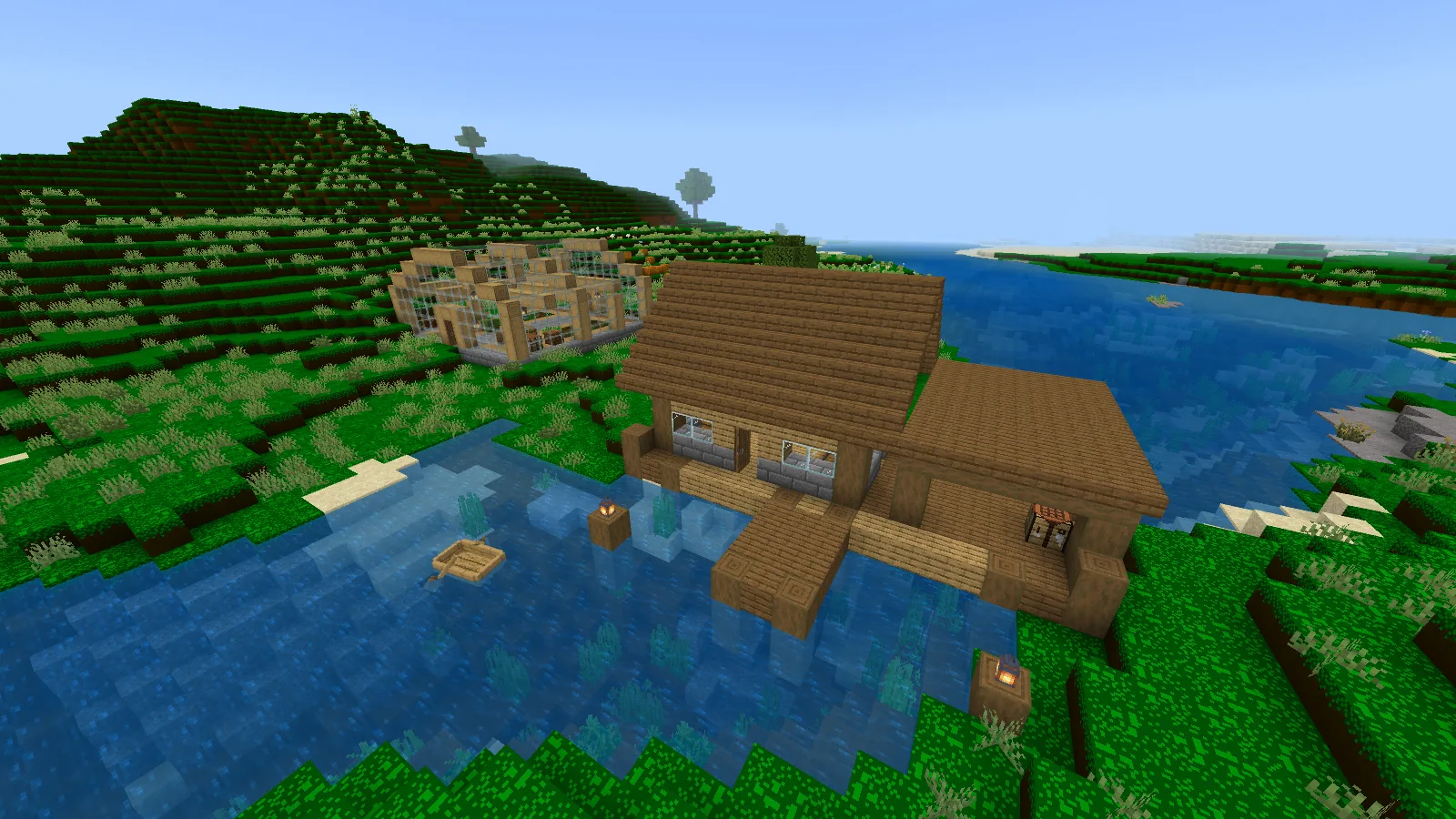
CheapDesign around the river warehouse: vivid grass surrounds a familiar timber building.
Decide whether you like the whole scene
Walk back from your base until you can see it against a field or slope. Judge the green across that larger area, then step inside and look out through a window. In the greenhouse, the wood, glass and stone-brick aisle remain familiar while the saturated terrain shows through the walls.
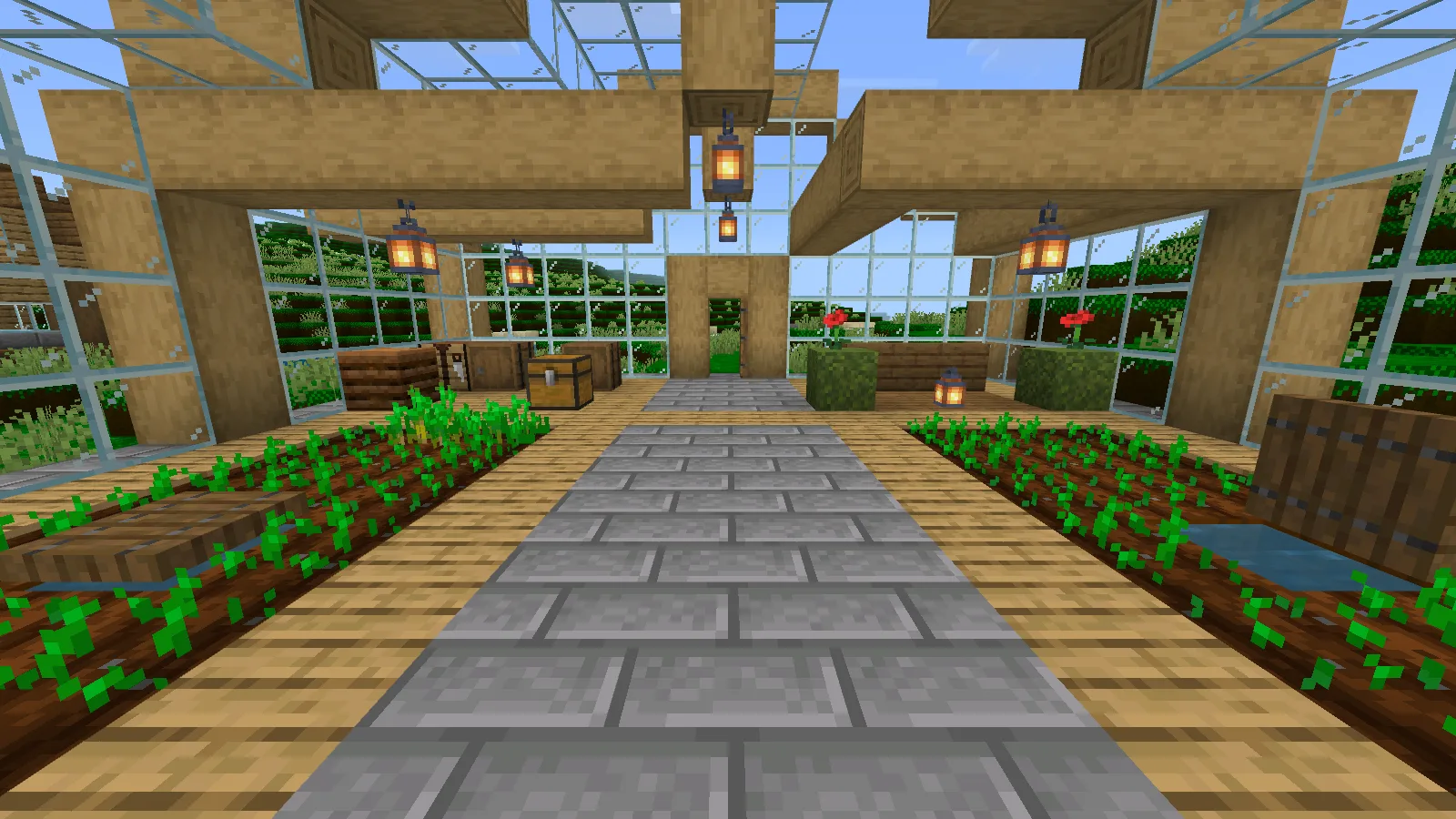
The greenhouse keeps its familiar wood, glass and stone-brick aisle, with saturated green outside.
That uneven mixture can suit a playful mining camp, bargain equipment stall or scrappy repair shop. Before choosing it for a large scenic build, compare a view you care about. A small tool icon will not tell you whether you want bright patterned grass across an entire valley.
This is a partial texture pack. Its artwork includes grass, dirt, cobblestone, ores, raw-metal blocks, metal and gem blocks, many tools and several redstone parts. You can keep a clear building outline and simple paths while letting a few changed materials supply the visual joke.
Learn the new material colors
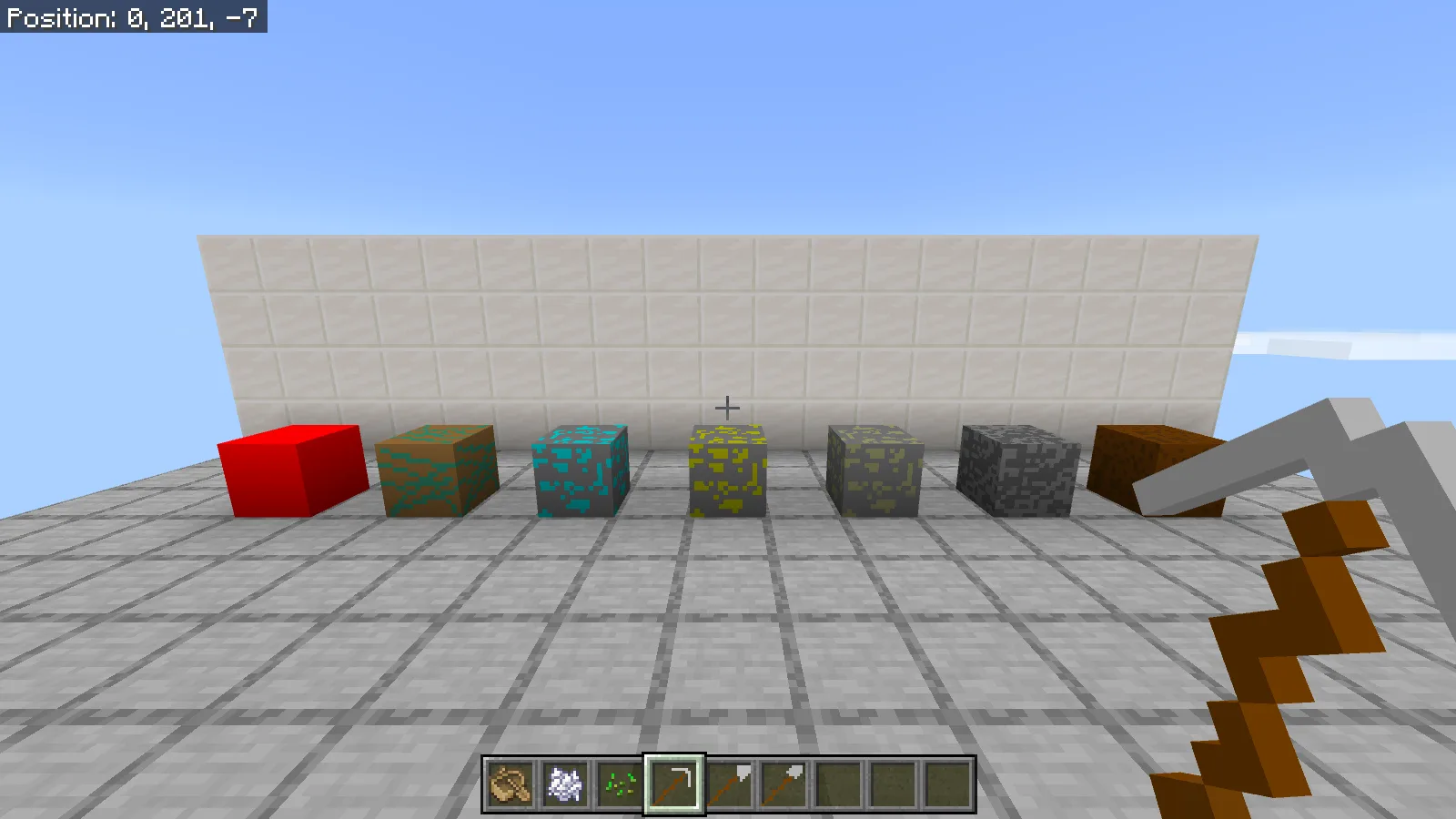
The two rows below use the same seven materials. From left to right, they are a redstone block, raw copper block, diamond ore, gold ore, iron ore, cobblestone and dirt.
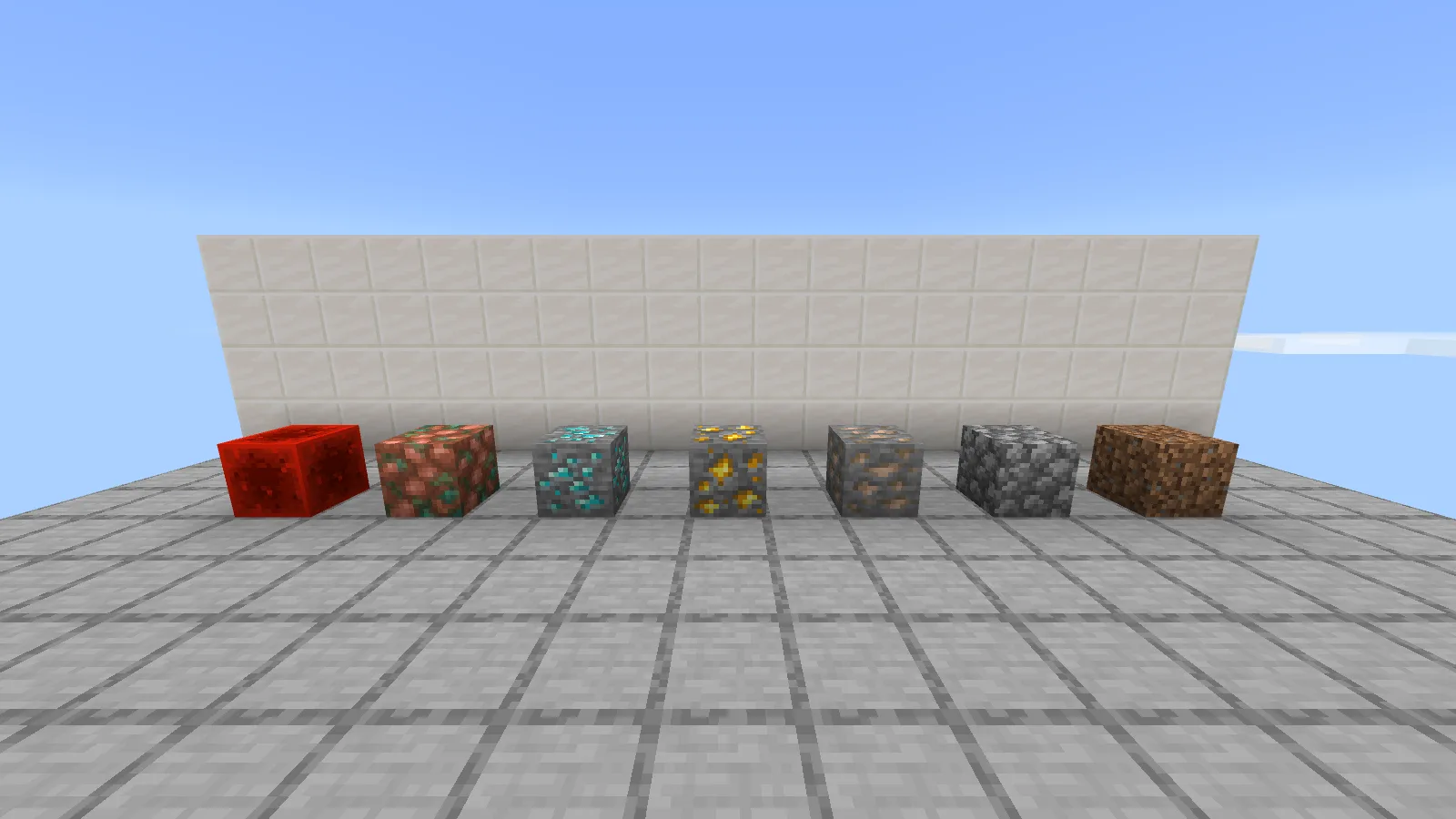
Default textures: redstone block, raw copper, diamond ore, gold ore, iron ore, cobblestone and dirt, from left to right.
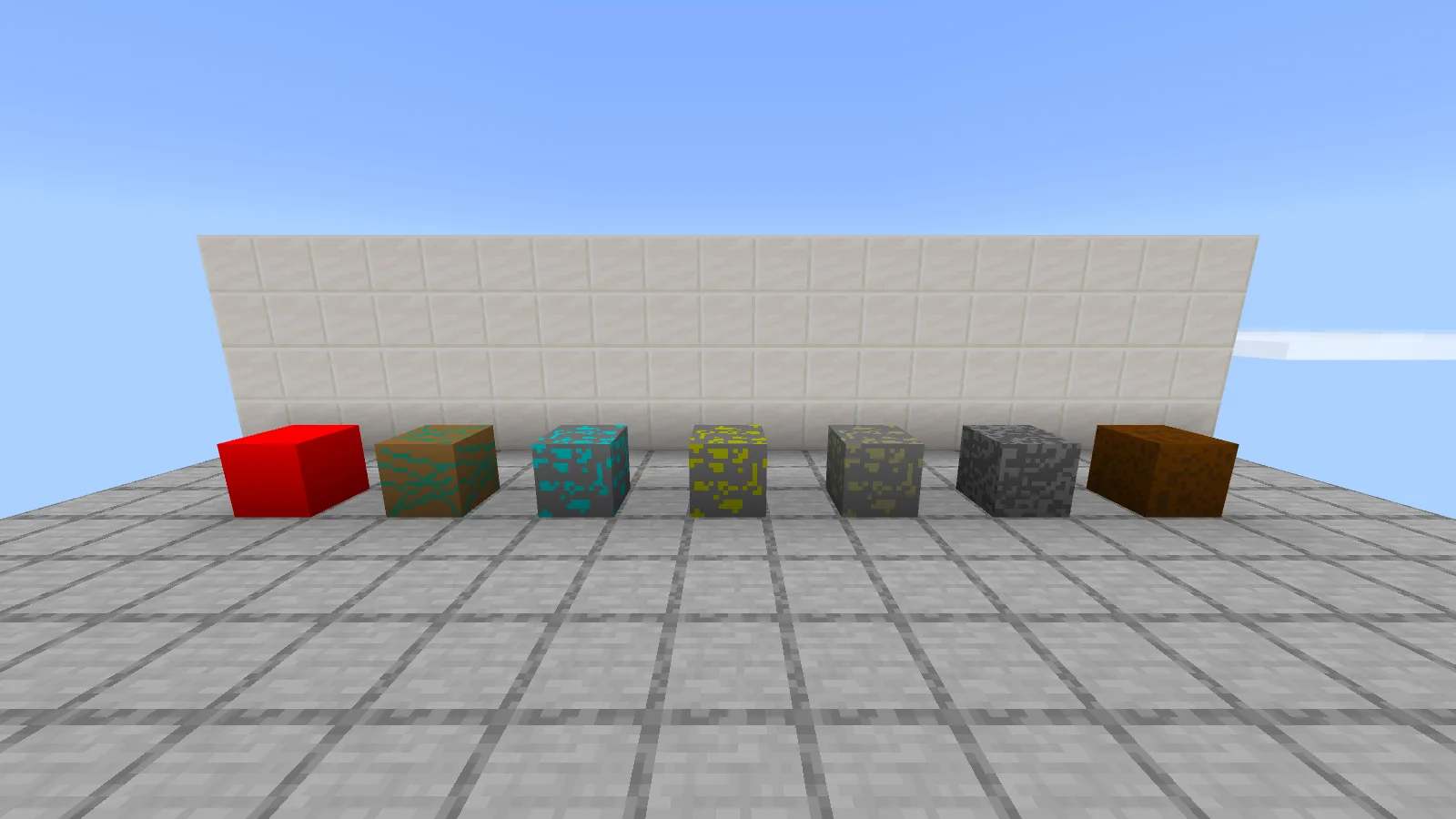
The matching seven-material row with CheapDesign; compare the ore colors at your normal viewing distance.
CheapDesign makes the redstone block almost flat red. Raw copper uses rough orange and green patches; diamond ore has cyan marks. Gold ore is bright yellow, while iron ore looks duller and more yellow-green. Cobblestone and dirt take on darker, rougher patterns.
Before taking the pack into a mining session, look at iron and gold ore together at your normal playing distance. Move back from the samples and decide whether their colors and patterns are easy for you to tell apart. The art changes your visual cues; it does not change which material the block contains.
For a little workshop display, put the samples beside a chest or counter instead of covering every wall in ore. A plain surrounding surface makes the differences easier to inspect. When comparing with the default pack, keep the viewpoint, lighting mode and time of day unchanged.
Check the tools in your hand
The selected iron pickaxe has a large, flat gray head and a brown handle. The hotbar beside it holds the ordinary iron axe and shovel, so you can judge how their small icons read together.
The iron pickaxe is selected; iron axe and shovel icons sit beside it in the hotbar.
Try an unenchanted set first so a glint does not cover the drawing. Select each tool and read its normal item name while getting used to the appearance. These are textures for existing equipment; you still use the usual items and recipes.
Install the Bedrock pack
Download CheapDesign-1.21.11-0.0.001.mcpack from this page's Files section. Save your game, close Minecraft normally, and open that file with Minecraft for Windows. Use the downloaded pack file itself; the Worlds screen's Import button is for world files.
After Minecraft opens, edit your chosen world from Worlds and open Resource Packs. Select CheapDesign, activate it and confirm it appears under Active. Use Back to return to Worlds before opening the save. Start with CheapDesign as the only additional resource pack. It does not need a behavior pack or Beta APIs.
The images here use Minecraft for Windows Bedrock 26.52 in Fancy graphics mode.
Author and license
CheapDesign is by deutschich. The download preserves the author's original Bedrock package. The artwork is licensed under Creative Commons Attribution-ShareAlike 4.0; credit the creator and retain those terms when sharing adaptations.
Comments & questions
Share what worked, ask for help or reply to another player.
No comments yet. Share what worked for you.