CubeCraft appears in Bedrock’s built-in server list. You can read its description and browse the advertised activities without creating a world, installing a server program or downloading a map.
Find CubeCraft in the Servers tab
Use the normal release of Minecraft Bedrock, signed in to your Microsoft account. CubeCraft’s FAQ directs players to the latest non-Beta release, rather than Minecraft Preview or a Beta build.
In Windows Bedrock 26.52, the route shown below is:
- Open Minecraft and select Play.
- Switch to the Servers tab.
- Scroll down the left-hand list, past Featured experiences, to Creator experiences.
- Select CubeCraft to open its description and activities.
- When you want to connect, use the green PLAY button on the right.
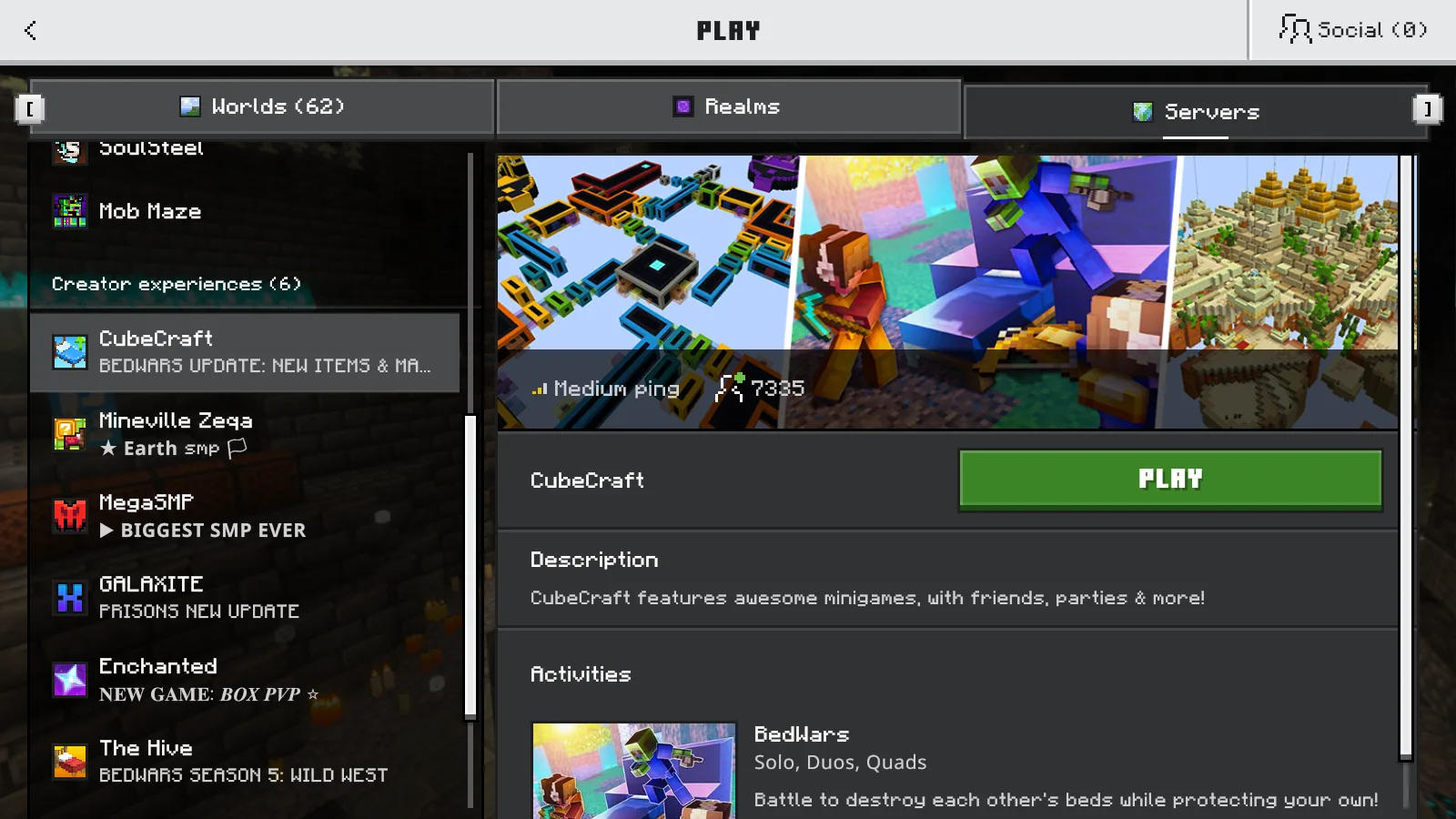
CubeCraft selected under Creator experiences in Bedrock 26.52, before joining.
Category names and button labels can differ between Bedrock versions. Older instructions may call this a featured server and label the button Join Server. In the 26.52 screen pictured here, look under Creator experiences and use PLAY.
Java’s Multiplayer → Add Server route belongs to the other edition. For these Bedrock steps, use the built-in entry rather than copying a Java address into a different menu.
Read the activities before choosing
Scroll the right-hand panel to Activities. Our connection-screen capture lists:
- BedWars — Solo, Duos, Quads: advertised as attacking other teams’ beds while defending your own.
- Skyblock — Solo & Co-op: advertised as exploring islands, completing quests and expanding your island.
The listings give you a useful first choice: a competitive objective or an island to develop alone or with friends.
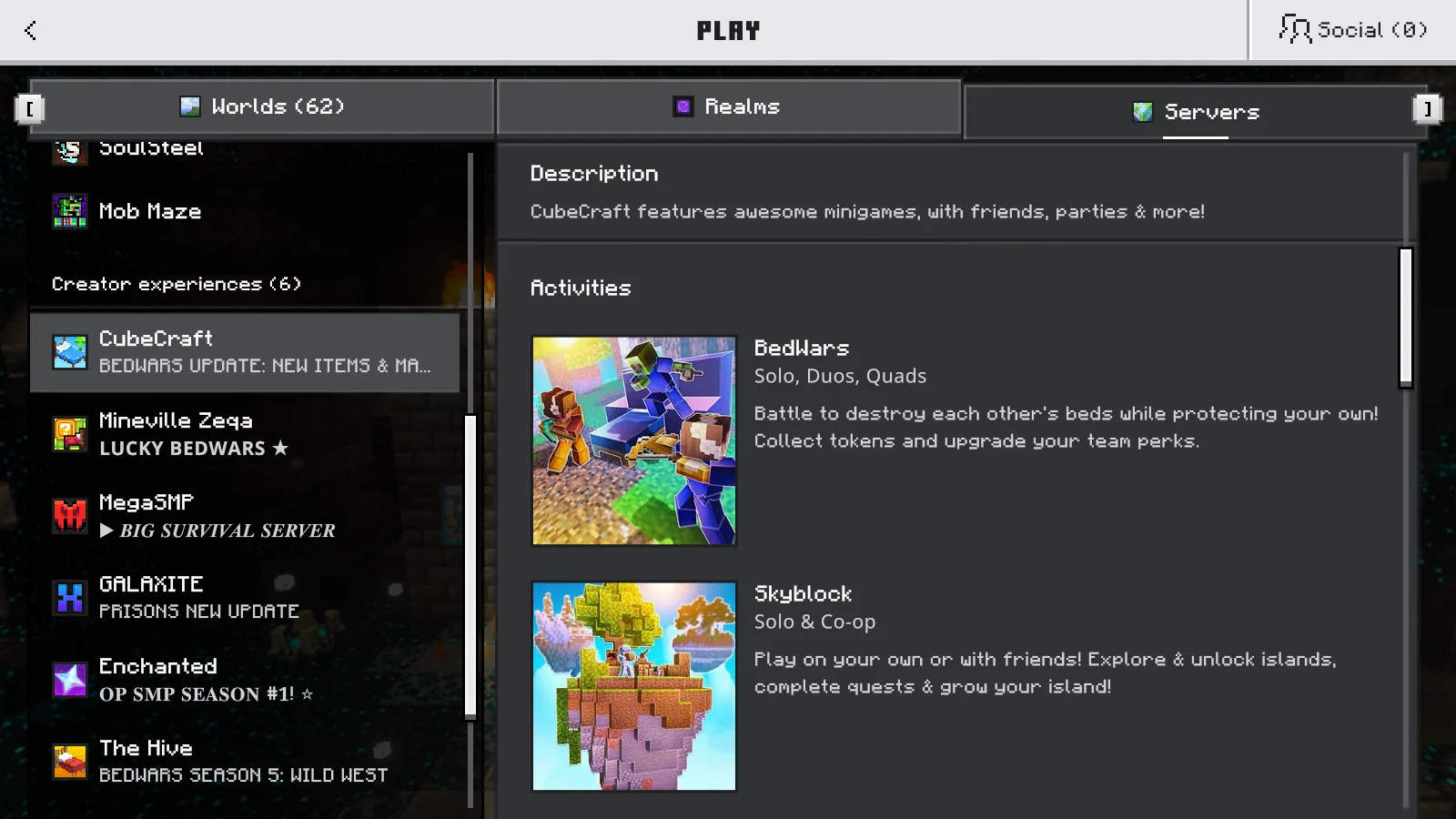
The server entry lists BedWars and Skyblock activities; these are listings before joining.
If you plan to play together, agree on the mode and check its available team size before queuing. CubeCraft’s own guide points you to a controller-shaped hotbar item and game portals after joining.
Use ordinary controls. CubeCraft prohibits macros, autoclickers and key-mapping tools, so leave automated input helpers off when playing there.
Match a connection message to the next step
For Outdated Client, check your device’s store for an update to the normal Bedrock app. Outdated Server can mean that Minecraft has updated ahead of the network; try again after the server catches up. Adding another copy of the entry will not change its supported version.
If the message says maintenance, wait and try later. For other failures, keep the exact error wording, your device and your game version together. That makes an account or connection problem easier to distinguish from a version mismatch.
Join the server
Bedrock Edition
Address: mco.cubecraft.net · Port: 19132
Accepted versions: Not listed
Check the server entry in Minecraft for current availability.
Comments & questions
Share what worked, ask for help or reply to another player.
No comments yet. Share what worked for you.