
A building team needs recognizable roles and a manageable set of commands. RankSystem lets you define those roles once, inherit a shared base and assign ranks to individual users. A builder can have a useful identity without receiving every operator command.
Compatibility: RankSystem 1.2.2 · PocketMine-MP 5.44.3 · plugin API 5.36.0 · Bedrock client target 26.30. A 26.52 client does not match this server release. Install this PHAR on PocketMine, not in Bedrock Resource Packs or Behavior Packs.
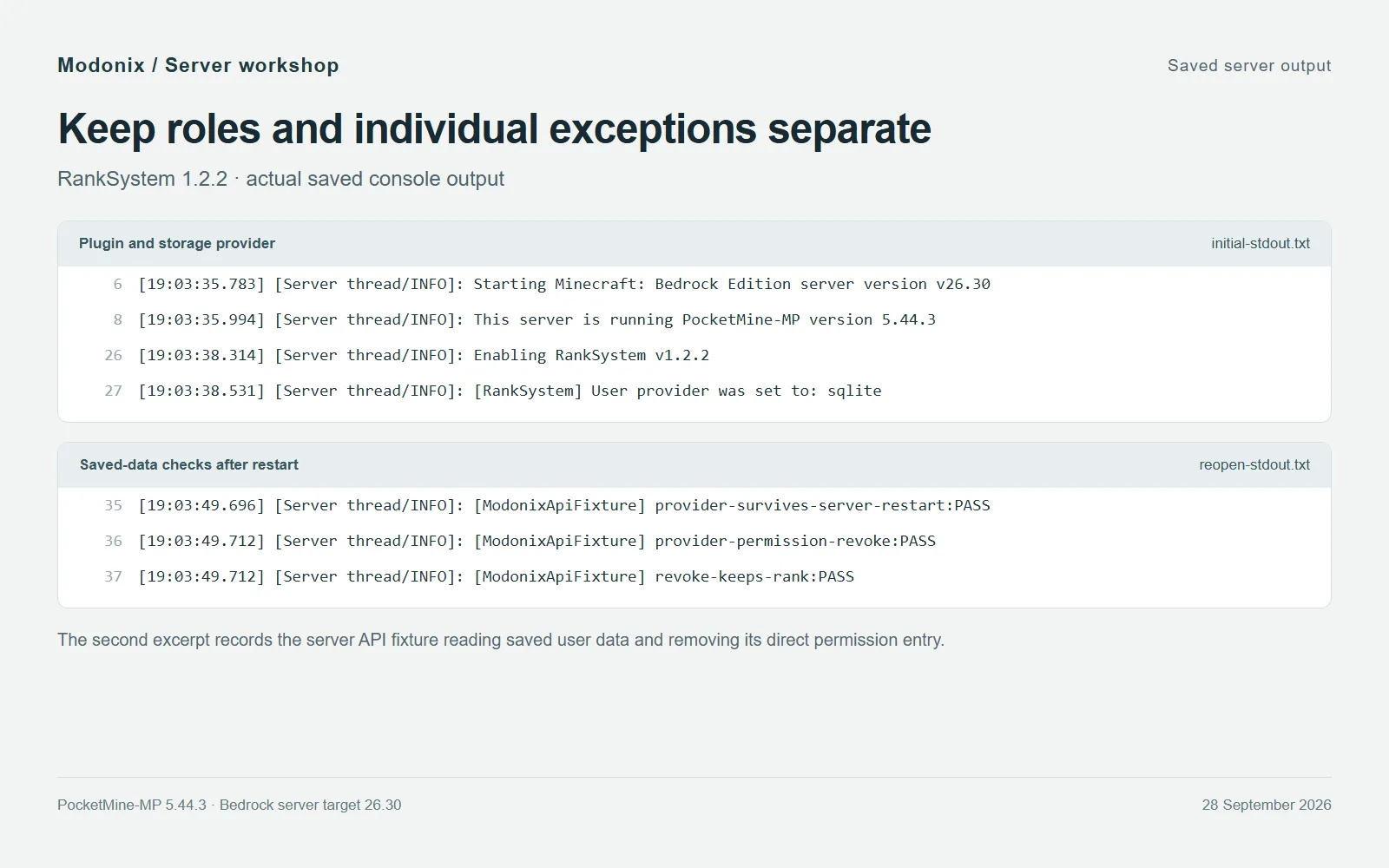
Saved server output: RankSystem 1.2.2 uses SQLite, and the later session retains the stored rank while removing a direct permission entry.
Install and locate the settings
Enter stop in the server console and wait for PocketMine to shut down. Back up its data, then place RankSystem.phar inside the server's plugins directory. A hosted server may use a custom plugins path; use the one configured for that server. Keep only one RankSystem PHAR in that directory and move any older version to your backup.
Start the server normally. Look for Enabling RankSystem v1.2.2; the generated settings live in plugin_data/RankSystem. This example uses the plugin's SQLite provider, so it needs no separate database account. Stop the server again before editing YAML. Keep both the configuration files and the database when backing up: ranks describe the roles, while the database stores users' assignments.
Give the role a clear purpose
Open ranks.yml and add a new top-level entry alongside the existing ranks, before the final ... if present. Use spaces for indentation. The following example is for a server that also has MultiWorld installed:
Builder:
  nametag:
    prefix: '[Builder] '
    nameColor: ''
  chat:
    prefix: '[Builder] '
    nameColor: ''
    chatFormat: ': '
  permissions:
    - multiworld.command
    - multiworld.command.list
  inheritance:
    - Guest
The role inherits Guest and adds the two MultiWorld nodes used for its world list. It omits world creation and deletion permissions. Without MultiWorld, start with permissions: [], then add real nodes from the plugins your team uses. A permission name describes access to an existing feature; inventing a name does not create that feature.
In config.yml, keep Default_Rank: Guest. Add Builder between Admin and Guest in the existing Hierarchy list. This order controls rank priority for presentation; the inheritance list in ranks.yml controls which rank definitions are inherited. Leave unrelated settings alone, save the files and start the server cleanly.
Assign, inspect and remove a rank
Run these in the console without /, replacing Alex with the intended account name:
ranks list
ranks rankinfo Builder
ranks setrank Alex Builder
ranks userinfo Alex
Inspect the role first, then the user's assignments. setrank adds a rank: RankSystem allows multiple ranks, so it does not silently replace every existing one. To remove this particular assignment, use ranks removerank Alex Builder.
For in-game administration, add / and use an account with the corresponding management permission. For example, rank assignment requires ranksystem.command.setrank. The create, edit and manage commands use in-game forms in this release; they are not console substitutes for the YAML editing route above.
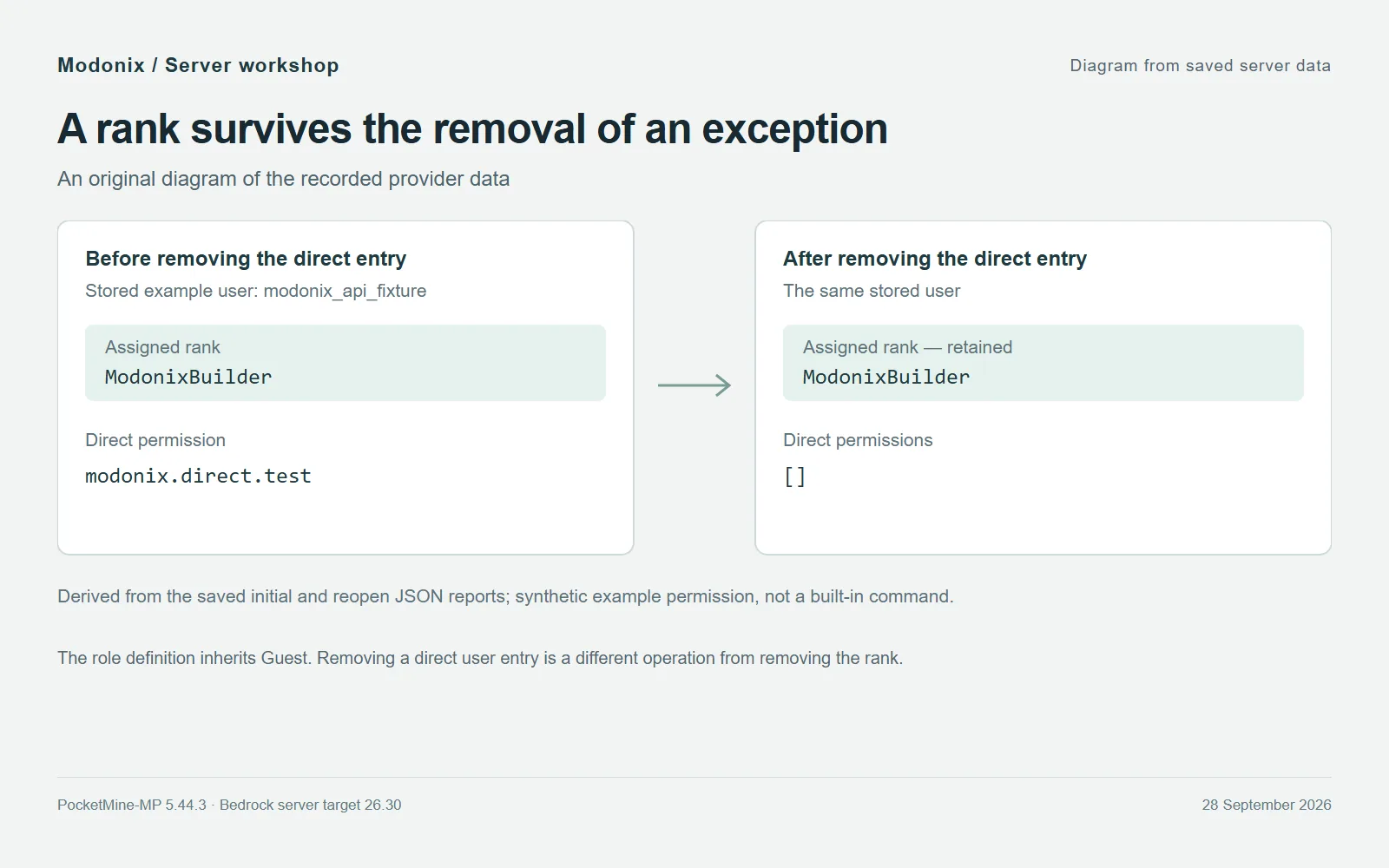
Diagram from saved server data: the example user keeps ModonixBuilder after its direct permission entry is removed.
Keep exceptions separate from roles
A direct user permission is separate from a rank. Use ranks permissions pocketmine or ranks permissions MultiWorld to inspect registered nodes. For a one-off assignment, the syntax is ranks setpermission Alex permission.node; remove that direct assignment with ranks removepermission Alex permission.node. Replace permission.node with an actual node, not that literal example.
Removing a direct entry does not erase an inherited copy of the same permission. Check the user's other ranks and the global permission list before deciding where access comes from. Prefer shared role definitions for recurring responsibilities, and reserve individual entries for clear exceptions. The stored example shown above follows this distinction: its direct entry is removed while its builder-rank assignment remains.
After an update, check startup and inspect the saved rank definitions before changing several settings at once. Keep a dated copy of ranks.yml, config.yml and the configured SQLite database while the server is stopped, so the team structure and its assignments can be restored together.
Comments & questions
Share what worked, ask for help or reply to another player.
No comments yet. Share what worked for you.