
DevTools turns an editable PocketMine plugin folder into a PHAR you can move to another server. This walkthrough builds a tiny workshop command, packages it, and checks that the command still works on a clean server containing only the finished PHAR.
The setup was checked on 29 September 2026 using DevTools 1.17.2, PocketMine-MP 5.44.3 and PHP 8.3.29 ZTS on Windows. All commands below run in the server console, without a leading slash. No Minecraft client is needed for this exercise.
Start with the matching server and DevTools file
Start with a working PocketMine-MP 5.44.3 server in a separate development folder, using its supported PHP runtime and extensions.
Stop that server, place DevTools 1.17.2 in its plugins folder as DevTools.phar, then start it again. Enter:
plugins
genplugin CanvasWorkshop Modonix
The first command should list DevTools v1.17.2. The second creates plugins/CanvasWorkshop/plugin.yml and plugins/CanvasWorkshop/src/Main.php. Use the names shown here when copying the example code below: the author name also becomes part of the PHP namespace.
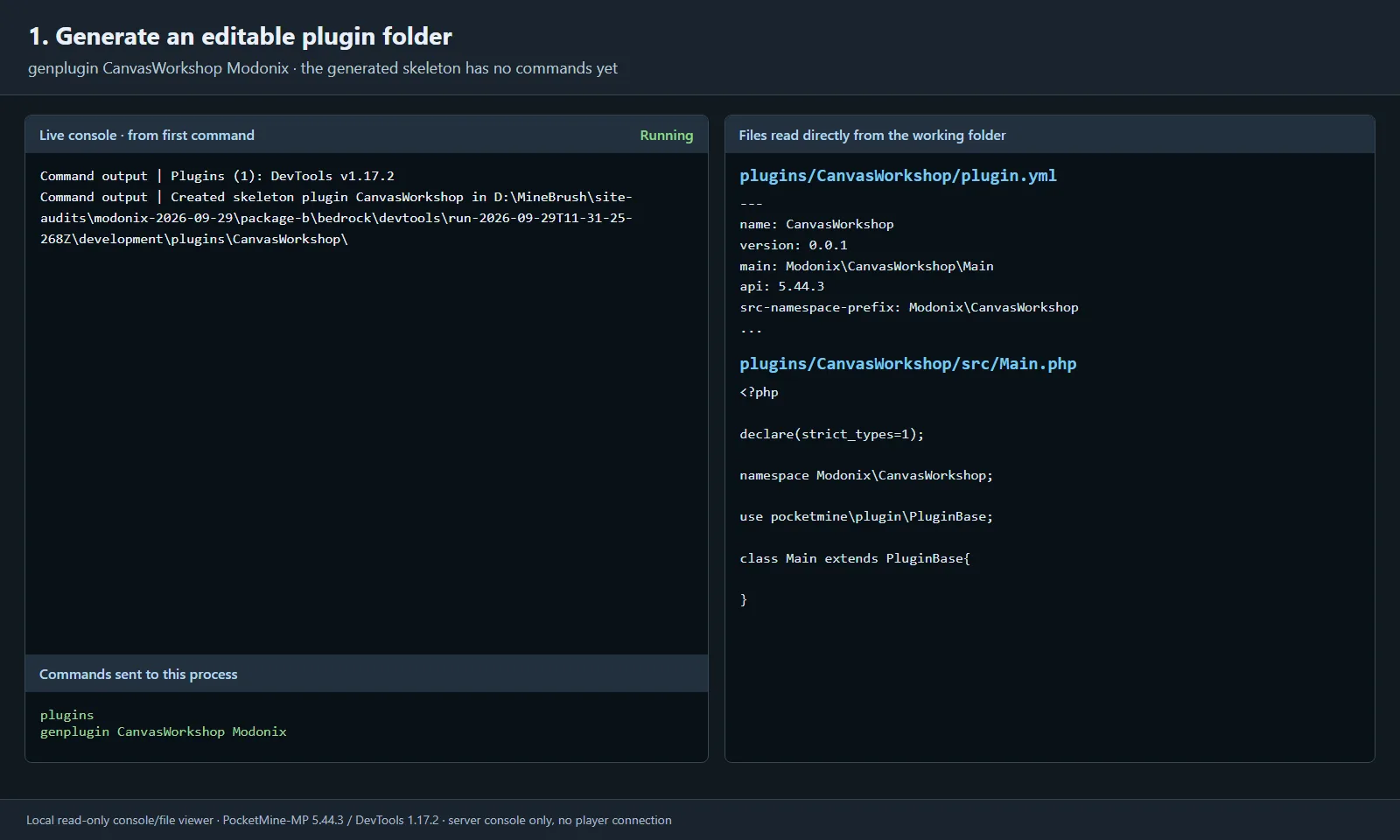
The generated folder is the editable project. These images show our read-only viewer of a running server's output and real files; PocketMine itself has no interface like this viewer.
Creating the folder does not immediately load the new plugin. Stop the server before editing these files, then restart it after the changes.
Give the example one command you can test
Replace plugins/CanvasWorkshop/plugin.yml with:
name: CanvasWorkshop
version: 0.0.1
main: Modonix\CanvasWorkshop\Main
api: 5.44.3
src-namespace-prefix: Modonix\CanvasWorkshop
commands:
  workshop:
    description: Check the workshop plugin
    permission: canvasworkshop.command.workshop
permissions:
  canvasworkshop.command.workshop:
    default: op
The generator wrote api: 5.44.3 from the running server, and this example keeps it. DevTools itself declares API 5.0.0. These are separate minimum-server requirements: changing the number in your plugin does not update its code for an older API.
Replace plugins/CanvasWorkshop/src/Main.php with:
<?php
declare(strict_types=1);

namespace Modonix\CanvasWorkshop;

use pocketmine\command\Command;
use pocketmine\command\CommandSender;
use pocketmine\plugin\PluginBase;

class Main extends PluginBase{
    public function onCommand(CommandSender $sender, Command $command, string $label, array $args): bool{
        if($command->getName() !== "workshop"){
            return false;
        }
        $sender->sendMessage("CanvasWorkshop 0.0.1 is ready.");
        return true;
    }
}
Restart the server. DevTools enables folder-plugin loading, so plugins should now list both DevTools and CanvasWorkshop. Run workshop; the expected reply is CanvasWorkshop 0.0.1 is ready. This small response gives you a concrete result to compare before and after packaging.
The permission defaults to operators. This walkthrough checks the console path; test an ordinary player's access separately before using the command on a shared server.
Build the PHAR from the loaded folder
With CanvasWorkshop loaded, enter:
makeplugin CanvasWorkshop
In the tested setup, DevTools added the two source files and created plugin_data/DevTools/CanvasWorkshop_v0.0.1.phar. Keep the CanvasWorkshop source folder as your editable project. The PHAR is the copy you distribute.
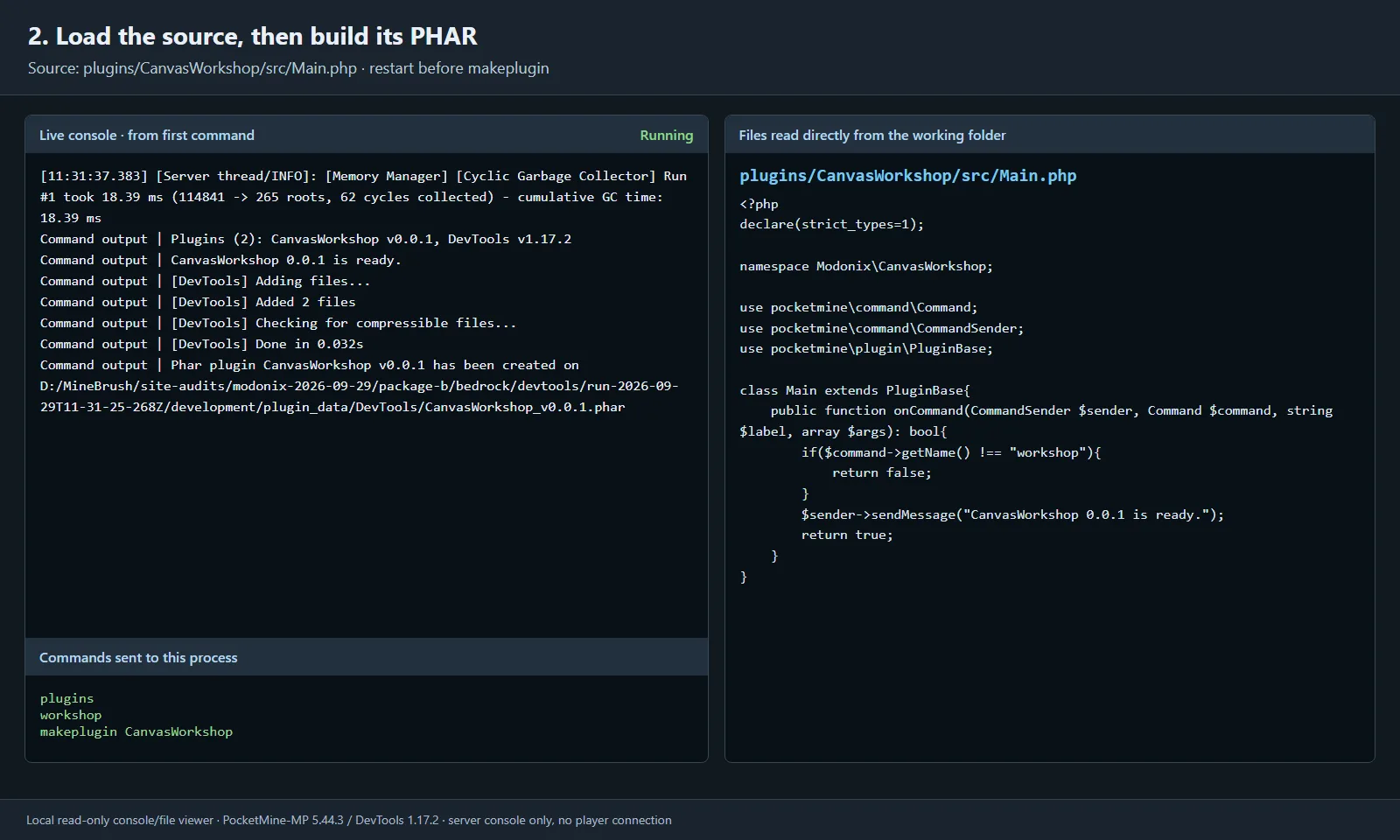
The command succeeded before packaging, and makeplugin reported the output path. The complete source remained in the development folder.
If makeplugin reports an invalid plugin name, run plugins and check that CanvasWorkshop actually loaded after the restart. For a load error, fix the first relevant console error before trying to package again. If PHP reports that PHAR creation is disabled, set phar.readonly=0 in the development server's PHP configuration and restart it.
Check the package in a clean folder
Prepare a second PocketMine-MP 5.44.3 server with the same supported PHP runtime. While it is stopped, copy the new archive into its plugins directory. We named that copy CanvasWorkshop.phar; the plugin name still comes from plugin.yml inside it.
For this check, the second server's plugin directory contains only CanvasWorkshop.phar. Keep DevTools and the editable source folder in the first server. Start the second server and run:
plugins
workshop
Our second server listed Plugins (1): CanvasWorkshop v0.0.1 and returned the same CanvasWorkshop 0.0.1 is ready. message. The PHAR's plugin.yml and src/Main.php also matched the source files exactly.
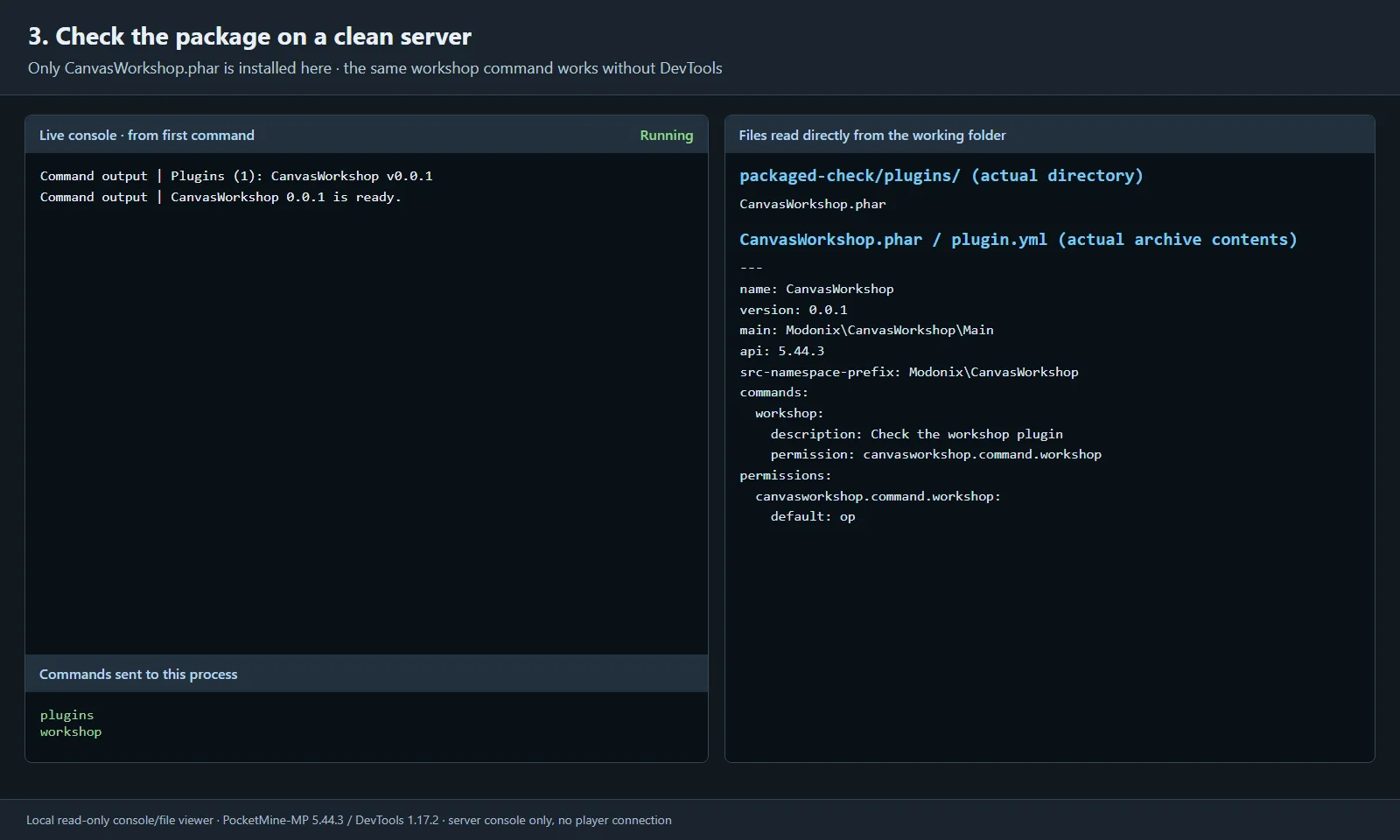
The finished plugin ran without DevTools installed. Keeping the folder and PHAR on separate servers also avoids loading two copies of the same plugin.
Keep server API and game protocol separate
The older DevTools 1.16.0 file targets PocketMine API 4; 1.17.0 and 1.17.2 target API 5. Choose the matching API in Files when maintaining an older server.
PocketMine-MP 5.44.3 targets Bedrock 26.30. Successful console loading does not establish that a newer Bedrock client can join. This exercise checked folder loading, command execution, PHAR creation and PHAR-only loading; it did not test player connections or multiplayer permissions.
The upstream PocketMine-MP repository was archived on 9 July 2026 and DevTools on 8 August 2026. Treat this as a reproducible guide to the named versions when studying or maintaining that setup.
DevTools is by the PocketMine Team and contributors. Modonix wrote the CanvasWorkshop command and ran this local packaging exercise. The original DevTools downloads retain their authorship and LGPL license notices.
Comments & questions
Share what worked, ask for help or reply to another player.
No comments yet. Share what worked for you.