
A sheep made of watermelon is a memorable place to start learning Bedrock add-ons. Microsoft’s Add-On Starter brings together custom creatures, their artwork and a little scripted zoo. It gives you several connected examples to inspect before making a creature of your own.
A button that builds something in your world
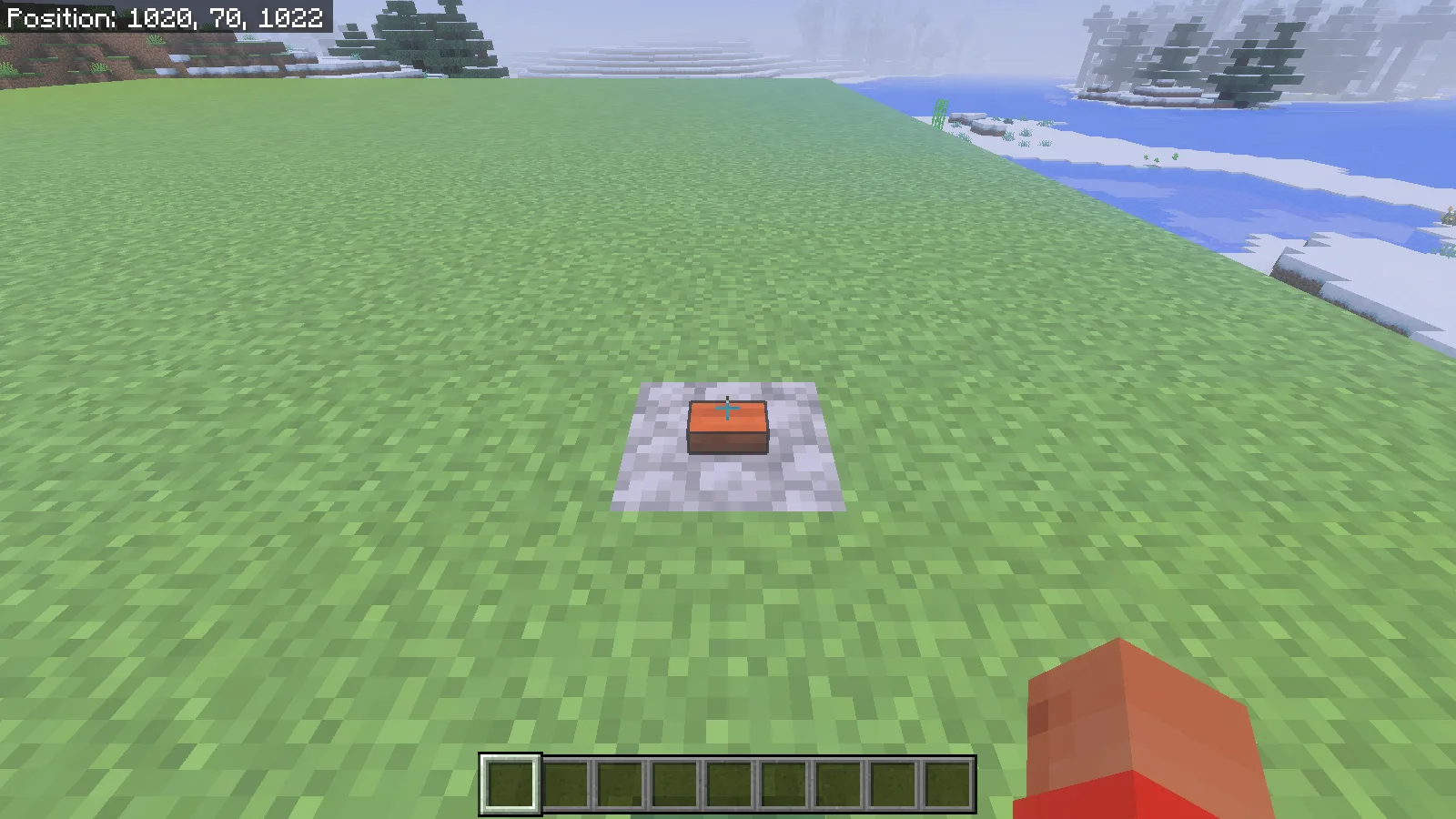
The button triggers the sample’s zoo script. We provided level ground so the result is easier to explore.
After the sample starts, chat welcomes you to the wacky zoo and gives the location of a button on cobblestone. Pressing a button triggers the sample’s script: glass walls appear near the world’s spawn, and it attempts to bring in six custom creatures.
Use a new Creative world with plenty of open, level space. The script builds around the existing landscape rather than flattening a hillside first. We made a simple grass platform for the closer pictures so the creatures would be easy to see. That platform is our demonstration area, not a map included in the source ZIP.
Keep the difficulty on Normal while exploring the full set. Peaceful can remove creatures you expected to find. Also avoid pressing the button repeatedly unless you want another batch of mobs in the same area.
Try the Sheepomelon’s surprise
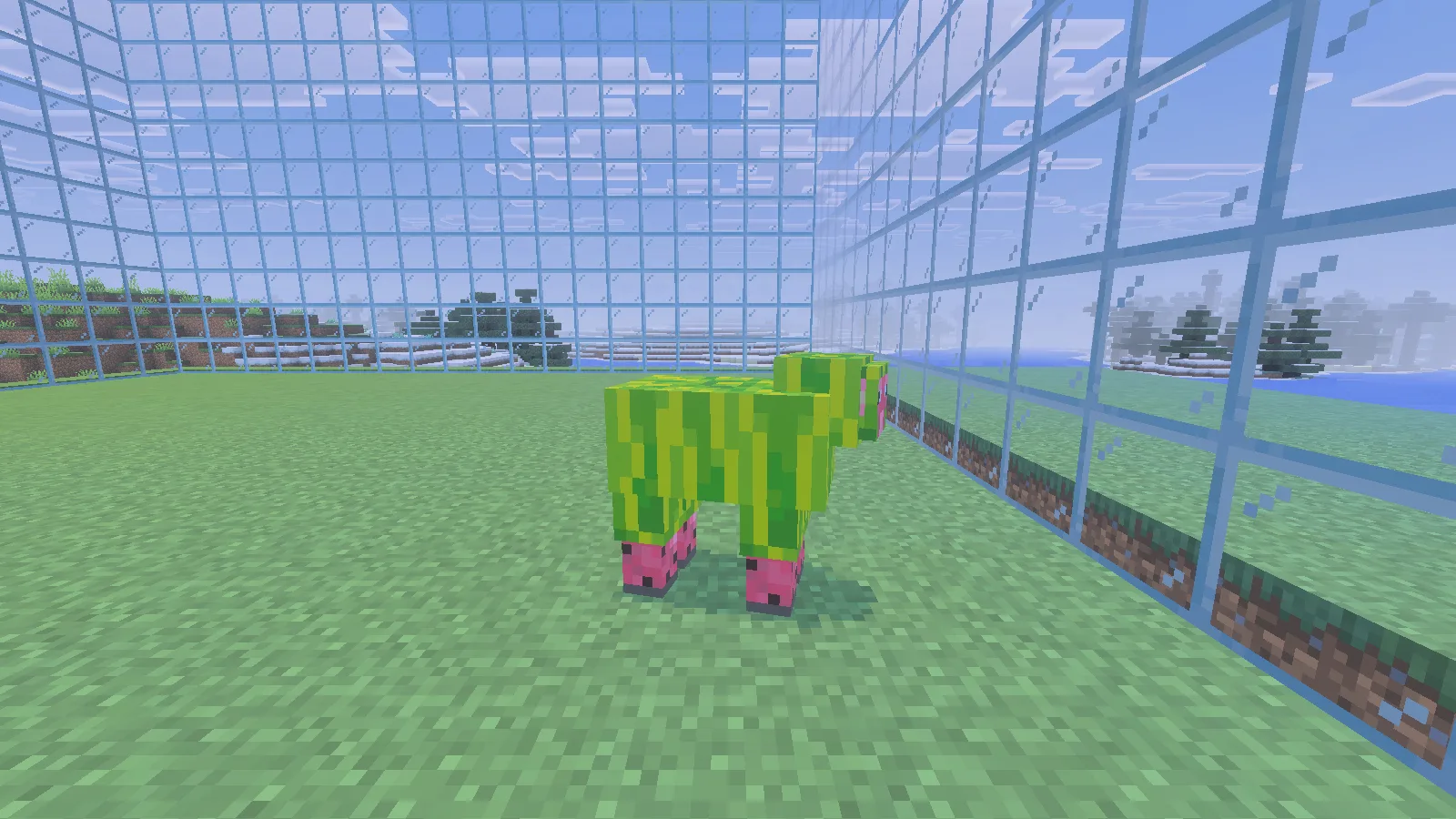
The Sheepomelon before shearing: a green rind with pink details.
The Sheepomelon wears a striped green rind with pink details underneath. Give yourself shears in the Creative world, move close enough to reach it, and use the shears as you would on a sheep.
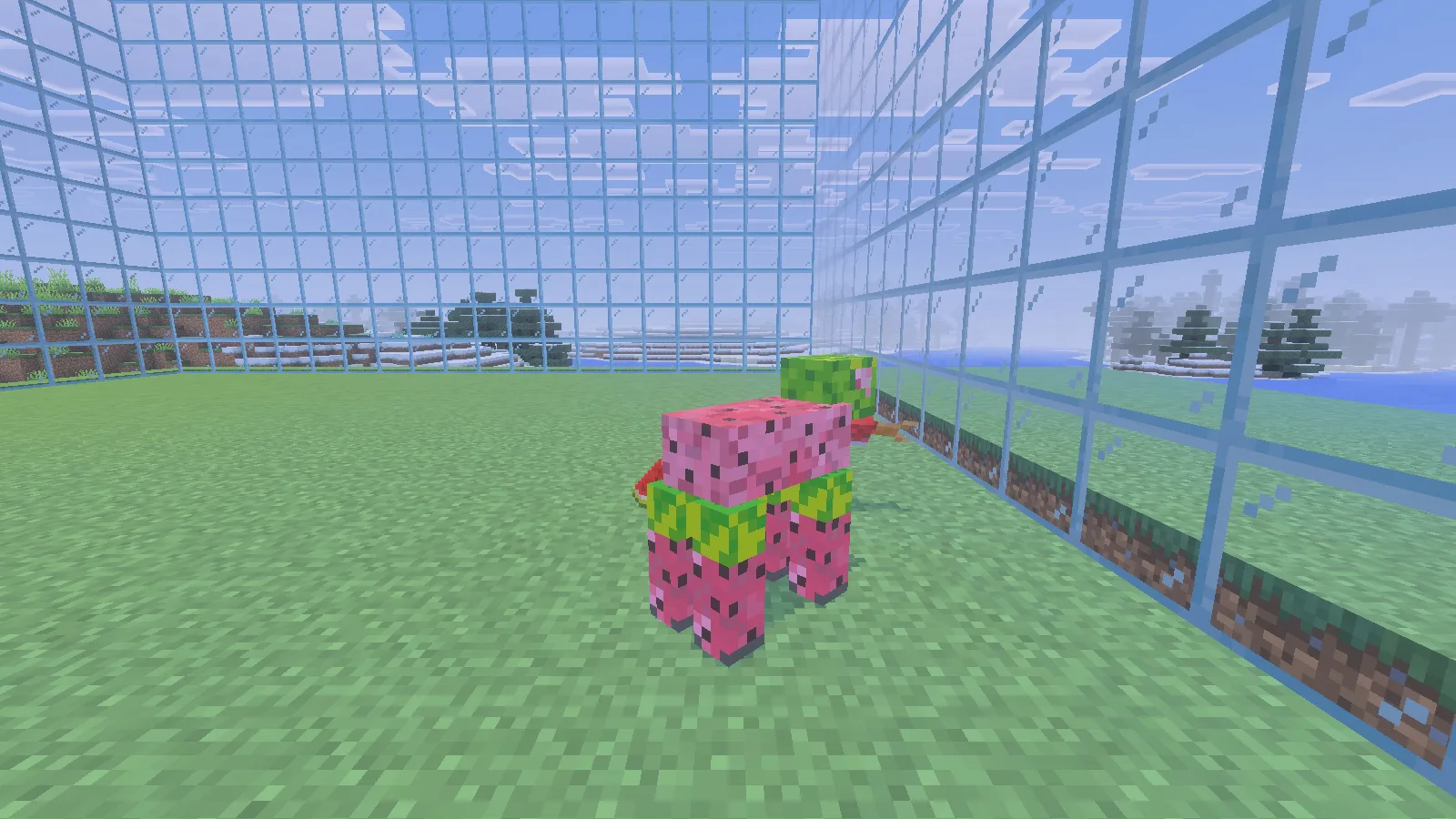
After using shears, the rind changes and the interaction produces melon slices and a salmon.
Its body changes to pink melon flesh, melon slices drop, and the sample also spawns a salmon. The fish is part of this deliberately silly example. Seeing the change happen makes the separate pieces easier to understand: appearance, interaction, drops and an extra scripted action all contribute to one creature.
If you want to make your first edit, choose one small part of that result. Change a texture color, rebuild, and look for it on the same creature. Then try changing the interaction. Keeping the two steps separate makes it easier to tell which change worked.
Build the source into an importable add-on
The download in Files is the v0.1.3 alpha source ZIP. It needs to be built before Minecraft can import it as an add-on.
- Extract the ZIP into its own development folder. Open the folder containing package.json, package-lock.json and gulpfile.js.
- Install Node.js with npm, open a terminal in that folder, and run npm ci. This uses the dependencies pinned by the sample’s lockfile.
- In this standalone archive, fix the source-pack paths in gulpfile.js: the create_source_pack task should read ./LICENSE and ./README.md, not the paths that go up into the original repository. Both files are already in the extracted project.
- Run npx gulp package. The importable result is build/packages/addon_starter_complete.mcaddon. Keep the editable source folder as well.
- Open that MCADDON with Bedrock for Windows. In a fresh Creative world, activate the sample’s matching behavior and resource packs, then enter the world.
The path fix above changes the packaging task, not the creatures or their behavior. Without it, the original script can create the MCADDON and then fail while making the separate source archive. The downloadable original remains intact; make the correction in your working copy.
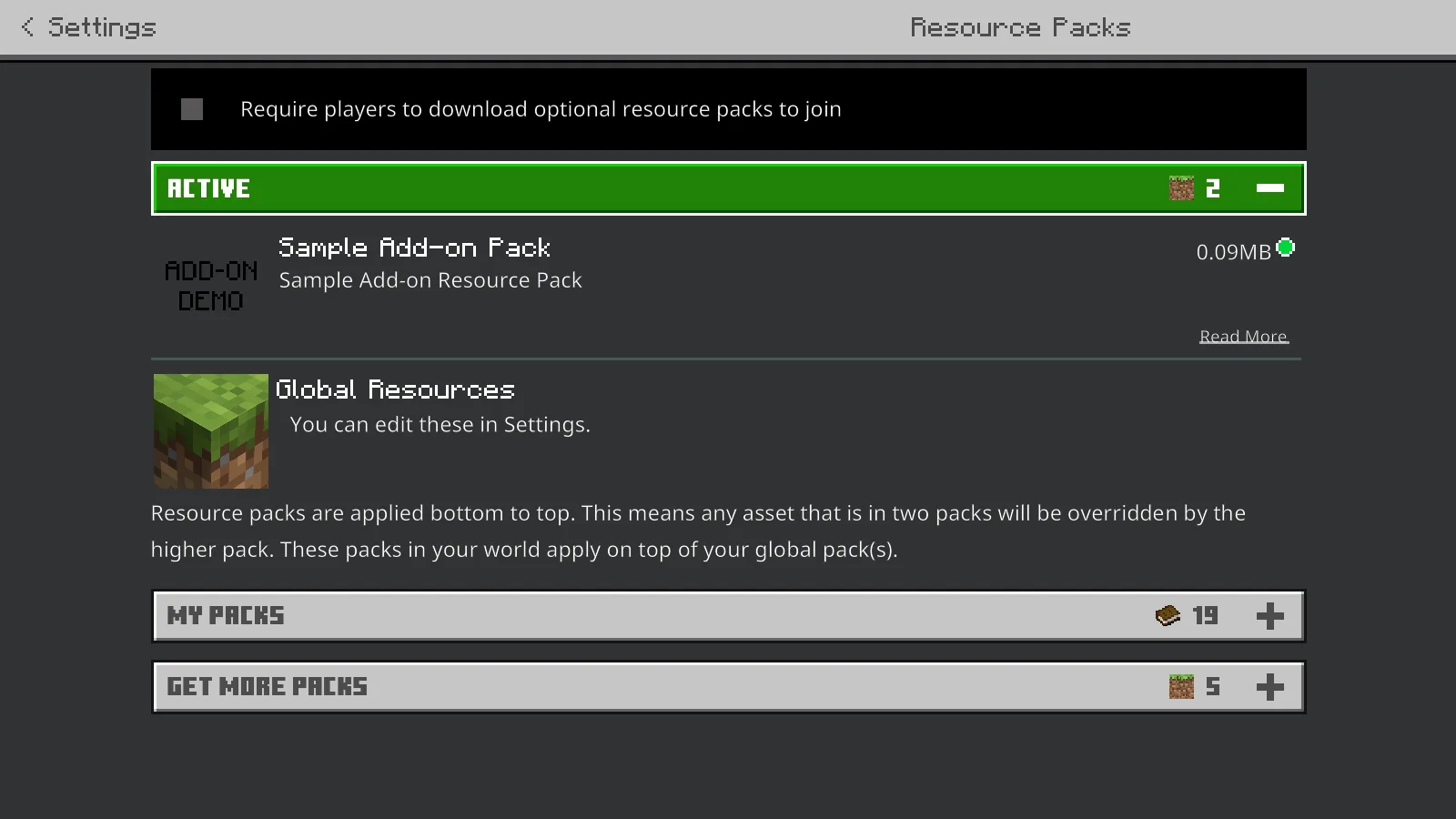
Check the sample’s resource pack as well as its behavior pack; the artwork and actions come from different parts.
The examples here run in Bedrock for Windows 26.52. No experimental switch was needed for this exercise. That is not a promise that the old sample works unchanged on every device or future version: follow the selected file’s requirements, and keep the work in a separate world.
Know which part you are changing
- Behavior pack: how a creature behaves, what it can do, and what an interaction gives the player.
- Resource pack: its model, texture, sounds and other presentation.
- Scripts: actions such as welcoming the player, placing the button and creating the zoo.
Both packs have the same display name, Sample Add-on Pack, so check both the Behavior Packs and Resource Packs screens. A running script alone does not prove the artwork is enabled too.
For a first naming change, edit the display name in both manifests and rebuild. If you later assign new pack UUIDs, keep the dependency references in sync. Use the explicit package task above: the sample’s bare gulp deployment workflow targets an older Minecraft Preview folder and should not be treated as your current installation shortcut.
Microsoft and the Minecraft sample contributors created the original project. Modonix built the source, explored its interactions and photographed the examples. For the artwork side of your next idea, our Blockbench walkthrough starts with a small object you can finish before attempting a whole creature.
Comments & questions
Share what worked, ask for help or reply to another player.
No comments yet. Share what worked for you.