Lantern Beetle — shape, paint and animate your own garden creature

9 views 0 downloads

Add an original garden creature, then customize its model, colors and wing rhythm with the complete editable example.

Give a greenhouse or sheltered garden a little movement with Lantern Beetle, an original Modonix creature with six legs, antennae and amber markings. Its complete source makes a manageable first creature project: repaint the shell, adjust the antennae, then change the wing rhythm without rebuilding the whole add-on.

The amber markings are color, not a light source. Add ordinary lanterns to illuminate its enclosure. This example adds no natural spawning or breeding system.
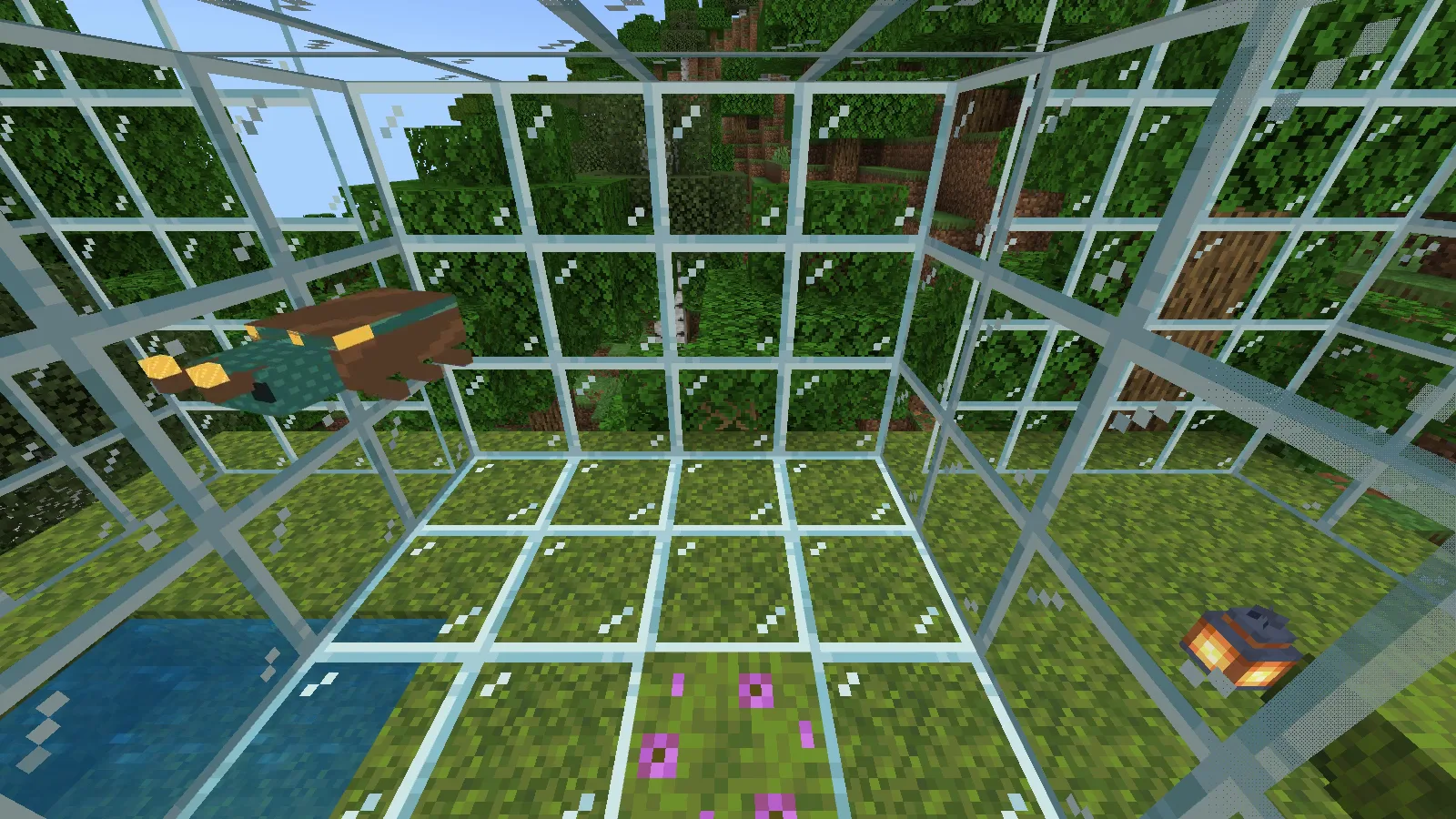
A teal and brown Lantern Beetle with amber markings hovering inside a glass garden.

Leave room above the plants for the beetle to hover, and use ordinary lanterns to light the garden.

Put a beetle in your garden

Download create-bedrock-lantern-beetle-0.1.2.mcaddon from Files and open it with Minecraft for Windows. Use file-open for this add-on; Play → Import world is for .mcworld files. If opening does nothing, save and close Minecraft normally, then open the file again.

In a spare world's settings, activate Modonix Lantern Beetle — Behavior and Resources. Return with Back to Worlds before entering. The pack declares Bedrock 26.30 minimum; the creature runs in 26.52, without an experiments requirement.

Build an enclosure with solid walls, a roof and room above the plants. In Creative with cheats enabled, summon one:

/summon modonix:lantern_beetle ~ ~1 ~

Leave an open viewing side behind glass. A simple background makes the wing covers and antennae easier to see than dense foliage.
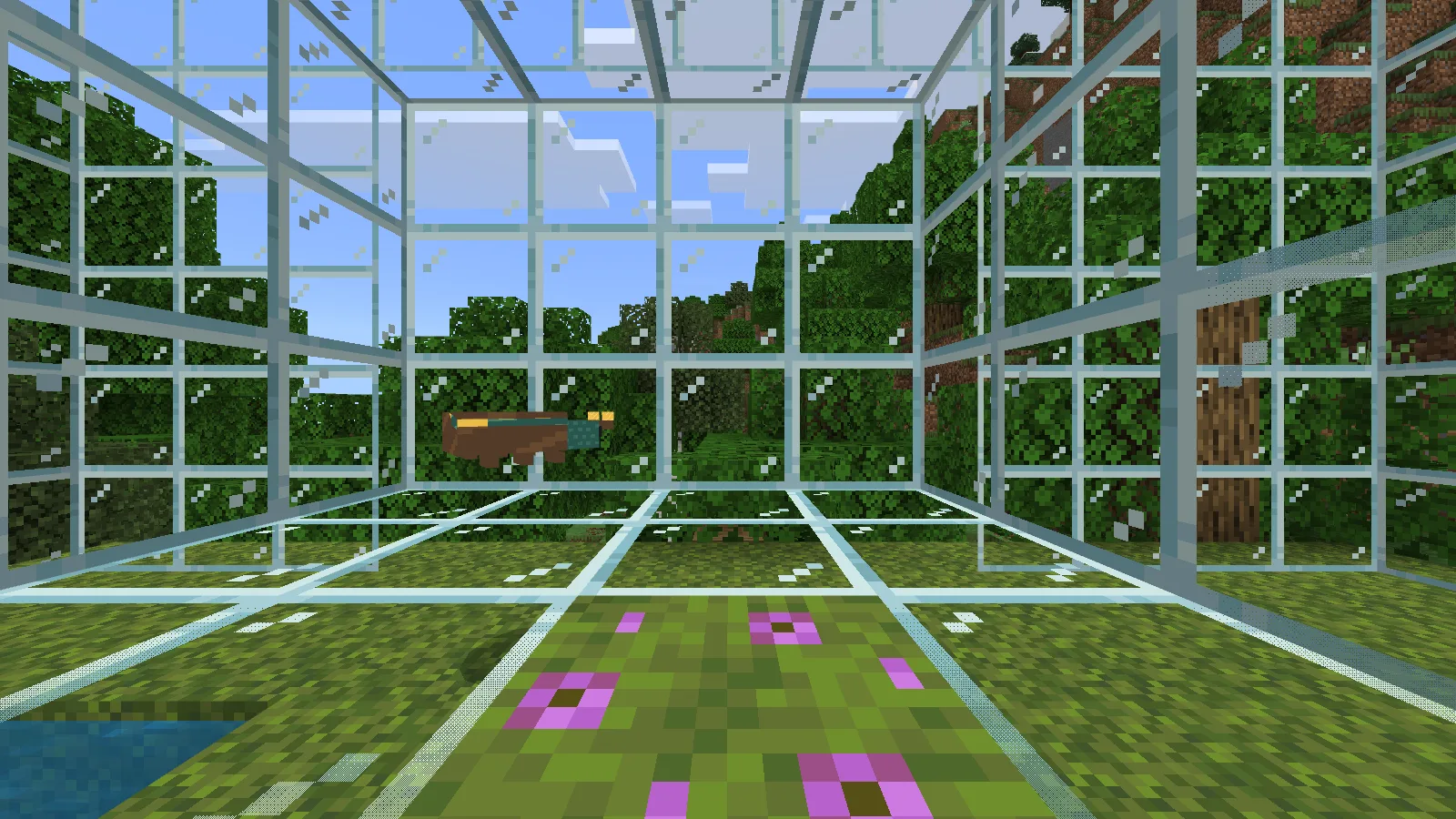
Side view of the small beetle, with brown wing covers and short legs, inside the glass enclosure.

A side view of the beetle, with its short legs tucked below the wing covers.

Change the shape in Blockbench

Download and extract create-bedrock-lantern-beetle-sources-0.1.2.zip. Work in a copy. In Blockbench, open packs/RP/models/entity/lantern_beetle.geo.json as a Bedrock model, then import its texture, packs/RP/textures/entity/modonix_lantern_beetle.png.

Expand the model's groups. Keep root, left_wing and right_wing named exactly as supplied: the animation addresses those bones. For a first shape edit, lengthen each antenna rod by one model unit and move its small amber tip to the new end. Inspect front and side views as you work. Keep the wing pivots at their existing hinges.

Save a .bbmodel working file separately, then export Bedrock geometry back to lantern_beetle.geo.json. Keep the geometry identifier geometry.modonix.lantern_beetle; changing only that name breaks its connection to the creature.
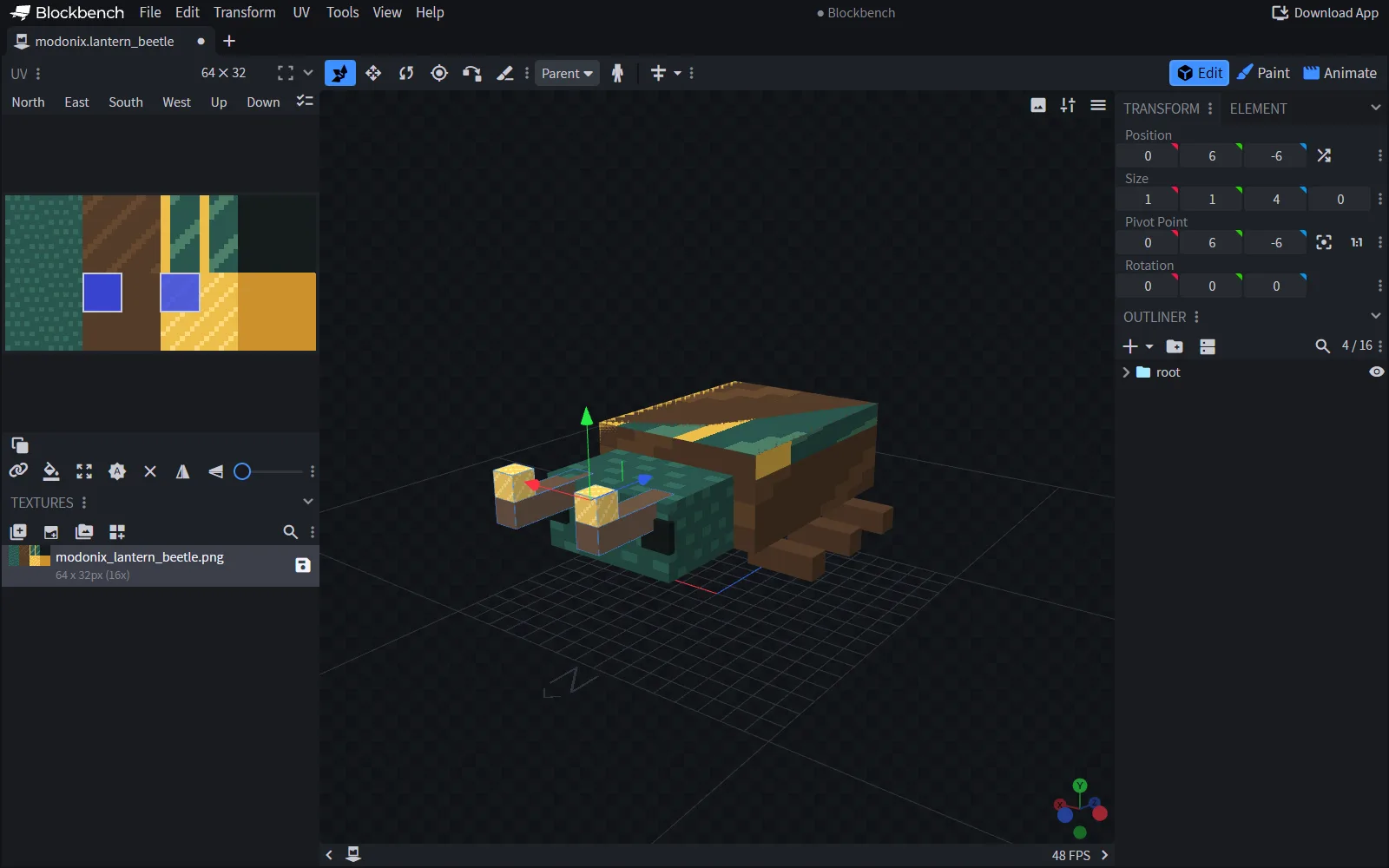
Blockbench showing the beetle model with its longer antennae selected beside the texture and size controls.

Lengthening both antennae in Blockbench 5.2.1, with the 64 × 32 texture and selected model parts visible.

Paint a different shell

Keep the PNG at 64 × 32 pixels and preserve its existing UV mapping—the connection between pixels and model faces. Use Blockbench's Paint tab or a pixel editor with a one-pixel pencil and smoothing off. Start by replacing the amber colors #EEBE4A, #CB912C and #FFDB7C with three shades of another color. Leave the dark outlines so small details remain readable.

Save the actual PNG. art-source.json records the original palette and pixels, but editing that JSON alone does not repaint the packaged texture. Rotate the model and check the undersides of the wing covers too.

Slow the wings

Open packs/RP/animations/lantern_beetle.animation.json in a text editor. The left wing's rotation includes:

"-8 - math.sin(query.anim_time * 720) * 8"

Change 720 to 360 in both wing expressions for half the oscillation speed. Keep their opposite signs. Change one thing at a time: the final 8 controls the movement's size, while the first sets its resting angle. The root's bobbing animation changes appearance; travel through the garden comes from the behavior pack.

Package your variation

For another import of your edited copy, keep the UUIDs. Increase both manifests' header and module versions to [0,1,3], and the behavior pack's resource dependency to match. Set project.json's version likewise and change package.py's output labels from 0.1.2 to 0.1.3. Minecraft ignores an already imported pack with the same or lower version.

With Python 3 available, run python package.py from the extracted folder. Open the resulting .mcaddon in artifacts, activate its pair in a fresh spare world and summon again. Keep the included MIT notice when sharing your variation; the model, pixels and source are original Modonix work.

Give a separately published creature its own identifiers and pack UUIDs so it can coexist with this one.

No ratings yet

Example files

Use these examples with the guide. Each file has its own author and license.

Filter files 2 filesAll release types
Show all files

Example version 0.1.2

Stable

create-bedrock-lantern-beetle-0.1.2.mcaddon

Add-on Minecraft 26.52
0 downloads
Download · 5.4 KB
Requirements & details

Modonix Lantern Beetle — paired add-on

  • Example type: Add-on · Example Minecraft edition: Bedrock · Example Minecraft version: 26.52

Example file by Modonix · MIT

Use this example with the steps in the guide. Follow its installation instructions below.

Open the .mcaddon with Minecraft for Windows; activate the paired Behavior and Resources packs in a spare world. Return to Worlds before entering. Declared minimum26.30; checked on26.52 without experiments. In Creative with cheats enabled: /summon modonix:lantern_beetle ~ ~1 ~.

Requirements & notes
Known issues
The guide uses Windows Bedrock 26.52 with experiments off; Bedrock 26.30 is the declared minimum. Natural spawning, breeding and dynamic lighting are not included, and name-tag behavior is unspecified. Scratch 0.1.3 is a source-project exercise, not a ready-to-import add-on.
Technical details
File details
Example author
Modonix
Example license
MIT
File information

Archive structure and entry integrity checked · 2 entries · 0.0 MB unpacked.

Nested packages are present. Their internal contents require separate inspection.

No supported compatibility manifest was read. Review the author’s file requirements.

Manifest values describe the package. They do not prove that it works with every game version. This check is not an antivirus scan.

SHA-256: 9d8ef53f514a33690ca7374cd154ced35f633ac1e4ac204cb8cf5305d05f1472

create-bedrock-lantern-beetle-sources-0.1.2.zip

Source example Minecraft 26.52
0 downloads
Download · 12.7 KB
Requirements & details

Modonix Lantern Beetle — editable source

  • Example type: Source example · Example Minecraft edition: Bedrock · Example Minecraft version: 26.52

Example file by Modonix · MIT

Use this example with the steps in the guide. Follow its installation instructions below.

Extract to a working folder. Open packs/RP/models/entity/lantern_beetle.geo.json with its supplied64×32 texture in Blockbench. Preserve identifiers and UUIDs; increment header/module/dependency versions, project.json and package.py output labels for an edited release. Run python package.py with Python3. Included original version is0.1.2; MIT notice retained.

Requirements & notes
Known issues
The guide uses Windows Bedrock 26.52 with experiments off; Bedrock 26.30 is the declared minimum. Natural spawning, breeding and dynamic lighting are not included, and name-tag behavior is unspecified. Scratch 0.1.3 is a source-project exercise, not a ready-to-import add-on.
Technical details
File details
Example author
Modonix
Example license
MIT
File information

Archive structure and entry integrity checked · 18 entries · 0.0 MB unpacked.

packs/BP/manifest.json — Pack name
Modonix Lantern Beetle — Behavior
packs/BP/manifest.json — Pack version
0.1.2
packs/BP/manifest.json — Minimum engine version
1.26.30
packs/BP/manifest.json — Requires 4025c12d-ec13-45dc-b82c-d6a9e8314a12
0.1.2
packs/RP/manifest.json — Pack name
Modonix Lantern Beetle — Resources
packs/RP/manifest.json — Pack version
0.1.2
packs/RP/manifest.json — Minimum engine version
1.26.30

Manifest values describe the package. They do not prove that it works with every game version. This check is not an antivirus scan.

SHA-256: f6d72638e19cc65d52082bc78a9fbdc59cff5a8398fd99314e3758682c943b5b

Release updates

Version 0.1.2

Stable

Original Modonix Lantern Beetle0.1.2 paired add-on and editable source. Declared minimum26.30; native Windows Bedrock26.52 summon,appearance,hover and save/reopen checked without experiments. Blockbench editing shown separately; no0.1.3 gameplay claim.

View files

Comments & questions

Share what worked, ask for help or reply to another player.

No comments yet. Share what worked for you.

Join the conversation

No account required. Confirm your email with a code before your first comment.

1Your name & email

Only a masked address appears with your name. Guest comments are reviewed before publication.

2Verify & post

Search Modonix

Search in