Give a river journey a useful destination with River Pier Warehouse: a timber storehouse, a covered loading bay and a pier with room beside it for two boats. The complete build occupies 17 × 13 blocks and rises 11 blocks from its bottom corner. The warehouse itself is a compact 9 × 7 shell, leaving space to work outside its walls.
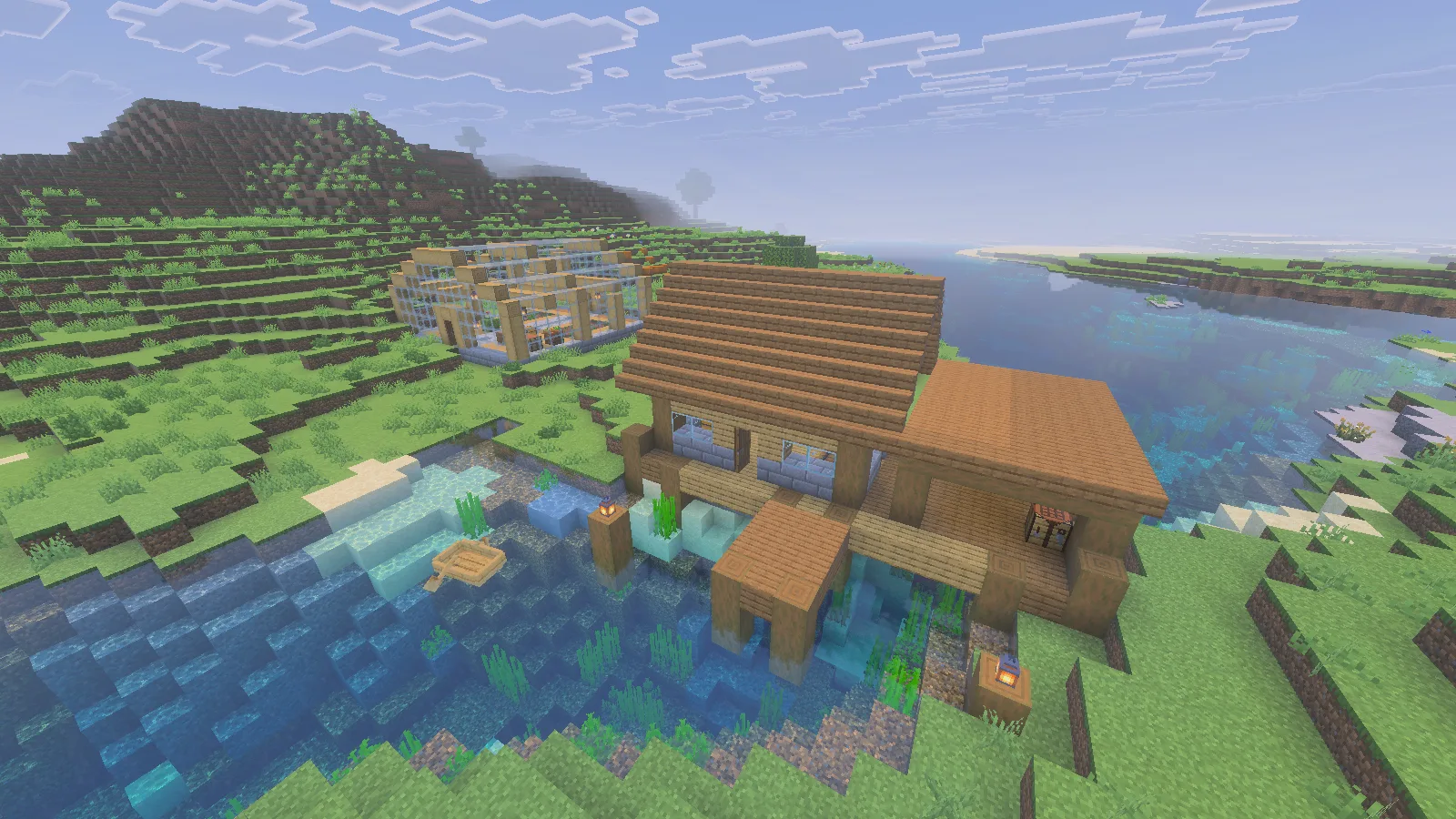
The download includes the warehouse, loading bay and pier. The greenhouse behind it, river terrain and boat are separate from this file.
This download contains the warehouse, loading bay and pier. The separate greenhouse, surrounding river landscape and boat in the overview belong to the demonstration scene. Bring a boat from your own world and choose a shore that suits the building.
Match the pier to your riverbank
Look for a straight stretch of bank with open water for an approach. Put the warehouse toward the shore and the three-block-wide pier toward the river. The two berth spaces are each 4 × 3 blocks; keep the space around them clear when adding decoration.
The deck blocks sit two blocks above the file's bottom origin, with the intended top water blocks one block above that origin. If your river's top water blocks are at Y=62, an origin of Y=61 puts the deck at Y=63. Check the placement preview, then connect the shore door to your path.
Where the file has no structural blocks beneath the exposed dock, it preserves the existing water or ground. Extend the short supports if your riverbed is deeper. That small adjustment makes the pier fit a location instead of appearing to float above it.
Give each delivery a clear route
Three doors connect the shore entrance, dock and eastern loading bay. Inside, the Arrivals and Finished goods chests separate incoming materials from items ready to leave. Timber and Supplies barrels hold building stock; Unloading and Return trip barrels sit in the covered bay. All six containers are empty in the download.
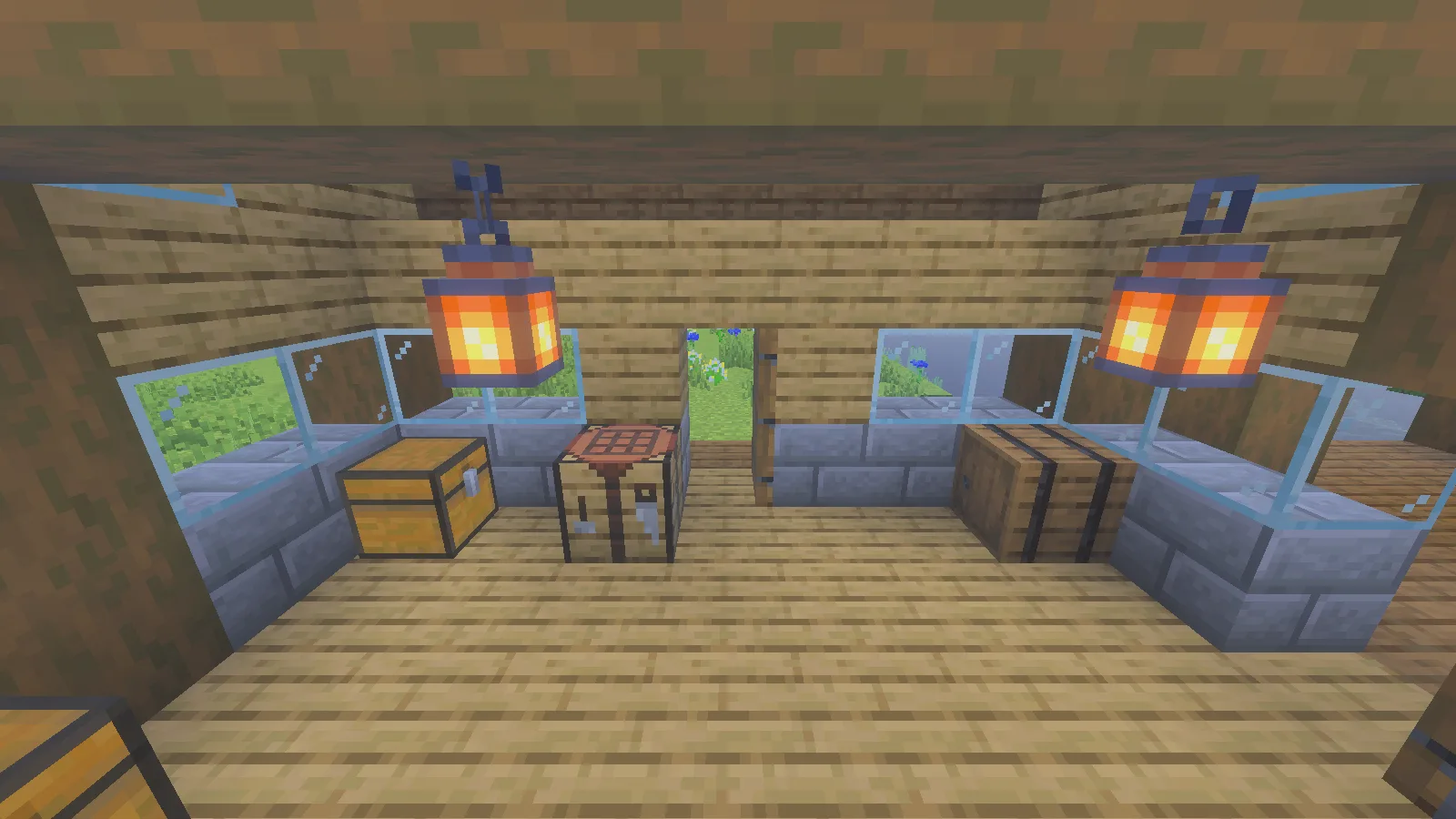
Keep the route between the doors clear, with storage and crafting along the sides.
For a simple delivery, put materials into Arrivals, take what you need to the crafting table, then collect outgoing goods in one place. In this example, 16 iron ingots went from Arrivals through the inventory into Finished goods.
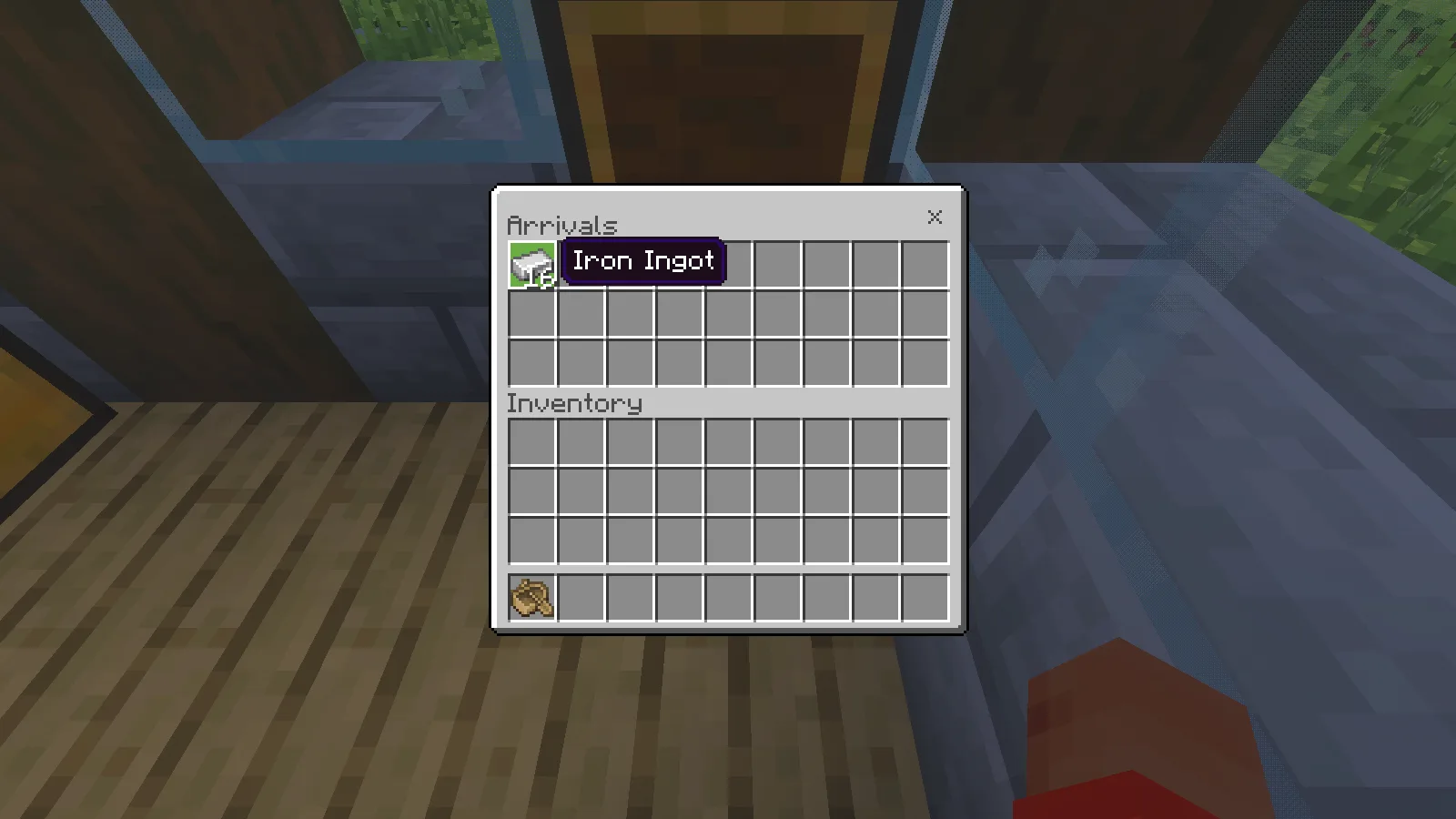
Arrivals holds the 16 iron ingots at the start of this delivery. The structure downloads with empty storage.
Keep the doors and pier clear. Extra storage fits better against a wall or in an extended loading bay than in the middle of the walking route. A destination sign beside Return trip can help when several building projects share the same dock.
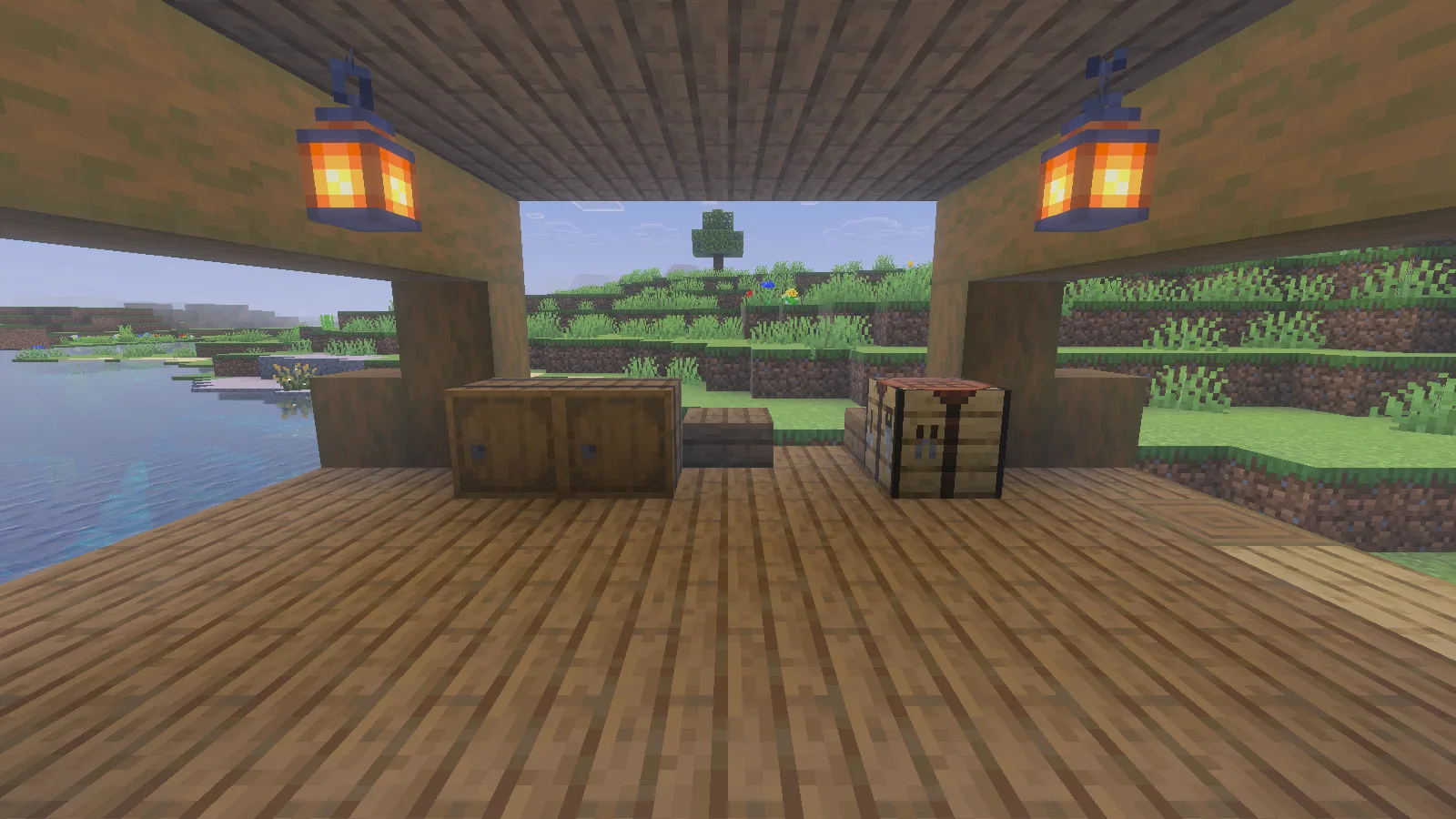
The covered loading bay places two barrels and a crafting table beside the outdoor work area.
Import the structure on Windows
The steps and screenshots here use Bedrock 26.52 on Windows. Make a backup, then use your own Creative world with cheats enabled. Reserve the full 17 × 13 footprint and 11-block height: imported air can clear existing blocks inside that volume.
From Files, download river_pier_warehouse-0.1.0.mcstructure. Run /give @s structure_block, place the structure block outside the reserved area, open it and choose Load → Import. Select the file, adjust the offsets and inspect the bounding box before choosing Load.
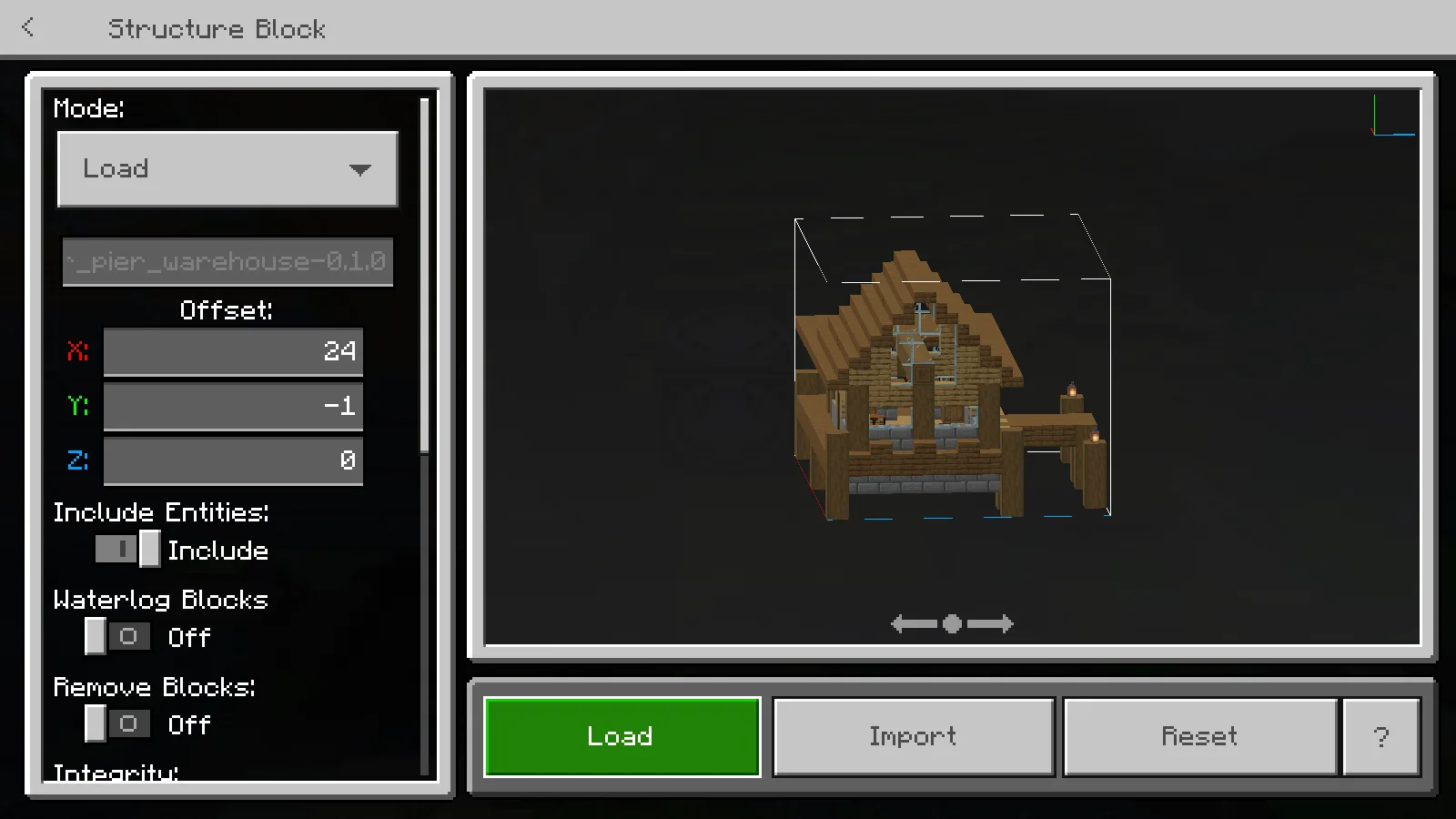
Use the structure-block preview to check the footprint and offset before placing your own copy.
Alternatively, open the .mcpack with Minecraft and activate Modonix River Pier Warehouse in the world's Behavior Packs. Return to Worlds and open the world. It supplies the same building, which you can place with:
/structure load modonix:river_pier_warehouse X Y Z
Replace X Y Z with the intended northwest bottom corner. The behavior pack needs no experiments.
Make it part of your base
Extend the shore path, change the roof trim or add another workbench under the loading-bay roof. Keep a copy of the original so you can compare proportions as you edit.
The source ZIP in Files includes editable block coordinates, building commands and placed-block counts. With Python 3, run python sources/export_structure.py to create a separate edited.mcstructure from the JSON source. Modonix's original geometry and source are CC0; Minecraft textures come from the game and are not included in the download.
Comments & questions
Share what worked, ask for help or reply to another player.
No comments yet. Share what worked for you.