
A small gust can change how you cross a courtyard or reach a platform. Windstep gives that gust a location, a direction, and an expiry time instead of adding permanent flight.
Turn a short gap into a launch route
Choose a takeoff point with clear headroom and a safe landing ahead. Face the intended route, then use Windstep to place a temporary pad. Step onto it for a forward-and-upward gust.
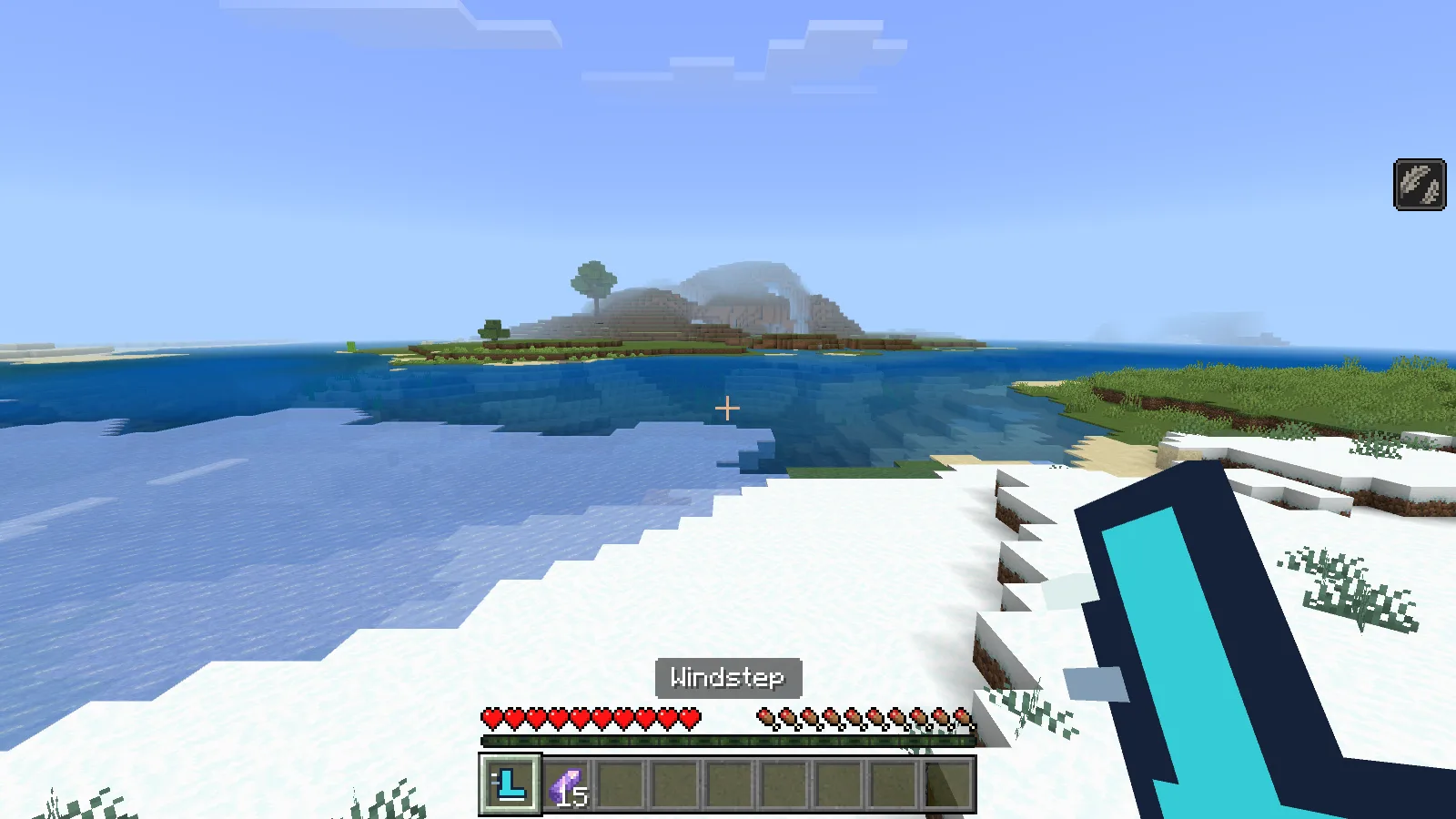
The first-person view just after launch, with Slow Falling active and one amethyst shard spent.
The supplied pad lasts 45 seconds and gives eight seconds of Slow Falling after launch. Sneak-use removes your pad when the jump is no longer needed.
Craft it
At a crafting table, arrange the ingredients as follows. Each recipe makes one Windstep controller.
| Row | Left | Centre | Right |
|---|---|---|---|
| Top | empty | gold ingot | empty |
| Middle | copper ingot | amethyst shard | copper ingot |
| Bottom | empty | stick | empty |
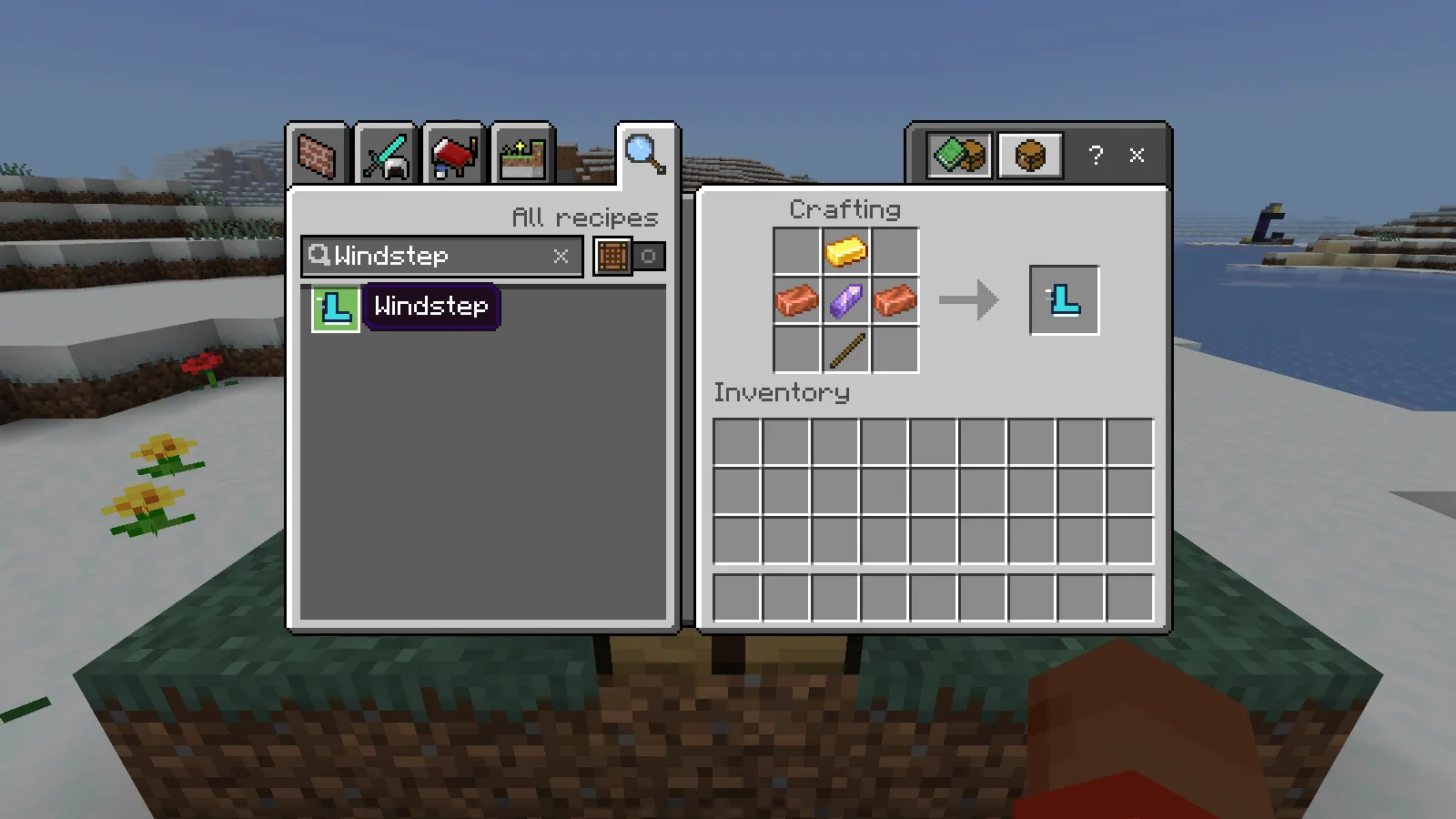
Craft the Windstep controller.
Before you try it
- The pad launches its owner. It is not permanent flight or invulnerability. Clear headroom and a safe landing area matter, especially with stronger push settings.
- Supported play modes are Survival and Creative. Each Survival activation costs one amethyst shard and has a three-second cooldown; Creative use is free.
Download the MCADDON from Files, open it with Minecraft and activate both its behavior and resource packs in a separate world. Make a copy before adding it to a world you care about.
Make it yours
Lower Forward push to 0.35 for a compact jump. Change Activation to Use artifact on pad for deliberate launches instead of step activation.
Open Windstep in the builder to change settings and build your version. Save the editable project to keep working later.
Comments 0
Share what worked, ask for help or reply to another player.
Use your Modonix account to join the discussion and manage your comments.
Sign in to commentNo comments yet. Share what worked for you.