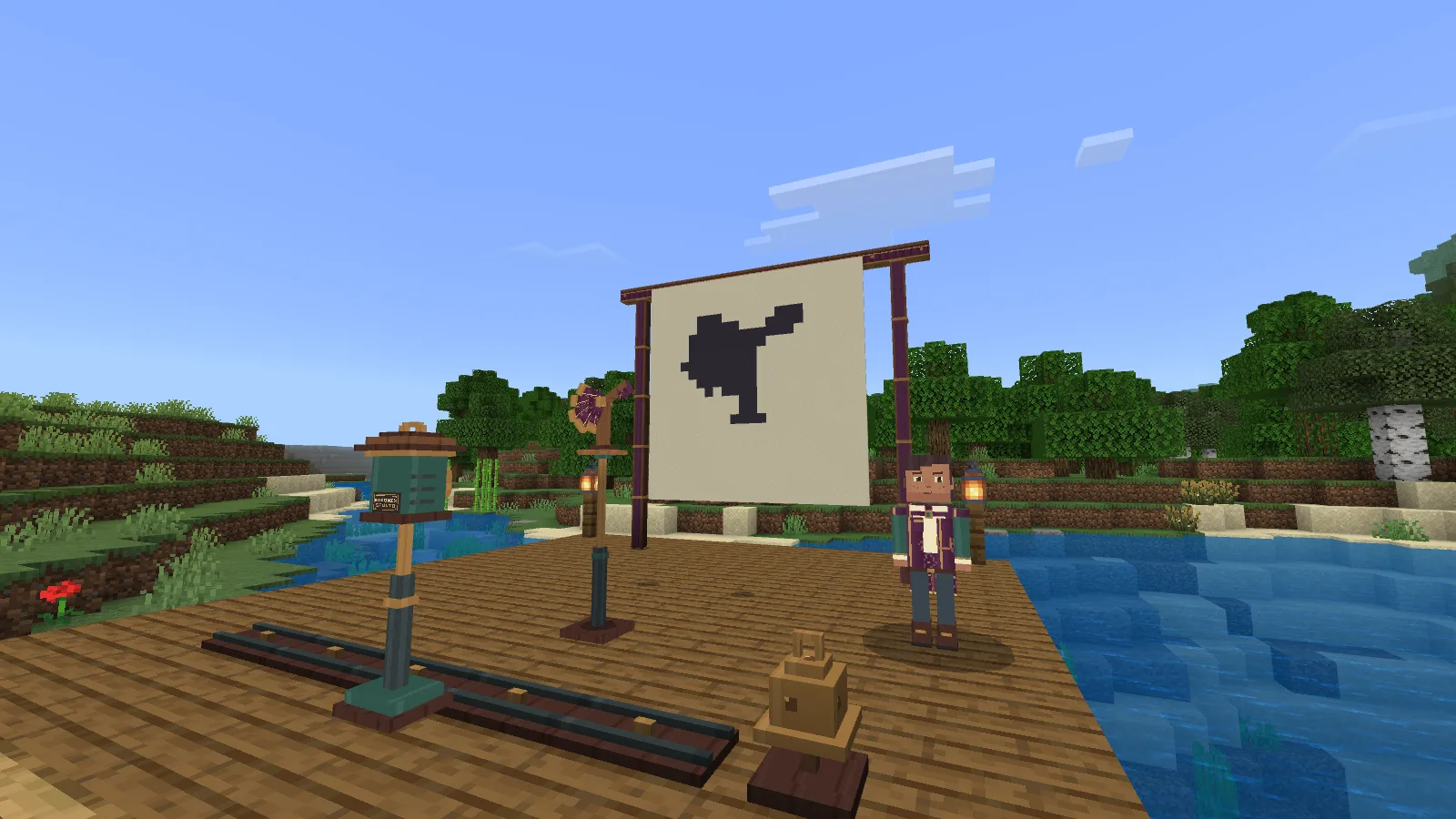
A carved wing can fill the cloth, then shrink to a small shape when you move it closer to the screen. Tansy's Shadow Theatre turns that simple discovery into six short, two-picture stories. Arrange real wooden figures, adjust the lantern and find the silhouette that lets the next scene begin.
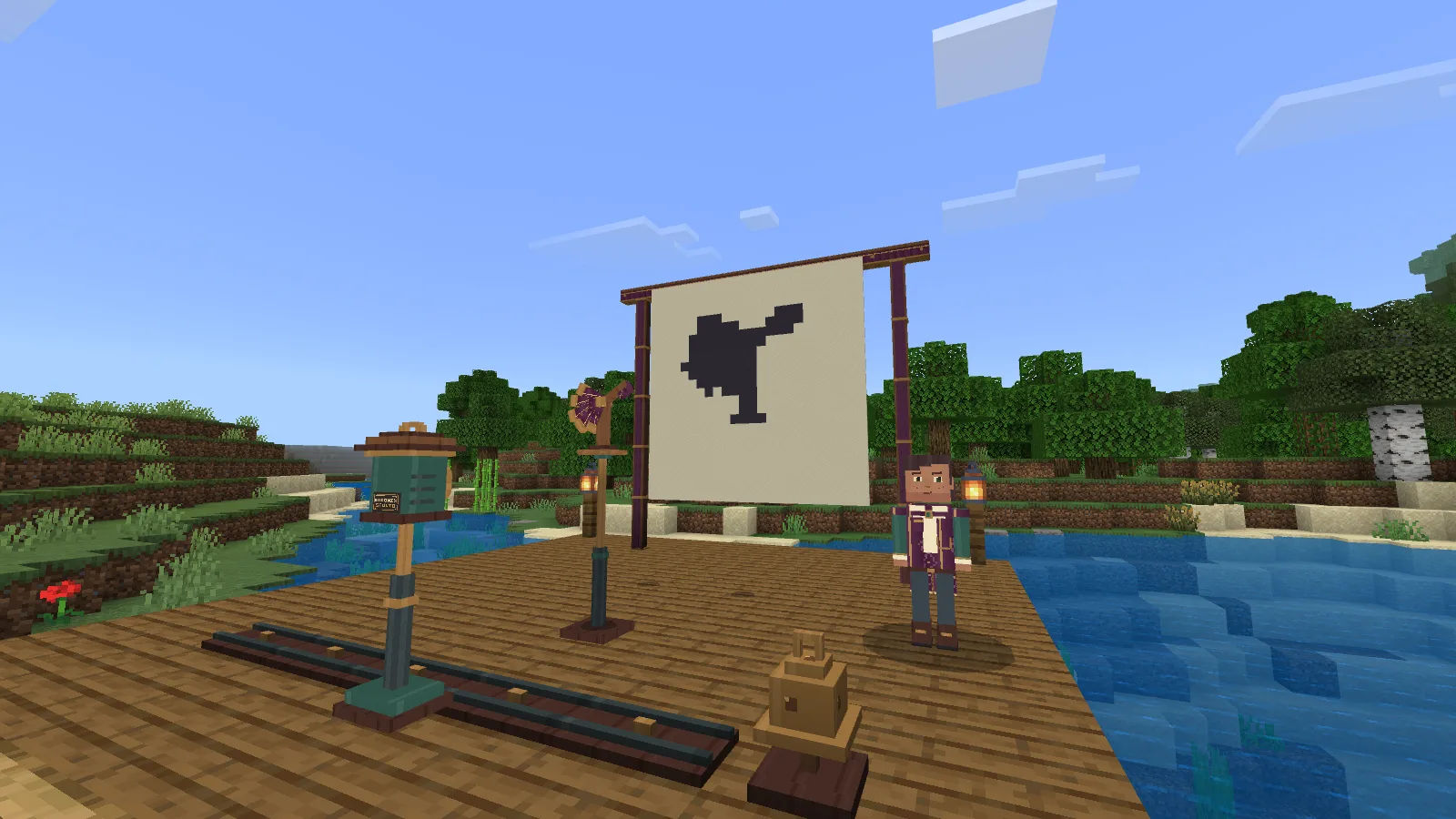
The lakeshore and deck are filming scenery, not terrain generated by the add-on.
Build a small theatre
Craft the Shadow Theatre Kit using the recipe below. The kit marks where your theatre will stand; building the frame costs another 20 spruce planks, 16 white wool and four iron nuggets.

Kit: two paper, two sticks, two spruce planks, one white wool, one iron nugget and one crafting table.
Choose a supported, clear 9 × 9 area with six blocks of headroom. Use the kit to mark the place, step outside the footprint and confirm. If a block is in the way or part of the floor is missing, the theatre tells you where to fix it before taking the materials.
The furnished lakeshore in these pictures is our filming location. The add-on supplies the theatre, figures and their activities; the surrounding landscape and wooden deck belong to the scene.
Make a shape, then change it
Start with Briar Fox, whose movable joint changes its outline. Willow Bough makes a branching shape, Moon Aperture leaves a visible opening, and Foldwing opens into a wider silhouette. Each is a separate crafted item that you place from your inventory.
Craft each figure separately. Here is Foldwing's recipe in the actual crafting table.
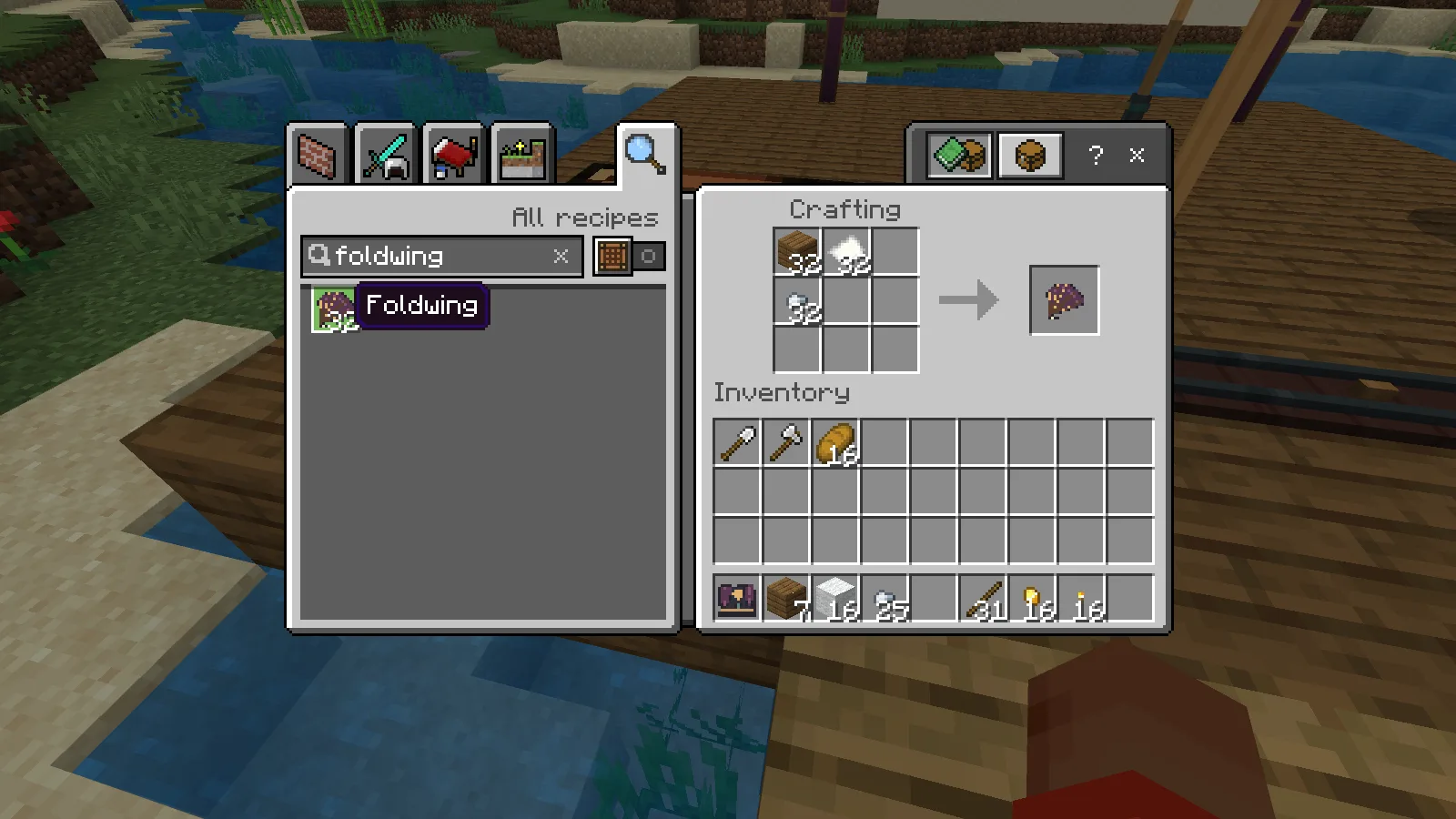
Foldwing: one spruce plank, one paper and one iron nugget.
Use the figure's named controls to turn it, change its height or move it nearer the lantern or cloth. A figure closer to the lantern casts a larger shadow. Move it toward the cloth and the shadow becomes smaller. Moving the lantern changes where that same shape falls.
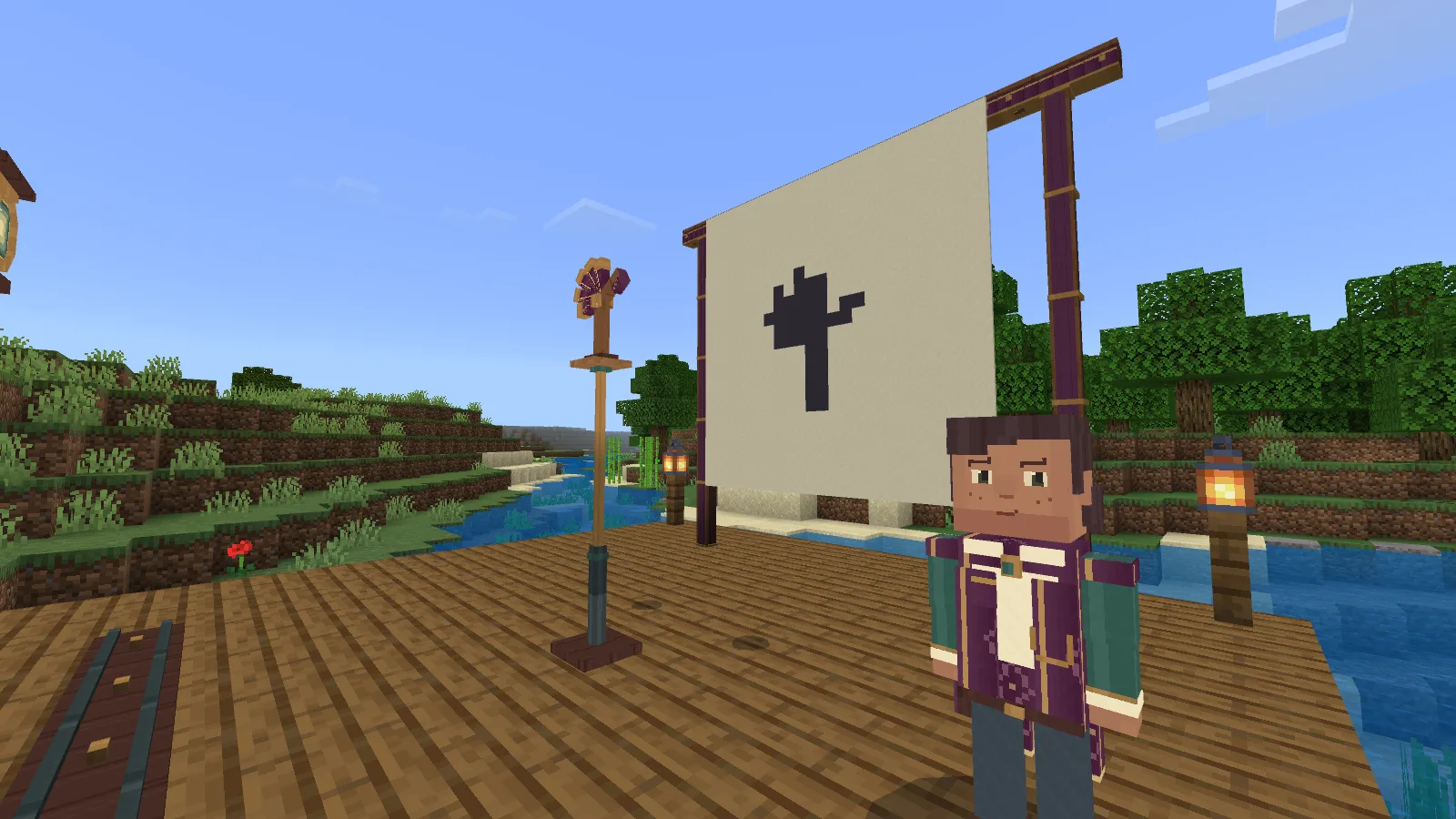
The same original at the middle depth.
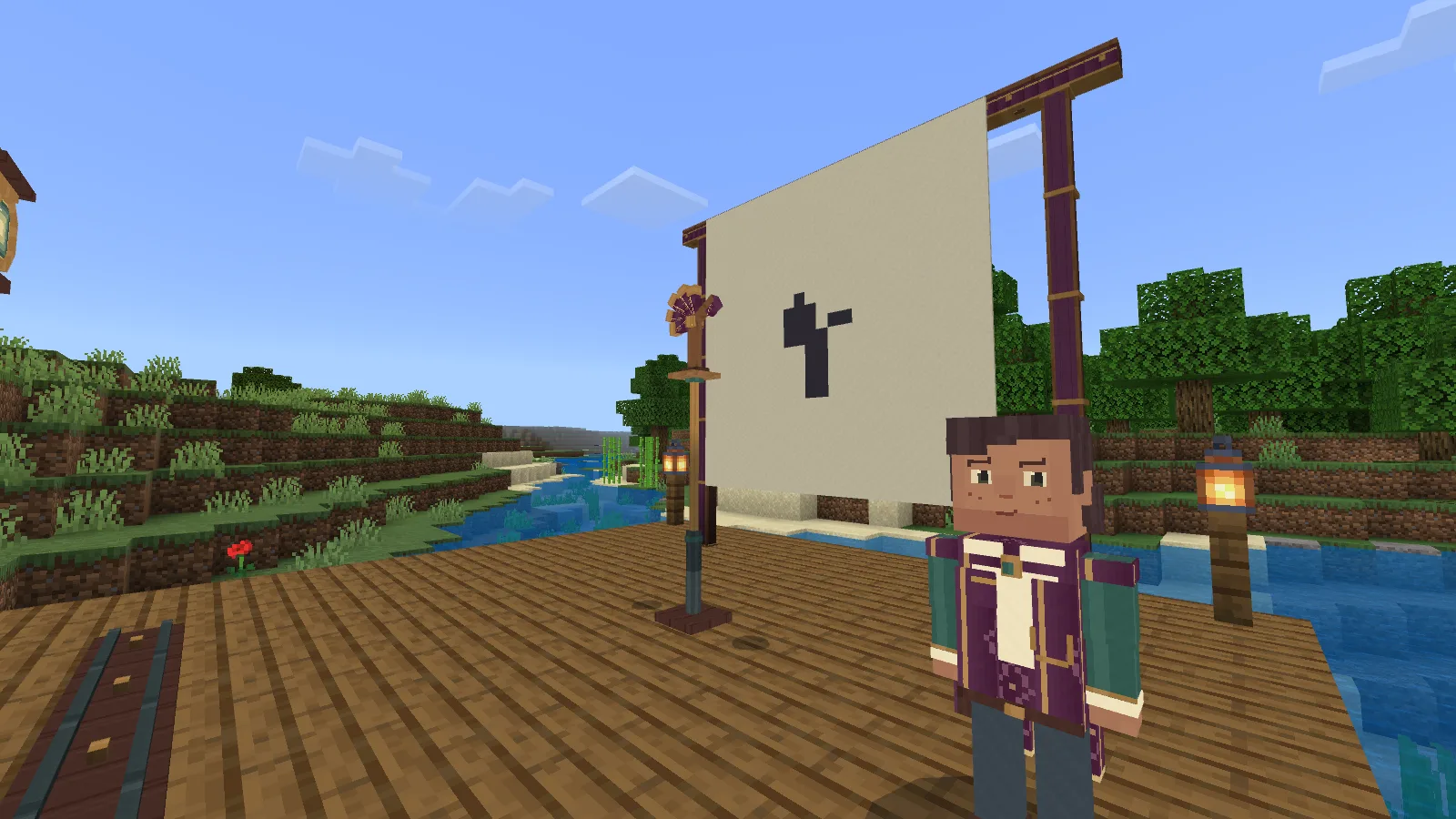
Only the figure’s depth changed; the camera stayed in place.
Latch a pose when you want to keep it in place. If a story needs a wider joint angle, fit the upgrade for two iron nuggets. The upgrade stays with that original figure when you take it home.
Give Tansy a story to tell
Choose a story and check its required cast. You can display its target silhouette or switch on marks that show the missing and extra parts of your shadow. Match the first picture, then change the arrangement to solve the second. Leaving the first picture unchanged will not finish the story.
Once both pictures match, ring the bell and close the controls to watch Tansy and your original cast perform. The figures return to their working poses afterwards; you can also stop the performance yourself.
The second picture of the earned Foldwing story, during its real performance.
Silent gameplay clip: watch the two learned pictures change and the cast return to its working pose.
An Ending Card lets you keep and select closing words you have already learned. Reading someone else's card does not unlock its ending for your theatre.
Keep your arrangement or make a puzzle
Spend one paper to write a Silhouette Card, Pose Folder or Ending Card. A Pose Folder restores the positions and lantern for a compatible cast. A Silhouette Card turns your arrangement into a guest puzzle with one picture to match. Cards save the arrangement; you still need the actual figures.
Nearby helpers can be invited to adjust either the figures or the lantern and must accept their role. Only the maker takes the originals back. This beta's recorded playthroughs are from single-player Windows; multiplayer and touch-device play have not yet been verified.
Return your figures before packing the frame. Packing returns its paid building materials so you can rebuild somewhere suitable. If your bag is full, make space before collecting an original.
Choose your kind of puzzle
In the constructor, import the editable theatre project to choose the story mood, matching precision, helpful prompts and number of figure places. The supplied version has four places, both story collections and a calm performance pace. You can keep explanations on or ask Tansy for a hint when you want one.
Get beta 0.1.5 for Minecraft Bedrock 26.52 on Windows from Files. Import the add-on and enable its behavior and resource packs in your world. The silhouettes appear on the theatre cloth; this add-on does not change Minecraft's lighting or add shadows around your other builds.
Created by Modonix Studio. Made with Modonix.
Comments & questions
Share what worked, ask for help or reply to another player.
No comments yet. Share what worked for you.