
Let a small plan take shape one paid block at a time. Swarm Foundry makes construction visible, giving you a way to place repeated structures without an unlimited building machine.
Watch a small building plan take shape
Find clear space, carry oak planks and start the supplied arch. Three small visual workers trace the construction as paid blocks appear from bottom to top.
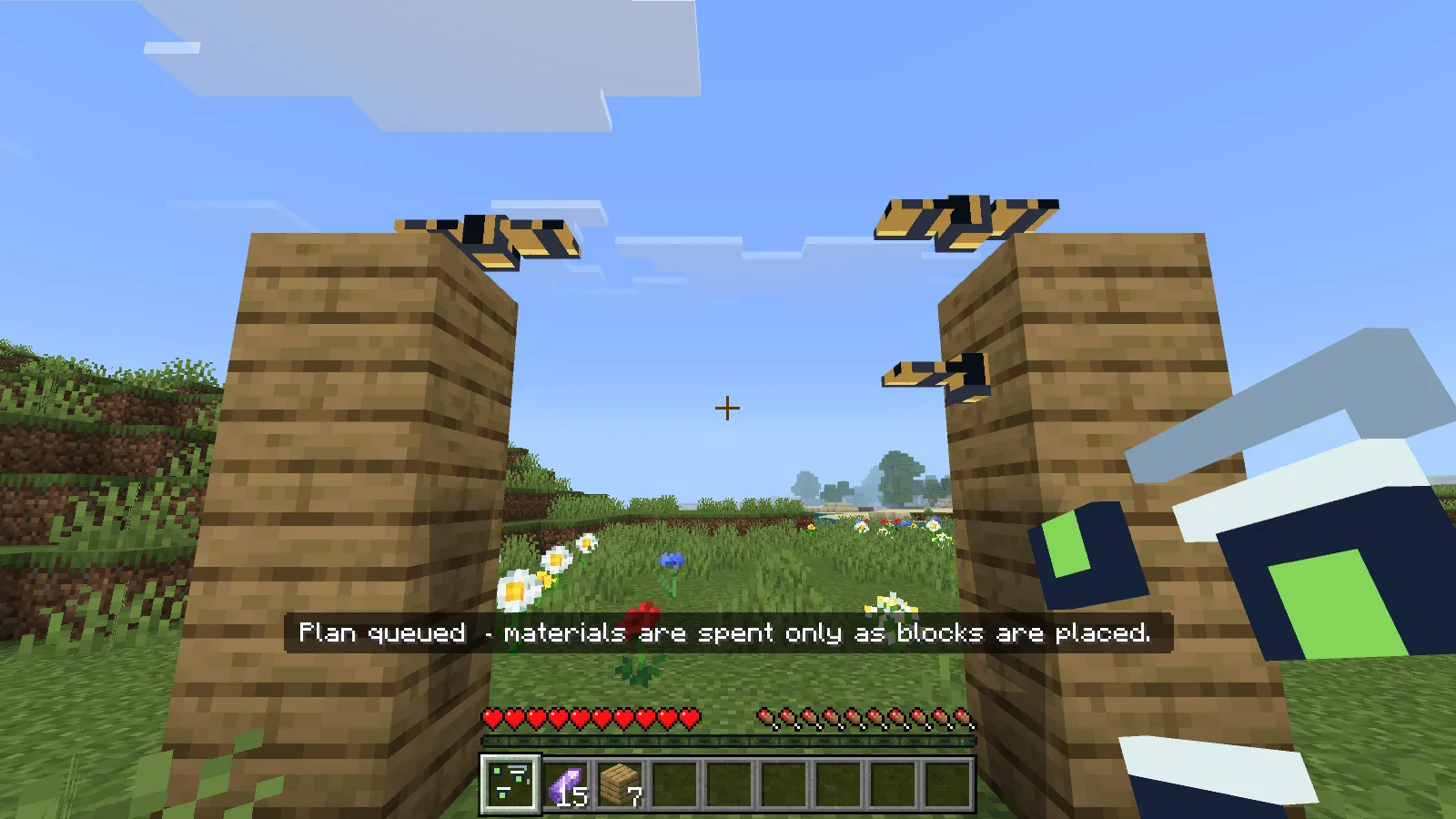
Three workers build the supplied oak arch while planks leave the inventory.
Sneak-use cancels unfinished work; blocks already placed stay where they are. The editor also offers a short wall or four-step stair.
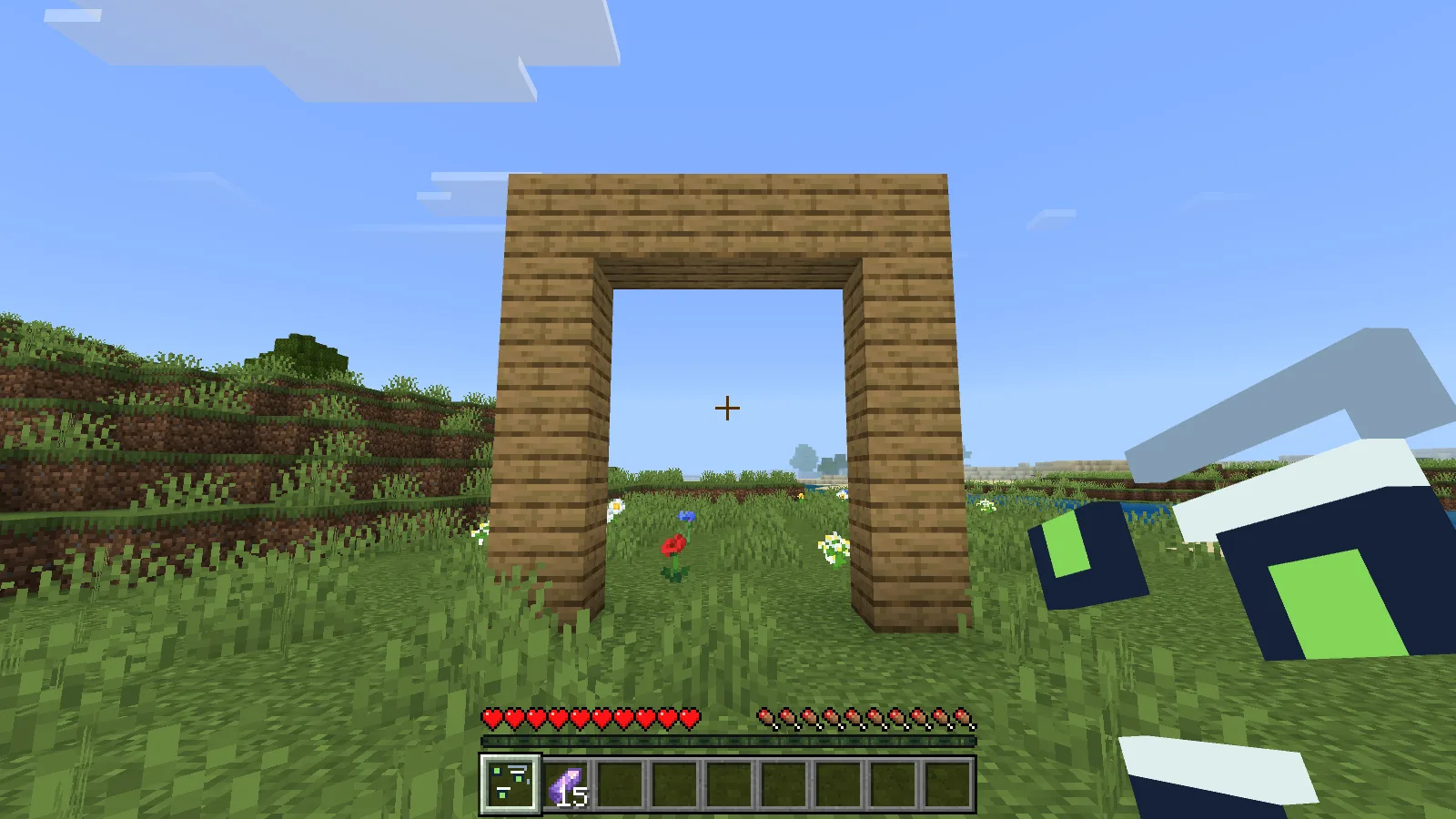
The finished 13-block arch: the carried oak planks have been used, and the workers have left.
Craft it
At a crafting table, arrange the ingredients as follows. Each recipe makes one Swarm Foundry controller.
| Row | Left | Centre | Right |
|---|---|---|---|
| Top | empty | diamond | empty |
| Middle | copper ingot | amethyst shard | copper ingot |
| Bottom | empty | stick | empty |
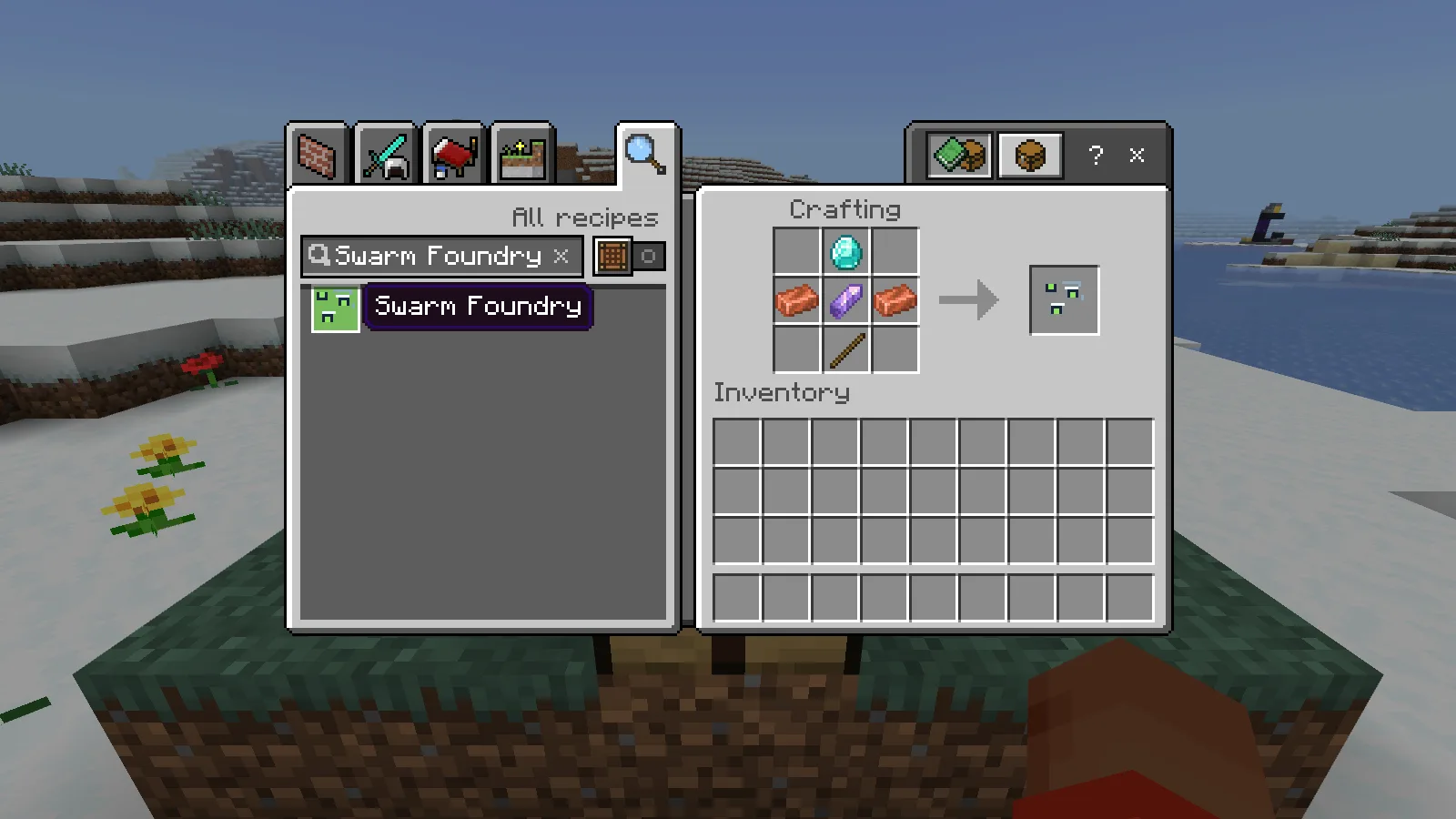
Craft the Swarm Foundry controller.
Before you try it
- Plans are limited to a small arch, short wall, or four-step stair. Workers do not design arbitrary buildings.
- Existing terrain is not replaced. Missing materials do not become free blocks; cancellation stops future work but does not dismantle blocks already placed.
- Each Survival activation costs one amethyst shard and has a three-second cooldown. Creative use is free.
Download the MCADDON from Files, open it with Minecraft and activate both its behavior and resource packs in a separate world. Make a copy before adding it to a world you care about.
Make it yours
Choose Short wall and set Worker count to one to see the order clearly. Change Bottom to top to Near to far for a different sequence.
Open Swarm Foundry in the builder to change settings and build your version. Save the editable project to keep working later.
Comments 0
Share what worked, ask for help or reply to another player.
Use your Modonix account to join the discussion and manage your comments.
Sign in to commentNo comments yet. Share what worked for you.