
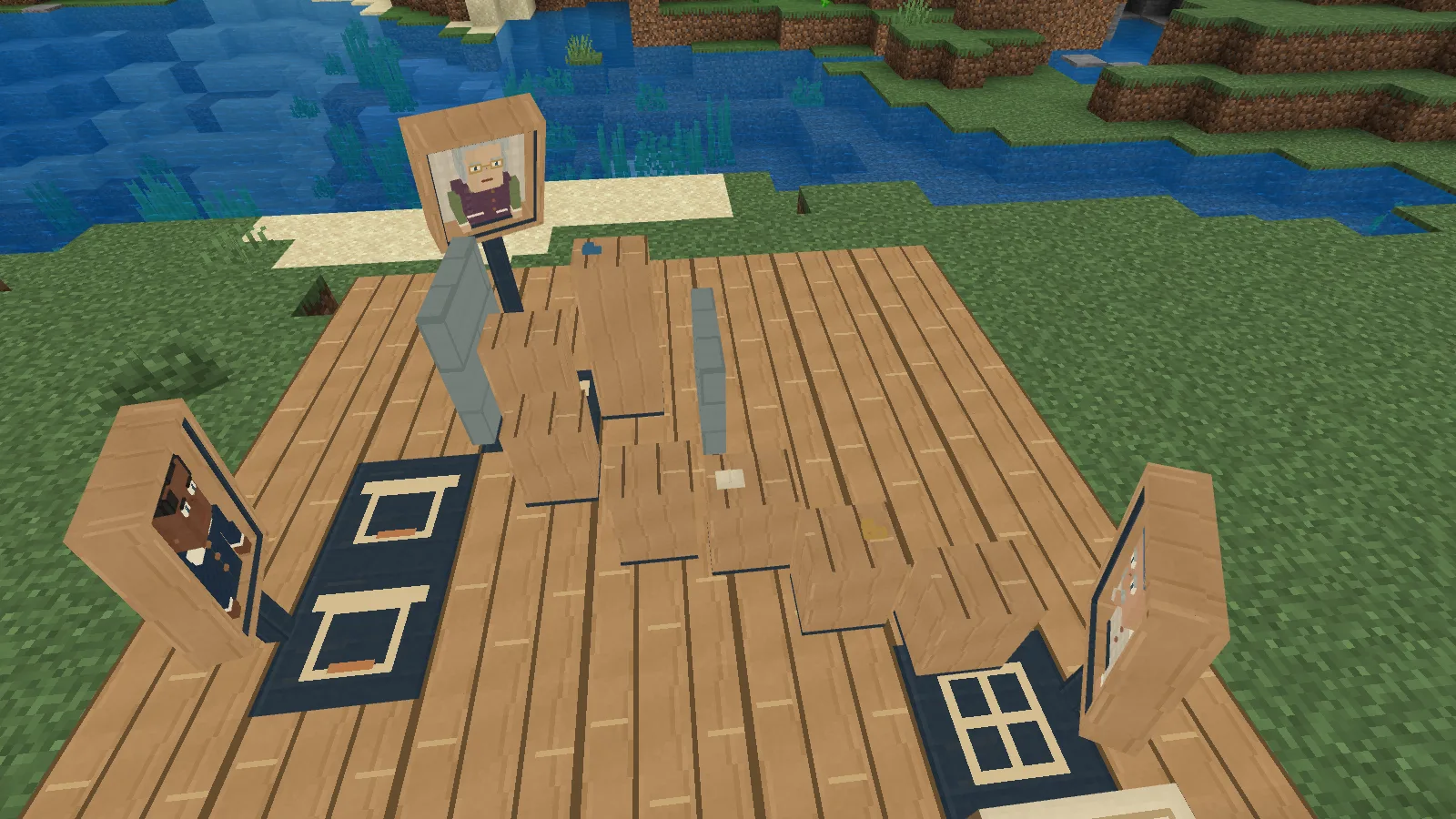
A bouquet has disappeared upstairs. Two keys have taken a confusing trip through the house. Three portraits were there, but each remembers a different part of the evening. Stillframe Gallery gives you a miniature mystery to investigate inside Minecraft: ask a careful question, compare what the portraits actually saw and arrange the events into a story you can watch.
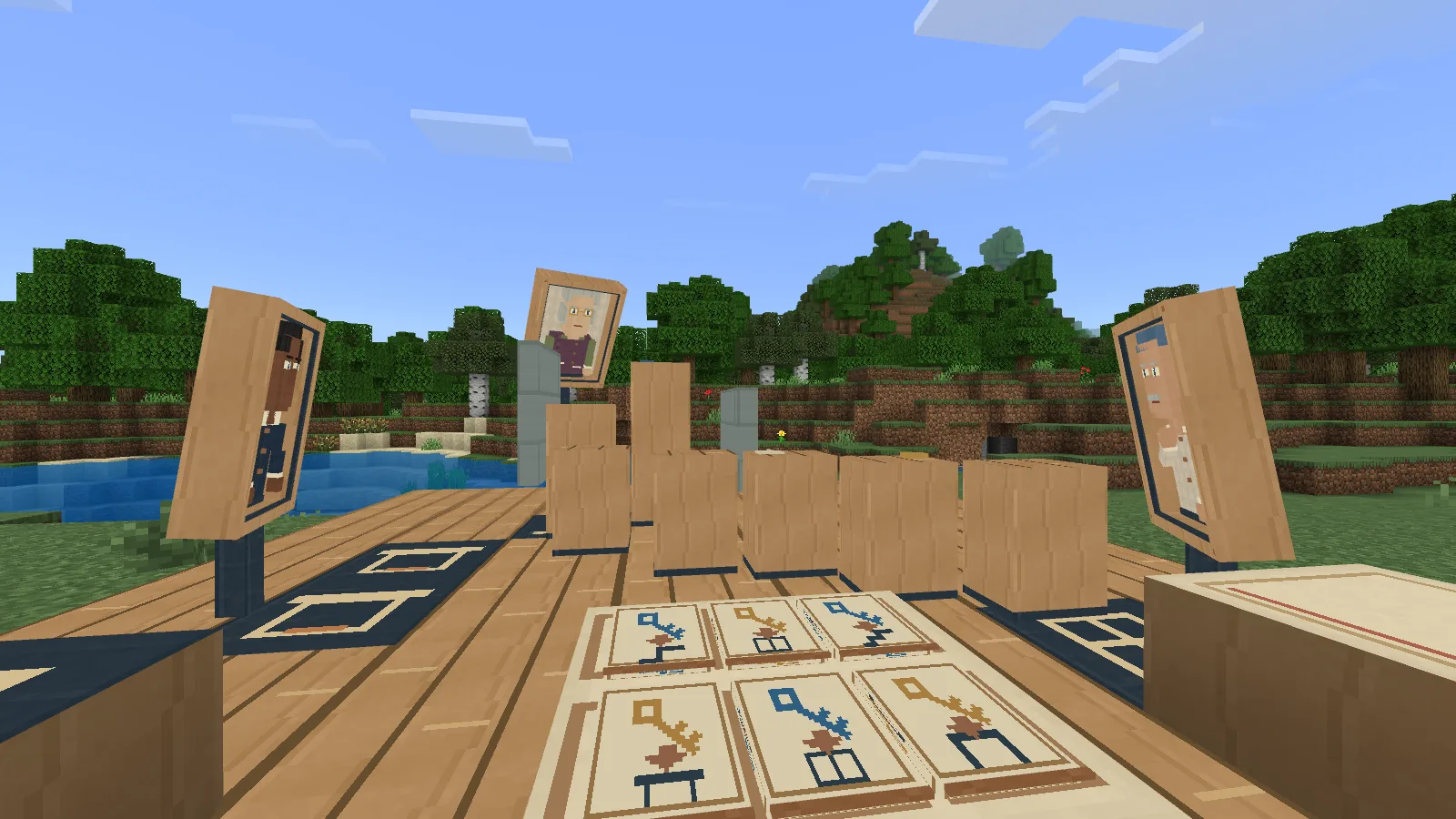
Meet Barnaby, Celia and Otto. Each portrait remembers the evening from its own view.
A gallery with three witnesses
Barnaby Flax, Celia Vane and Otto Wisp each have a place around the little room. A window, a hearth and a staircase give them different views. Walls and furniture can hide a movement, and a witness who saw something pass may not know exactly what it was.
Barnaby also has a gap in his memory around the mantel chime. Asking him about that part of the evening can get an honest “I don't remember.” Repeating the question will not turn it into a clue. Try another portrait or a different part of the evening instead.
The two cases are The Misplaced Bouquet and The Mixed Keys. Both use the room, but the objects, movements and evidence you need are different. You can keep the first solved story while working on the second.
Craft a place to investigate
Make the Stillframe Gallery Kit with white wool, an ink sac, oak planks, a crafting table, paper and a copper ingot. The filled grid below shows their positions.
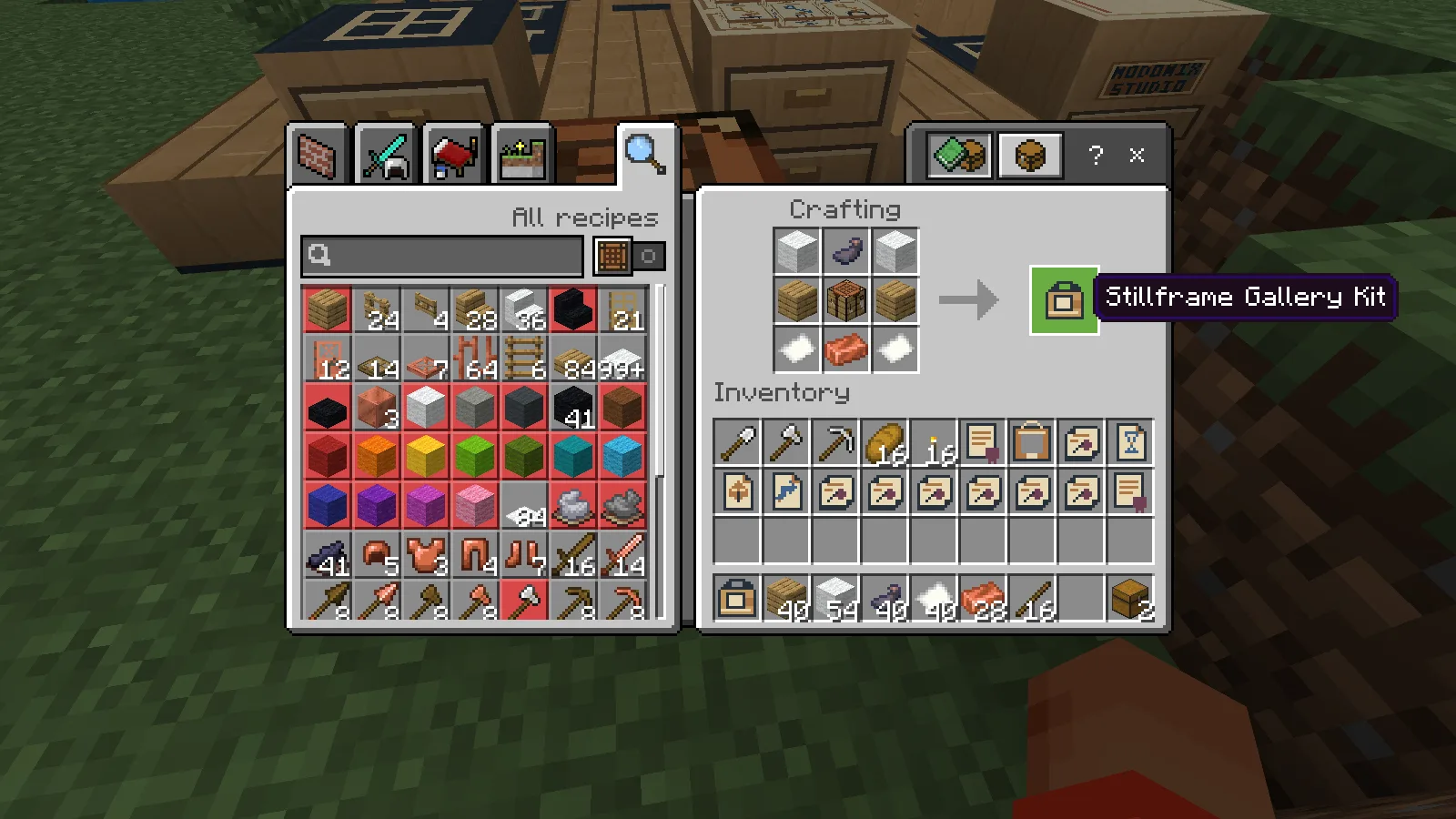
Craft the kit, then bring fourteen oak planks, four white wool and two copper ingots to build the gallery.
Find a level seven-by-seven area of solid ground with three clear blocks above it. Use the kit to mark the space, step outside the mark and use it again to build. The gallery itself costs 14 oak planks, four white wool and two copper ingots, separately from the kit recipe.
The gallery menu makes the rest of the pieces and shows their costs before you pay. Each portrait needs two oak planks, one white wool and one ink sac. Fit all three, then make the reusable Time, Object and Movement Question Cards. Each card costs one paper and one ink sac. Bring more paper and ink for the evidence you decide to keep.
Leave room around the gallery to walk and look into the scene. Keep a chest nearby, too: written clues are individual objects, and a long investigation can fill your bag.
Ask one useful question
Open Questions & saved interviews, or use a question card on a portrait. Choose the witness and a part of the evening: before, around or after the mantel chime.
The cards help you ask different things:
- Time asks about the order of remembered observations.
- Object asks about a particular thing in the room.
- Movement asks what passed through a chosen place, such as the window ledge or stair turn.
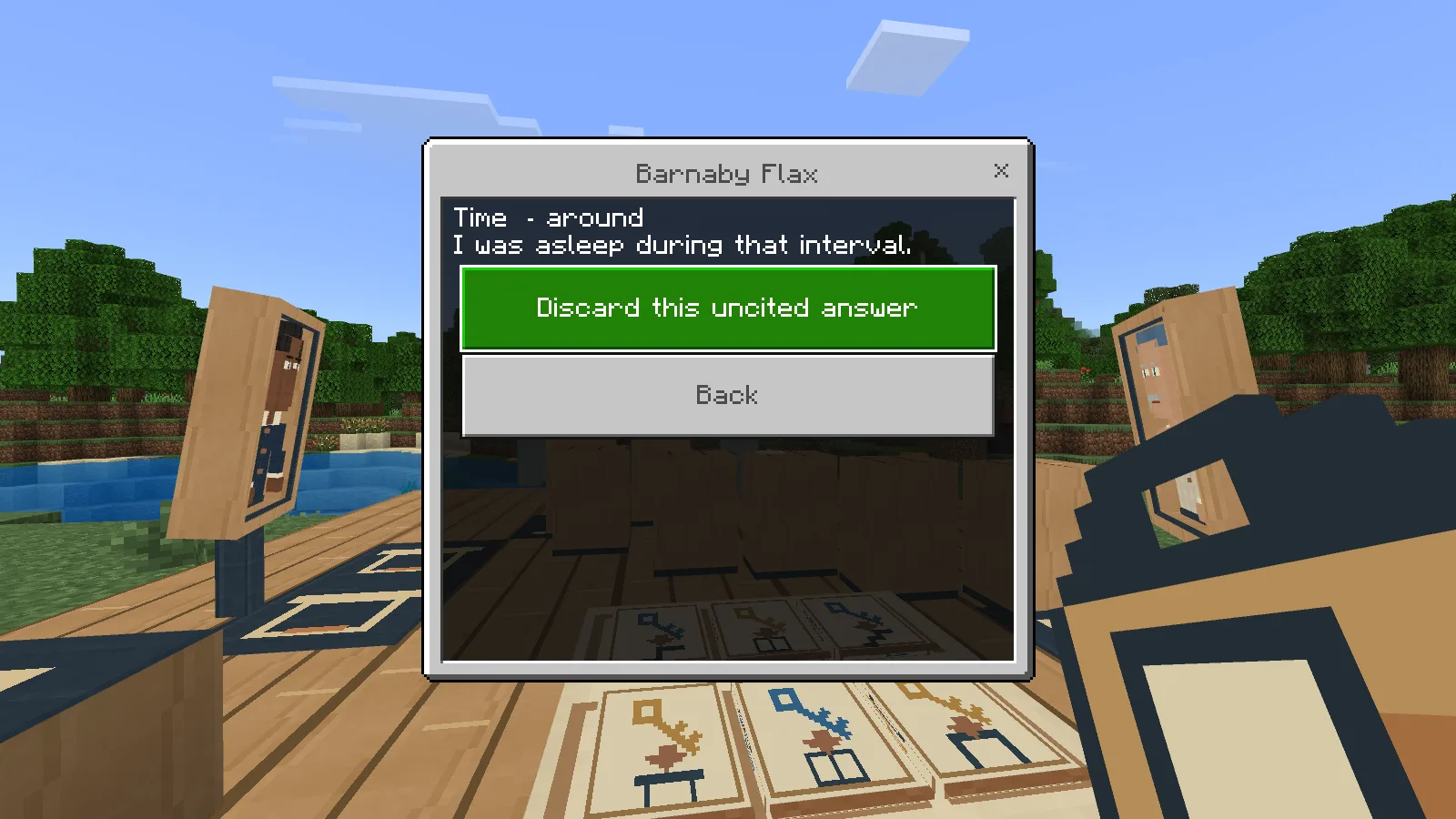
An honest gap in a witness’s memory is a reason to ask another portrait.
Read the whole answer, including what the portrait could not see. A full view of a movement is more useful for proving a route than a glimpse of one end. An uncertain answer can still help when another portrait supplies the missing detail.
Saved interviews let you revisit those answers. Compare two portraits puts accounts from different witnesses together, so you can check whether they agree before committing paper to a clue.
Turn observations into evidence
A proposed order needs support. Open a saved answer, choose its observation and match it to the event it actually supports. Writing an Evidence Chit costs one paper and one ink sac. The cited original stays with the gallery while you investigate.
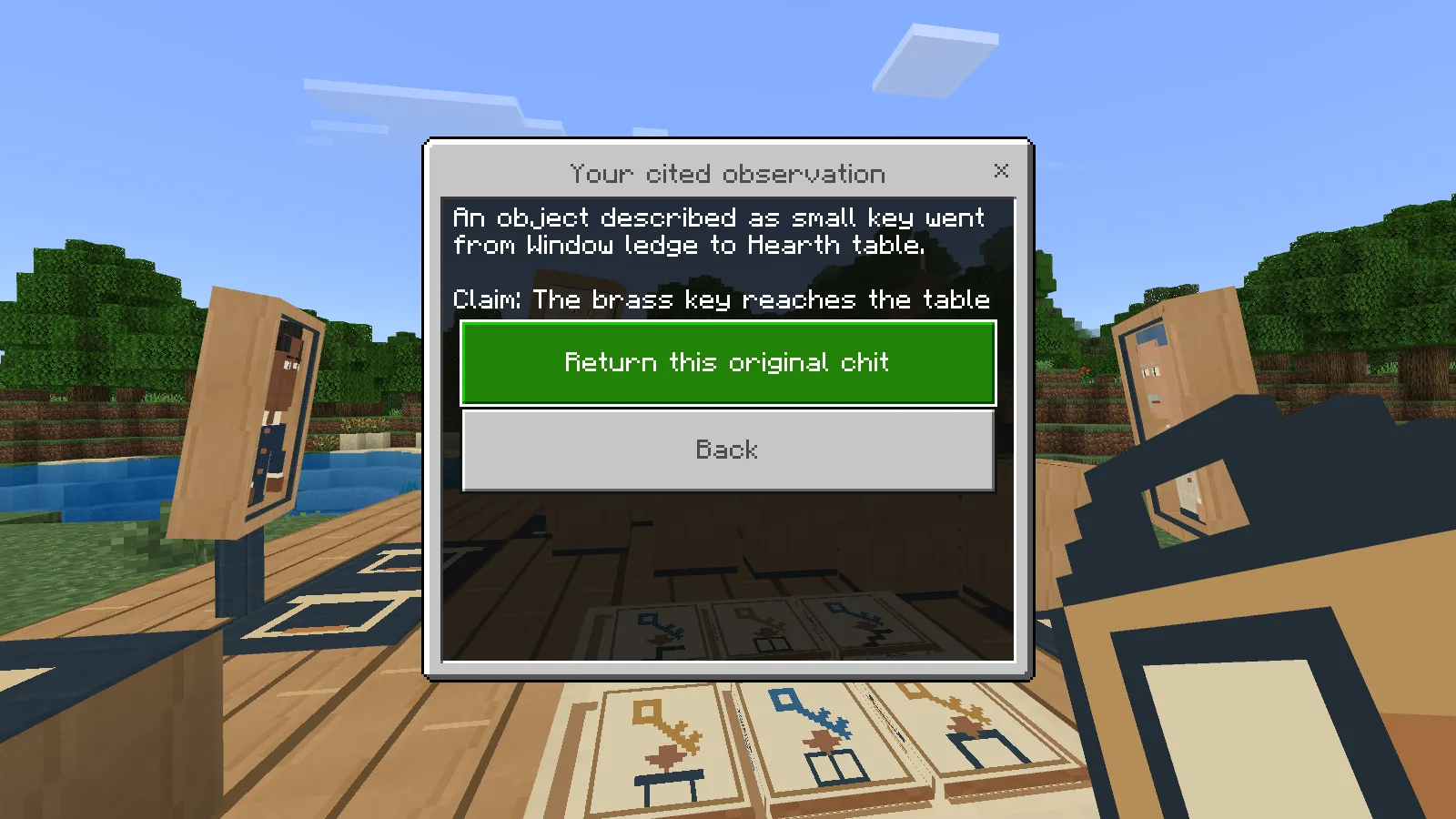
Keep the observation separate from what you think it proves. Another witness can supply the missing detail.
This is where guessing and solving part company. Putting the events into the correct order is not enough on its own: the portraits' cited observations must justify it. Conversely, an answer about one small detail should not be treated as proof of a whole journey through the house.
If you want to try another supported view for a portrait, return your cited originals first. Changing the view clears the old interviews, so ask fresh questions from the new position. Your already earned stories remain yours.
Watch your version of the evening
Open Arrange & watch your order and place all six events on the ribbon. Review the order, propose it and agree to begin. The menu closes so you can watch the actual objects move through the miniature room. The silent gameplay clip below shows an agreed reconstruction of The Mixed Keys.
Agree to your six-event order, then watch the keys move through the room. Check the result against your cited interviews.
Playback is your proposed reconstruction. Afterwards, choose Check your reconstruction to find out whether the evidence supports it. If something is missing, revisit the interviews and cited observations. The optional hint can help you choose a next question without handing you the whole answer.
You can pause a movement and save the world. When you return, review the held reconstruction and agree again to continue it. You do not need to start the investigation over.
Bring the story home
An earned story opens the house's epilogue, with the supporting observations available separately. Spend one paper to write an Earned Story Record, or make a Commemorative Story Frame with two oak planks, one white wool and one copper ingot.
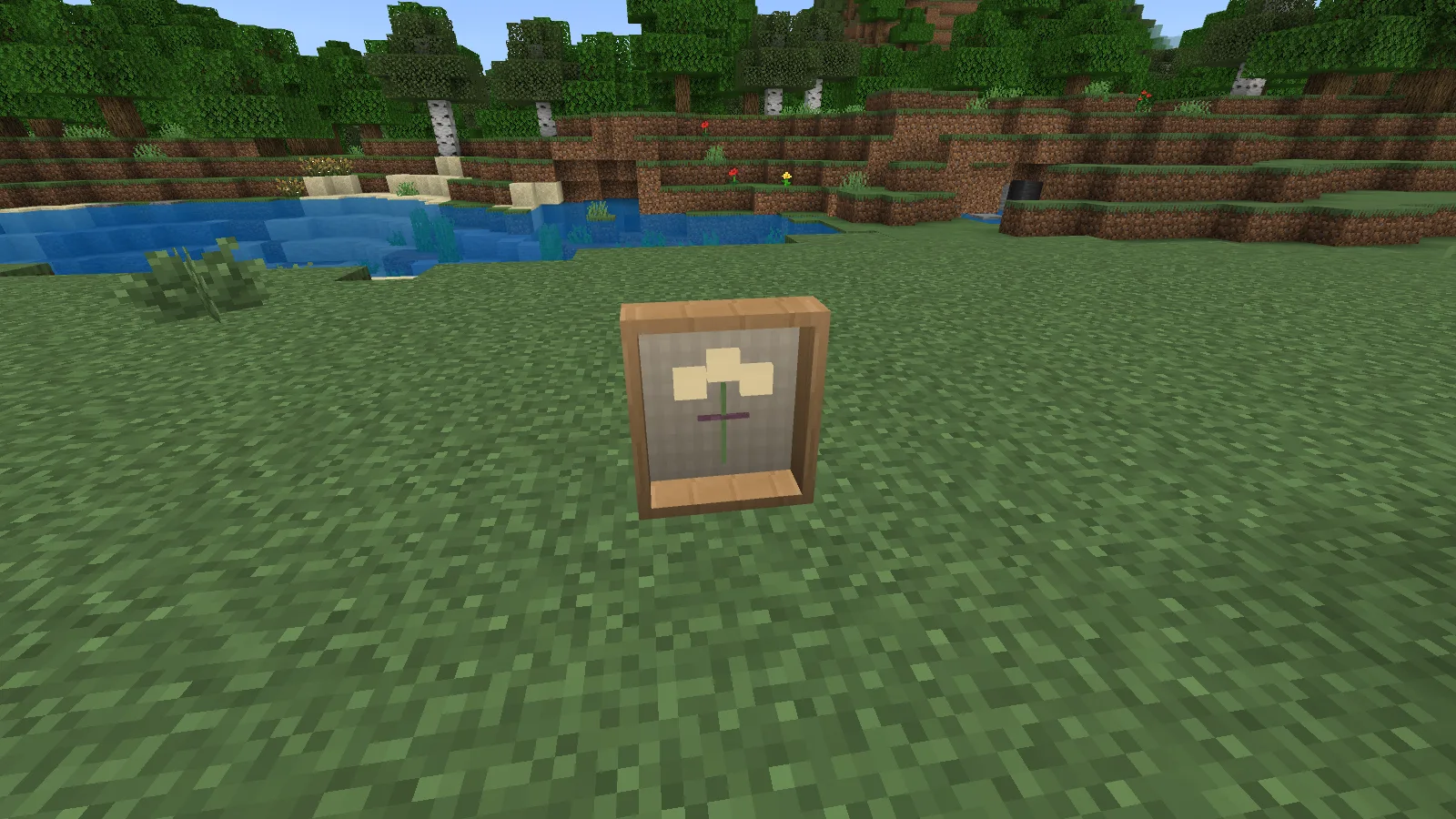
Keep the story you solved. This original frame can be placed, read and taken home again.
Place the frame on empty supported ground outside the working gallery. You can read it there and return that same original to your bag when it is time to move. Solving the other case keeps the earlier story, so a finished gallery can leave you with two memories to display.
When you are done, choose Pack the gallery. The portraits and cited originals return, followed by the oak, wool and copper paid for the gallery itself. Materials already turned into pieces, and paper and ink already used, stay spent. If your bag fills, put some items in your chest and return to collect the rest.
Download the add-on from Files. This release targets Minecraft Bedrock 26.52. The native playthrough used Windows; touch controls and the optional second-interviewer role still need separate real-player checks.
To adjust your own gallery, open Modonix Development Studio and import the editable Stillframe project. Created by Modonix Studio.
Comments & questions
Share what worked, ask for help or reply to another player.
No comments yet. Share what worked for you.