
Ridgeway Field Kit is designed around a short stop along a longer journey: a white canvas roof, a small stone crossing and food prepared before leaving home. Its three items are Ridgeway Awning, Ridgeway Stone Deck and Ridgeway Trail Ration. The tools build with ordinary materials from your inventory; crafting the tool is separate from supplying the structure.
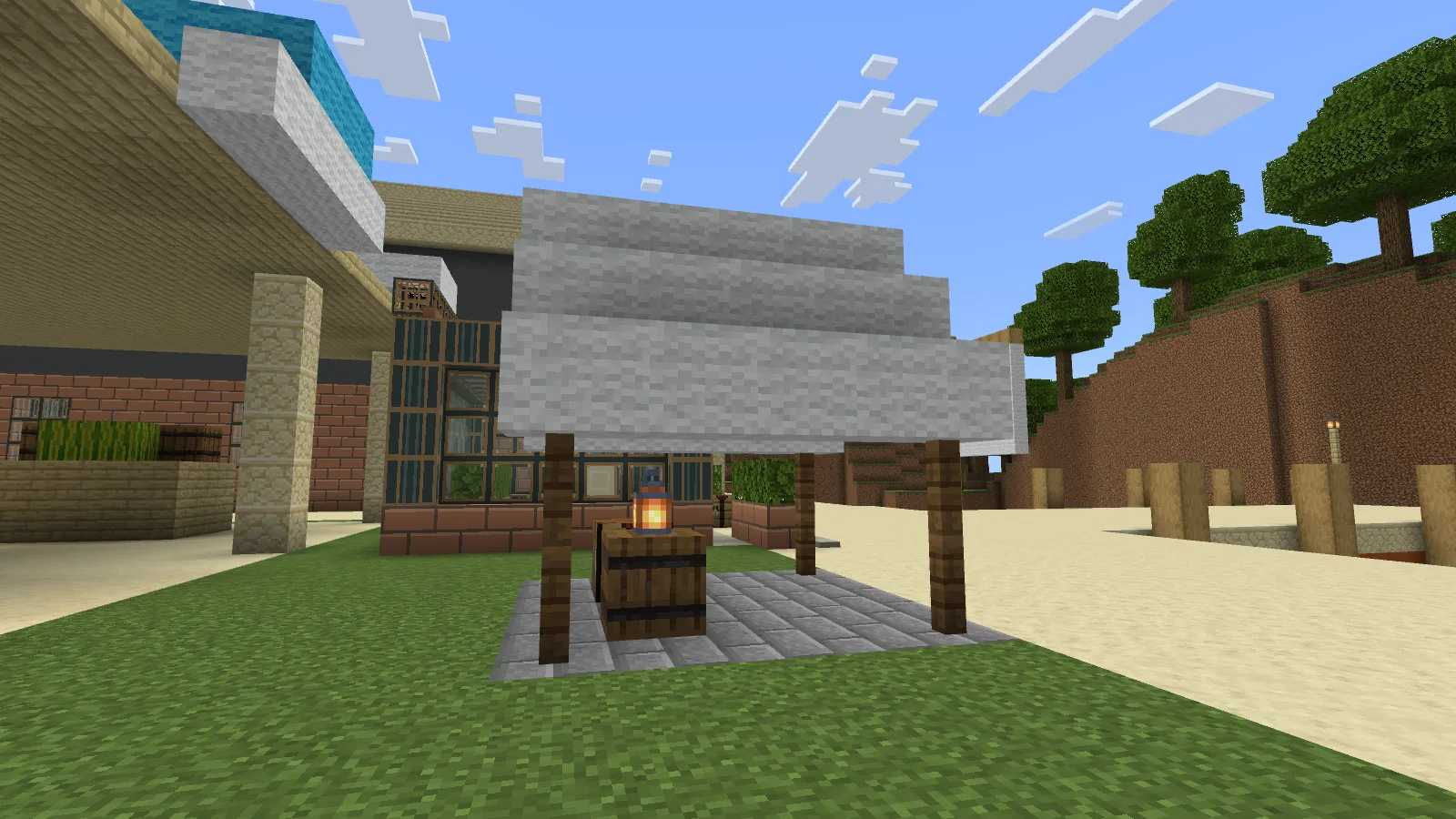
The awning and Stone Deck form a camp stop. The greenhouse, market and surrounding scenery are separate builds and are not included.
A roof for a temporary stop
The awning is intended for a trail junction, fishing camp or work area beside a larger home. It uses spruce fences for posts and white wool for a pitched roof. Plan for 8 spruce fences and 25 white wool on solid ground. Empty floor cells add spruce planks, up to 25. Leave the whole space clear, including beneath the roof; a chest inside the outline can prevent placement.
Face the area you want to cover and use the tool while aiming into open air. Aiming at a chest opens its inventory. Activation costs nothing, but you still supply the building blocks. If you drop needed wool after the job starts, the awning can wait; picking it up lets construction continue.
To pack, use Sneak + Use with the same tool and owner, in the same dimension near the original placement point. Recoverable blocks drop as ordinary items in the world: walk over to collect them. Blocks replaced with a different material stay in place. Do not assume an edited camp returns every original material.
A small deck over an empty gap
Ridgeway Stone Deck is intended for a shallow dry gap or an unfinished floor. A fully empty 5×5 floor needs 25 stone bricks. Existing solid floor reduces the plan: the tool does not raise a new platform above level ground. Prepare suitable connected edges instead of expecting a raised stage on a lawn.
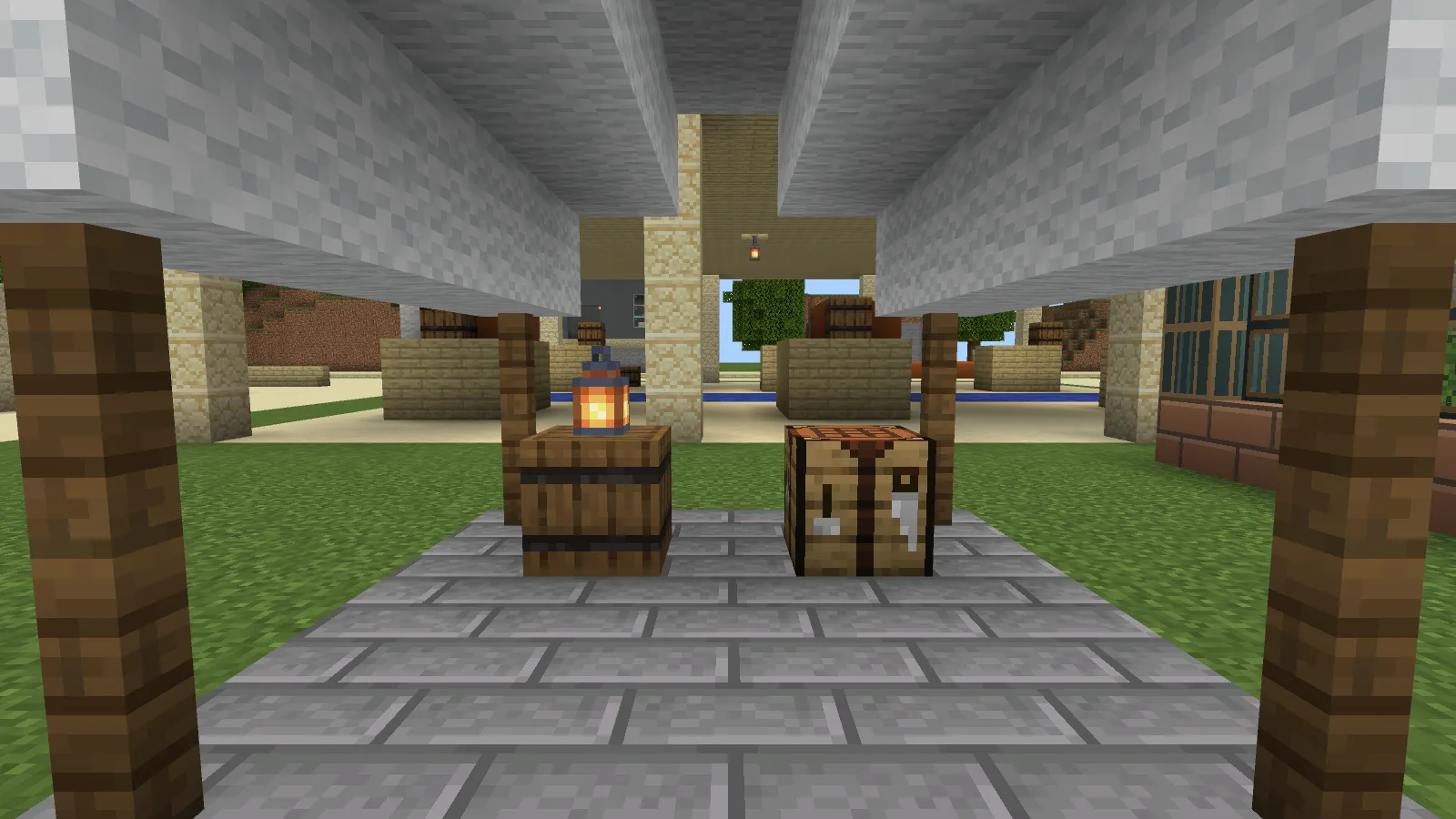
Furnish the covered stone floor with vanilla blocks. The crafting table, barrel and lantern are placed separately; the kit does not add furniture.
Craft the kit
Read each tool recipe as three rows in a crafting table; a dash means an empty slot.
Awning: — / white wool / —; string / leather / string; — / stick / —. Result: one Ridgeway Awning.
Stone Deck: — / stone bricks / —; stick / leather / stick; — / stone bricks / —. Result: one Ridgeway Stone Deck.
Combine bread, an apple and sweet berries in any order for two Trail Rations. The ration is ordinary food, with no configured potion effect.
One ration restores six hunger points, or three drumsticks. Eat it when the hunger bar has empty slots: on this Bedrock build a ration can still be consumed with a full bar.
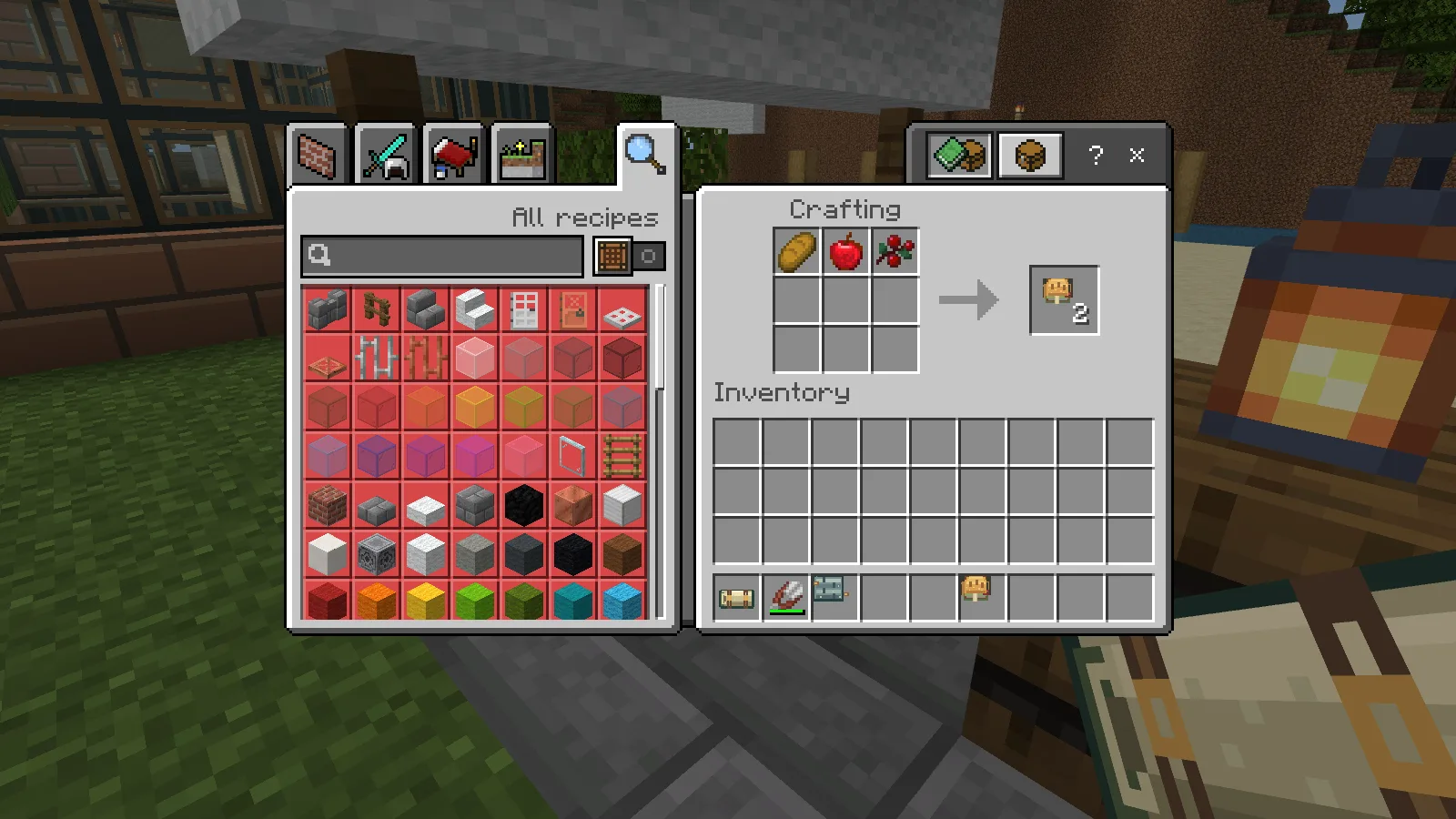
The shapeless recipe produces two rations. Both building tools are also visible in the hotbar.
Before your first trip
Use the Windows development-pack folders for the steps below. Keep a backup of the world you want to use and follow the requirements beside the download.
- In File Explorer, show file name extensions. Make a copy of the downloaded MCADDON, change the copy's extension to
.zipand extract it. Keep the original download. - Press Win+R and open
%APPDATA%\Minecraft Bedrock\users\shared\games\com.mojang. This is the standard folder for current Windows Bedrock releases; if you moved game content, use its actualcom.mojangfolder. - Copy the whole
ridgeway_field_kit_BPfolder intodevelopment_behavior_packs, andridgeway_field_kit_RPintodevelopment_resource_packs. Each copied pack folder must containmanifest.jsondirectly inside it, without an extra outer folder. Keep the pack files unchanged. - Edit a copy of your world. In Behavior Packs and Resource Packs, select the Ridgeway packs under My Packs and check that both are active. Enter that world, check the item icons and gather the building materials.
If a pack is missing from the list, check the game folder and the position of manifest.json before copying it again.
Comments 0
Share what worked, ask for help or reply to another player.
Use your Modonix account to join the discussion and manage your comments.
Sign in to commentNo comments yet. Share what worked for you.