Quiet Graveyard for Minecraft Bedrock

Build a small cemetery for a Halloween village with four memorial markers and matching low edging. Choose the symbols and arrange the corners yourself.

Content language

A little cemetery can give a Halloween village something to explore beyond the houses. Quiet Graveyard supplies four memorial markers and two low fence pieces for that build. Add your own stone graves, flowers and a path, then choose which symbol belongs at each plot.
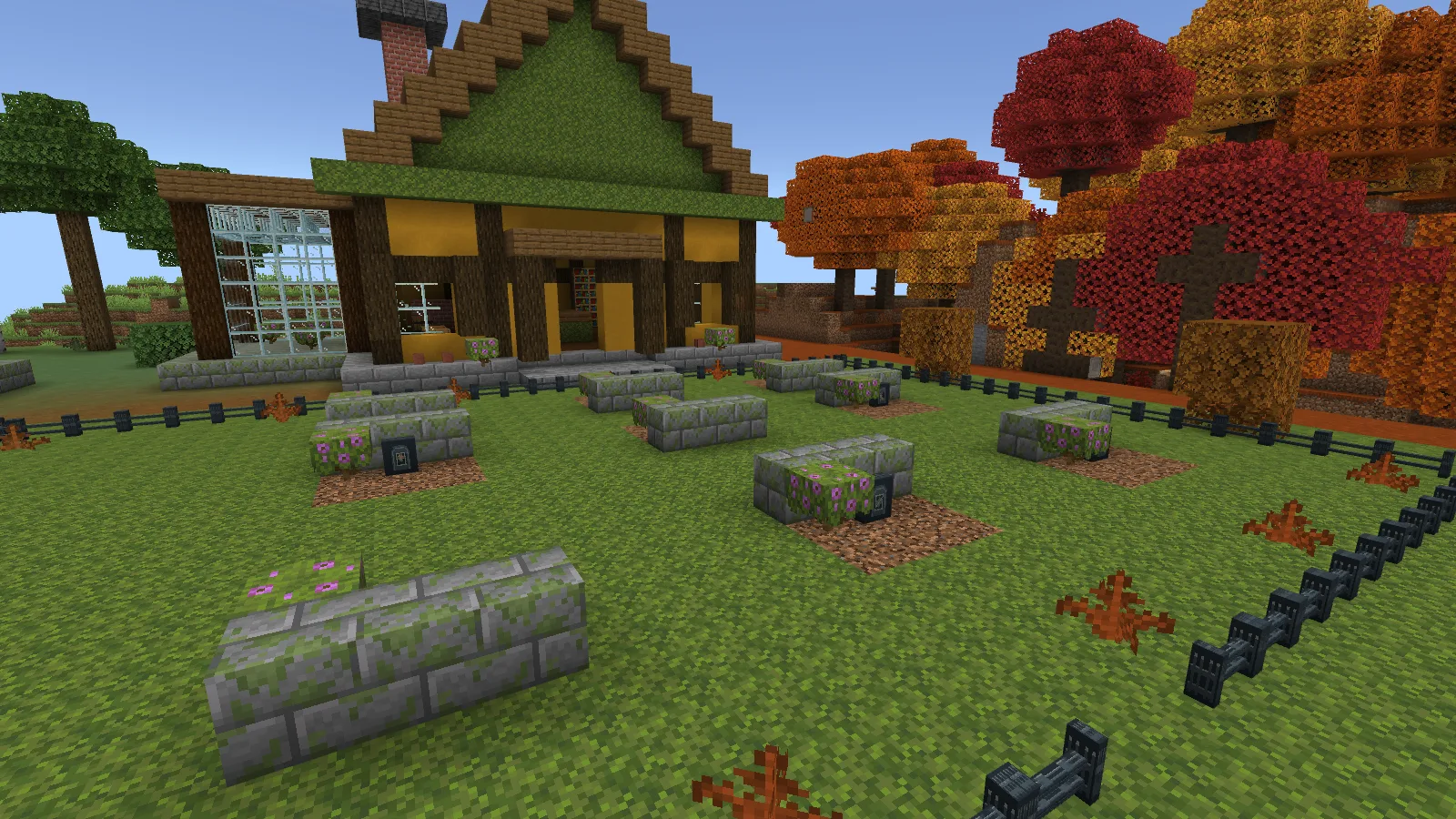
Quiet Graveyard memorial garden framed by joined low slate rails.

Give each grave a marker

The four choices are Plain, Leaf, Moon and Flower. They have fixed designs, so you pick a symbol rather than type a name onto the block. For a named grave, you can add a regular Minecraft sign nearby.
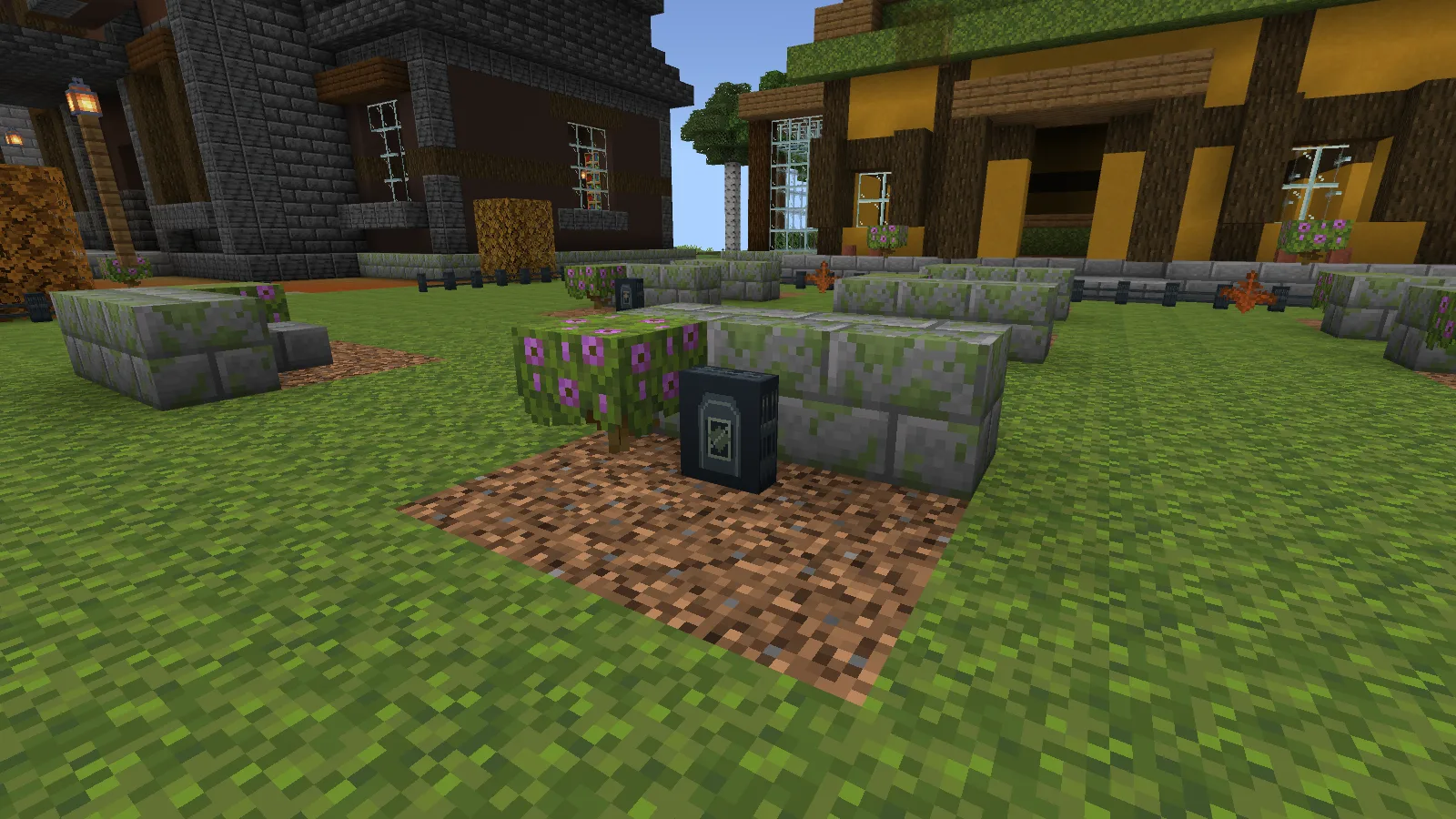
Close view of the Leaf memorial marker and its carved face.

Keep the decorated side facing the path. The markers are small; setting one behind tall grass or a thick row of flowers can hide the symbol you chose. The mossy stone beds here are ordinary building blocks, so you can make the graves as simple or overgrown as you like.

Leave a way into the cemetery
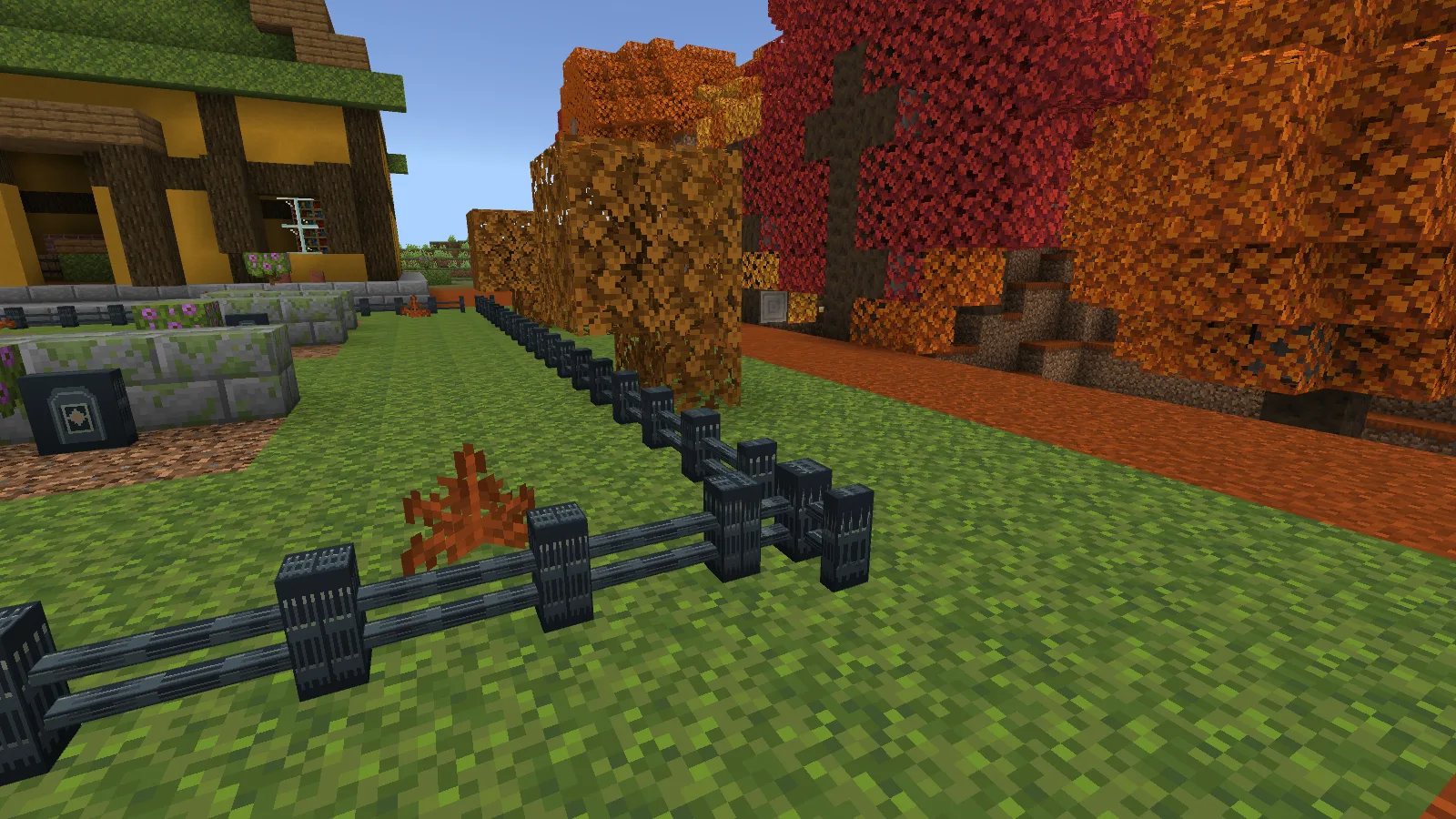
A manually placed Corner fence piece meeting a straight rail.

Use Straight pieces along the sides and a Corner where the boundary turns. You arrange and orient them yourself so the rails meet. Leave a gap where your path enters rather than closing the whole perimeter.

This is low decorative edging. Don't rely on it to keep animals in or protect a Survival base.

Crafting the markers and edging

For one Plain marker, combine 1 Stone Bricks, 1 Moss Block and 1 Clay Ball. Craft a single marker on its own to change the symbol:

Plain → Leaf → Moon → Flower → Plain

For one Straight fence piece, combine 1 Stone Bricks and 1 Iron Bars. Put it into the crafting grid alone to make a Corner; craft the Corner alone to turn it back. All recipes are shapeless and return one piece.

The download gives you the markers and edging, leaving the cottage, graves and garden for you to build. Import the .mcaddon file with Minecraft and enable both packs in the world settings. Make a backup before adding it to an existing world.

No ratings yet

Files

Filter files Files: 1All release types
Show all files

Only preview files match this setup. Beta and Alpha releases may be unfinished.

Version 0.1.3

Beta

sl_h07_quiet_graveyard-0.1.3-bedrock-26.52.mcaddon

Minecraft 26.52 Devices: Windows, Android, iOS / iPadOS

Author-declared devices · Tested on: Windows

2 downloads
Download · 29.1 KB
Requirements & details

Quiet Graveyard for Minecraft Bedrock 0.1.3 Beta

  • Game version: 26.52 · Devices: Windows, Android, iOS / iPadOS · Experiments: Not required · Script API: Not used · Pack contents: Behavior + Resource · File format: .mcaddon · Game channel: Stable · Play in: Local world · World requirements: Existing world supported

Minecraft Bedrock 26.52. Import the .mcaddon and enable its Behavior and Resource Packs. Native gameplay tested on Windows; mobile and multiplayer were not verified.

Requirements & notes
Known issues
Fence pieces are decorative edging. Place corners manually; the low rails do not contain animals.
Device compatibility basis
Author-declared
Devices checked in-game
Windows
Device support notes
Standard Bedrock .mcaddon format is listed for Windows, Android and iOS / iPadOS. Native gameplay was tested only on Windows Bedrock 26.52; mobile and multiplayer were not verified.

Release updates

Version 0.1.3

Beta

Original Modonix Studio add-on; see the article for tested features and limits.

View files

Comments 0

Share what worked, ask for help or reply to another player.

Join the conversation

1Your name & email

No account required. Confirm your email with a code before your first comment. Only a masked address appears with your name. Guest comments are reviewed before publication.

2Verify & post

No comments yet. Share what worked for you.

Search Modonix

Search in