Pumpkin Waymarks for Minecraft Bedrock

Mark a village route with carved pumpkin signs for Home, Mine, or Farm. Each destination has four arrow faces, and placed markers give off light.

Content language

A small sign for the paths you use most

Pumpkin Waymarks turns a familiar pumpkin into a compact route marker. Choose one of three destination symbols—Home, Mine, or Farm—and pair it with an Up, Right, Down, or Left arrow. That makes twelve distinct fronts, useful at a village fork, a mine entrance, or the path between a cottage and its crops.
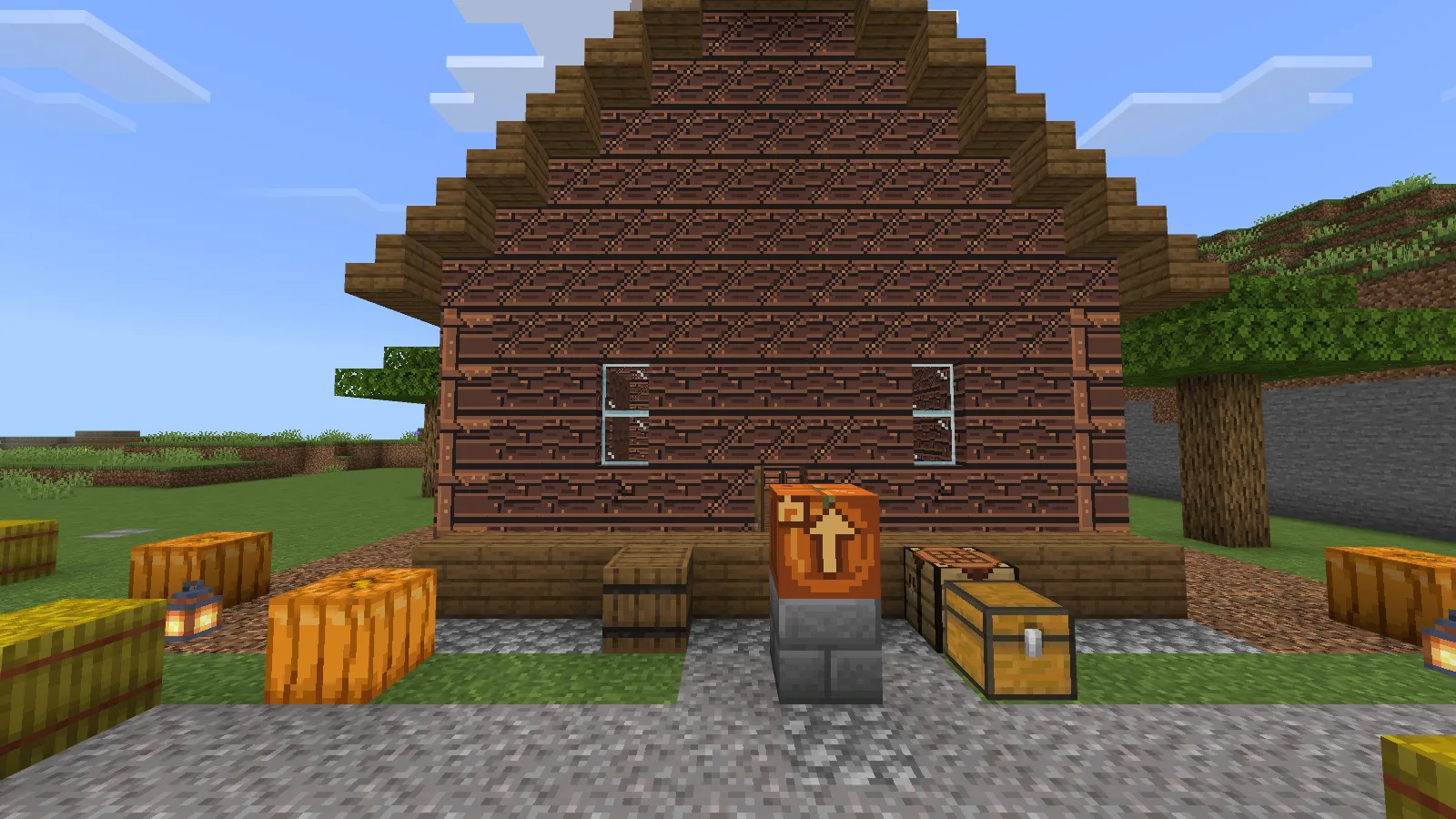
A Home pumpkin marker beside a cottage approach, with its home symbol and upward arrow visible on the front.
Mark the path where it reaches a cottage or shared base.

Craft and place a marker

Craft an Up marker with a pumpkin, a stick, a torch, and one destination material in any arrangement in the player crafting grid. Oak planks select Home, cobblestone selects Mine, and wheat selects Farm.

The carved front turns toward you when you place the marker. Face the side from which you want the sign to be read, then place it. To change the block’s facing later, break it and place it again from the new side. The arrow is a fixed sign design; it does not track a path or destination.

To change the arrow on an item, put one marker by itself in the crafting grid. It advances through Up → Right → Down → Left → Up while keeping its destination, so you can cycle to the direction you need.
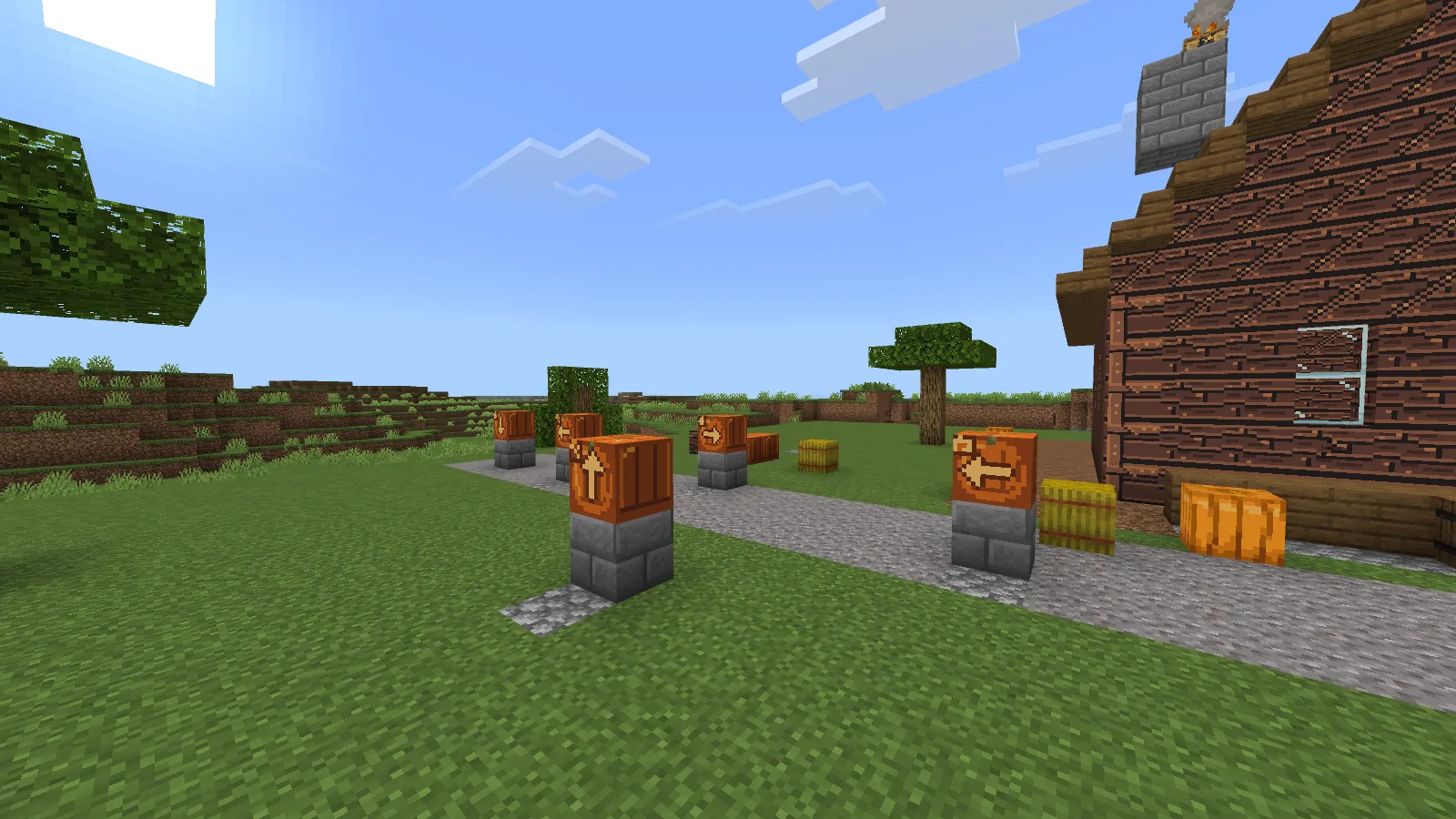
A path junction marked with pumpkin signs for Home, Mine, and Farm, showing the four arrow directions.
Home, Mine, and Farm markers make a junction easy to scan.

A little light at night

Placed waymarks give off light and make paths easier to pick out after dark. The held item does not light the area.
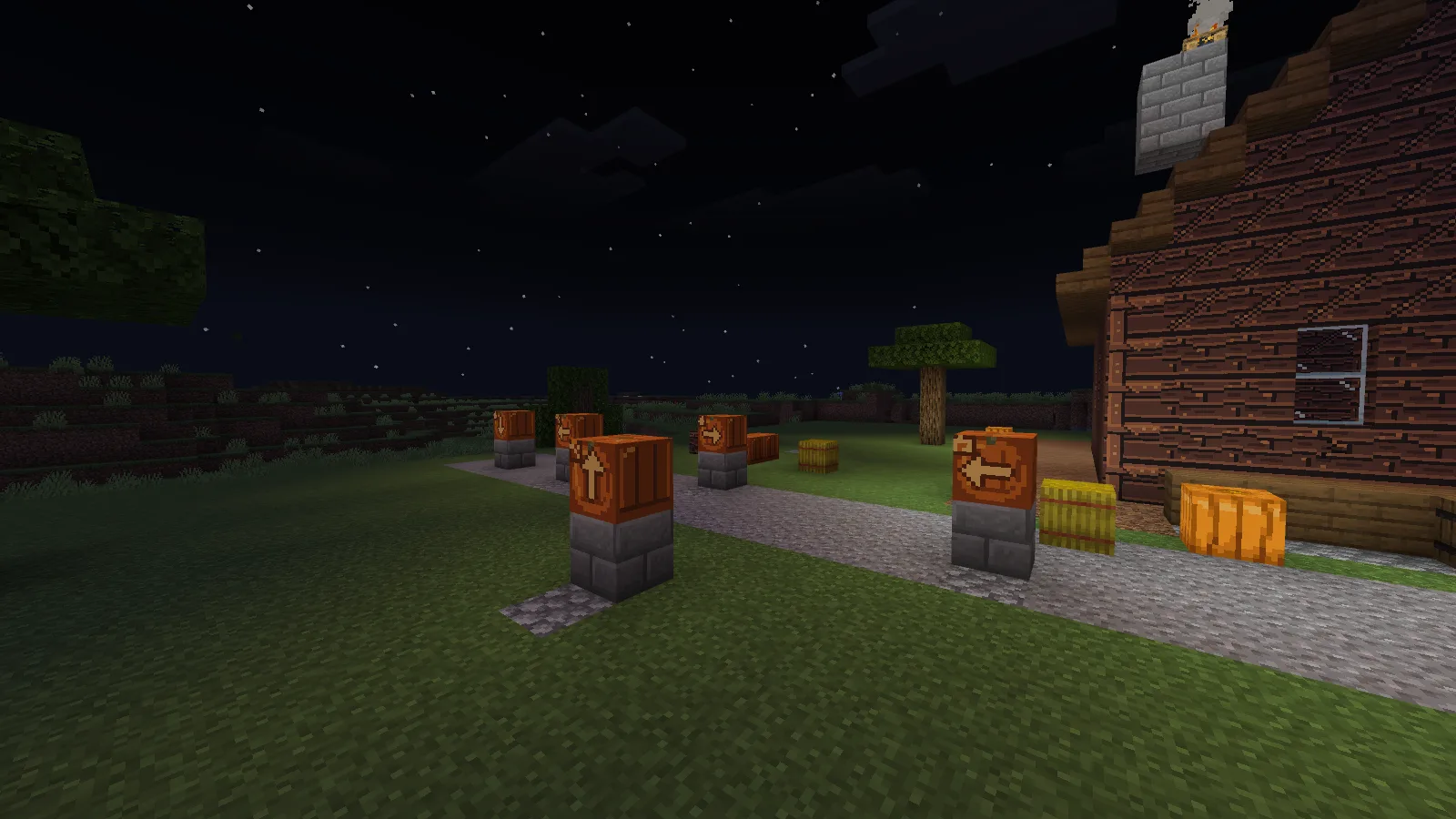
The same placed waymark route at night, with nearby ground visibly illuminated around the signs.
Placed markers add a warm point of light along a night route.

Install and use

Import the .mcaddon, then enable its included Behavior Pack and Resource Pack for the world where you want to use it. No experimental settings are required. Try the pack in a separate world or a copy of a world you value before adding it to a long-running save.

The marker front can be harder to read while held, depending on camera angle.

No ratings yet

Files

Filter files Files: 1All release types
Show all files

Only preview files match this setup. Beta and Alpha releases may be unfinished.

Version 0.1.3

Beta

mdx_waymarks-0.1.3-bedrock-26.52.mcaddon

Minecraft 26.52 Devices: Windows, Android, iOS / iPadOS

Author-declared devices · Tested on: Windows

1 download
Download · 57.7 KB
Requirements & details

Pumpkin Waymarks 0.1.3 Beta

  • Game version: 26.52 · Devices: Windows, Android, iOS / iPadOS · Experiments: Not required · Script API: Not used · Pack contents: Behavior + Resource · File format: .mcaddon · Game channel: Stable · Play in: Local world · World requirements: Existing world supported

Minecraft Bedrock 26.52. Import the .mcaddon and enable its included Behavior Pack and Resource Pack in the world. No experimental settings are required. Tested on Windows; other devices and multiplayer have not yet been verified.

Requirements & notes
Known issues
The held item does not emit light. Its front can be harder to read at some camera angles.
Device compatibility basis
Author-declared
Devices checked in-game
Windows
Device support notes
Standard Bedrock behavior and resource pack format for Windows, Android, and iOS / iPadOS. Native gameplay was tested only on Windows Bedrock 26.52; mobile gameplay, touch controls, and multiplayer have not been verified.

Release updates

Version 0.1.3

Beta

Includes twelve pumpkin sign variants: Home, Mine, and Farm destinations, each with four arrow directions. Placed markers emit light and can be reoriented by breaking and placing them again.

View files

Comments 0

Share what worked, ask for help or reply to another player.

Join the conversation

1Your name & email

No account required. Confirm your email with a code before your first comment. Only a masked address appears with your name. Guest comments are reviewed before publication.

2Verify & post

No comments yet. Share what worked for you.

Search Modonix

Search in