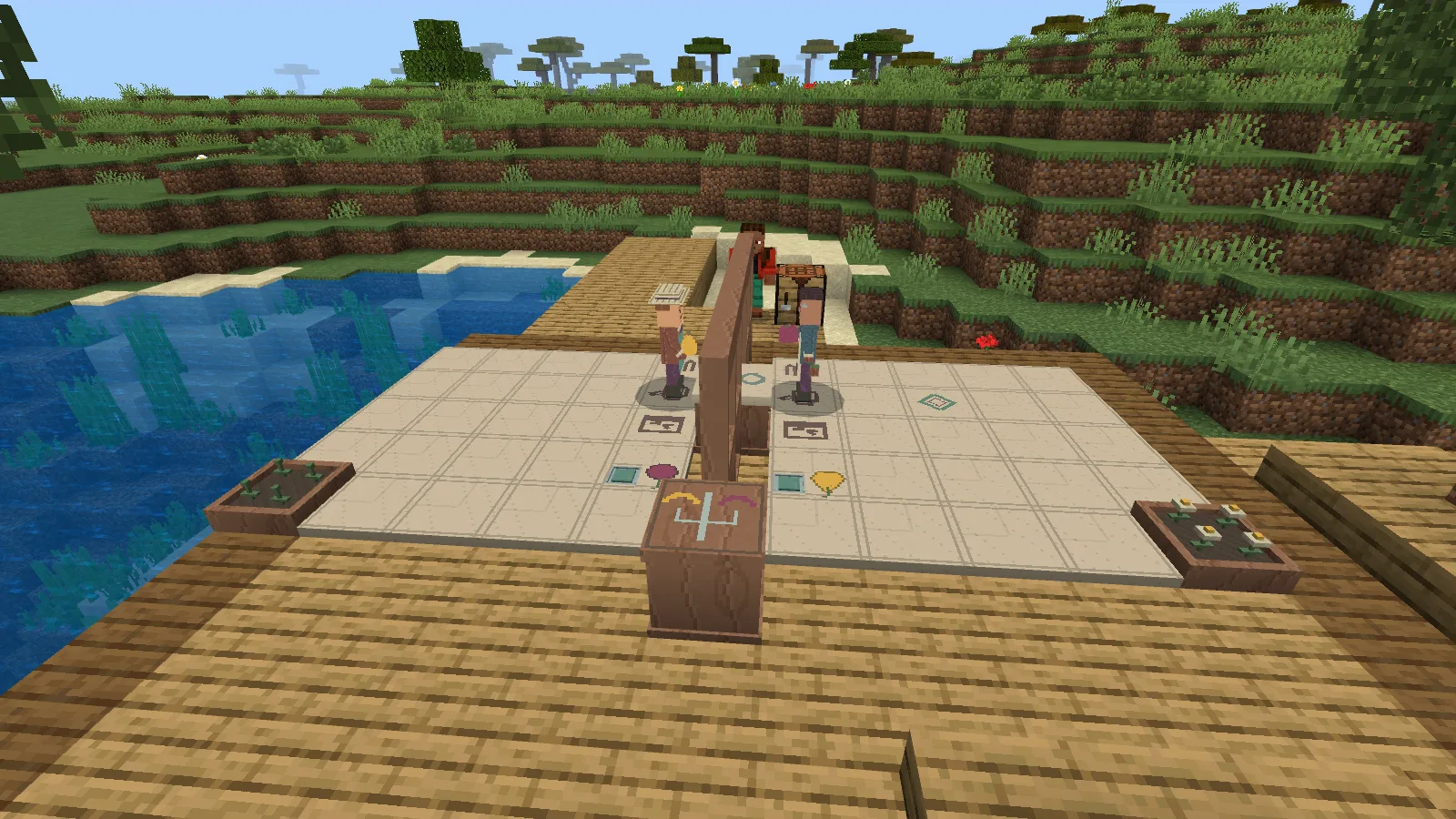
Tobin has a Morrow Pear. Merren Quince has a Quince Pome. Each wants the fruit on the other side of the garden, and each has a bed that needs attention. Getting them to meet sounds simple—until you realise that one step can have two different consequences.
Morrowglass Orchard turns a corner of your Minecraft world into a little game of cooperation. Two gardeners occupy neighbouring plots, separated by a wooden screen with an exchange window. You guide them from beside the garden, asking what they need, proposing actions and deciding whether the plan works for both. Their small gestures and hand-carried fruit give those decisions something tangible to follow.
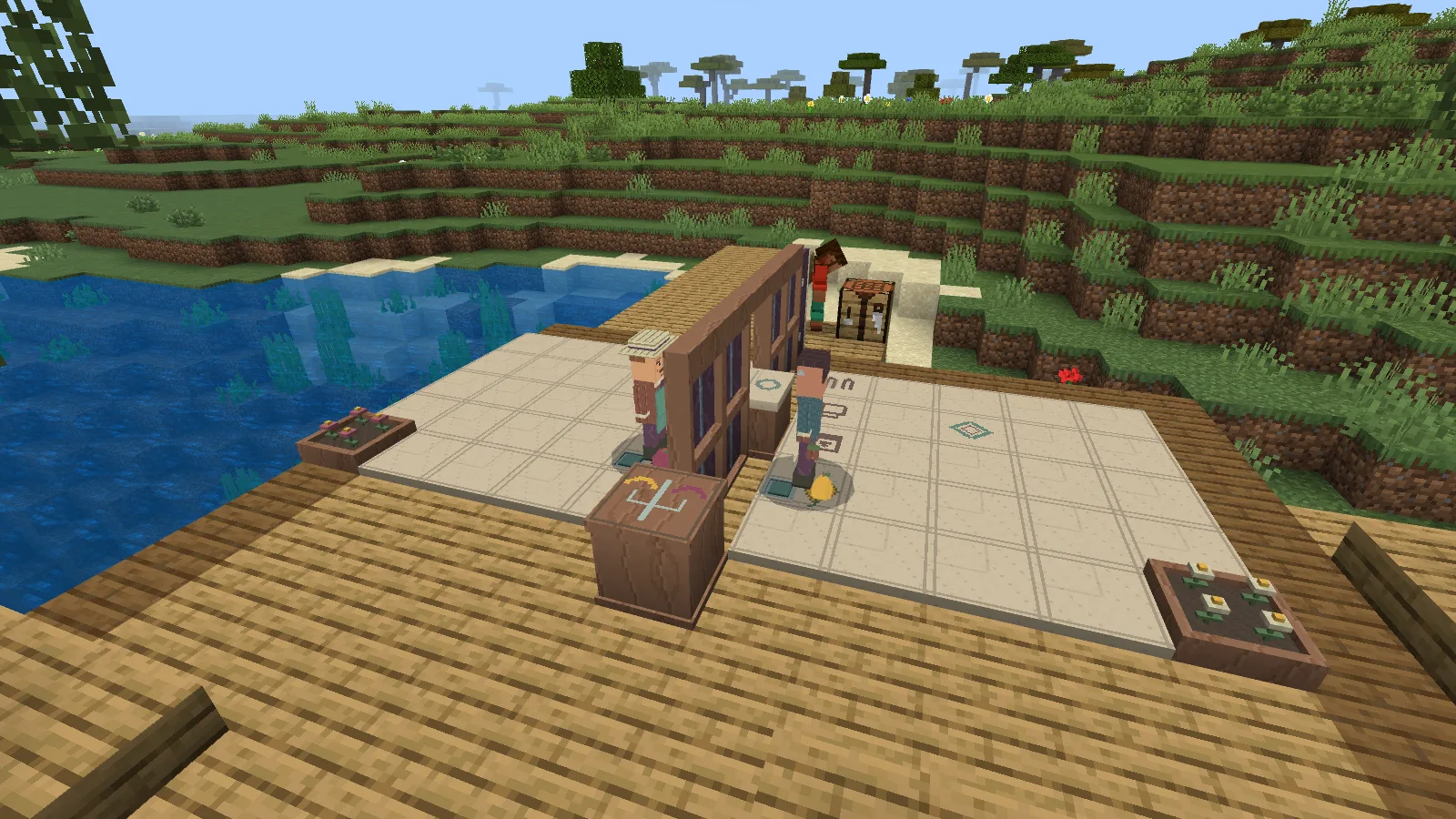
Give the two gardeners room to move. The riverside terrace is a separate build of ordinary Minecraft blocks.
Make room for two gardeners
Give the Morrowglass Orchard Kit a flat eleven-by-seven space with three clear blocks above it. A wooden terrace works well if your favourite patch of riverside ground is uneven. Keep the approach open so you can stand outside the plots while watching and using the menus.
Kit recipe: two sticks, one glass block, two oak planks, one crafting table, two clay balls and one paper, arranged as shown.
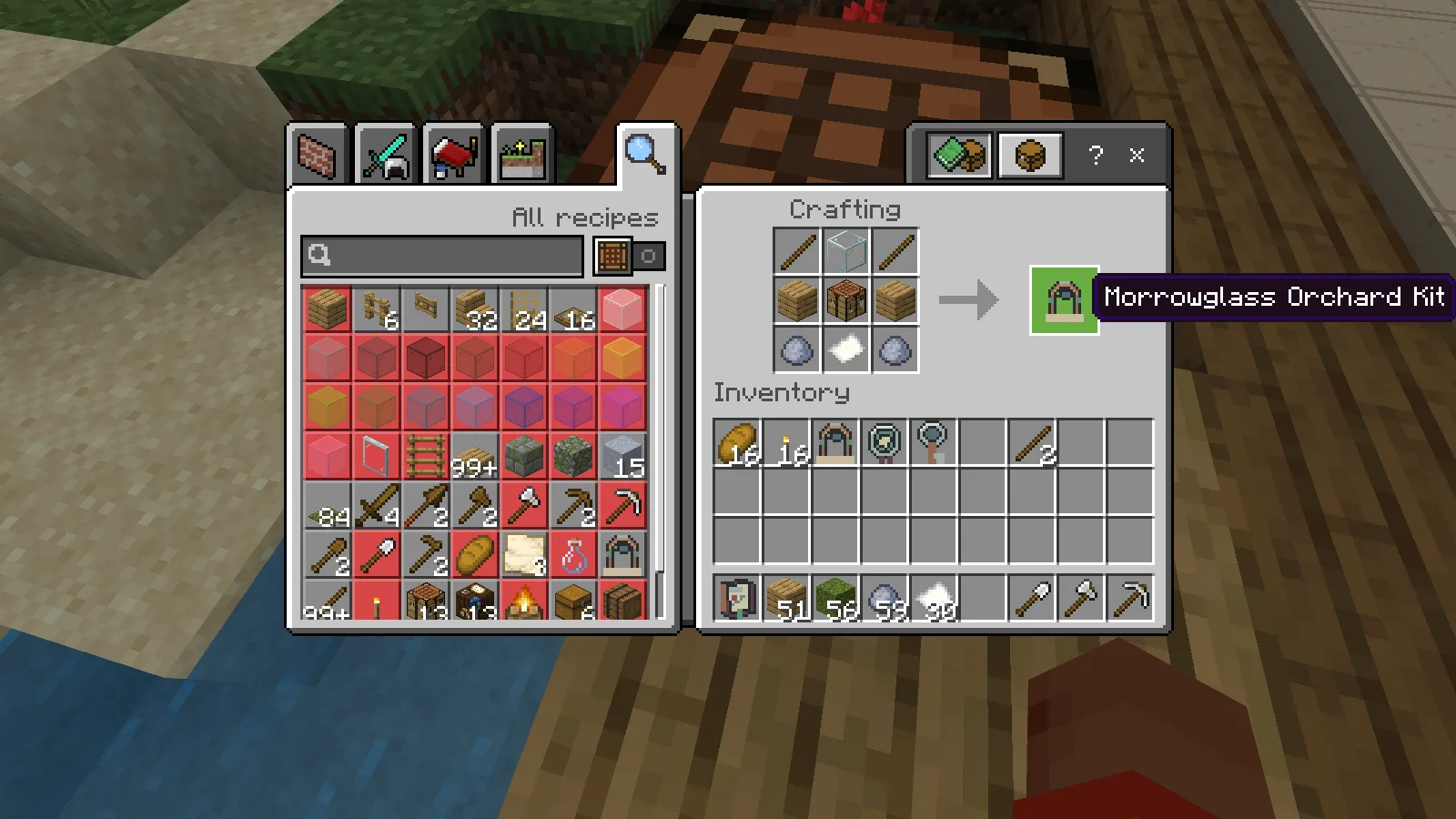
Two sticks, glass, two oak planks, a crafting table, two clay balls and paper.
Making the kit and paying for the garden are separate steps. This version asks for eight oak planks, eight moss blocks and two clay balls when you place the garden. Check the marked area, step outside it and confirm the payment. You get the two plots and their carved fruit pieces, ready for a shared task.
Craft a Reflection Key through the garden’s Tools menu using one more oak plank, then hold it to invite Merren. Ask both gardeners about their goals before planning a route. Tobin wants the Pome in his dish; Merren wants the Pear. Their beds also need watering, and Merren has a protected patch you must respect.
Read both sides of a step
Begin with one small move. The proposal shows where each gardener will end up, so read both destinations before choosing Agree. Close the menu to watch the leader act, pause and wait for the other gardener’s response. That little delay makes it possible to follow who moved first.
You can decline without moving either figure. We rejected a two-step route, then agreed to a fresh proposal that carried both gardeners to the third row. Check the partner’s destination even when your own looks obvious.
Merren’s protected patch gives her a reason to object. A proposal that crosses it is refused, with the problem explained. You can also ask her to suggest a route and decide whether to accept it. She has a part in the puzzle beyond repeating your instructions.
Water across the divide
At a watering mark, a gardener tends the other bed. Guide Tobin to his mark and propose watering Merren’s bed; then give Merren her own turn to water Tobin’s. Moving together does not automatically perform both personal actions.
Watch one agreed watering turn. The bed across the screen changes while the other still needs its turn.
This is where the two goals start to fit together. In the combined task, each gardener wants their bed watered before offering their fruit. If you rush straight to trading, the refusal tells you which favour is still missing. Check the changed plants and the goal readout, then bring both gardeners to the exchange window.
The window is a meeting place with two small shelves. Offer Tobin’s fruit, then Merren’s. Only after both hands are empty should they receive the fruit from the opposite shelf. Trying to take something while still holding your own piece simply asks you to finish the offer first.
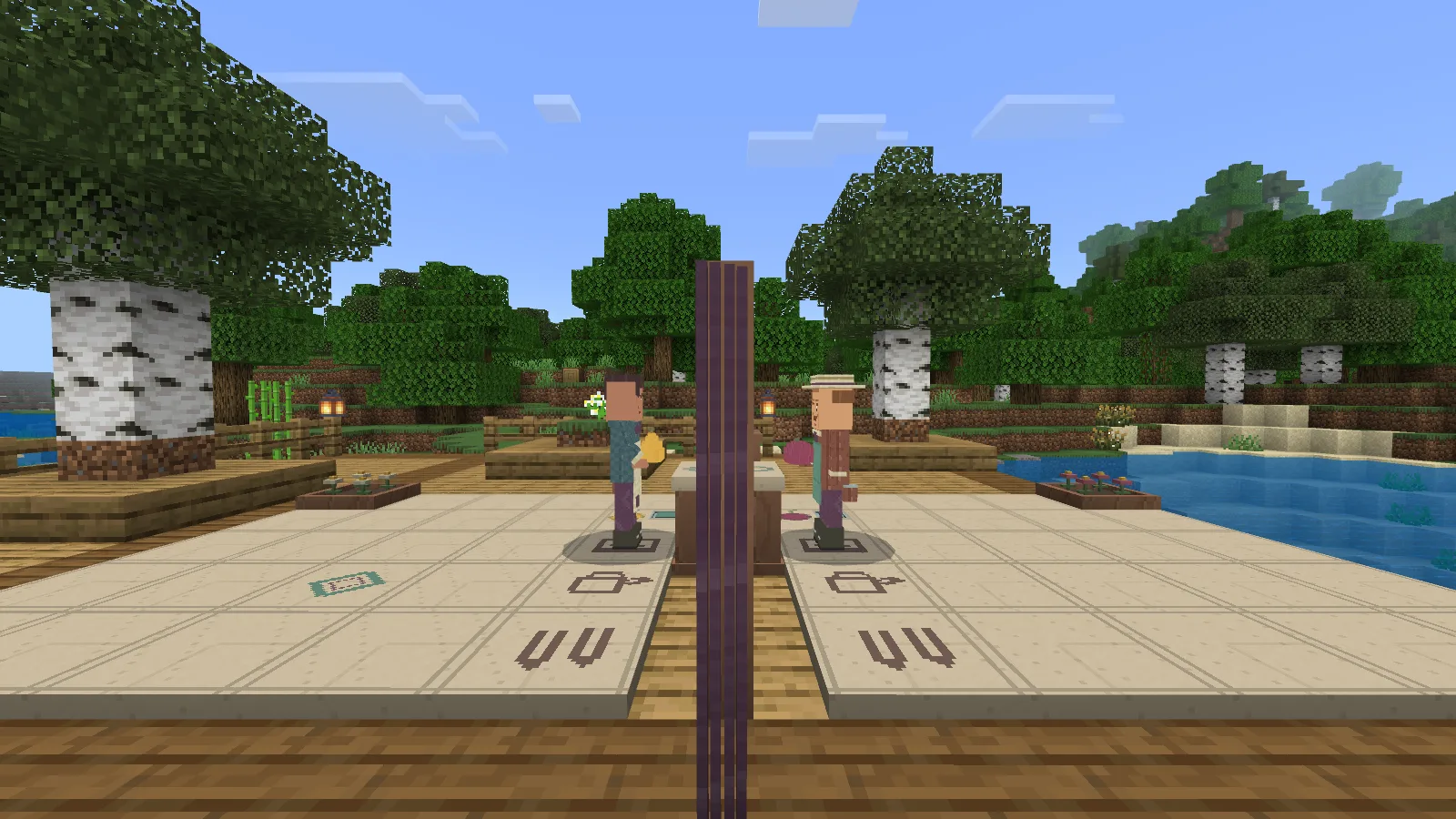
After both offers and both receives, the original fruit are in the opposite hands.
Now guide them to their marked dishes and place the exchanged fruit. The Pear and Pome you started with have changed sides. In our completed garden, Tobin’s dish held the Pome and Merren’s held the Pear, with both beds watered.
Let the result earn the next plan
Use the result balance to check both goals. A watered bed on one side cannot cover for an empty dish on the other. Once the whole arrangement is complete, its checked result is saved.
That first shared success earns trust. Make a Garden Trust Mark with one clay ball, then hold and use it in this garden to apply it. Our first mark allowed two actions in a proposal. Longer plans become useful because you can consider a short journey together, rather than reopening the route after every single step.
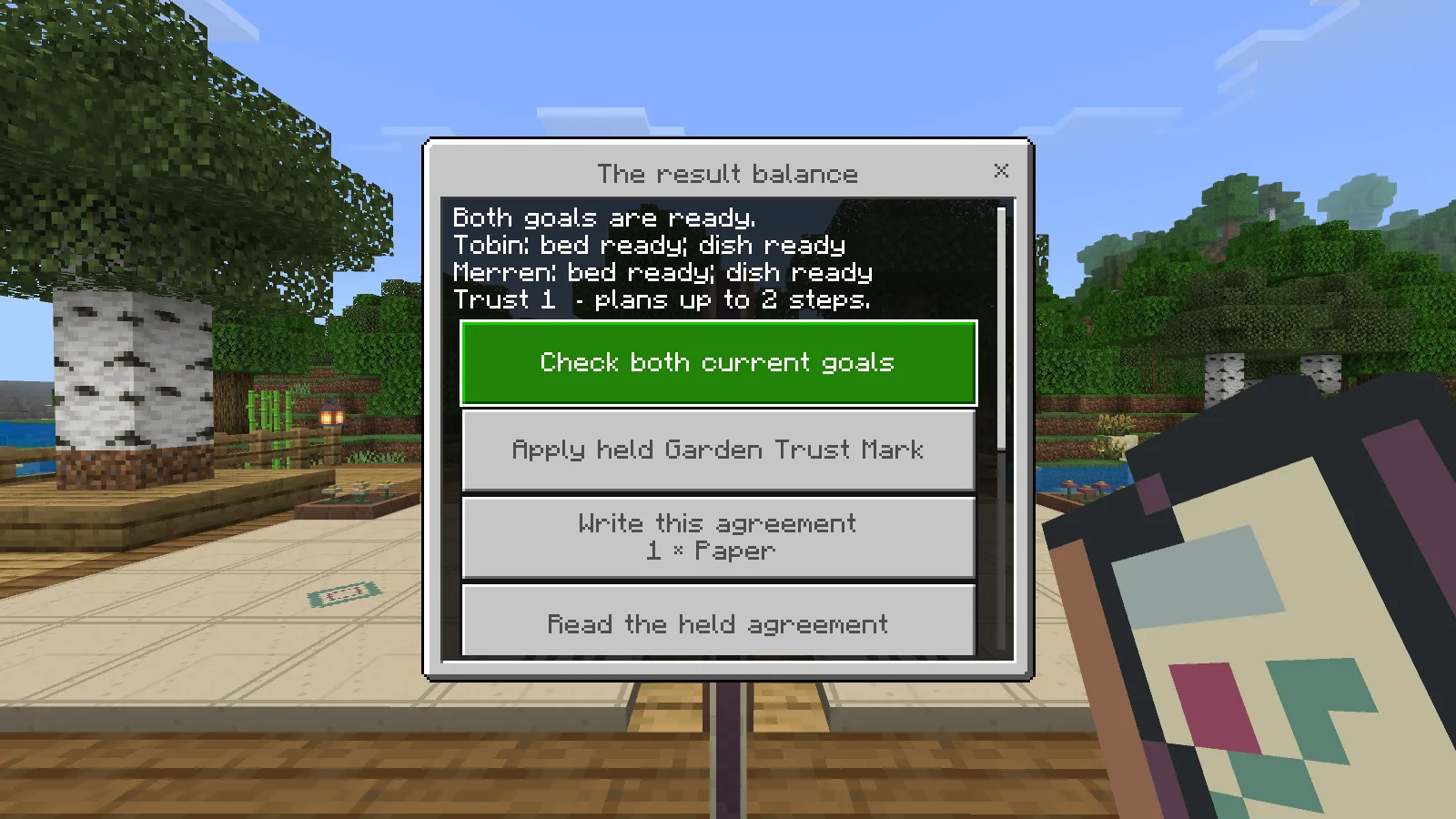
After saving and returning, both goals are ready and the earned trust still allows two-step plans.
Resetting brings the same two fruit back to their starting places and opens the current goals again. Earned trust and the earlier checked result remain, so you can practise a new attempt without mistaking yesterday’s success for today’s finished garden.
Keep the agreement you worked out
After checking a completed task, spend one paper to write a Garden Agreement. Ours recorded eleven steps, including both watering turns and the complete exchange. The card gives that little sequence a title and a maker, making it a useful reminder of how the two sides helped each other.
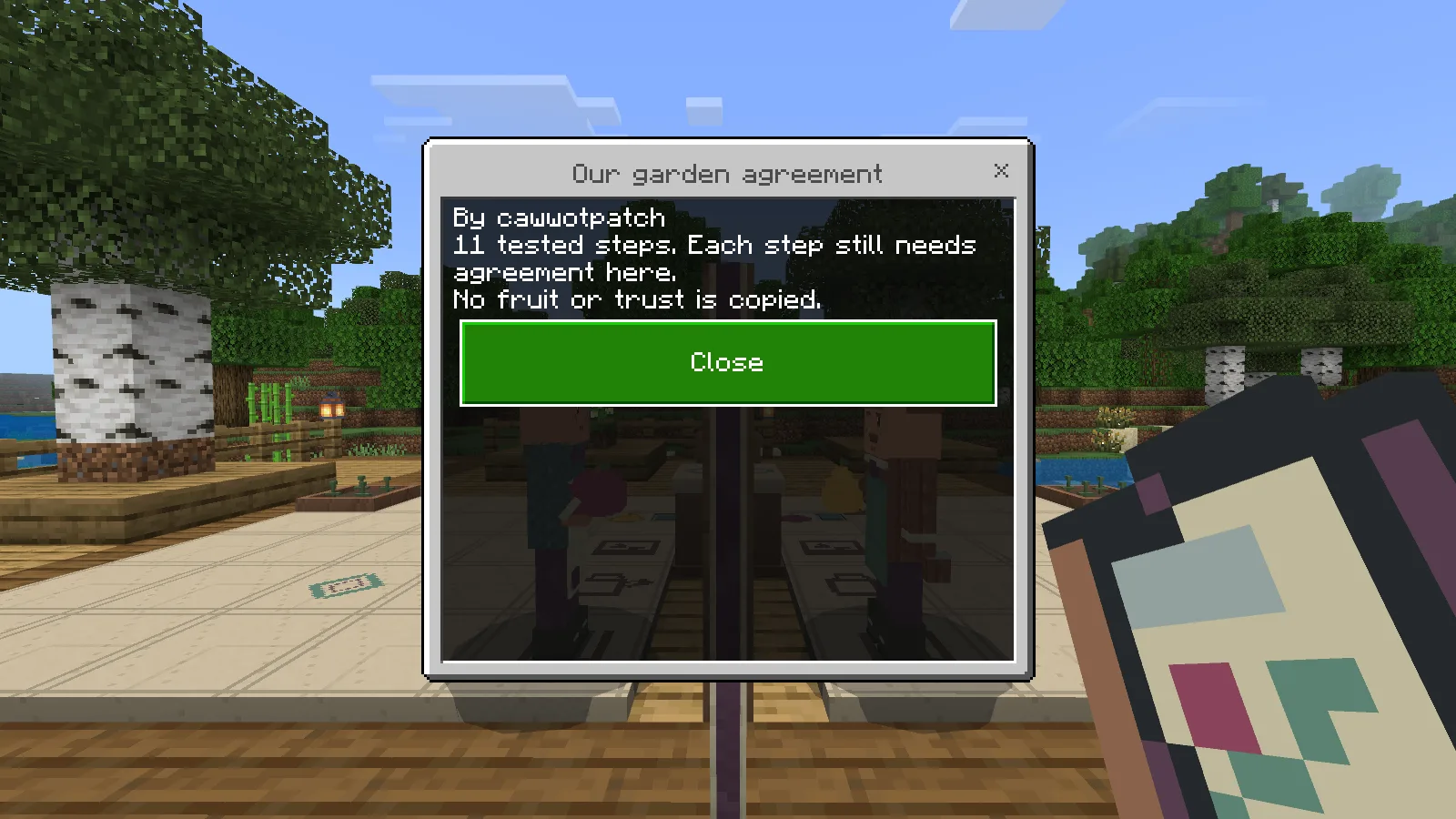
Keep the route you worked out; each new proposed step still needs agreement.
To revisit it, reset to the matching starting arrangement and read the card beside the garden. Each recorded step still needs agreement. We declined the first proposal without changing either starting position, then agreed to all eleven steps. Both beds were watered and the same fruit changed sides again. After saving and returning, both goals remained complete, with the earned trust still allowing two-step plans.
When you want your terrace back, use Pack. Ours returned both original fruit, eight oak planks and eight moss blocks. The clay used to make those fruit stays spent; packing does not turn them back into raw materials.
Download the add-on from Files. This review covers Minecraft Bedrock 26.52 on Windows, with one player and Merren. The riverside terrace and planting are a separate vanilla build.
To make your own version, open the editable project in the Mod Builder.
Created by Modonix Studio. Made with Modonix.
Comments & questions
Share what worked, ask for help or reply to another player.
No comments yet. Share what worked for you.