Crooked Joinery for Minecraft Bedrock

Dress a weathered build with six original timber finishes, from Crooked Planks and Cracked Planks to a fixed Shutter Panel on a full cube.

Content language

Give an old build a timber finish

Crooked Joinery is a set of six full-cube wood surfaces for cottages, sheds, workshops, and other builds that need a little wear without replacing an entire resource pack. The set includes Crooked Planks, Cracked Planks, Boarded, Corner, Endgrain, and Shutter Panel. Their uneven seams and copper details help a patched wall look deliberate, whether you use one finish as an accent or combine several across a façade.
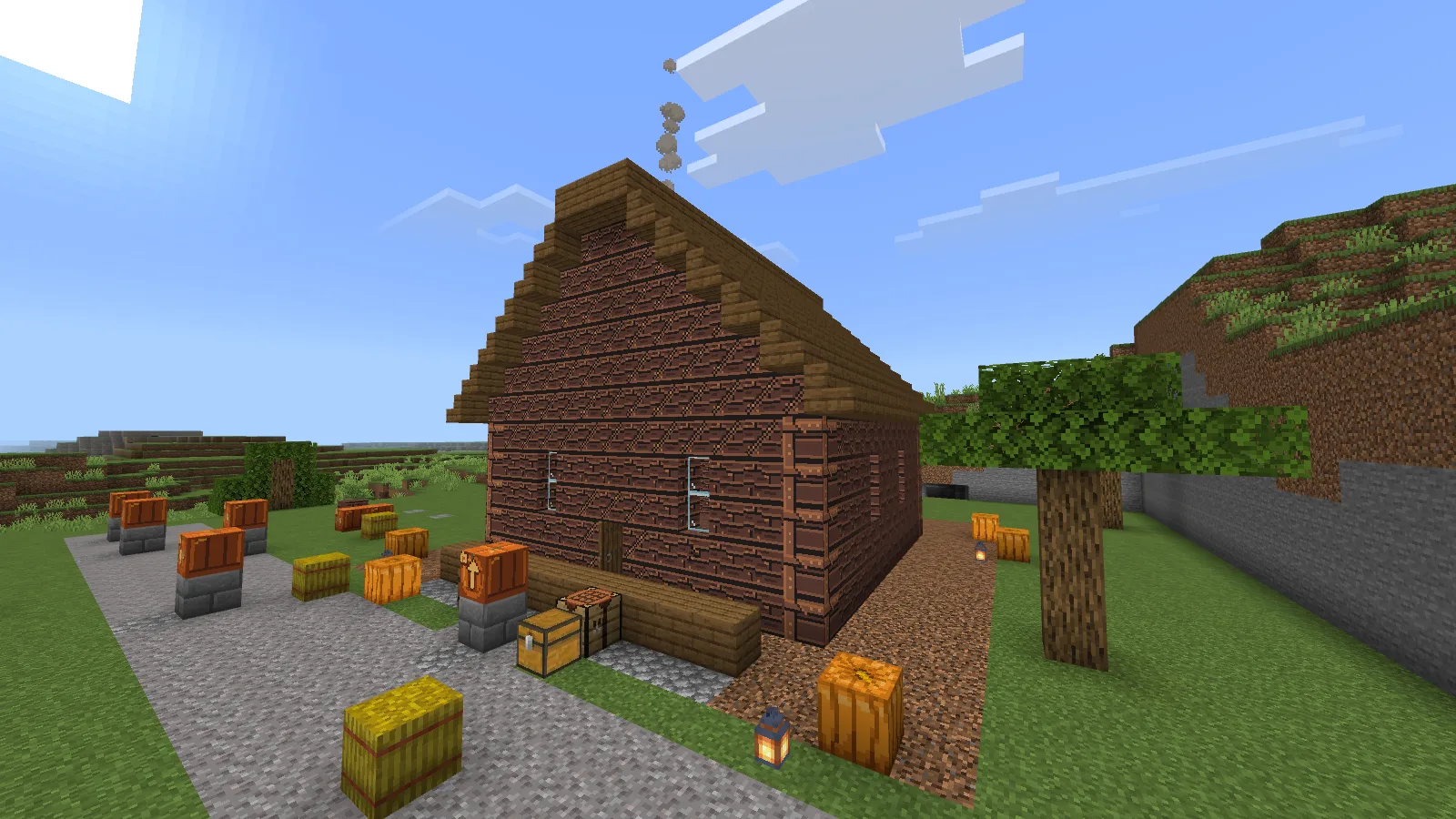
A cottage built with a mix of weathered Crooked Joinery timber finishes, spruce roofing, and pumpkin decorations.
A cottage facade with a deliberate mix of the timber finishes.

Craft and change finishes

Start with Crooked Planks, made from one oak plank and one charcoal in any positions in the player crafting grid.

Put one joinery block by itself in the grid to move through the finish sequence: Planks → Cracked → Boarded → Corner → Endgrain → Shutter Panel. Use the chain to carry one timber block from a rough plank surface to a more finished detail.
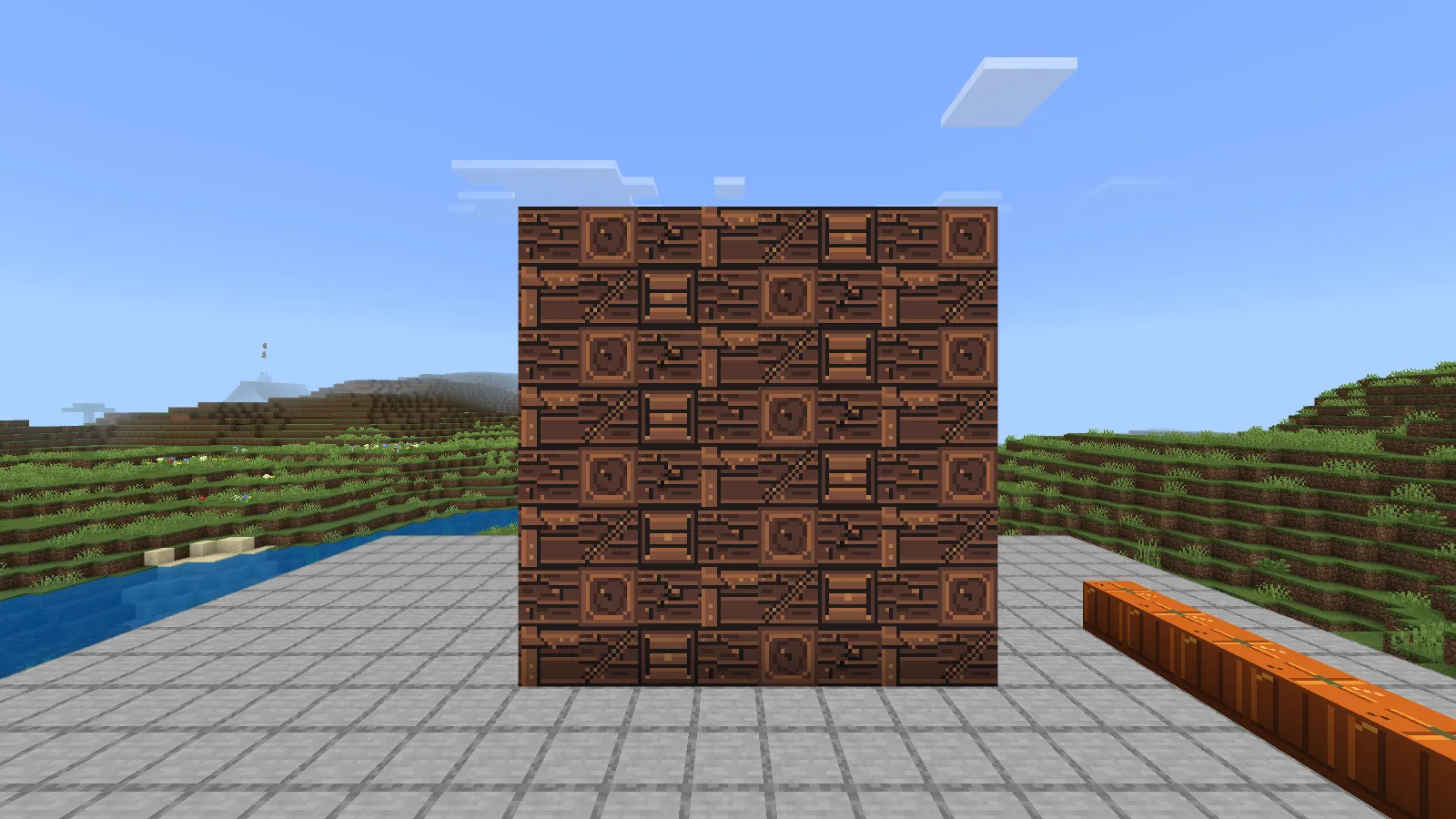
Six distinct full-cube timber blocks displayed together: Crooked Planks, Cracked Planks, Boarded, Corner, Endgrain, and Shutter Panel.
The complete set: Crooked Planks, Cracked Planks, Boarded, Corner, Endgrain, and Shutter Panel.

The shutter is a surface finish

Shutter Panel is a graphic on a full cube. It does not open or close and is not a hinged door. Use it as a fixed accent for a boarded window, a sealed cottage, or a workshop wall. The other five options are full cubes too, so place them as solid building blocks rather than thin trim.
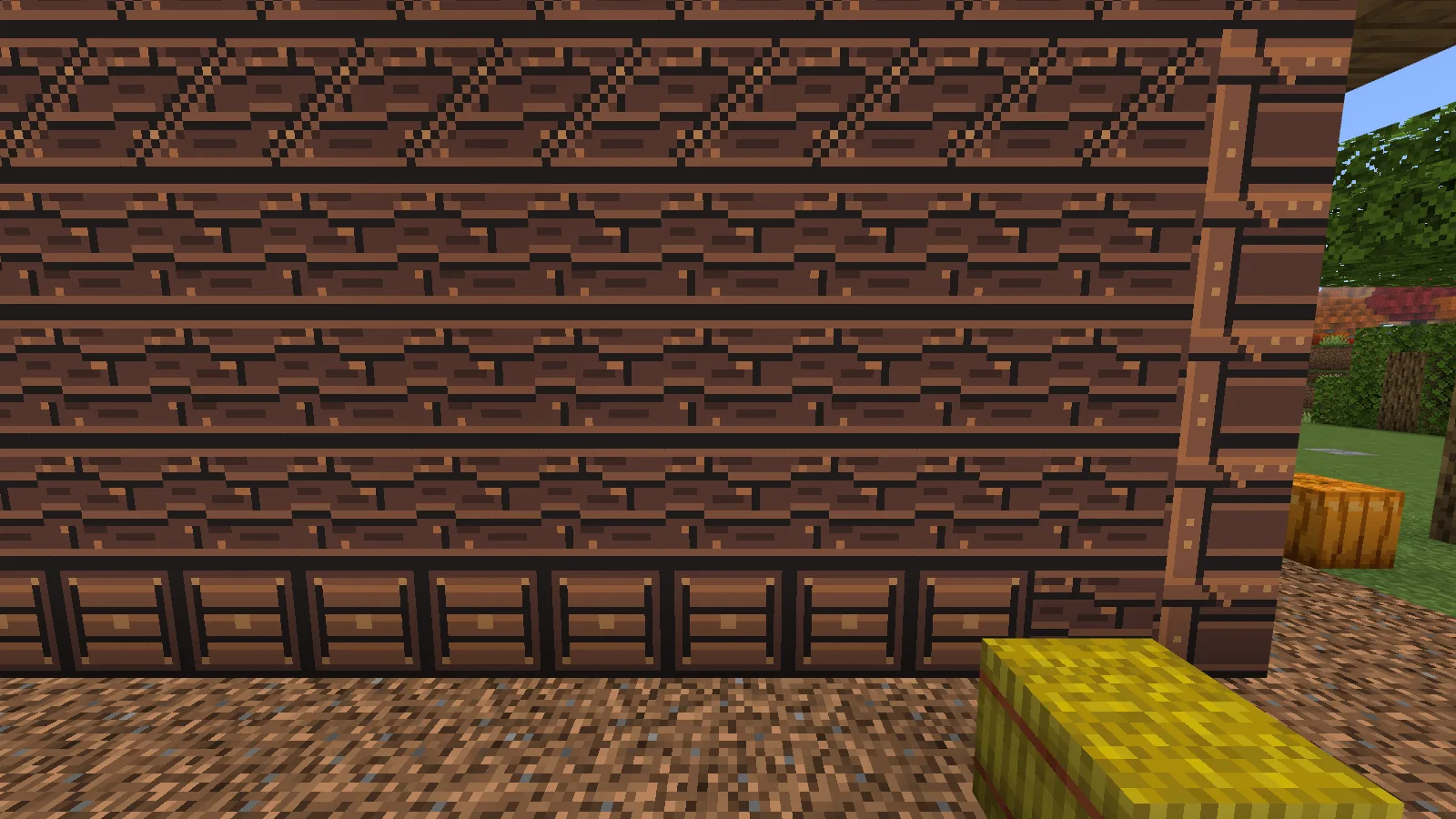
Close view of the static Shutter Panel graphic applied to a full-cube timber block.
Shutter Panel is a fixed full-cube finish, not a working door.

Install and use

Import the .mcaddon, then enable its included Behavior Pack and Resource Pack for the world where you want to build. No experimental settings are required. Try it in a separate world or a copy of an existing build before adding it to a long-running save.

No ratings yet

Files

Filter files Files: 1All release types
Show all files

Only preview files match this setup. Beta and Alpha releases may be unfinished.

Version 0.1.3

Beta

mdx_joinery-0.1.3-bedrock-26.52.mcaddon

Minecraft 26.52 Devices: Windows, Android, iOS / iPadOS

Author-declared devices · Tested on: Windows

3 downloads
Download · 16.1 KB
Requirements & details

Crooked Joinery 0.1.3 Beta

  • Game version: 26.52 · Devices: Windows, Android, iOS / iPadOS · Experiments: Not required · Script API: Not used · Pack contents: Behavior + Resource · File format: .mcaddon · Game channel: Stable · Play in: Local world · World requirements: Existing world supported

Minecraft Bedrock 26.52. Import the .mcaddon and enable its included Behavior Pack and Resource Pack in the world. No experimental settings are required. Tested on Windows; other devices and multiplayer have not yet been verified.

Requirements & notes
Known issues
Shutter Panel is decorative and does not open or close.
Device compatibility basis
Author-declared
Devices checked in-game
Windows
Device support notes
Standard Bedrock behavior and resource pack format for Windows, Android, and iOS / iPadOS. Native gameplay was tested only on Windows Bedrock 26.52; mobile gameplay, touch controls, and multiplayer have not been verified.

Release updates

Version 0.1.3

Beta

Includes six full-cube timber finishes: Crooked Planks, Cracked Planks, Boarded, Corner, Endgrain, and Shutter Panel. The shutter design is decorative and does not move.

View files

Comments 0

Share what worked, ask for help or reply to another player.

Join the conversation

1Your name & email

No account required. Confirm your email with a code before your first comment. Only a masked address appears with your name. Guest comments are reviewed before publication.

2Verify & post

No comments yet. Share what worked for you.

Search Modonix

Search in