Collect Everything! gives an ordinary Bedrock outing a small, visible goal. Find something you have not collected, bring it into your inventory and check it off in the browser. You can turn a wood-gathering trip into a search for missing materials, or use a quiet evening at the crafting grid to discover which familiar recipes still leave gaps in your collection.
The browser is useful even when your next objective is modest. Our example starts with two oak logs and ends with two distinct collected items: Oak Log and Oak Planks.
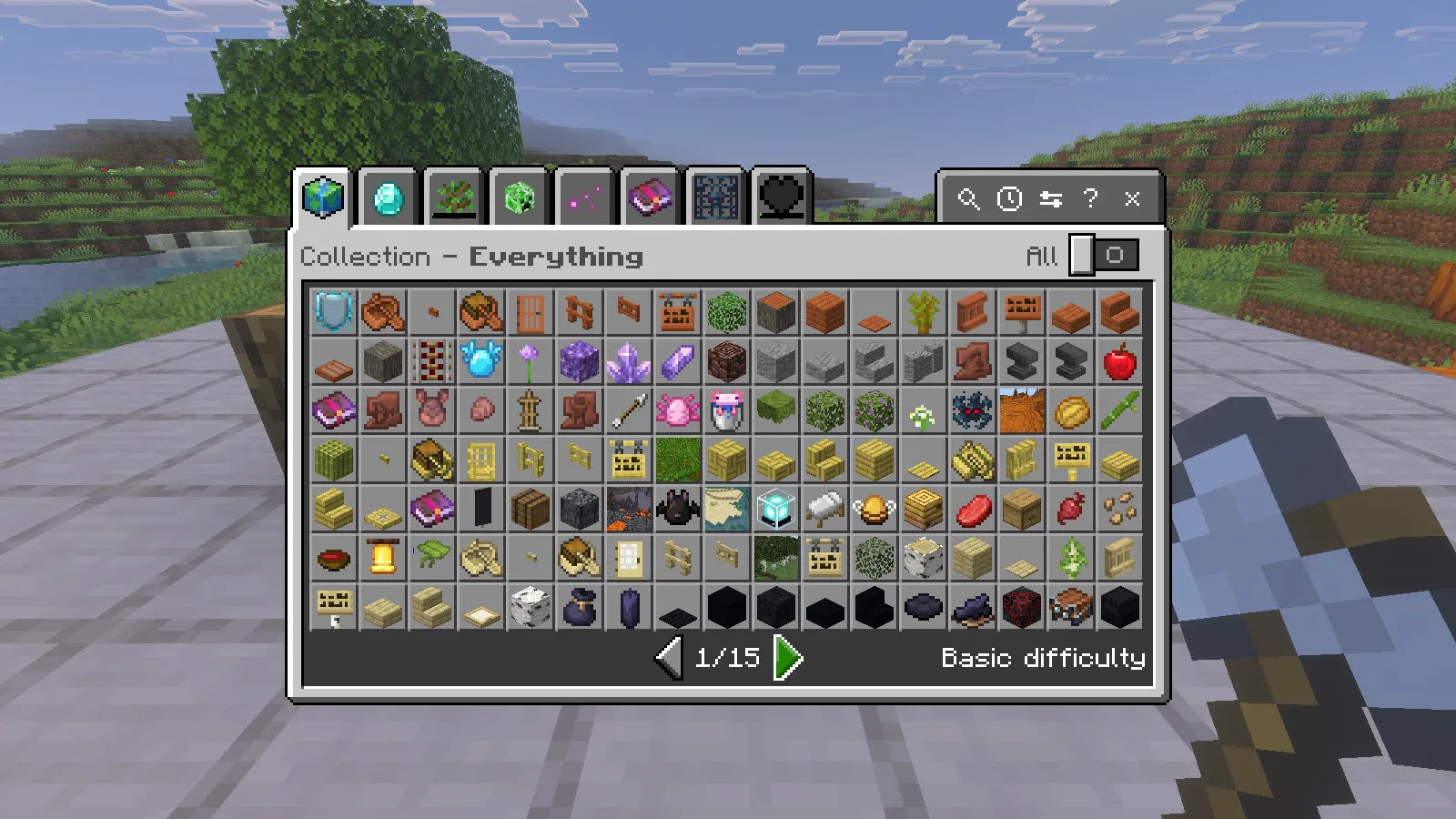
Install the paired packs
This walkthrough uses the original free 26.50.1 release on Windows Bedrock 26.52. Open the .mcaddon with Minecraft and let both imports finish. In a copy of your world, activate its behavior pack and matching resource pack. Beta APIs can stay off for this version. Keep the two packs together so the collection logic and browser resources match.
Enter /collecteverything:browse, then close chat to use the form. The ordinary browser command does not require cheats or operator permission. Begin with Basic collection difficulty. That setting controls collection detail; it does not change Minecraft's combat difficulty.
Pick up a log, then inspect its entry
For a first objective, choose an item you can obtain nearby. Carry a suitable tool and leave an empty inventory slot. Close the browser before working: while a menu is open, your clicks belong to the interface.
We broke a prepared oak log with an iron axe in Survival and walked into the dropped item. The collection notification appeared, and the log entered the hotbar. The two demonstration logs had been placed on a platform so the pickup was easy to follow.
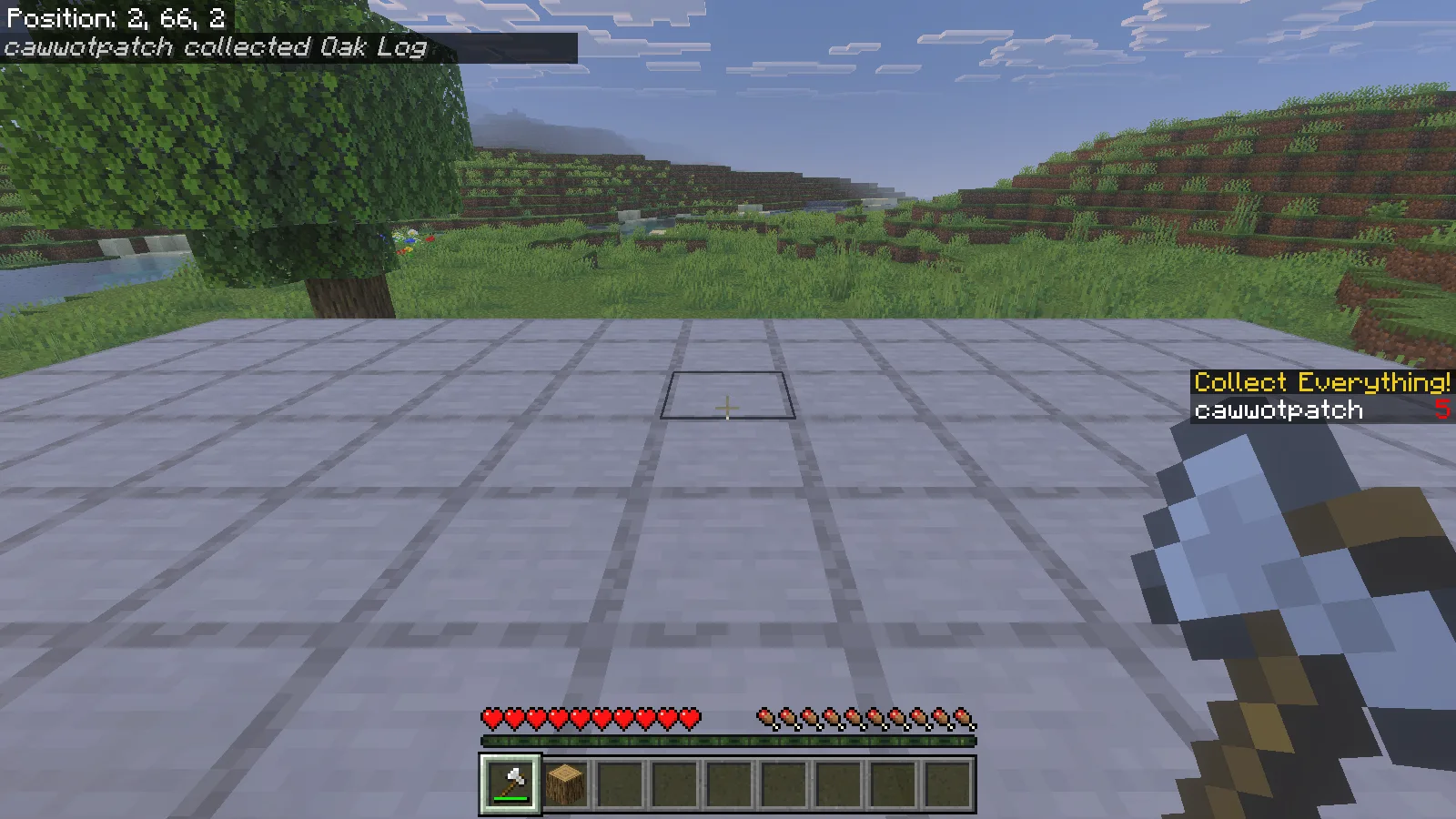
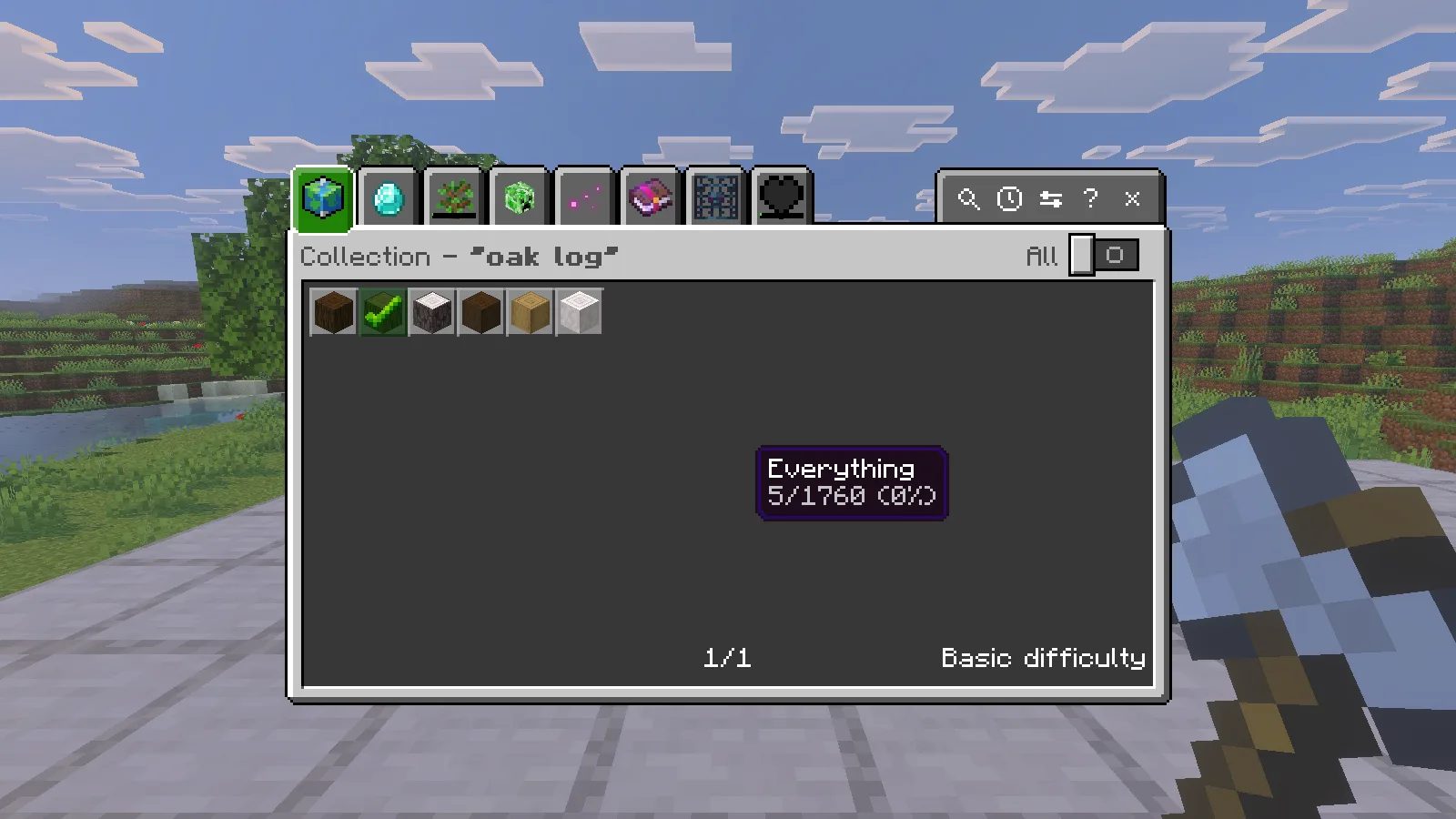
Open the browser again and select the magnifying glass. Search for oak log, then select the ordinary Oak Log result. Its detail panel identifies minecraft:oak_log and shows when it was collected. After our first pickup, Times Collected read 1.
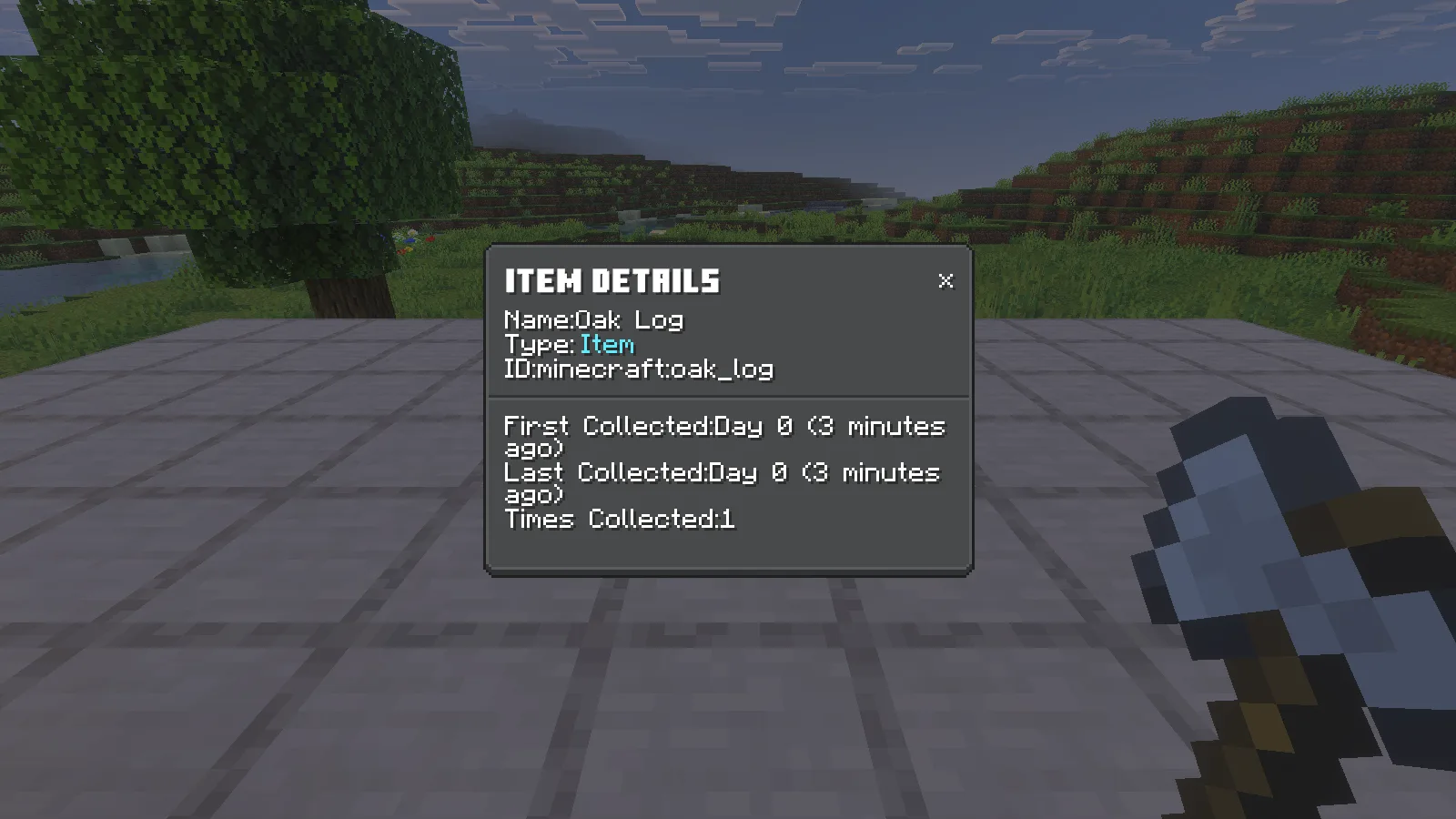
Search is more useful than scrolling through the whole catalogue. Read the selected entry's name and ID: similar wood names and variants can appear beside the item you meant to inspect.
Turn one discovery into another
Gather a second log. Our inventory now held two oak logs, but those two blocks still represented one item type. The browser records discoveries; the inventory tells you how much building material you have available.
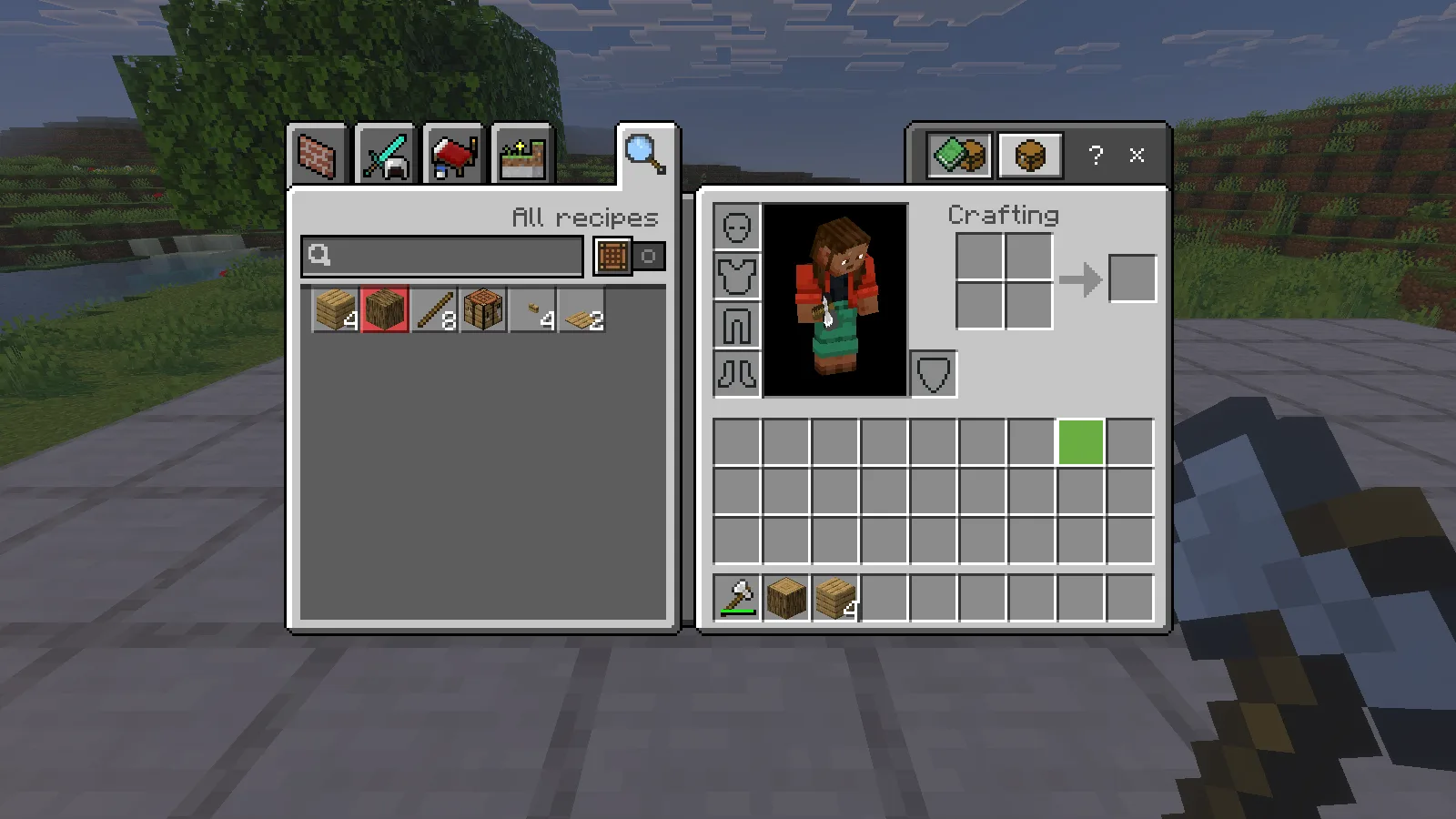
Open your inventory and put the logs into one cell of the small crafting grid. The output offers four oak planks. Take one batch, then return the remaining log to your inventory. You do not need a crafting table for this recipe.
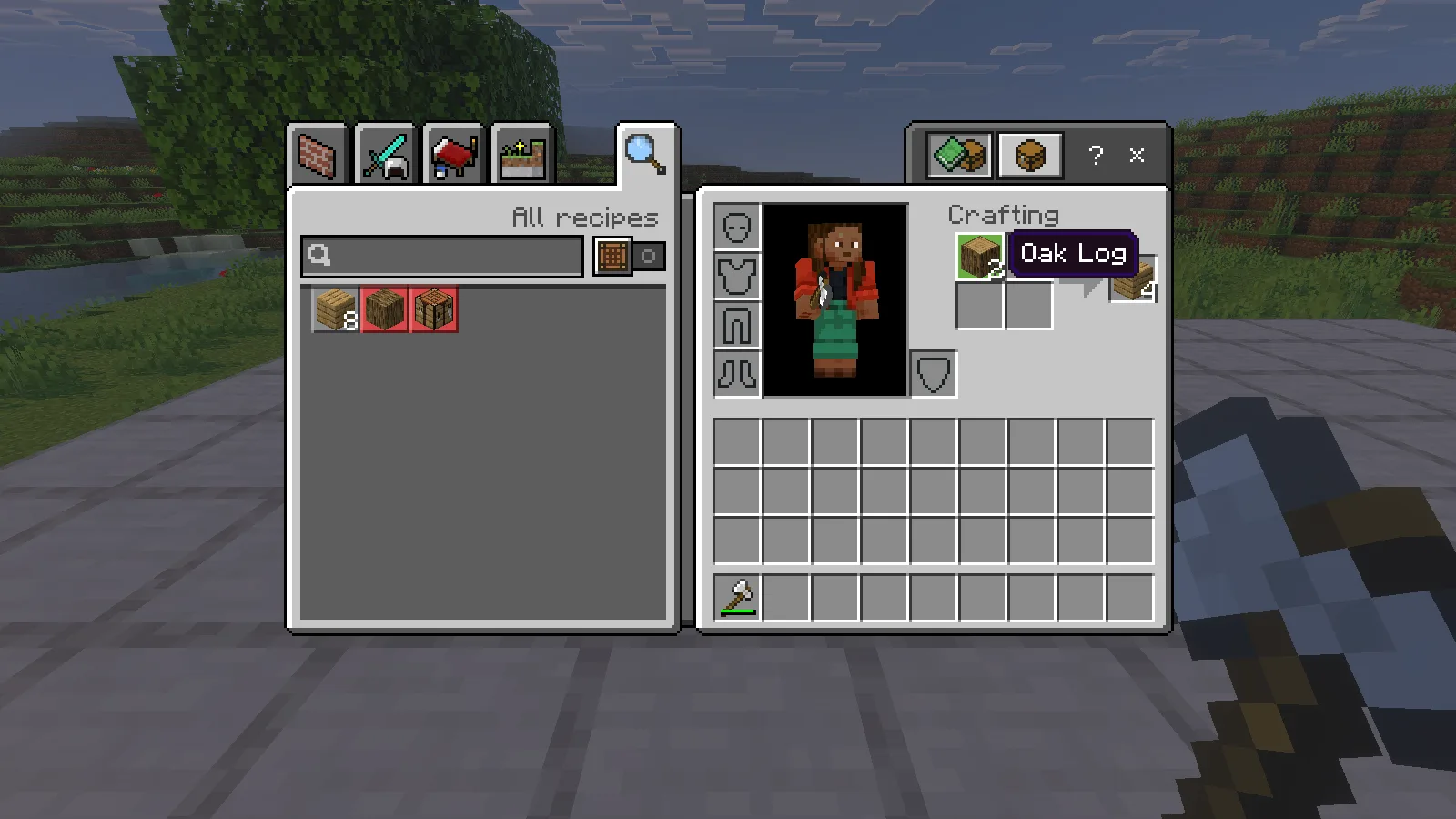
Our finished inventory contained one oak log and four oak planks. Searching for planks showed Oak Planks as collected separately from Oak Log. Taking the crafting output is the useful step: a recipe preview is not the same as carrying the result.
This gives you a simple way to plan a session at home. Review the wood items you already have, make one useful recipe, then check its entry before spending the rest of your supplies. Keep some materials for the build itself instead of crafting everything just to fill the list.
Return to your collection later
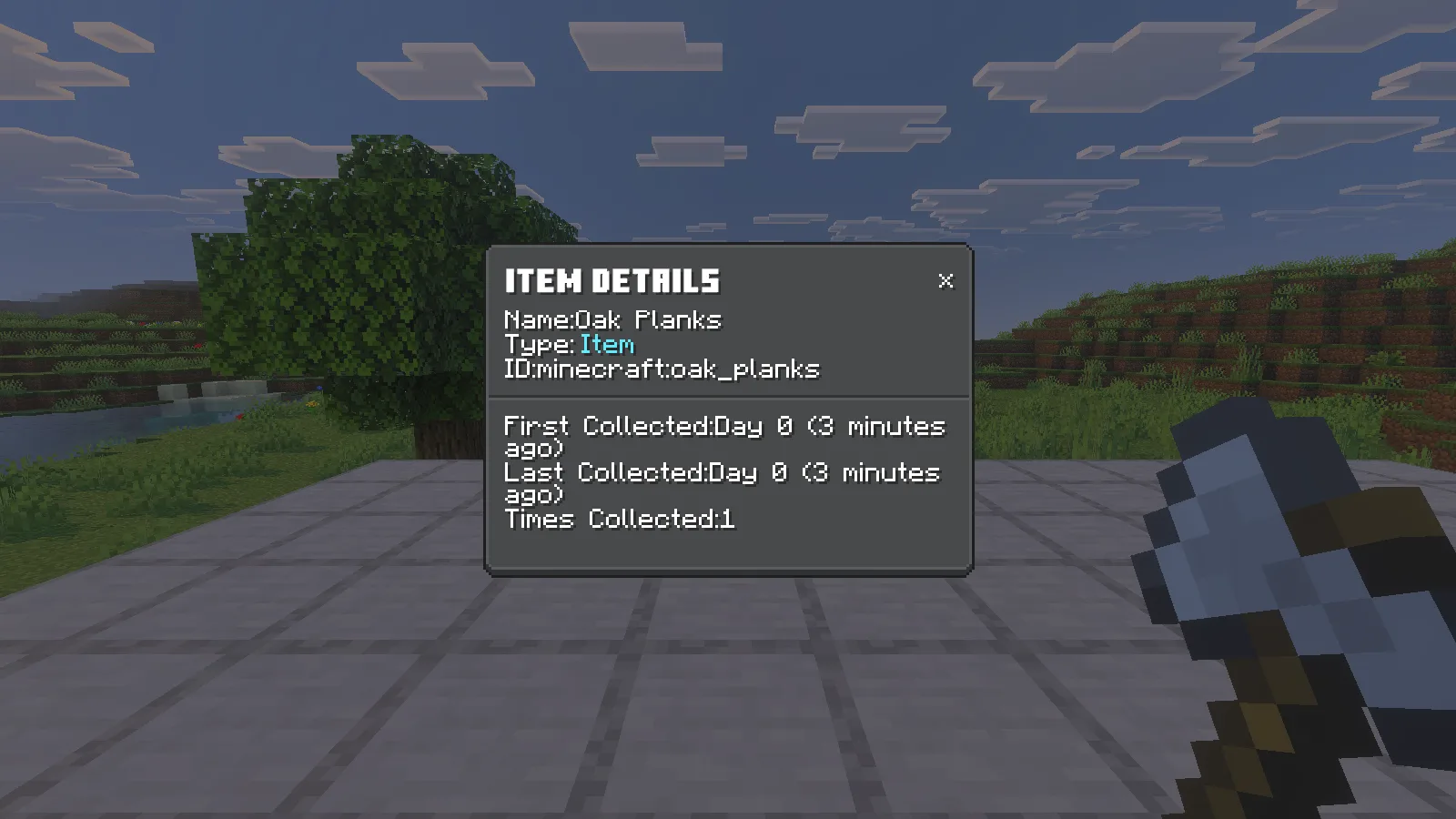
After Save & Quit and reopening the same world, Oak Planks still had its detail record, including Times Collected: 1 and its collected-time fields. Oak Log also remained marked with a green check.
Use Recently Collected for a recap and the main browser for individual long-term entries. Other discoveries can appear alongside the materials from your current task, so the grand total is not a count of the blocks in your backpack.
Choose a next trip you can finish
Pick two or three missing building materials before leaving base. A different wood type, its planks and a useful crafted block make a manageable route. Bring food, leave room for the drops and return to storage before expanding the plan.
For a browser you can keep near that storage wall, the pack includes a checklist recipe: one metal nugget above paper above a plank, in a vertical crafting-table column. Iron, gold and copper nuggets have recipes. Use the checklist in hand, or place it and interact with it, to open the browser. This is a convenient next project once your first discoveries are recorded.
Comments & questions
Share what worked, ask for help or reply to another player.
No comments yet. Share what worked for you.